




As a solutions engineer at Pinecone, I spend a lot of time meeting with customers, capturing requirements, and documenting next steps. To stay organized, I take meticulous notes during and after every call. I store them in Google Drive, which over time becomes an extremely valuable and growing archive of conversations, needs, and feature requests that I can refer back to. The problem? When I need to find something quickly across dozens (or hundreds) of documents, manually searching is slow and error-prone.
Not long ago, one of my account executives asked me for help. She wanted to know which customers had expressed interest in Pinecone’s newly released (in early access) Update by Metadata feature, because surfacing that insight would help her prioritize follow-ups and strengthen conversations with prospects. The problem was that the answer to her question wasn’t stored in a spreadsheet or CRM report. It lived in my personal call notes, spread across dozens of documents in Google Drive.
Manually digging through those notes would have taken hours, and even then, I might have missed key details. What I really needed was a way to query all of that knowledge at once, a semantic search layer on top of my notes, something smarter than “Ctrl+F.”
That’s where Pinecone Assistant came in, allowing me to ingest all of my notes, index them, and ask natural language questions across them.
What started as a single request from an AE is something that applies far more broadly. Every role has knowledge scattered across documents: product managers with feature feedback, researchers with reference notes, engineers with design docs, or support teams with troubleshooting records. The insights are there, but in their default form, they are difficult to find and even more challenging to connect.
By using Pinecone Assistant, I was able to take what would have been hours of manual searching and turn it into a question I could ask and get an answer to in seconds. The same approach works for anyone who needs to extract knowledge from unstructured text. Instead of hunting through files, you can simply query your own notes and get back the relevant answers.
The real value is not just in saving time, but in making hidden knowledge discoverable and actionable. Whether you are in sales, product, support, or research, having the ability to build a personalized assistant on top of your documents changes the way you work.
I could have uploaded the documents to ChatGPT. But on a personal plan, I am limited to 10 files at a time. That is not nearly enough for my complete set of call notes.
Pinecone Assistant provides a better option. Built on top of Pinecone’s vector database, it allows me to ingest all of my notes, index them, and ask natural language questions across the full set. Unlike ChatGPT, there is no hard file cap beyond the batch size in the UI (10 at a time). Under the hood, I can choose from multiple models, including GPT-4, depending on my needs.
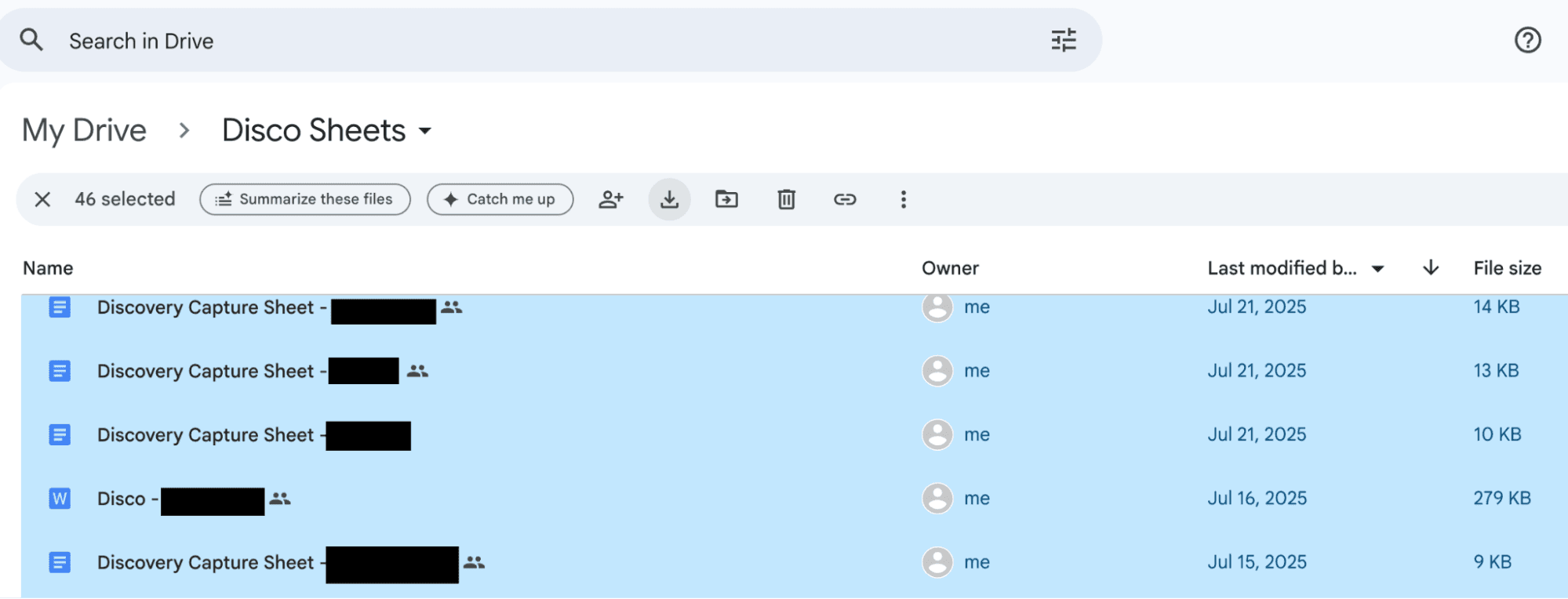
I started by exporting all of my Google Docs from the Drive folder where I keep customer records.
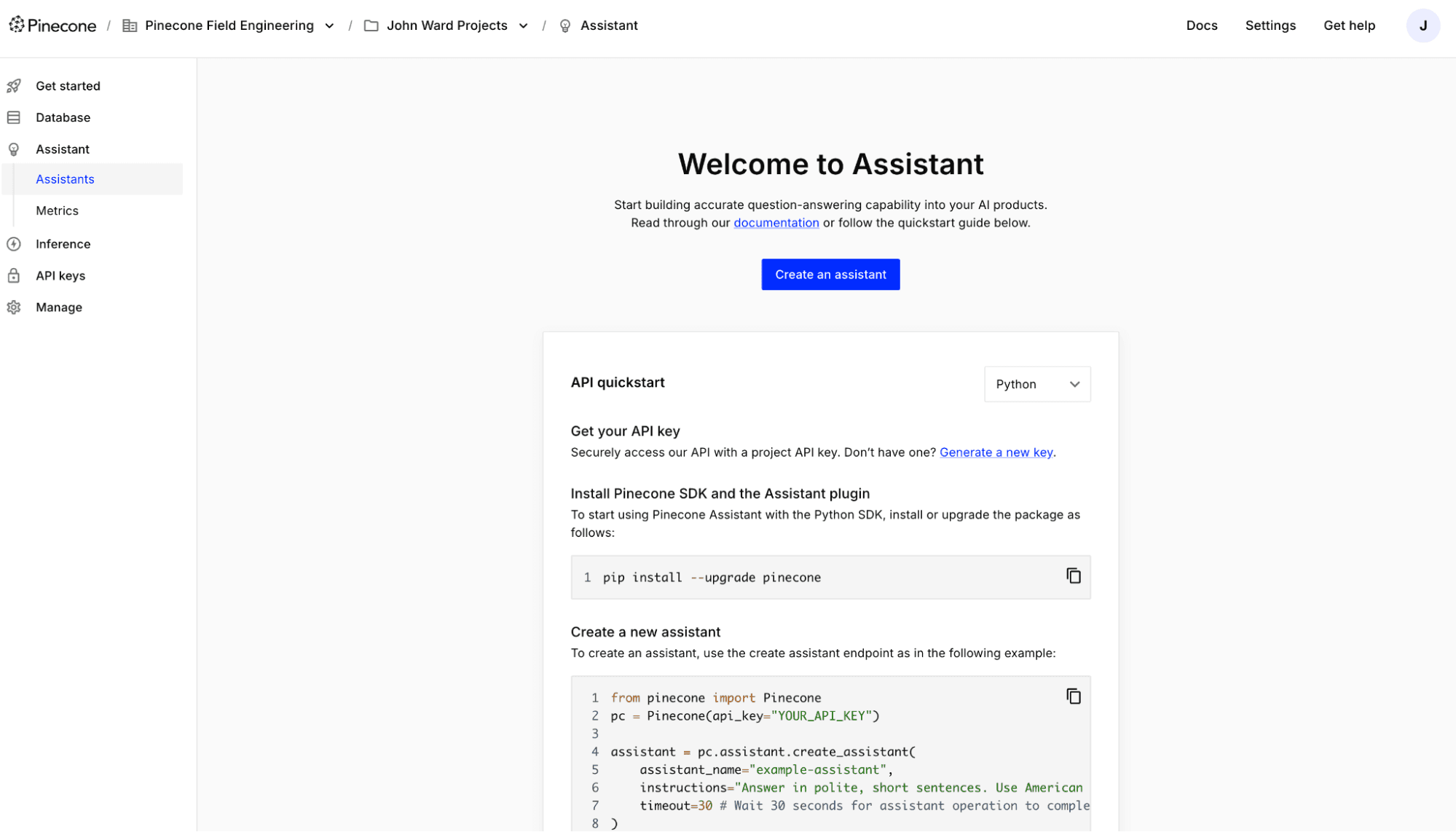
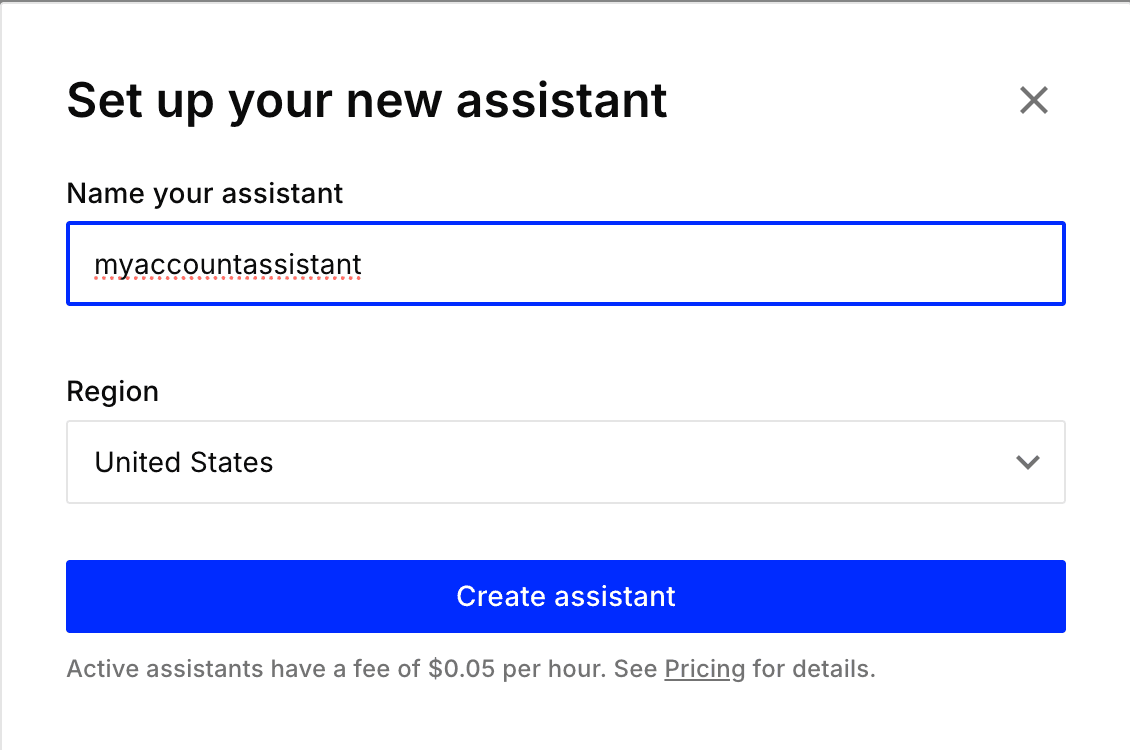
Inside Pinecone, I went to the Assistant tab and created a new Assistant. A small detail: Assistant names must be lowercase.
On the landing page, I clicked the “Drag files here or click to browse” section and uploaded my documents.
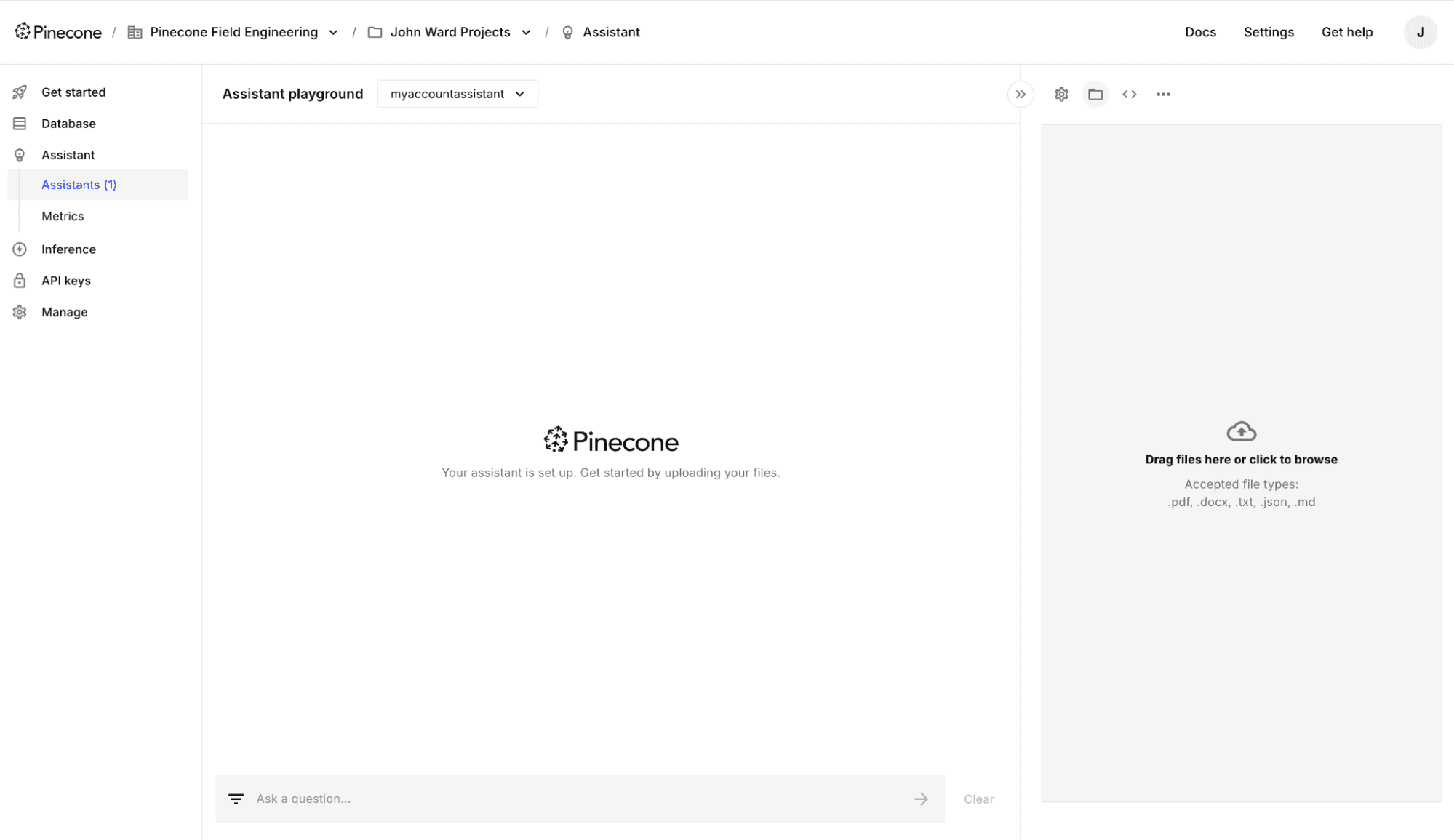
While the console limits you to 10 files per batch, you can avoid that limit and upload files much faster programmatically via the Assistant API. If you do want to use the API, here is the snippet.
from pinecone import Pinecone
pc = Pinecone(api_key="YOUR_API_KEY")

# Get an assistant.
assistant = pc.assistant.Assistant(
    assistant_name="example-assistant",
)

# Upload a file.
response = assistant.upload_file(
    file_path="/Users/jdoe/Downloads/example_file.txt",
    timeout=None
)
Learn more about using the Assistant API in the Pinecone Assistant Quickstart.
Once uploaded, I asked a natural language question: Which customers have expressed interest in, or would benefit from, Update by Metadata?
Within seconds, Pinecone Assistant returned the relevant customers pulled from my notes.
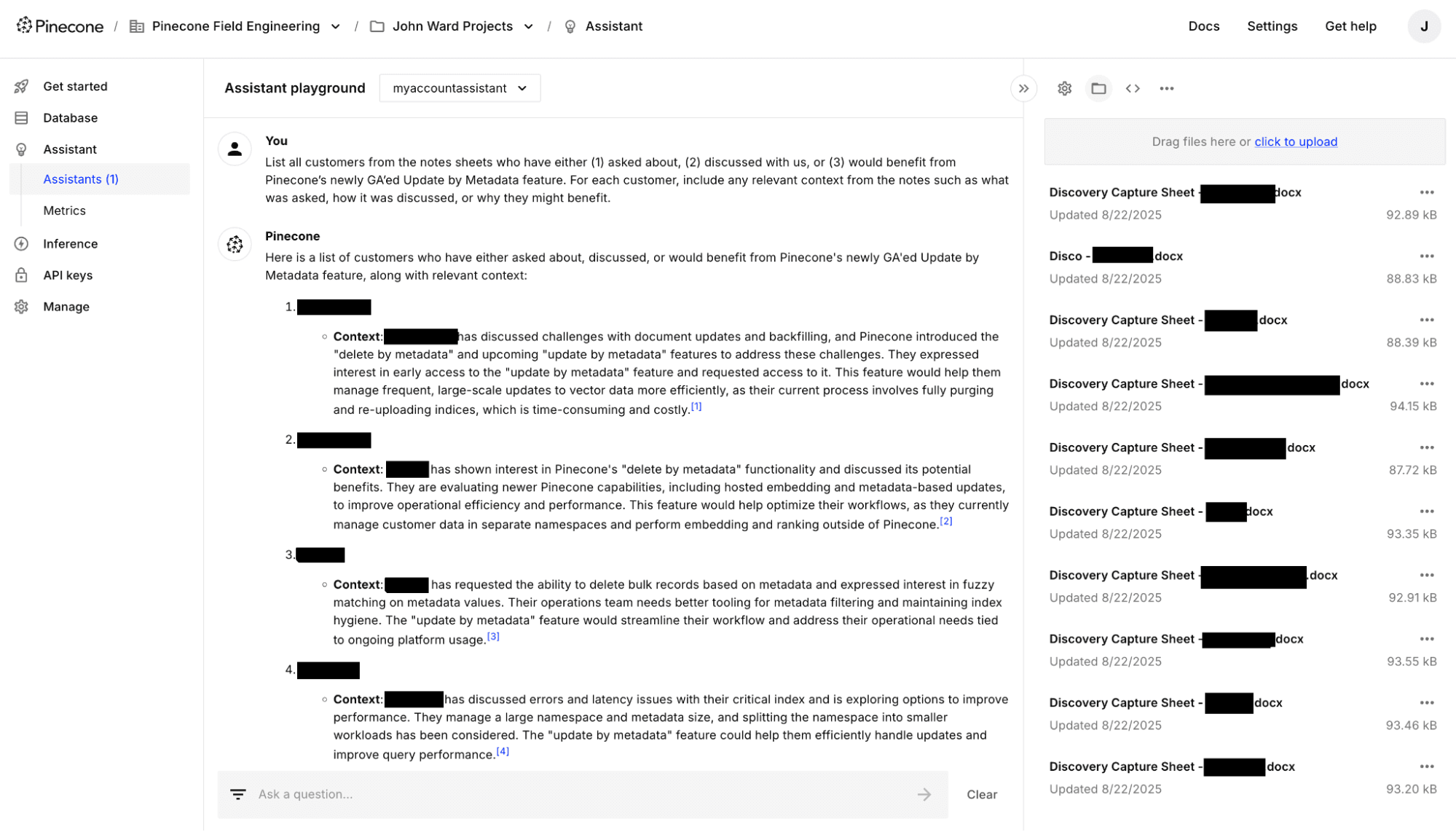
The entire process took about 20 minutes, including exporting, uploading, and asking questions. Now, I have a custom Assistant that can answer questions about my customers at any time.
This was not just about saving time. It was about unlocking the knowledge buried in personal notes and making it discoverable with enterprise-grade vector search. Whether you work in sales, support, product, research, or any role that depends on digging through documents, having the ability to query your own knowledge base is a game-changer.
✅ Pro tip: Combine Pinecone Assistant with your CRM exports or support notes. You will have your own AI knowledge base tuned to your customers, your language, and your workflows.
此内容由惯性聚合(RSS阅读器)自动聚合整理,仅供阅读参考。 原文来自 — 版权归原作者所有。