



Today we are introducing the ability to bulk import from object storage for Pinecone’s serverless infrastructure. This new capability makes ingesting large amounts of data more efficient for developers building accurate, secure, and scalable AI applications.
Import from object storage provides a simple and efficient way of transferring and indexing your initial workload into Pinecone. This streamlines development if you want to run a POC at a large scale (e.g. 100M records), onboard a known or new tenant, experiment with new embedding models, or migrate an entire production workload from another data store to Pinecone.
With import from object storage, you get:
Note: Imports are limited to 100M records at a time during public preview.
from pinecone import Pinecone
pc = Pinecone(api_key='YOUR_API_KEY')

index = pc.Index("target_index")
index.start_import(
  integration_id="secure-integration-id",
  url="s3://bucket/path/to/dir/"
)
Initiate a new import request from object storage (e.g. Amazon S3) with a few lines of code.
To get started, you first need to integrate your object store (e.g. Amazon S3) with Pinecone. Pinecone’s storage integrations let you store IAM credentials for your object store and can be set up or managed via the Pinecone console.
Import is done from a new API endpoint that supports Parquet source files. This makes it easy to ingest large datasets stored in object storage. These import operations are restricted to writing records into a new serverless namespace; you cannot import data into an existing namespace.
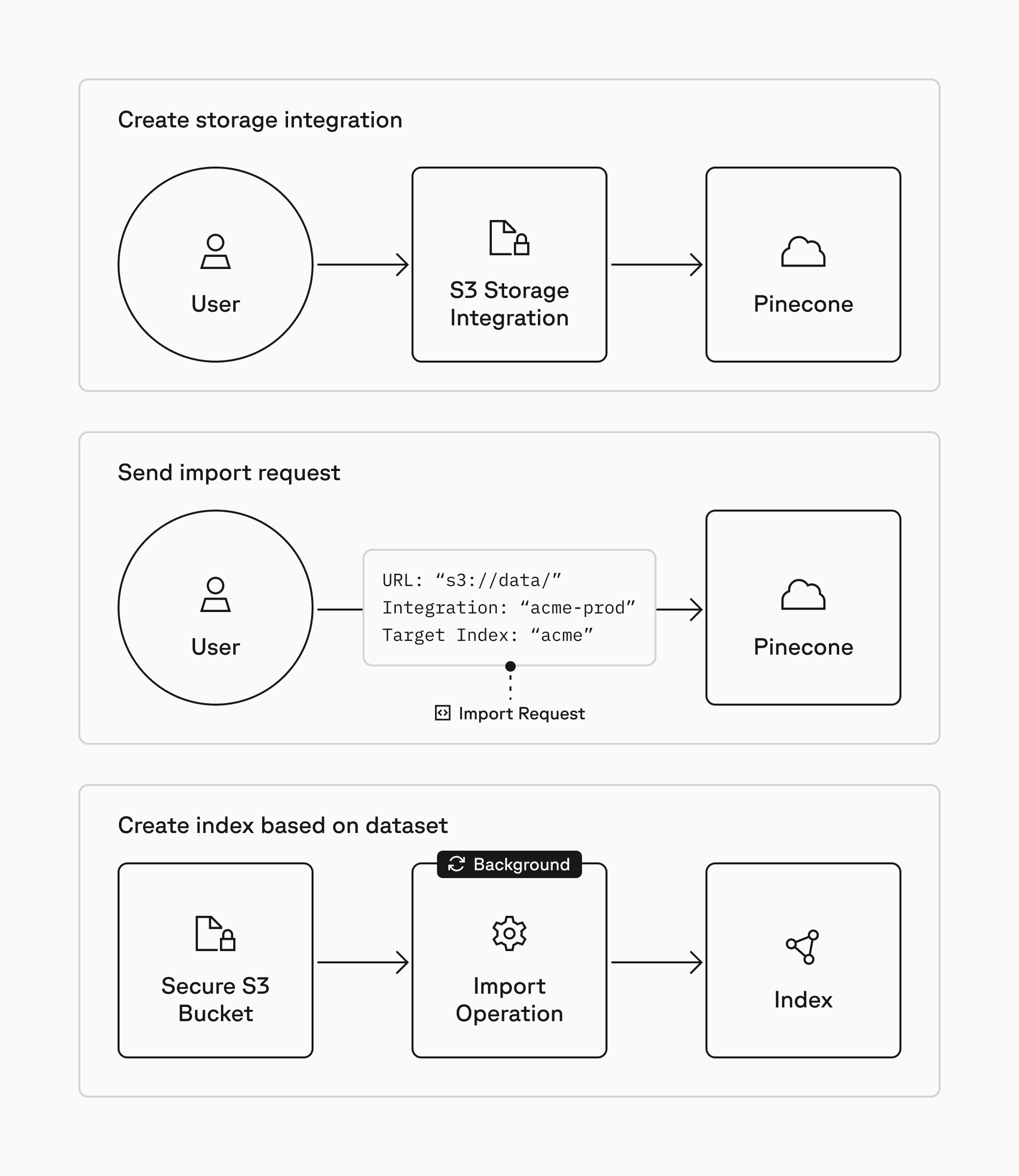
Easily set up the storage integration in the Pinecone console, then send an import request. Import requests are asynchronous, long-running operations so you can set it and forget it.
Import from object storage is now available in public preview for Standard and Enterprise users at a flat rate of $1.00/GB. It is currently limited to Amazon S3 for serverless AWS regions. Support for Google Cloud Storage (GCS) and Azure Blob Storage will follow in the coming months. See our documentation to learn more, test it out in our example notebook, and start building today.
此内容由惯性聚合(RSS阅读器)自动聚合整理,仅供阅读参考。 原文来自 — 版权归原作者所有。