








Ransomware attacks now take an average of 7-8 days to detect, and by then, your backup files may already be compromised. GuardMode from Catalogic changes this by monitoring your data before it gets backed up, catching threats early and helping you restore only the affected files instead of rolling back entire systems.
If you’re a backup administrator or IT professional responsible for data protection, this guide will show you how GuardMode works, what features it offers, and how it can fit into your existing backup strategy. You’ll learn about its detection methods, recovery options, and practical benefits in about 10 minutes.
Most organizations don’t realize they’re under a ransomware attack until it’s too late. Research shows that in 2025 it typically takes 7-8 days to detect an active ransomware infection. During this time, the malicious software spreads throughout your network, encrypting files and potentially corrupting data that gets included in your regular backup cycles.
This delay happens because traditional security tools focus on preventing attacks at entry points like email or web browsers. Once ransomware gets past these defenses, it can operate quietly in the background, gradually encrypting files without triggering immediate alerts.
There’s often a disconnect between your security team’s tools and your backup infrastructure. Endpoint detection software like antivirus programs and firewalls are designed to stop threats from entering your network. However, they don’t specifically monitor what’s happening to the data that your backup systems are protecting.
Your backup software focuses on reliably copying and storing data, but it typically doesn’t analyze whether that data has been compromised. This creates a blind spot where infected files can be backed up alongside clean data, contaminating your recovery options.
Modern ransomware is sophisticated enough to specifically target backup files and systems. Attackers know that organizations rely on backups for recovery, so they deliberately seek out and encrypt backup repositories, shadow copies, and recovery points.
When ransomware reaches your backup files, it eliminates your primary recovery option. Even if you detect the attack quickly, you may find that your recent backups contain encrypted or corrupted data, forcing you to rely on much older backup copies.
When ransomware strikes, most organizations face a difficult choice: restore everything from a backup point before the infection began, or try to identify and recover only the affected files.
Full system restoration is often the safer option, but it’s also costly and time-consuming. You lose all data created between the backup point and the attack, which could represent days or weeks of work. Users must recreate documents, re-enter data, and rebuild recent changes.
The alternative—trying to identify specific affected files—is risky without proper tools. IT teams often lack visibility into exactly which files were encrypted, when the encryption started, and how far the infection spread. This uncertainty leads many organizations to choose the full restoration approach, even when only a small percentage of their data was actually compromised.
Without specialized detection and tracking capabilities, backup administrators are left making recovery decisions with incomplete information, often resulting in unnecessary data loss and extended downtime.
GuardMode is a ransomware detection and protection system specifically designed for backup environments with seamless integration into Catalogic DPX. Unlike traditional security software that focuses on preventing attacks at network entry points, GuardMode monitors your data in two ways:
The GuardMode software was built with a simple premise: backup administrators need their own security tools that integrate directly with their backup processes and DPX workflows. Rather than relying on security teams to detect and communicate threats, GuardMode gives backup teams the ability to identify compromised data and respond immediately within the familiar DPX interface.
GuardMode operates as an integrated component of DPX’s pre-backup and post-backup monitoring layers, scanning and analyzing files continuously to detect ransomware-like behavior before that data becomes part of your backup repository. This seamless integration with DPX prevents infected files from contaminating your recovery options while providing detailed information about which specific files are affected—all accessible through your existing DPX management console.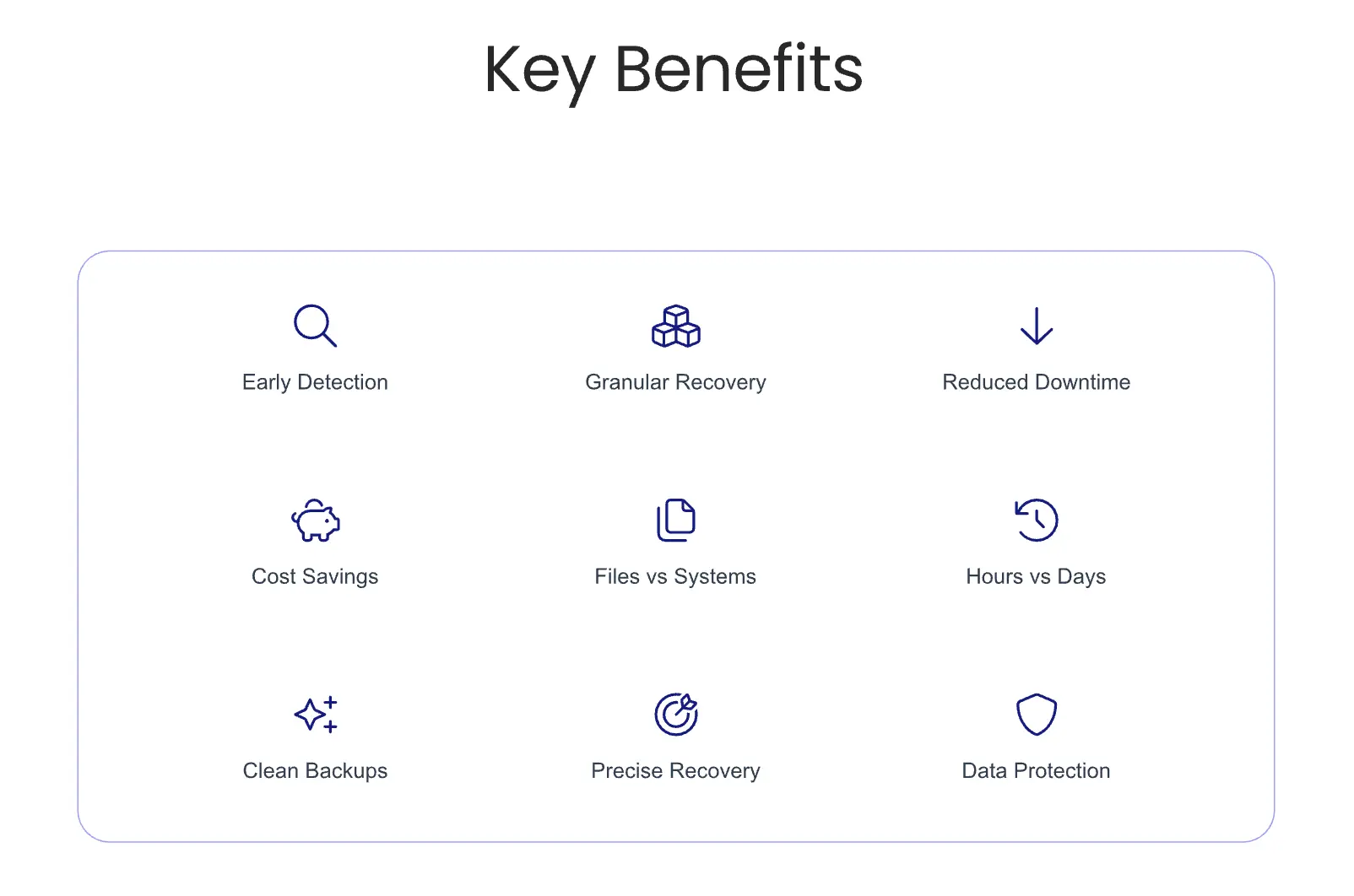
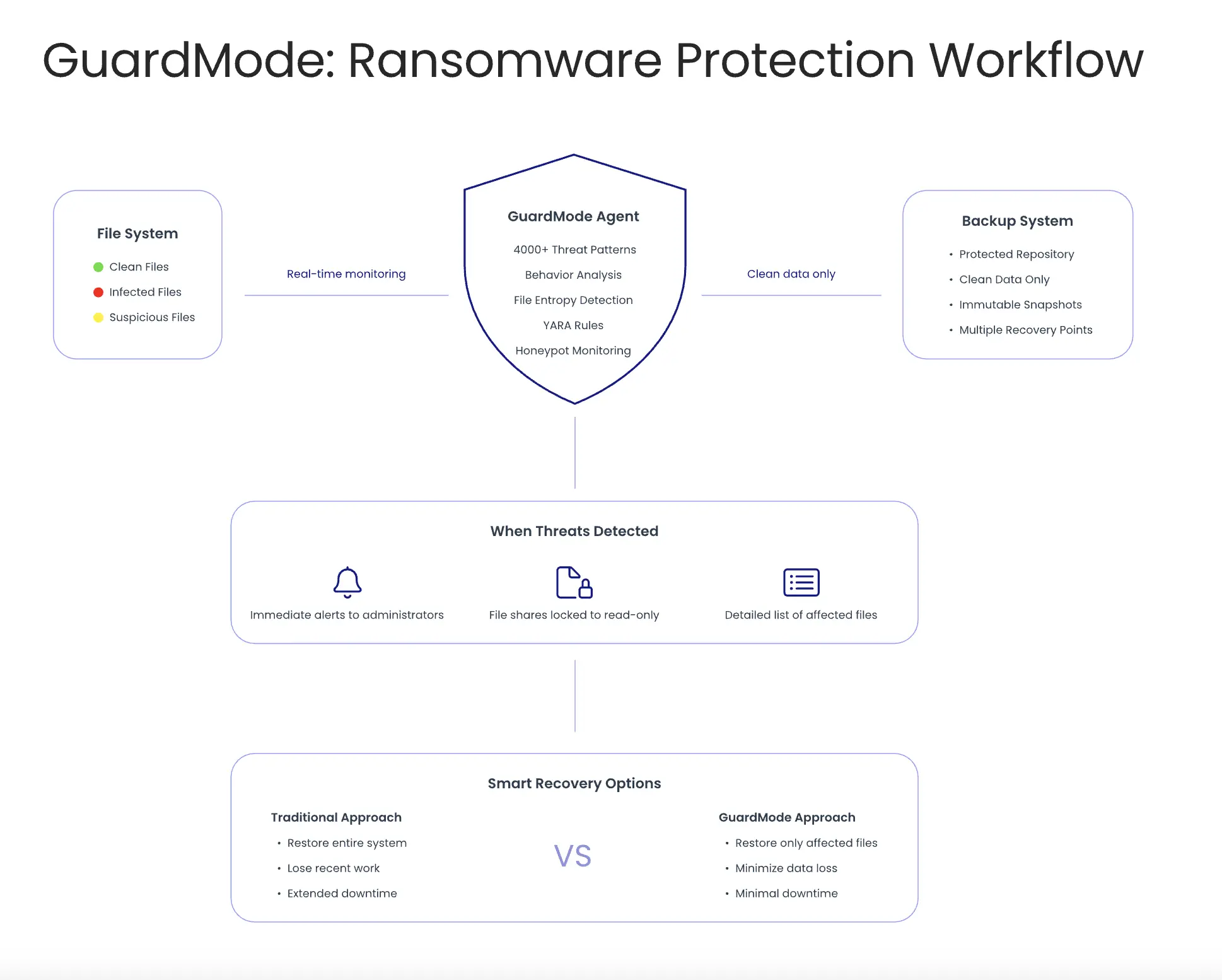
GuardMode works as an agent that you install on Windows and Linux servers. It monitors file systems in real-time, watching for suspicious activity like unusual file access patterns, rapid encryption processes, and other behaviors that indicate ransomware activity.
The system integrates directly with Catalogic’s DPX backup software, but it’s designed with an open architecture. It provides REST APIs and supports standard logging protocols (syslog), allowing it to work with existing backup infrastructure and security management systems.
When GuardMode detects suspicious activity, it can automatically trigger protective actions. For example, it can make file shares read-only to prevent further damage, create immediate backup snapshots of clean data, or send alerts to both backup and security teams through existing notification systems.
Traditional endpoint security tools like antivirus software and firewalls are designed to block threats from entering your network. They excel at identifying known malware signatures and preventing suspicious downloads or email attachments from executing.
GuardMode takes a different approach and complements their functionality. Instead of trying to stop ransomware from running, it assumes that some threats will get through other defenses. It focuses on detecting the damage that ransomware causes—specifically, the file encryption and modification patterns that indicate an active attack.
This behavioral detection approach means GuardMode can identify new ransomware variants that don’t match existing signature databases. It looks for the effects of ransomware rather than the ransomware code itself, making it effective against both known and unknown threats.
Another key difference is timing. Traditional security tools try to catch threats immediately when they enter your system. GuardMode operates continuously, monitoring the ongoing health of your data environment and detecting threats that may have been dormant or slowly spreading over time. By preventing anything unwanted to sneak into your valuable data, it serves as a true Ransomware Protection for Backups.
GuardMode was specifically designed for backup administrators—the people responsible for ensuring data can be recovered when something goes wrong. While security teams focus on preventing attacks, backup teams need tools that help them understand and respond to attacks that have already occurred.
The software provides backup administrators with capabilities they traditionally haven’t had access to:
IT teams benefit from GuardMode because it bridges the gap between security detection and data recovery. When an attack occurs, IT staff get detailed information about the scope of damage and clear options for restoration, reducing the guesswork and panic that often accompanies ransomware incidents.
The system is also valuable for IT teams managing hybrid environments with both on-premises and cloud infrastructure. GuardMode can monitor file shares and storage systems across different platforms, providing consistent protection regardless of where data is stored.
 Conclusion
GuardMode represents a shift from reactive to proactive data protection, giving backup teams the tools they need to detect threats early and respond effectively. By focusing specifically on the backup administrator’s needs rather than trying to be a general-purpose security solution, it fills a critical gap in most organizations’ ransomware defense strategies and focuses on being Ransomware Protection for Backups.
In our next blog post, we’ll dive deeper into GuardMode’s technical capabilities, exploring its detection methods, monitoring features, and recovery options. We’ll also look at practical implementation considerations and real-world use cases that demonstrate how organizations are using GuardMode to improve their ransomware resilience.
此内容由惯性聚合(RSS阅读器)自动聚合整理,仅供阅读参考。 原文来自 — 版权归原作者所有。