






At re:Invent 2025, Colin Lazier, vice president of databases at AWS, emphasized the importance of building at the speed of an idea—enabling rapid progress from concept to running application. Customers can already create production-ready Amazon DynamoDB tables and Amazon Aurora DSQL databases in seconds. He previewed creating an Amazon Aurora serverless database with the same speed, and customers have since requested quick access and speed to this capability.
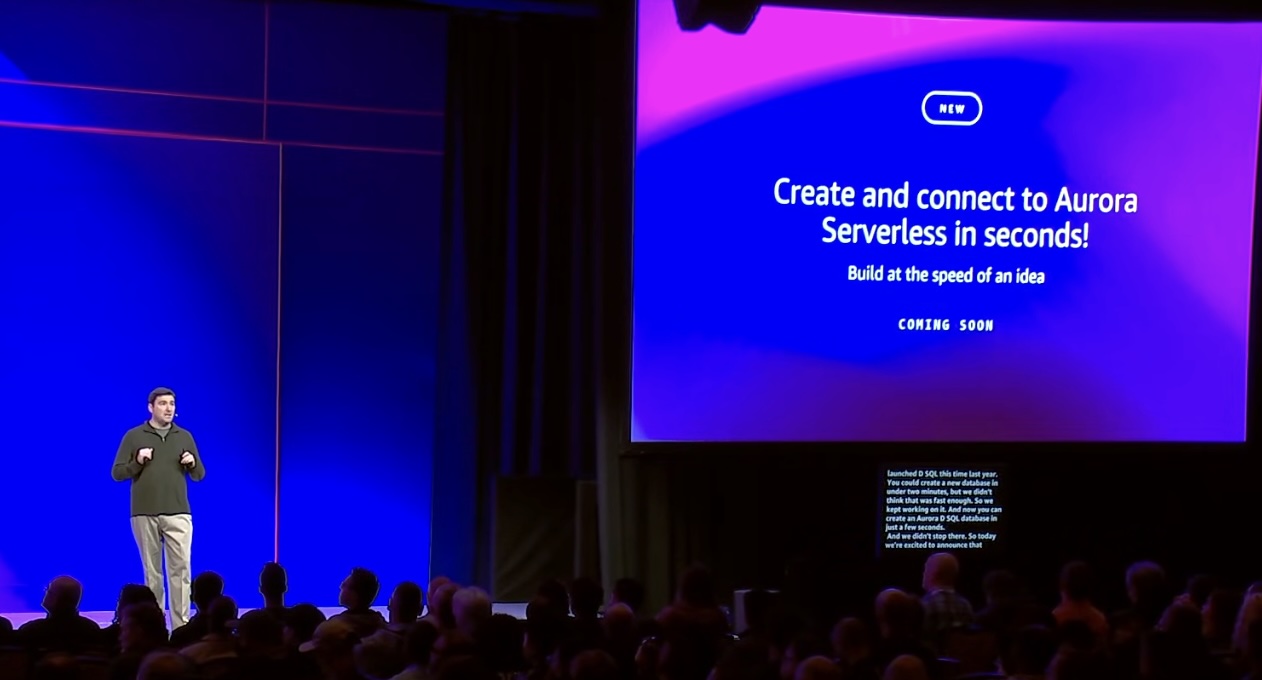
Today, we’re announcing the general availability of a new express configuration for Amazon Aurora PostgreSQL, a streamlined database creation experience with preconfigured defaults designed to help you get started in seconds.
With only two clicks, you can have an Aurora PostgreSQL serverless database ready to use in seconds. You have the flexibility to modify certain settings during and after database creation in the new configuration. For example, you can change the capacity range for the serverless instance at the time of create or add read replicas, modify parameter groups after the database is created. Aurora clusters with express configuration are created without an Amazon Virtual Private Cloud (Amazon VPC) network and include an internet access gateway for secure connections from your favorite development tools – no VPN, or AWS Direct Connect required. Express configuration also sets up AWS Identity and Access Management (IAM) authentication for your administrator user by default, enabling passwordless database authentication from the beginning without additional configuration.
After it’s created, you have access to features available for Aurora PostgreSQL serverless, such as deploying additional read replicas for high availability and automated failover capabilities. This launch also introduces a new internet access gateway routing layer for Aurora. Your new serverless instance comes enabled by default with this feature, which allows your applications to connect securely from anywhere in the world through the internet using the PostgreSQL wire protocol from a wide range of developer tools. This gateway is distributed across multiple Availability Zones, offering the same level of high availability as your Aurora cluster.
Creating and connecting to Aurora in seconds means fundamentally rethinking how you get started. We launched multiple capabilities that work together to help you onboard and run your application with Aurora. Aurora is now available on AWS Free Tier, which you gain hands-on experience with Aurora at no upfront cost. After it’s created, you can directly query an Aurora database in AWS CloudShell or using programming languages and developer tools through a new internet accessible routing component for Aurora. With integrations such as v0 by Vercel, you can use natural language to start building your application with the features and benefits of Aurora.
Create an Aurora PostgreSQL serverless database in seconds
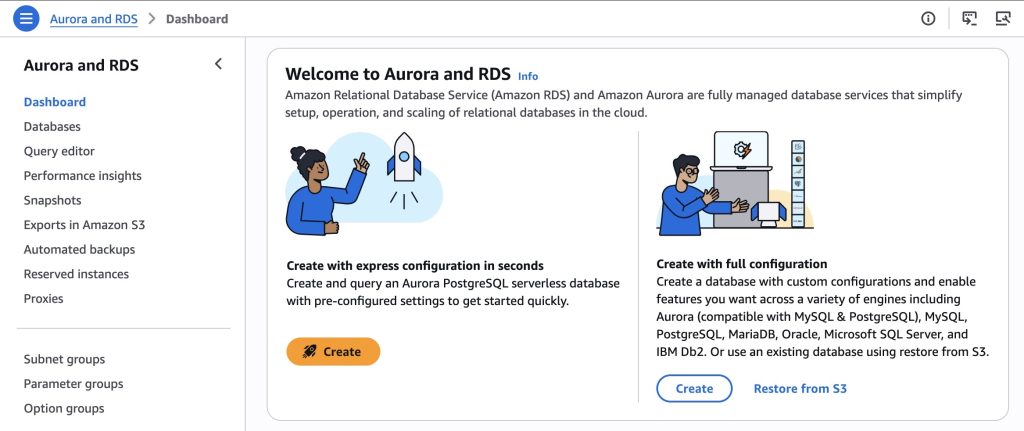
To get started, go to the Aurora and RDS console and in the navigation pane, choose Dashboard. Then, choose Create with a rocket icon.
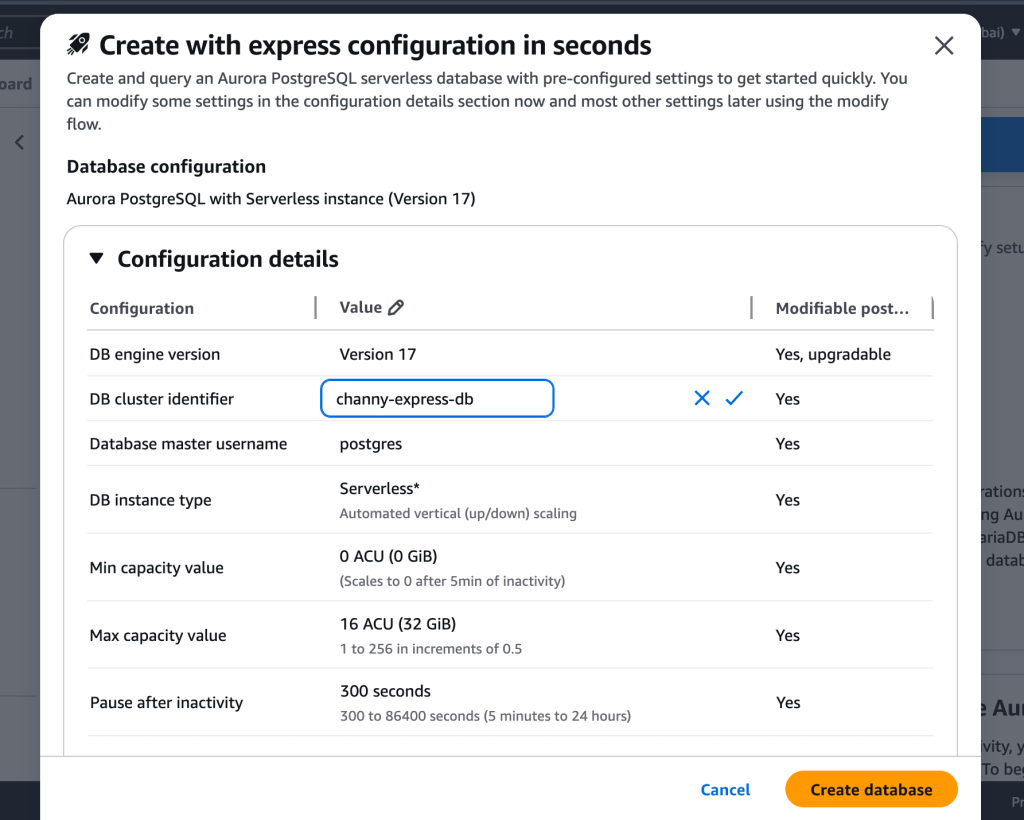
Review pre-configured settings in the Create with express configuration dialog box. You can modify the DB cluster identifier or the capacity range as needed. Choose Create database.
You can also use the AWS Command Line Interface (AWS CLI) or AWS SDKs with the parameter --with-express-configuration to create both a cluster and an instance within the cluster with a single API call which makes it ready for running queries in seconds.To learn more, visit Creating an Aurora PostgreSQL DB cluster with express configuration.
Here is a CLI command to create the cluster:
$ aws rds create-db-cluster --db-cluster-identifier channy-express-db \
    --engine aurora-postgresql \
    –-with-express-configuration
Your Aurora PostgreSQL serverless database should be ready in seconds. A success banner confirms the creation, and the database status changes to Available.
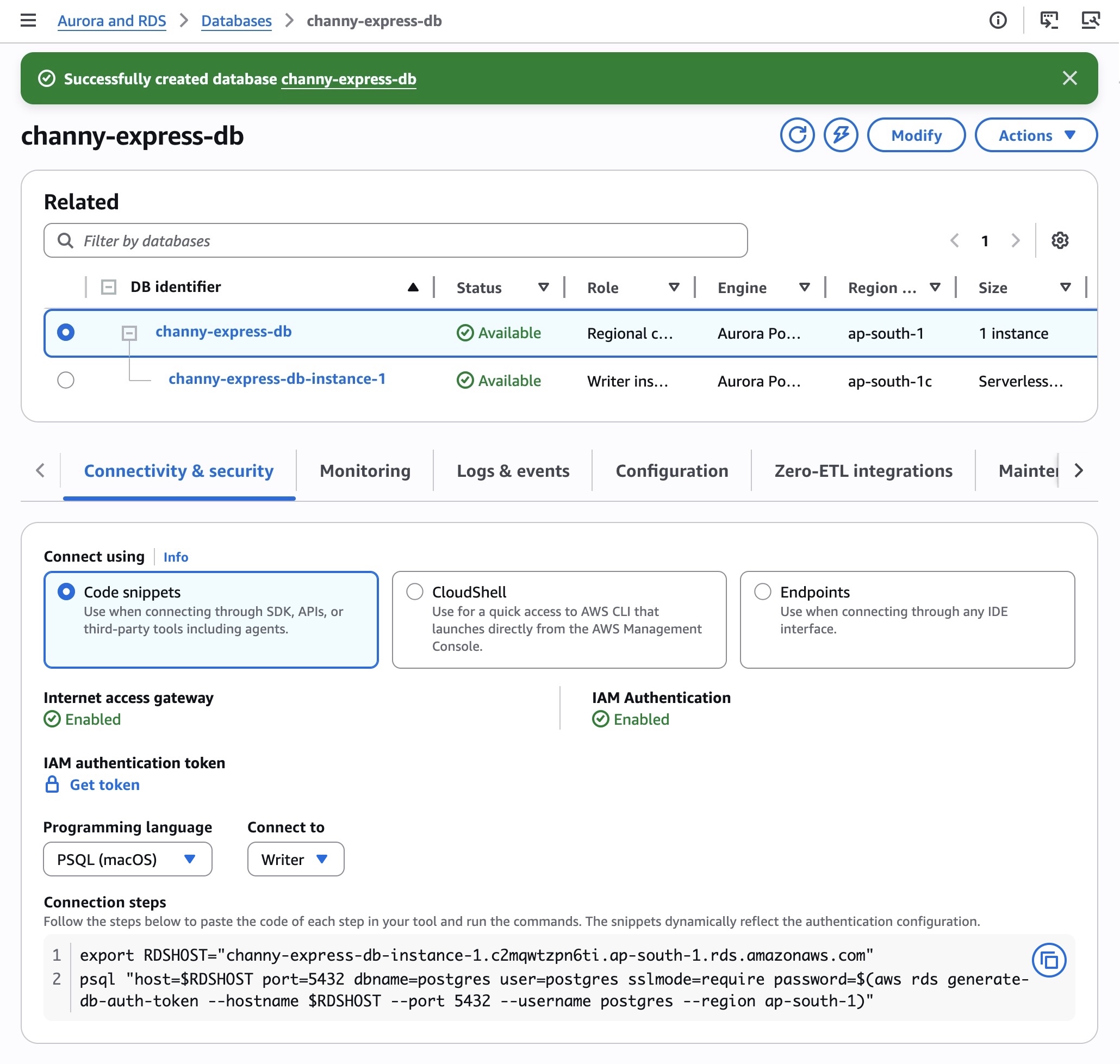
After your database is ready, go to the Connectivity & security tab to access three connection options. When connecting through SDKs, APIs, or third-party tools including agents, choose Code snippets. You can choose various programming languages such as .NET, Golang, JDBC, Node.js, PHP, PSQL, Python, and TypeScript. You can paste the code from each step into your tool and run the commands.
For example, the following Python code is dynamically generated to reflect the authentication configuration:
import psycopg2
import boto3

auth_token = boto3.client('rds', region_name='ap-south-1').generate_db_auth_token(DBHostname='channy-express-db-instance-1.abcdef.ap-south-1.rds.amazonaws.com', Port=5432, DBUsername='postgres', Region='ap-south-1')

conn = None
try:
    conn = psycopg2.connect(
        host='channy-express-db-instance-1.abcdef.ap-south-1.rds.amazonaws.com',
        port=5432,
        database='postgres',
        user='postgres',
        password=auth_token,
        sslmode='require'
    )
    cur = conn.cursor()
    cur.execute('SELECT version();')
    print(cur.fetchone()[0])
    cur.close()
except Exception as e:
    print(f"Database error: {e}")
    raise
finally:
    if conn:
        conn.close()
Choose CloudShell for quick access to the AWS CLI which launches directly from the console. When you choose Launch CloudShell, you can see the command is pre-populated with relevant information to connect to your specific cluster. After connecting to the shell, you should see the psql login and the postgres => prompt to run SQL commands.
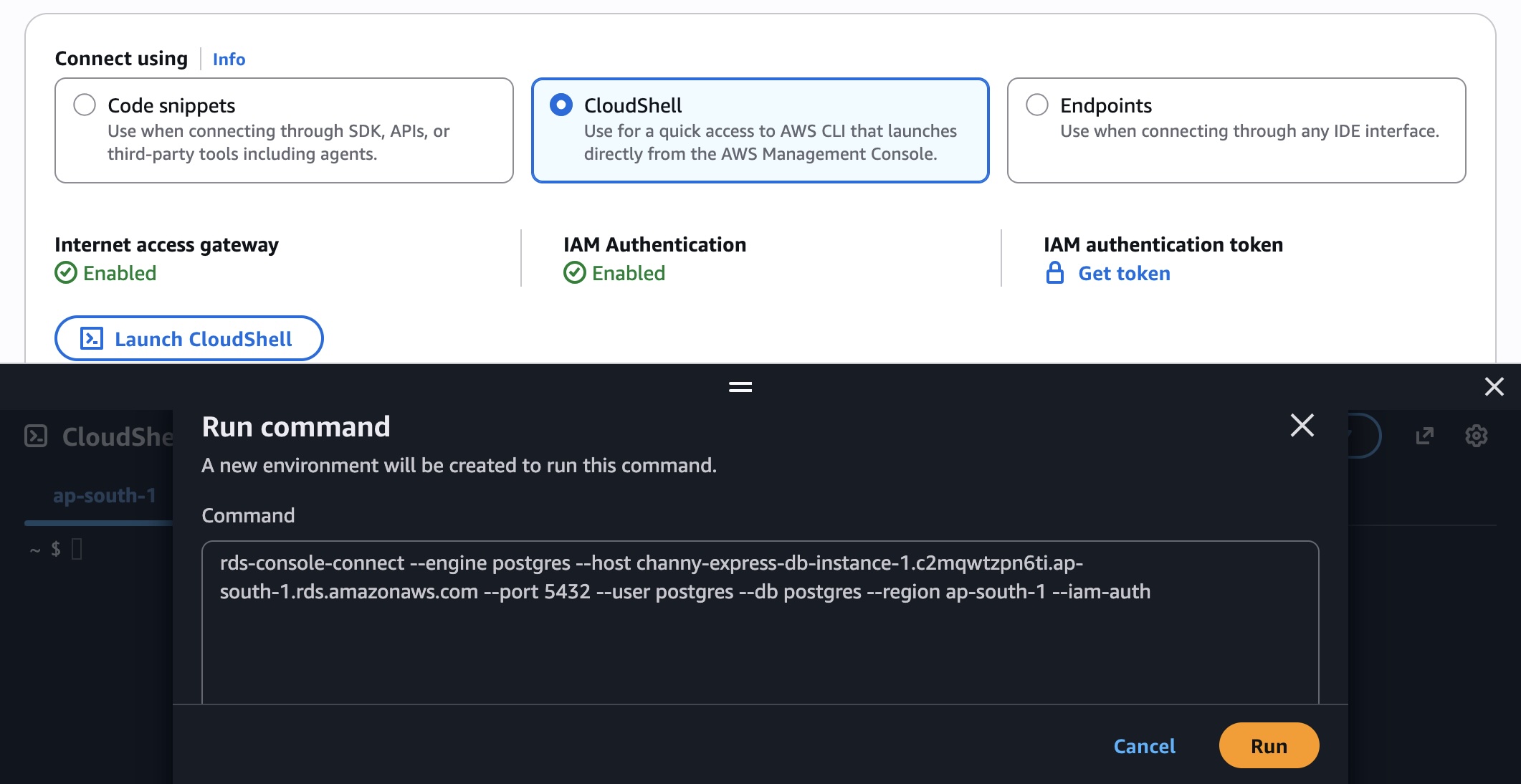
You can also choose Endpoints to use tools that only support username and password credentials, such as pgAdmin. When you choose Get token, you use an AWS Identity and Access Management (IAM) authentication token generated by the utility in the password field. The token is generated for the master username that you set up at the time of creating the database. The token is valid for 15 minutes at a time. If the tool you’re using terminates the connection, you will need to generate the token again.
Building your application faster with Aurora databases
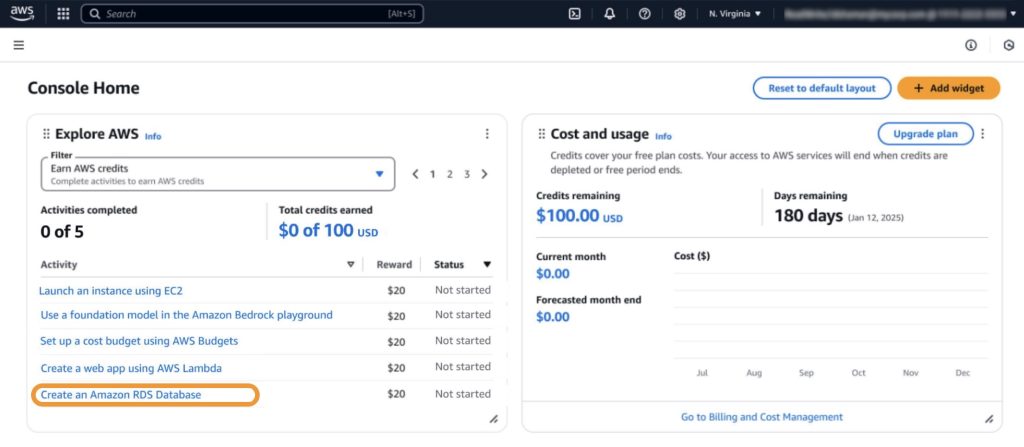
At re:Invent 2025, we announced enhancements to the AWS Free Tier program, offering up to $200 in AWS credits that can be used across AWS services. You’ll receive $100 in AWS credits upon sign-up and can earn an additional $100 in credits by using services such as Amazon Relational Database Service (Amazon RDS), AWS Lambda, and Amazon Bedrock. In addition, Amazon Aurora is now available across a broad set of eligible Free Tier database services.
Developers are embracing platforms such as Vercel, where natural language is all it takes to build production-ready applications. We announced integrations with Vercel Marketplace to create and connect to an AWS database directly from Vercel in seconds and v0 by Vercel, an AI-powered tool that transforms your ideas into production-ready, full-stack web applications in minutes. It includes Aurora PostgreSQL, Aurora DSQL, and DynamoDB databases. You can also connect your existing databases created through express configuration with Vercel. To learn more, visit AWS for Vercel.
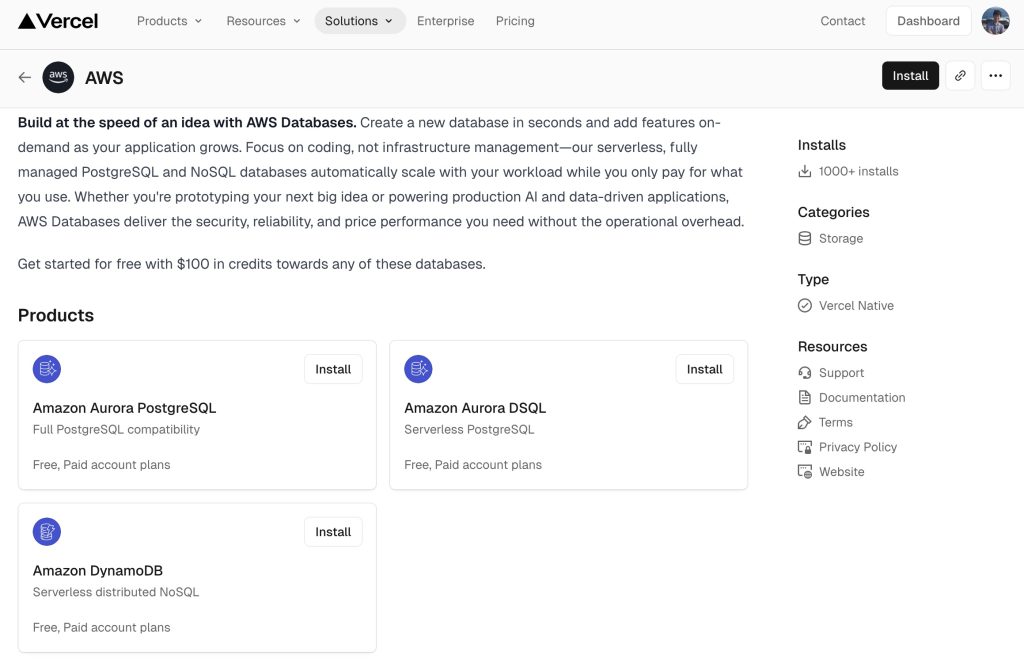
Like Vercel, we’re bringing our databases seamlessly into their experiences and are integrating directly with widely adopted frameworks, AI assistant coding tools, environments, and developer tools, all to unlock your ability to build at the speed of an idea.
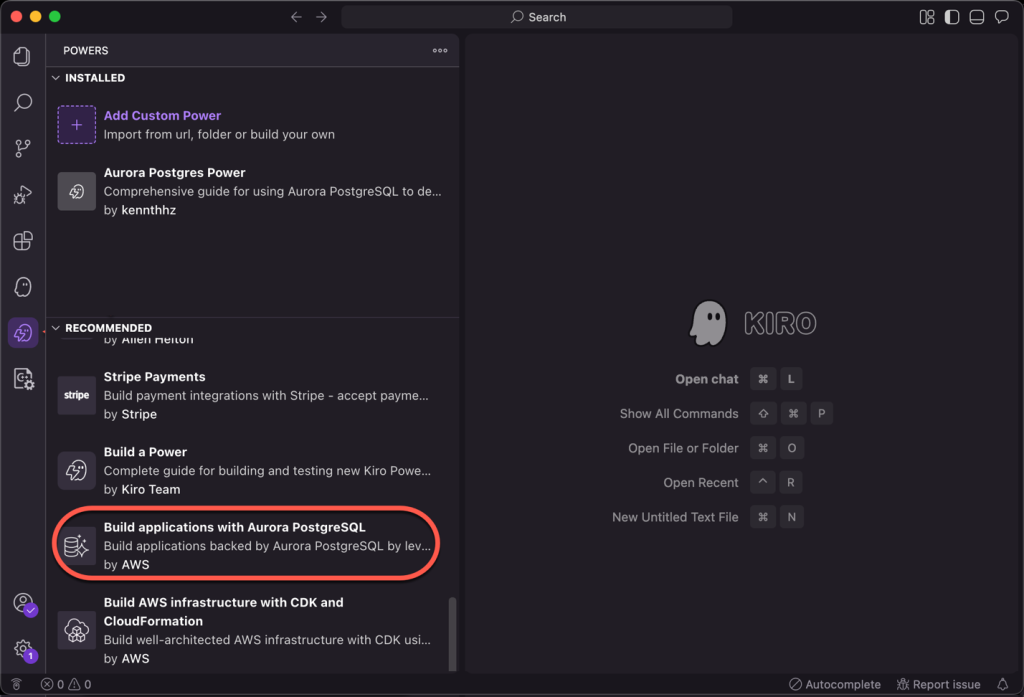
We introduced Aurora PostgreSQL integration with Kiro powers, which developers can use to build Aurora PostgreSQL backed applications faster with AI agent-assisted development through Kiro. You can use Kiro power for Aurora PostgreSQL within Kiro IDE and from the Kiro powers webpage for one-click installation. To learn more about this Kiro Power, read Introducing Amazon Aurora powers for Kiro and Amazon Aurora Postgres MCP Server.
Now available
You can create an Aurora PostgreSQL serverless database in seconds today in all AWS commercial Regions. For Regional availability and a future roadmap, visit the AWS Capabilities by Region.
You pay only for capacity consumed based on Aurora Capacity Units (ACUs) billed per second from zero capacity, which automatically starts up, shuts down, and scales capacity up or down based on your application’s needs. To learn more, visit the Amazon Aurora Pricing page.
Give it a try in the Aurora and RDS console and send feedback to AWS re:Post for Aurora PostgreSQL or through your usual AWS Support contacts.
— Channy
此内容由惯性聚合(RSS阅读器)自动聚合整理,仅供阅读参考。 原文来自 — 版权归原作者所有。