






mvc从一个路径获取所有的图片信息,ajax方法如下:
function getimages(day) {
            var year = $("#selYear").val();
            var month = $("#selMonth").val();
            selday = day;
            var date = year + "." + month + "." + (day < 10 ? "0" + day : day);
            $("#selInfo").text(date);
            $("#fileContainer").html("");
            $.ajax({
                url: '@Url.Content("/MedOffice/Photo/ImageList")' + '?path=' + date,
                type: 'GET',
                dataType: 'text/json',
                success: function(data) {
                    alert(data);
                },
                error: function(xmlHttpRequest, textStatus, errorThrown) {
                    console.log(xmlHttpRequest);
                    alert(xmlHttpRequest);
                }
            });
        }
调用执行返回如下结果:

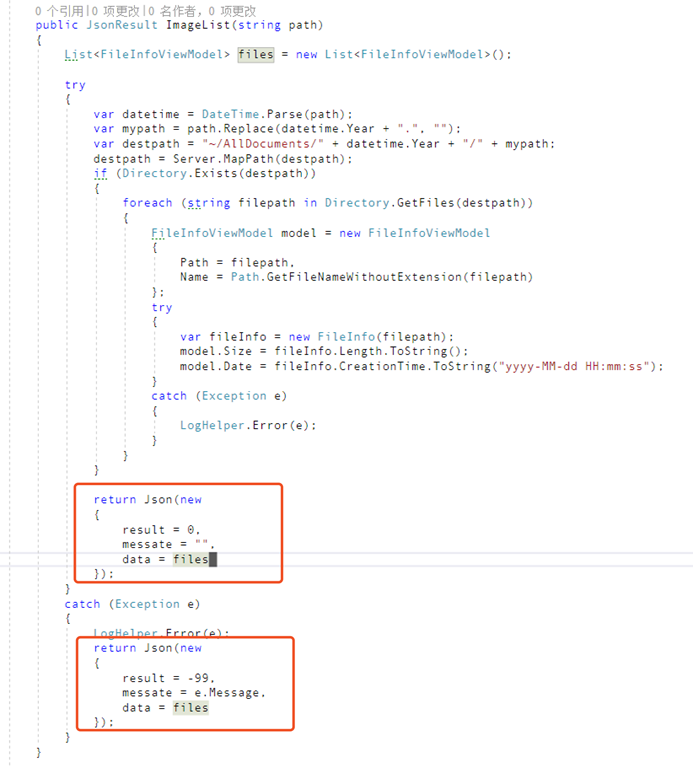
将json更改为jsonresult并设置为:
JsonRequestBehavior = JsonRequestBehavior.AllowGet//加上这一句
public JsonResult ImageList(string path)
        {
            List<FileInfoViewModel> files = new List<FileInfoViewModel>();

            try
            {
                var datetime = DateTime.Parse(path);
                var mypath = path.Replace(datetime.Year + ".", "");
                var destpath = "~/AllDocuments/" + datetime.Year + "/" + mypath;
                destpath = Server.MapPath(destpath);
                if (Directory.Exists(destpath))
                {
                    foreach (string filepath in Directory.GetFiles(destpath))
                    {
                        FileInfoViewModel model = new FileInfoViewModel
                        {
                            Path = filepath,
                            Name = Path.GetFileNameWithoutExtension(filepath)
                        };
                        try
                        {
                            var fileInfo = new FileInfo(filepath);
                            model.Size = fileInfo.Length.ToString();
                            model.Date = fileInfo.CreationTime.ToString("yyyy-MM-dd HH:mm:ss");
                        }
                        catch (Exception e)
                        {
                            LogHelper.Error(e);
                        }
                    }
                }

                return new JsonResult()
                {
                    Data = new
                    {
                        result = 0,
                        messate = "",
                        data = files
                    },
                    JsonRequestBehavior = JsonRequestBehavior.AllowGet
                };
            }
            catch (Exception e)
            {
                LogHelper.Error(e);
                return new JsonResult()
                {
                    Data = new
                    {
                        result = -99,
                        messate = e.Message,
                        data = files
                    },
                    JsonRequestBehavior = JsonRequestBehavior.AllowGet
                };
            }
        }
此内容由惯性聚合(RSS阅读器)自动聚合整理,仅供阅读参考。 原文来自 — 版权归原作者所有。