惯性聚合 高效追踪和阅读你感兴趣的博客、新闻、科技资讯
阅读原文 在惯性聚合中打开

推荐订阅源

S
Secure Thoughts
Security Latest
Security Latest
Simon Willison's Weblog
O
OpenAI News
GbyAI
GbyAI
L
LINUX DO - 最新话题
A
Arctic Wolf
T
Tor Project blog
G
GRAHAM CLULEY
I
InfoQ
博客园_首页
IT之家
IT之家
The Register - Security
Exploit-DB.com RSS Feed
P
Proofpoint News Feed
The GitHub Blog
The GitHub Blog
Blog — PlanetScale
Blog — PlanetScale
N
Netflix TechBlog - Medium
K
Kaspersky official blog
博客园 - 三生石上(FineUI控件)
S
SegmentFault 最新的问题
U
Unit 42
PCI Perspectives
PCI Perspectives
量子位
P
Palo Alto Networks Blog
S
Securelist
T
Troy Hunt's Blog
博客园 - 【当耐特】
Recorded Future
Recorded Future
K
KPMG report finds enterprise disconnect between AI and its ROI | CIO
S
Security Affairs
Engineering at Meta
Engineering at Meta
T
The Blog of Author Tim Ferriss
博客园 - 聂微东
罗磊的独立博客
N
News and Events Feed by Topic
人人都是产品经理
人人都是产品经理
B
Blog RSS Feed
NISL@THU
NISL@THU
C
Cisco Blogs
T
Threatpost
有赞技术团队
有赞技术团队
Forbes - Security
Forbes - Security
Hugging Face - Blog
Hugging Face - Blog
Last Week in AI
Last Week in AI
T
The Exploit Database - CXSecurity.com
Cloudbric
Cloudbric
Cyberwarzone
Cyberwarzone
Google DeepMind News
C
Cyber Attacks, Cyber Crime and Cyber Security

博客园 - midhillzhou

windows 11关闭防火墙 以使得 外部的开发板可以主动发起ping通电脑 uboot中调试景略以太网phy JL3111A2-NA windows上excel运行macro之后出现错误 在linux上移植sgdisk 在linux上移植phytool + 调试tja1103 以太网phy 使用gdb调试user程序 之 某个线程的调用栈 在uboot中修改tja 1103以太网phy from slave to master porting perf性能观测工具 porting 开源memtester uboot 2020版本下gpio命令的使用 + linux下的libgpiod lib库的移植使用 ubi文件系统的 制作 + 挂载 + 若干问题 i2c指令使用 + 仿照开源i2ctransfer实现的自己的i2ctransfer windows下outlook 撤回邮件 安装repo 使用lauterbach debug uboot之重定位 uboot中各种memory读写命令 uboot nand flash dump 环境变量 + 制作环境变量分区 + 代码结构详解 uboot bootm代码详解图 Beyond Compare 进行二进制文档的比对时,怎么去对齐(转载) notepad++分析log小技巧 uboot debug小技巧
使用继电器控制开发板上下电
midhillzhou · 2025-04-22 · via 博客园 - midhillzhou

第一部分 串口工具

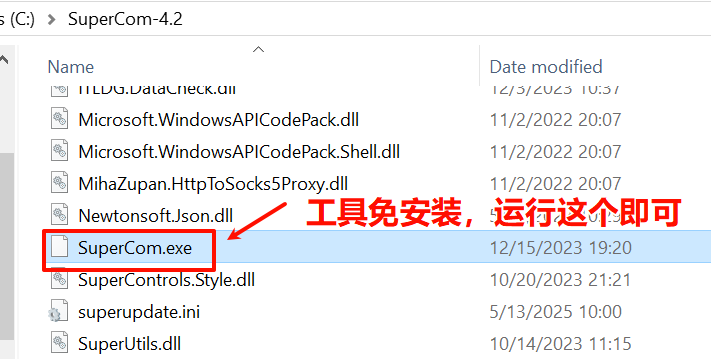
下载地址:https://github.com/SuperStudio/SuperCom/releases
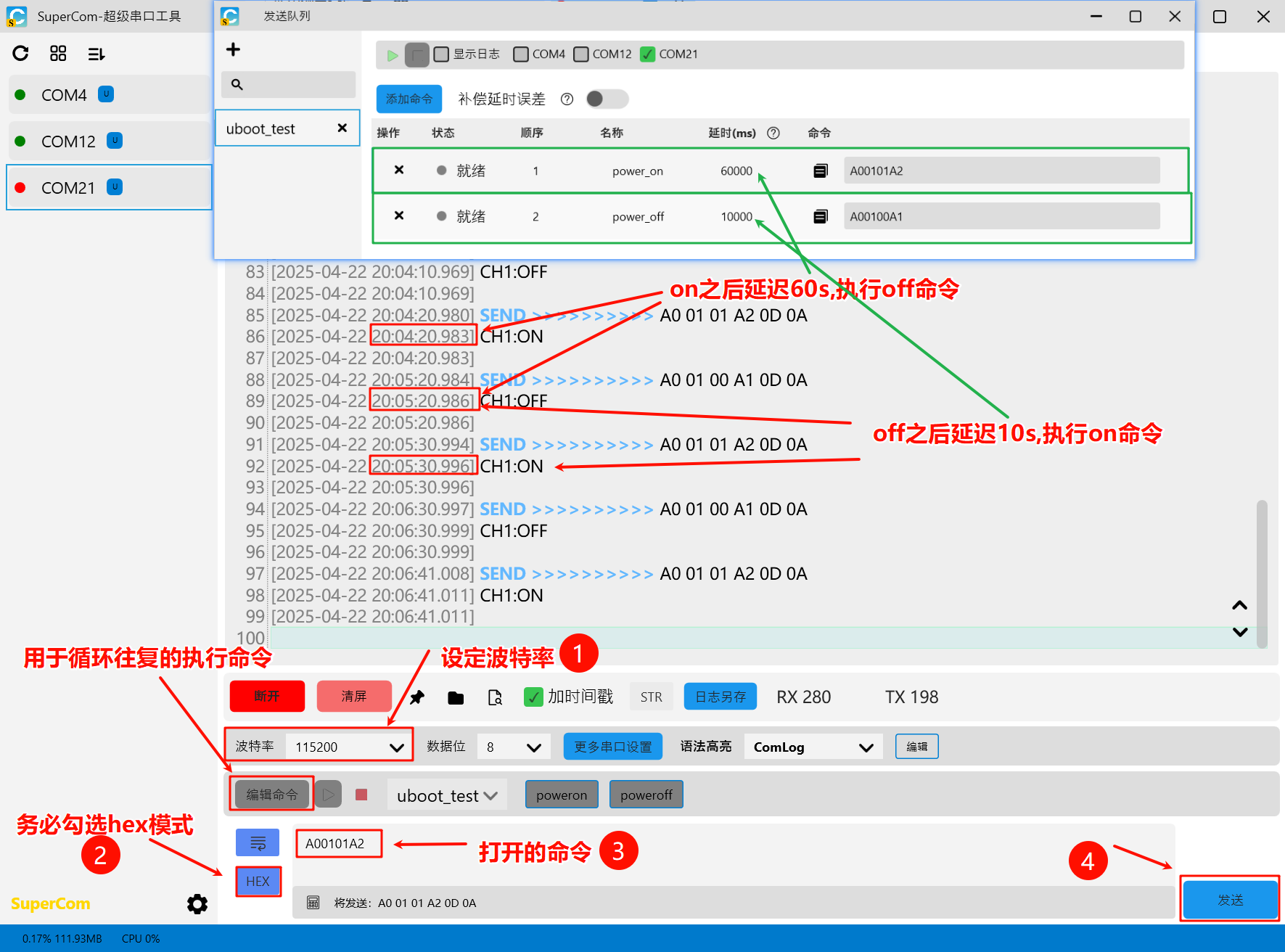
操作方法:按照如下圆圈1到圆圈4,完成基本操作,即可以控制com1和nc1的通断。

循环往复的设定:点击编辑命令,参考下图设定
第二部分 继电器部分

1.使用的继电器是丢石头继电器

产品介绍:https://wiki.diustou.com/cn/USB_Relay

我购买的是这款 USB Relay (TC, 3, Opto), 带有3路继电器。
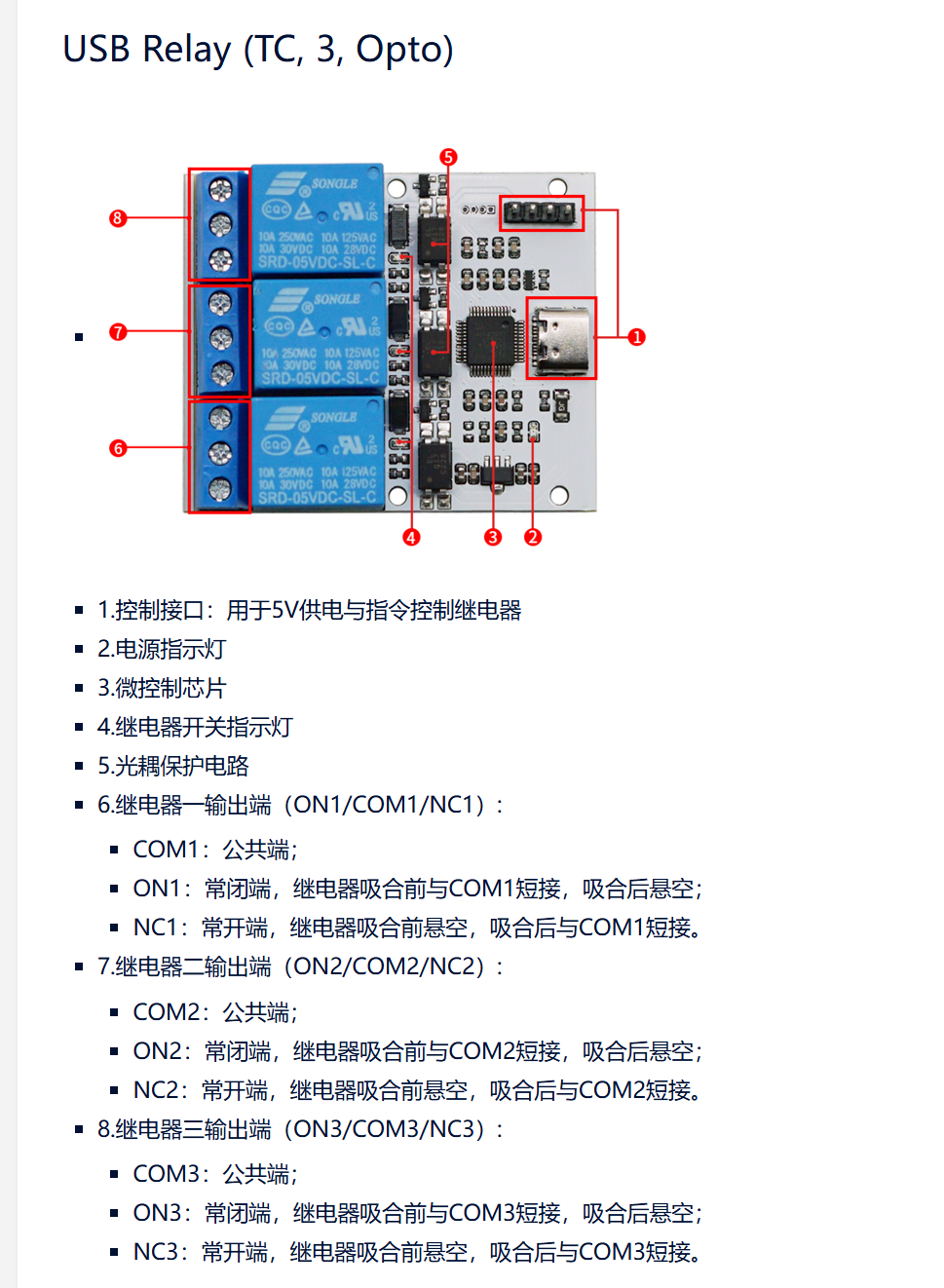
2.以使用第一路 控制 vcc电压 断和开 为例,讲解如何连接线
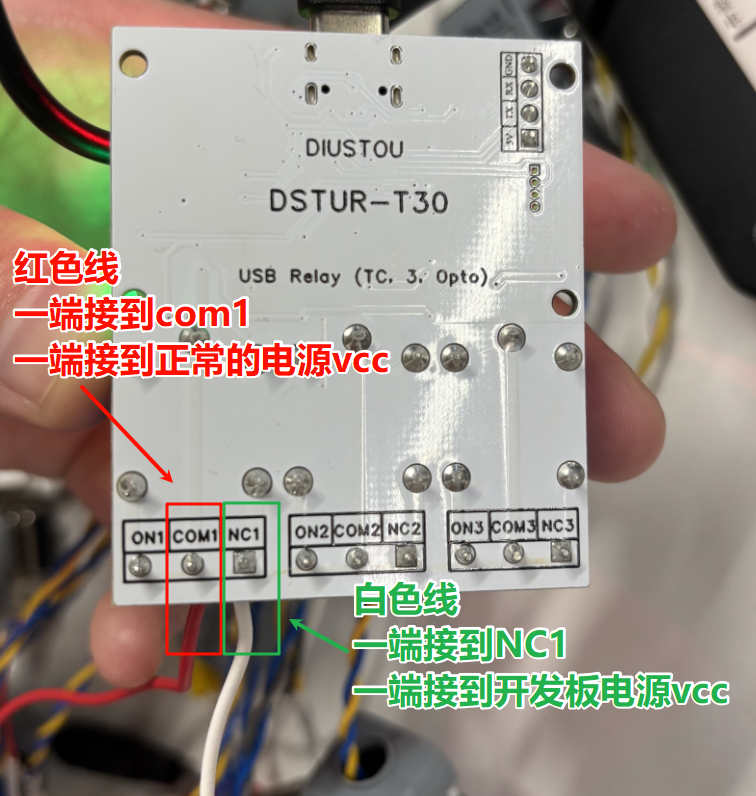
NC1正常状态下是不与com1连通的,所以开发板不上电。

 3.通信协议介绍
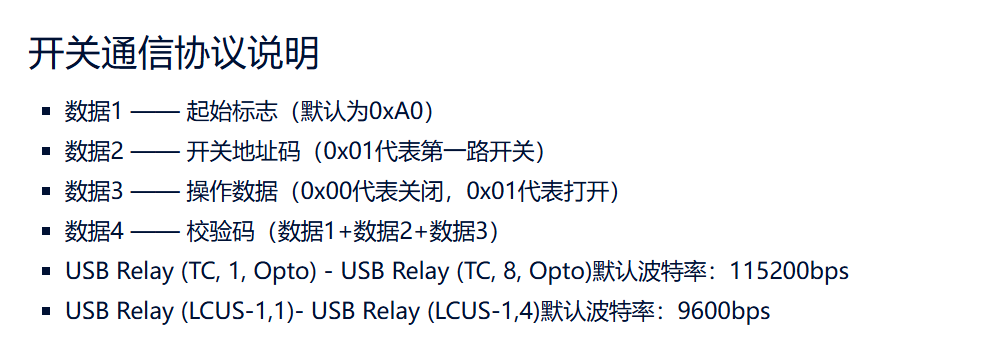
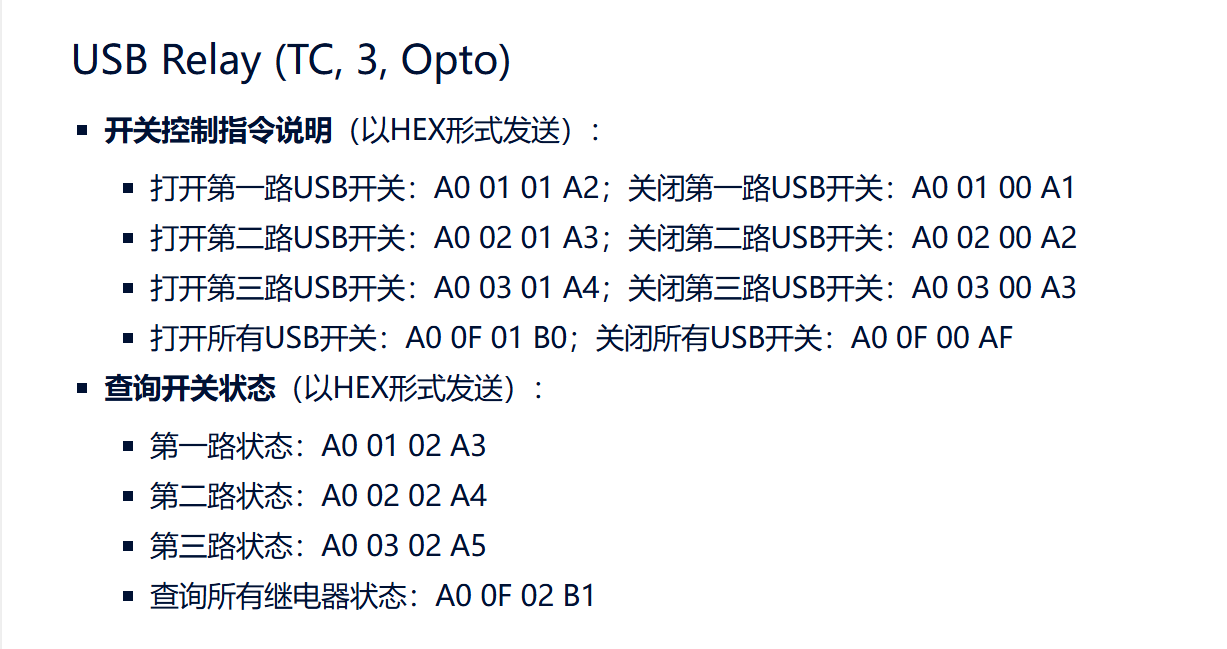
4.指令介绍