








i2cdetect -l
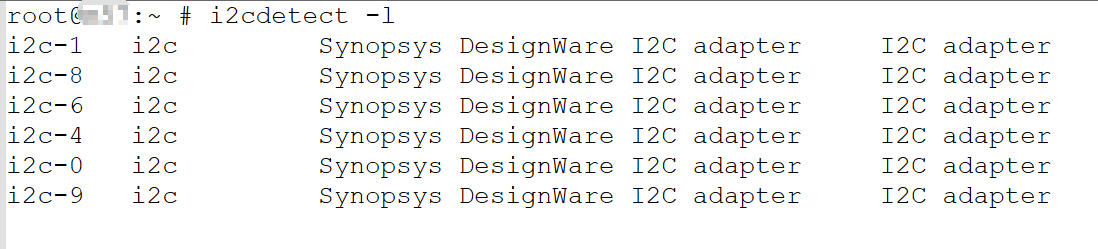
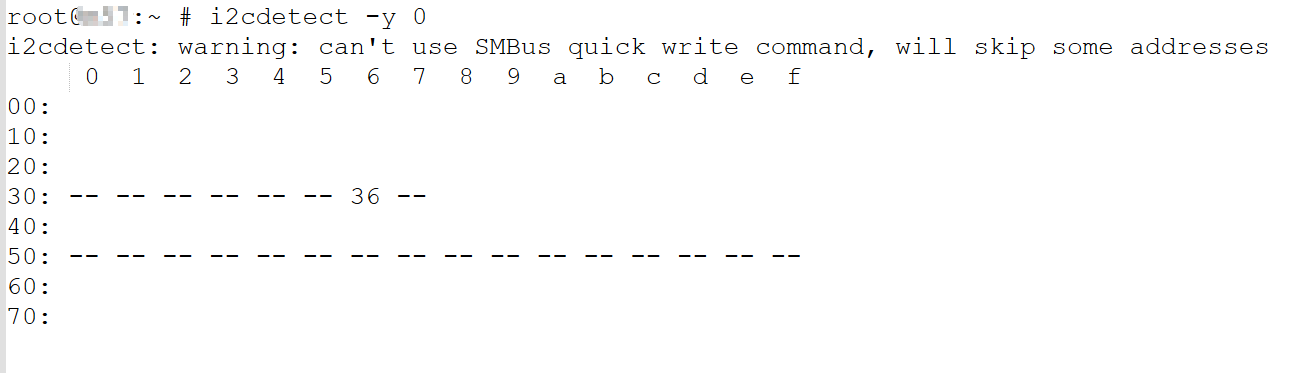
i2cdetect -y 0
一般我们还会加上-r选项
其中0表示想要查看i2c controller的标号,可以改成命令i2cdetect -l 中列出所有的数字
i2ctransfer -y 0 w2@0x36 0x4D 0x60 r2@0x36

其中0x36表示slave address
0x4d60表示摄像头温度的寄存器,由于我们要读取两个值,所以写的是r2, 这样我们就可以读取出0x4D60, 0x4D61两个连续的值。
可以这样理解 w2@0x36 0x4D 0x60,设置了 start point是0x4d60,然后往下读两个,即0x4D60 + 0x4D61两个位置的寄存器,加起来总共两个byte,一个整数部分,一个小数部分
转换成人类可读的温度的方法如下
0x4e52因为小于0xc000
HEX2DEC(0x4e)-50+HEX2DEC(0x52)/256=28.3203125
大于0xc000的值为零下,公式中的-50改为-142
上面的结果中 0x4e是寄存器0x4D60的值,0x52是寄存器0x4D61的值

以等效于命令“i2ctransfer -y 0 w2@0x36 0x4D 0x60 r2@0x36” 来讲解如何调用下面的函数
slave_address: 0x36
reg_part1:0x4D
reg_part2:0x60
result, result_len: 2,用来存放返回的2个byte的数据
所以上层代码调用的示例代码如下
unsigned char *return_array[2];
zhongshan_i2c_transfer(0x36, 0x4D, 0x60, return_array, 2);
#include <linux/i2c-dev.h>
#include <linux/i2c.h>
#include <sys/ioctl.h>
#include <linux/ioctl.h>
#include <fcntl.h>

int zhongshan_i2c_transfer(unsigned char slave_address, unsigned char reg_part1, unsigned char reg_part2, unsigned char *result, int result_len) {
    struct i2c_msg msgs[2];
    unsigned char *buf;
    struct i2c_rdwr_ioctl_data rdwr;
    int file, nmsgs_sent;

    file = open("/dev/i2c-0", O_RDWR);
    if (file < 0)
        printf("can not open /dev/i2c-0.");

    //construct write message.
    msgs[0].addr = slave_address;
    msgs[0].flags = 0;
    msgs[0].len = 2;
    buf = (unsigned char *)malloc(msgs[0].len);
    if (!buf)
        printf("Error: No memory for buffer\n");
    memset(buf, 0, msgs[0].len);
    msgs[0].buf = buf;
    msgs[0].buf[0] = reg_part1;
    msgs[0].buf[1] = reg_part2;

    //construct read message.
    msgs[1].addr = slave_address;
    msgs[1].flags = I2C_M_RD;   // #define I2C_M_RD        0x0001
    msgs[1].len = result_len;
    buf = (unsigned char *)malloc(msgs[1].len);
    if (!buf)
        printf("Error: No memory for buffer\n");
    memset(buf, 0, msgs[1].len);
    msgs[1].buf = buf;

    rdwr.msgs = msgs;
    rdwr.nmsgs = 2;
    nmsgs_sent = ioctl(file, I2C_RDWR, &rdwr);
    if (nmsgs_sent < 0) {
        printf("Error: Sending messages failed\n");
        return 1;
    } else if (nmsgs_sent < rdwr.nmsgs) {
        printf("Error: only %d/%d messages were sent\n", nmsgs_sent, rdwr.nmsgs);
        return 1;
    }

    result[0] = msgs[1].buf[0];
    if (result_len > 1)
        result[1] = msgs[1].buf[1];

    close(file);

    for (int i = 0; i < 2; i++)
        free(msgs[i].buf);

    return 0;
}
此内容由惯性聚合(RSS阅读器)自动聚合整理,仅供阅读参考。 原文来自 — 版权归原作者所有。