







参考学习视频:https://www.bilibili.com/video/BV16Y411v7kr/?spm_id_from=333.337.search-card.all.click&vd_source=fbb64ea20b269b753497bf6c2499fc29
第一步:创建WPF类库,并写CAD调用方法
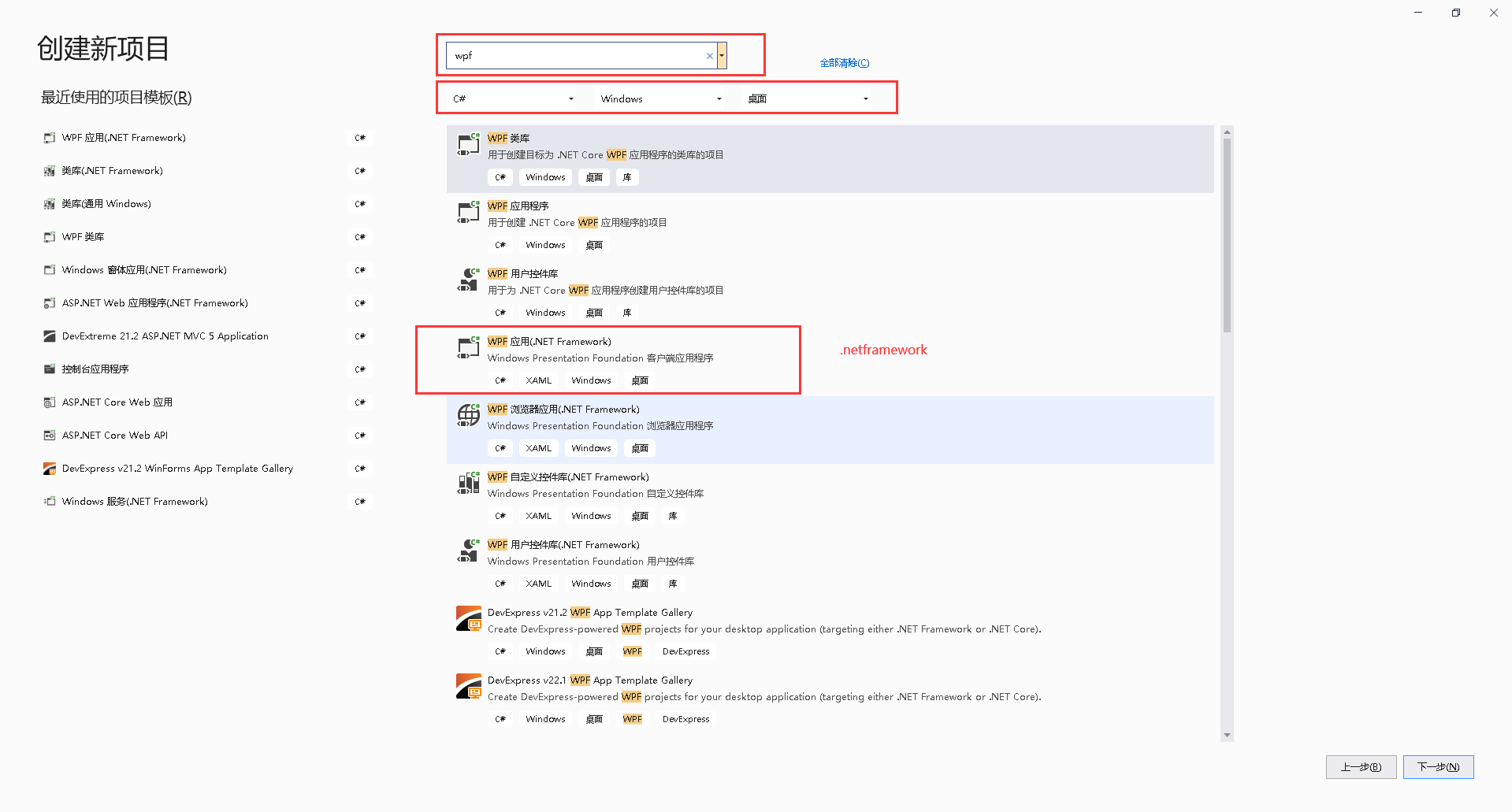
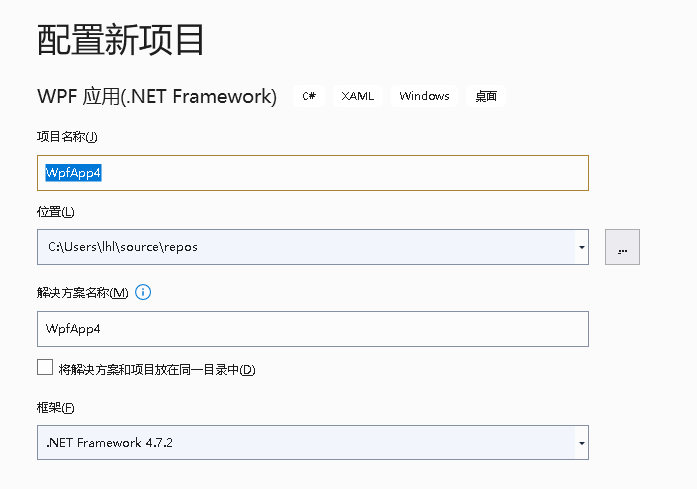
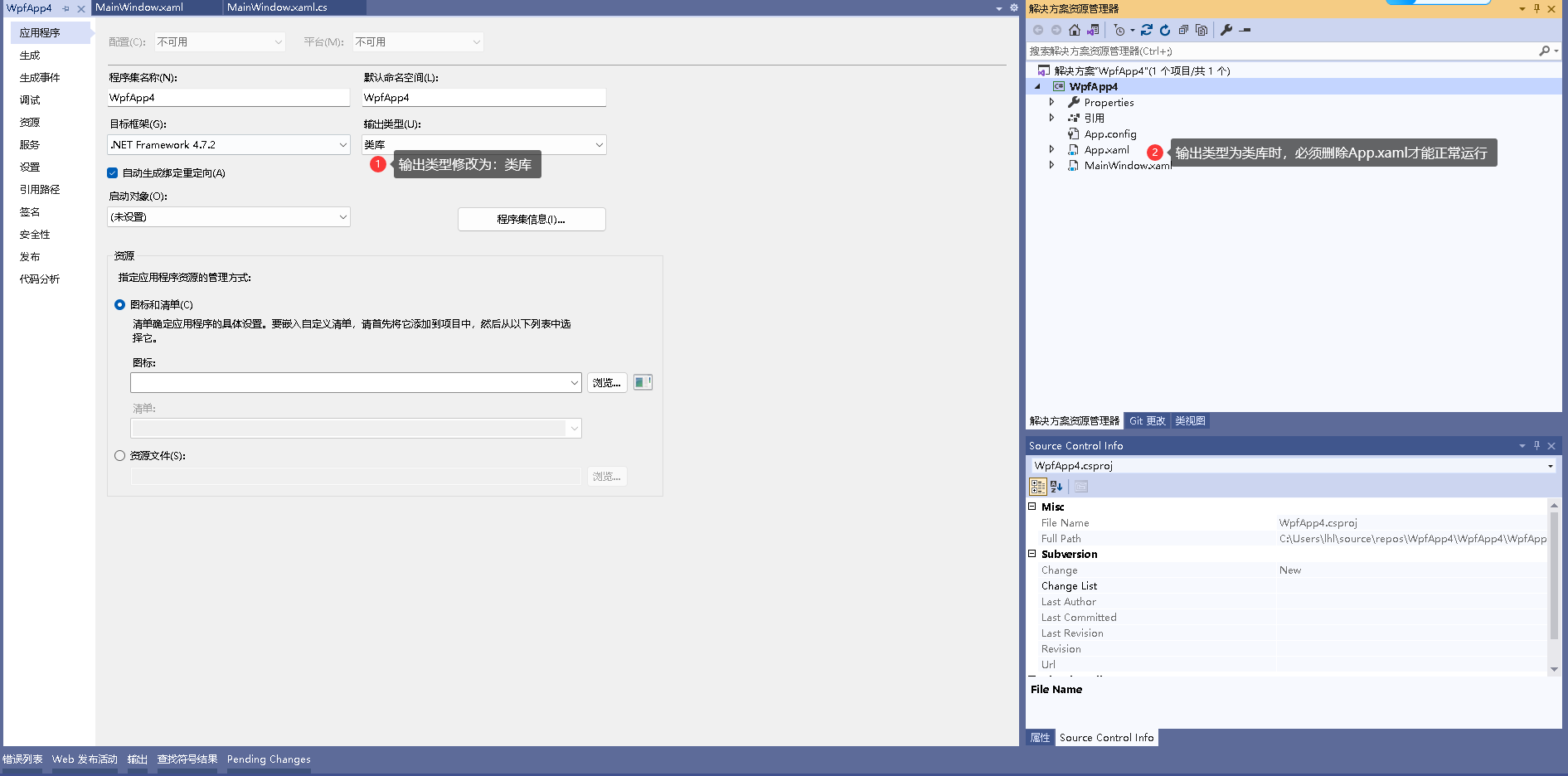
修改输出类型为:类库
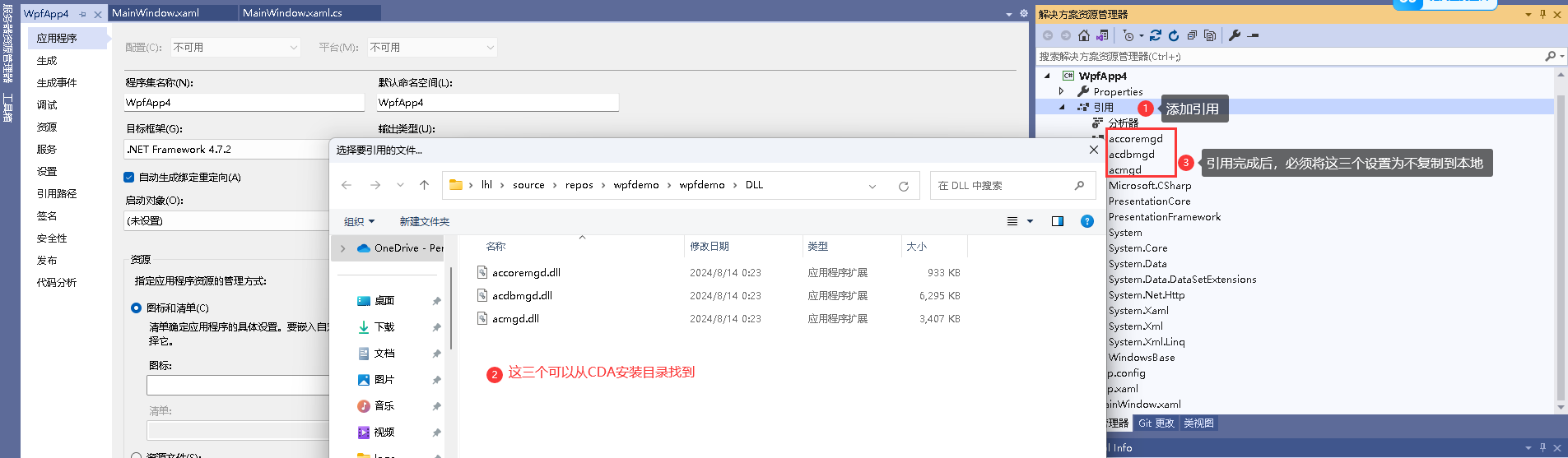
添加CAD开发需要的类库
main页面添加以下内容:
    <Grid>
        <Button Height="50" Click="Button_Click" Margin="285,184,157,185" Content="打开程序" Tag=""/>
        <TextBox x:Name="txtPath" HorizontalAlignment="Left" Height="23" Margin="245,110,0,0" TextWrapping="Wrap" Text="D:\Program Files (x86)\Tencent\WeChat\WeChat.exe" VerticalAlignment="Top" Width="450"/>
    </Grid>
main后台添加以下内容:
        private void Button_Click(object sender, RoutedEventArgs e)
        {
            string Path = "";
            try
            {
                Path = @"D:\Program Files (x86)\Tencent\WeChat\WeChat.exe";
                if (!string.IsNullOrEmpty(txtPath.Text))
                {
                    Path = txtPath.Text;
                }
                System.Diagnostics.Process.Start(Path);
                Autodesk.AutoCAD.ApplicationServices.Application.DocumentManager.CurrentDocument.Editor.WriteMessage("启动成功:" + Path);
            }
            catch (Exception ex)
            {

                Autodesk.AutoCAD.ApplicationServices.Application.DocumentManager.CurrentDocument.Editor.WriteMessage("路径:" + Path + ",启动异常," + ex.Message);
            }
        }
新增一个类,写CAD可执行方法,OpenExe :
using Autodesk.AutoCAD.Runtime;
using Autodesk.AutoCAD.ApplicationServices;
using System;
using System.Collections.Generic;
using System.Linq;
using System.Text;
using System.Threading.Tasks;

namespace WpfApp4
{
     public class Class1
    {
       [CommandMethod("OpenExe")]
       public void OpenExe()
        {
            MainWindow main = new MainWindow();
            Application.ShowModelessWindow(main);
        }
    }
}
程序开发完成,生成动态库 dll:
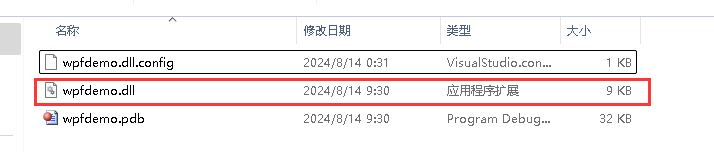
第二步:打开CAD,引用生成的动态库,并调用方法打开画面
CAD引用dll,使用指令【NETLOAD】,之后选择dll:
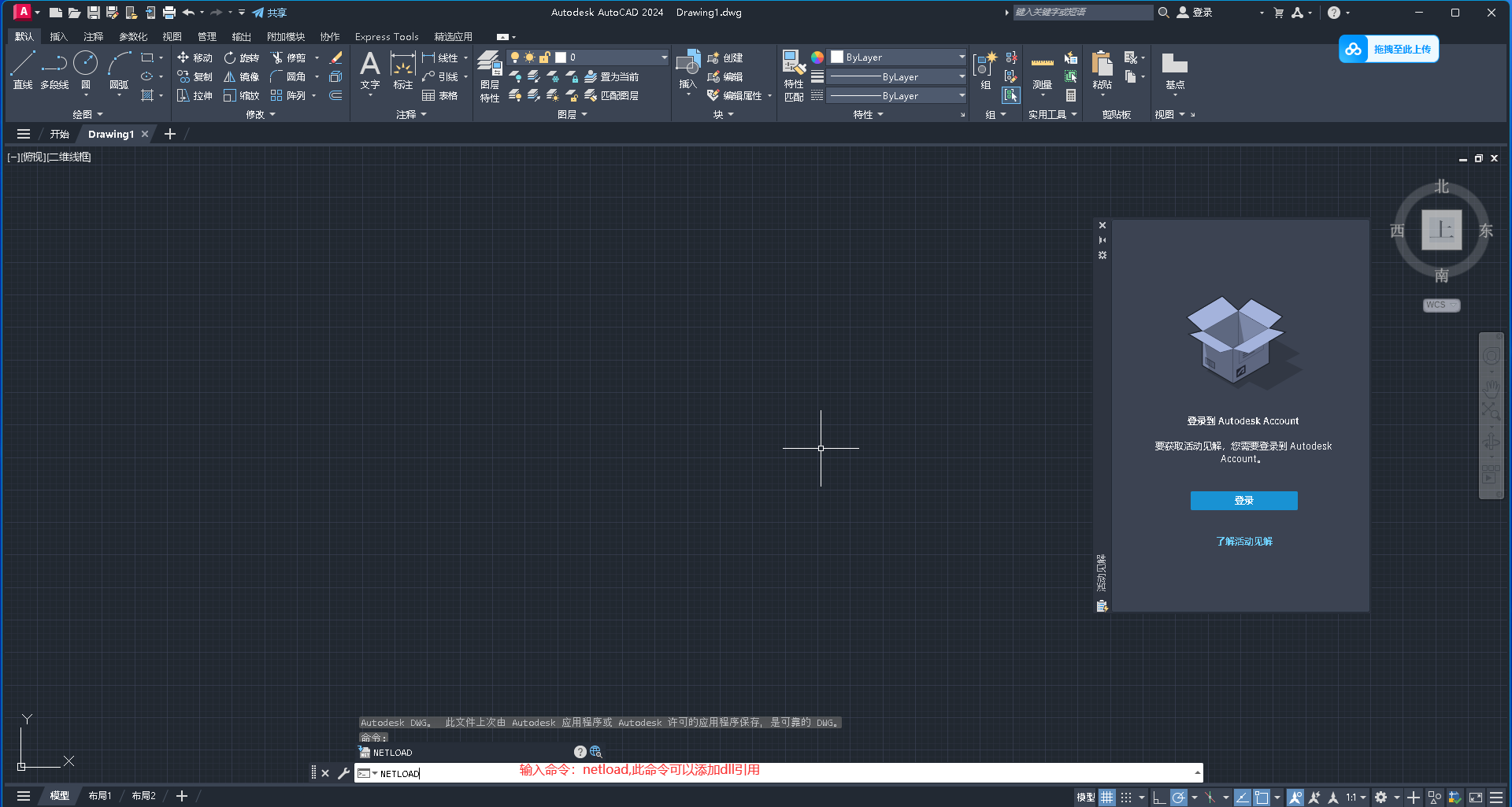
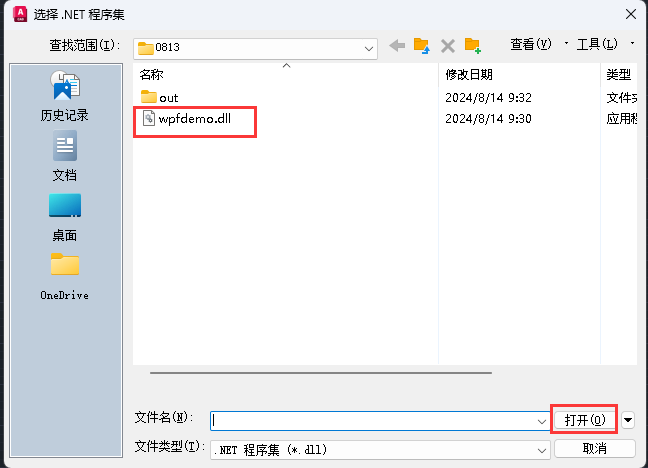
CAD调用wpf动态库的方法:
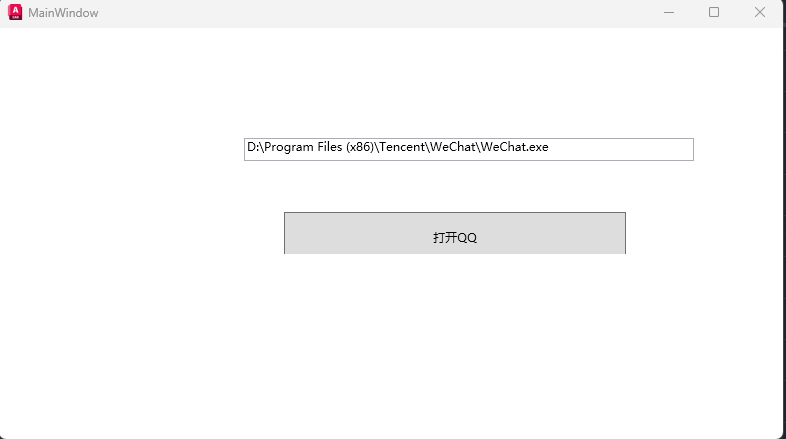
命令输入方法名:openexe
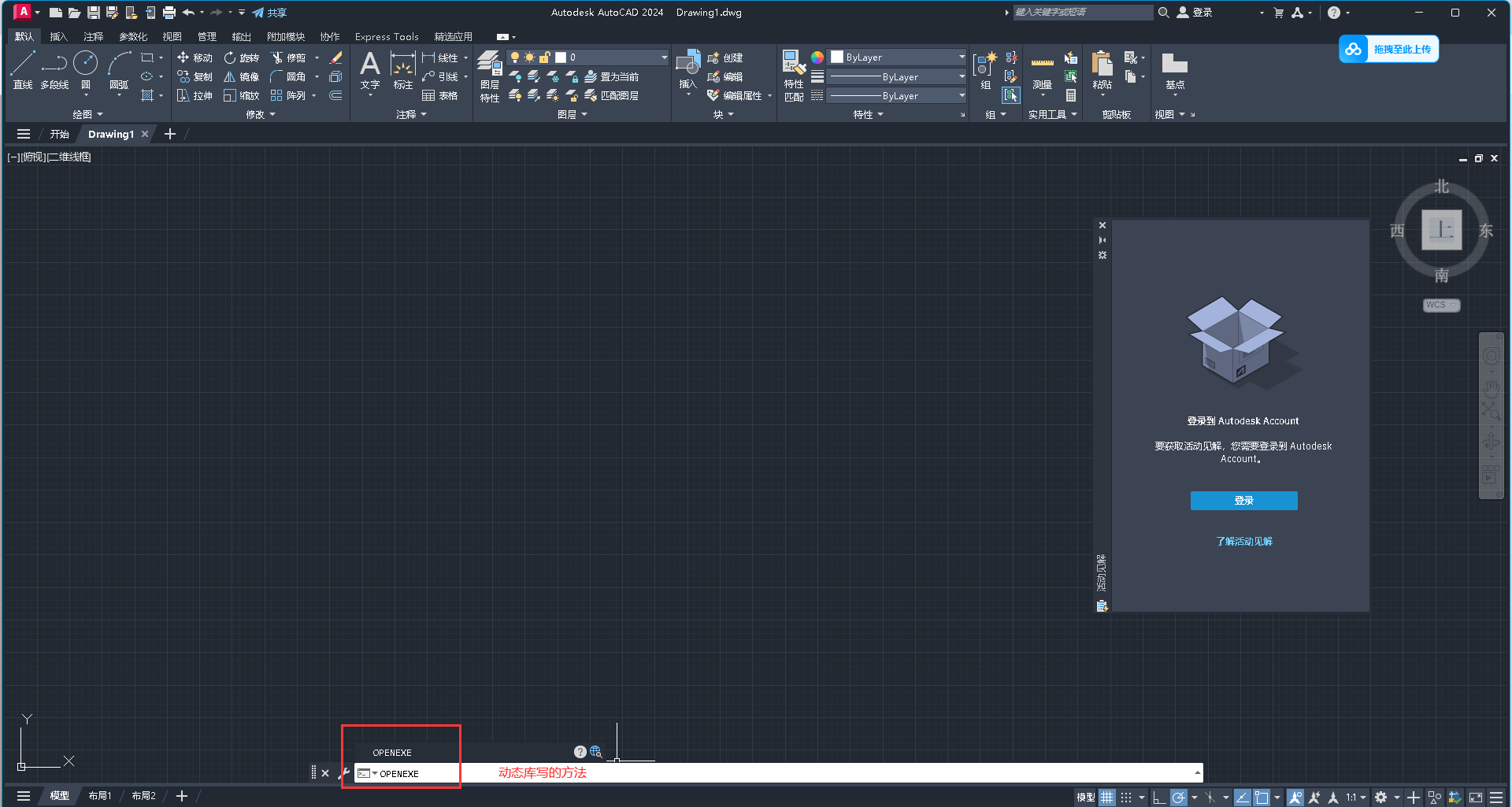
执行命令后,CAD自动打开WPF的画面
第三步:启动CAD,进行代码联调


此内容由惯性聚合(RSS阅读器)自动聚合整理,仅供阅读参考。 原文来自 — 版权归原作者所有。