惯性聚合 高效追踪和阅读你感兴趣的博客、新闻、科技资讯
阅读原文 在惯性聚合中打开

推荐订阅源

Exploit-DB.com RSS Feed
Blog — PlanetScale
Blog — PlanetScale
GbyAI
GbyAI
Engineering at Meta
Engineering at Meta
博客园 - 司徒正美
T
Tailwind CSS Blog
F
Full Disclosure
钛媒体:引领未来商业与生活新知
钛媒体:引领未来商业与生活新知
小众软件
小众软件
IT之家
IT之家
J
Java Code Geeks
Y
Y Combinator Blog
Microsoft Security Blog
B
Blog
V
V2EX
CTFtime.org: upcoming CTF events
Hugging Face - Blog
Hugging Face - Blog
美团技术团队
The Cloudflare Blog
Recent Announcements
博客园 - 【当耐特】
Google DeepMind News
罗磊的独立博客
博客园 - 叶小钗
阮一峰的网络日志
阮一峰的网络日志
The GitHub Blog
The GitHub Blog
云风的 BLOG
云风的 BLOG
aimingoo的专栏
aimingoo的专栏
大猫的无限游戏
大猫的无限游戏
酷 壳 – CoolShell
酷 壳 – CoolShell
cs.CV updates on arXiv.org
S
Security @ Cisco Blogs
MyScale Blog
MyScale Blog
MongoDB | Blog
MongoDB | Blog
U
Unit 42
H
Heimdal Security Blog
Recent Commits to openclaw:main
V2EX - 技术
V2EX - 技术
H
Hackread – Cybersecurity News, Data Breaches, AI and More
Google Online Security Blog
N
News and Events Feed by Topic
Hacker News - Newest:
Hacker News - Newest: "LLM"
PCI Perspectives
PCI Perspectives
博客园 - 三生石上(FineUI控件)
I
InfoQ
SecWiki News
SecWiki News
N
News and Events Feed by Topic
D
DataBreaches.Net
Schneier on Security
K
KPMG report finds enterprise disconnect between AI and its ROI | CIO

博客园 - 慕尘

在浏览器跑 Qwen2.5 LangExtract pgvector 向量数据库 Faiss Goose trafilatura unstructured python里使用Playwright python的jieba MinGW nomic-embed-text 解析非结构化数据 LangChain 的 DocumentLoader 能够使用require但不能使用import ChromaDB nvm-windows 使用js实现文字转语音 pyttsx3 Ollama笔记
使用 WSL 在 Windows 上安装 Linux
慕尘 · 2025-11-27 · via 博客园 - 慕尘

WSL(Windows Subsystem for Linux)是微软为 Windows 10/11 推出的“免虚拟机”兼容层,让你直接在 Windows 内核上原生运行 Linux ELF 二进制程序

Windows 11下

在管理员模式下打开 PowerShell
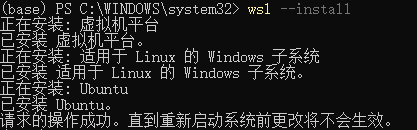
image

重启后会自动安装 Ubuntu

image

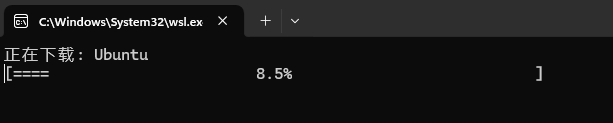
 开始下载并安装

image

常用命令

wsl -l -v                    # 查看已装发行版与 WSL 版本
wsl --shutdown               # 立即停掉所有 WSL 虚拟机
wsl -d Ubuntu -u root        # 以 root 身份启动

更新和升级包

sudo apt update && sudo apt upgrade

image

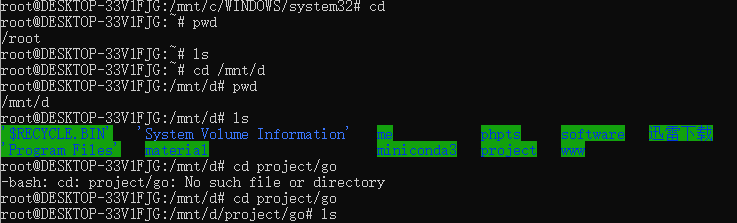
 因为PowerShell打开就是在 C:\WINDOWS\system32,所以挂载到了 Windows 的 C:\WINDOWS\system32目录下
image

安装go

下载

wget https://go.dev/dl/go1.25.4.linux-amd64.tar.gz

安装并设置环境变量

sudo tar -C /usr/local -xzf go1.25.4.linux-amd64.tar.gz
cd ~
echo 'export PATH=$PATH:/usr/local/go/bin' >> ~/.bashrc
source ~/.bashrc
go version

image

在vscode里安装插件WSL

使用下面命令打开vscode和所在目录

 编写helloworld

cd ~
mkdir -p ~/projects/go-hello 
cd ~/projects/go-hello
code .

打开vscode

创建main.go

package main
import "fmt"
func main() {
    fmt.Println("🎉 Hello from Go in WSL!")
}

执行

输出 🎉 Hello from Go in WSL!