



惯性聚合 高效追踪和阅读你感兴趣的博客、新闻、科技资讯
阅读原文 在惯性聚合中打开

推荐订阅源

Security Archives - TechRepublic
C
CXSECURITY Database RSS Feed - CXSecurity.com
NISL@THU
NISL@THU
S
Schneier on Security
T
Threat Research - Cisco Blogs
Scott Helme
Scott Helme
T
The Exploit Database - CXSecurity.com
P
Palo Alto Networks Blog
Hacker News: Ask HN
Hacker News: Ask HN
T
Tenable Blog
钛媒体:引领未来商业与生活新知
钛媒体:引领未来商业与生活新知
Google Online Security Blog
GbyAI
GbyAI
Exploit-DB.com RSS Feed
Apple Machine Learning Research
Forbes - Security
Forbes - Security
博客园 - 叶小钗
量子位
I
Intezer
腾讯CDC
博客园 - Franky
Microsoft Security Blog
Microsoft Azure Blog
阮一峰的网络日志
阮一峰的网络日志
P
Proofpoint News Feed
F
Fortinet All Blogs
C
Cyber Attacks, Cyber Crime and Cyber Security
Jina AI
Jina AI
Project Zero
Project Zero
奇客Solidot–传递最新科技情报
奇客Solidot–传递最新科技情报
G
Google Developers Blog
Latest news
Latest news
Cyberwarzone
Cyberwarzone
Security Latest
Security Latest
Spread Privacy
Spread Privacy
M
MIT News - Artificial intelligence
F
Full Disclosure
P
Proofpoint News Feed
B
Blog
W
WeLiveSecurity
freeCodeCamp Programming Tutorials: Python, JavaScript, Git & More
AWS News Blog
AWS News Blog
www.infosecurity-magazine.com
The GitHub Blog
The GitHub Blog
Hacker News - Newest:
Hacker News - Newest: "LLM"
cs.CL updates on arXiv.org
博客园 - 聂微东
小众软件
小众软件
Schneier on Security
PCI Perspectives
PCI Perspectives

博客园 - 外科手术医生

Spring-AI开发之旅 MACD秒解 历史的车轮 添加pdf的目录 spring ai提示词 纳瓦尔宝典-总结内容 小龙虾的skills哪里找? JMeter压测使用 成功没有奇迹,只有积累----Bruce Lee 为什么要⽤ Foundry git命令下,mac环境下载依赖相关报错问题解决方案 数据分析/数据挖掘/机器学习---- 必读书目(转) 简单高效的语言 OSI模型-一图胜千言 dubbo分布式系统 JVM解剖 线程池 集合类 concurrent之CAS concurrent之volatile 架构师之路 责任链设计模式 Junit框架分析 线程详解 计划自己的时间
Git仓库ssh不同环境配置
外科手术医生 · 2025-09-23 · via 博客园 - 外科手术医生

1.生成公私钥

ssh-keygen -t ed25519 -C "xx@163.com" -f ~/.ssh/id_ed25519_work  

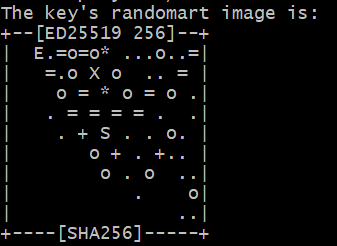
一直回车即可,完成后会生成这个打印的字符图
QQ_1758591393572

2.生成之后会保存到c/Users/PC/.ssh文件夹下

3.重复上面的步骤生成多个公私钥,修改id_ed25519_xx即可,如personal

4.将ssh的公钥配置到远程git仓库

5.创建config的文件夹

# 默认 GitHub 个人账号
Host gitlab.com-personal
    HostName gitlab.com
    User git
    IdentityFile C:\Users\PC\.ssh\id_ed25519_personal

# 公司 GitHub 账号
Host github.com-work
    HostName github.com
    User git
    IdentityFile C:\Users\PC\.ssh\id_ed25519_work

6.关联配置项,在git仓库文件夹内

git remote set-url origin git@github.com-work:xx/repo.git

git remote set-url origin git@gitlab.com-personal:xx/repo.git

7.推送远程仓库

git push -u origin main

-u--set-upstream)把本地分支和远程分支“绑定”起来,在第一次中使用