惯性聚合 高效追踪和阅读你感兴趣的博客、新闻、科技资讯
阅读原文 在惯性聚合中打开

推荐订阅源

S
Schneier on Security
C
Cyber Attacks, Cyber Crime and Cyber Security
D
Darknet – Hacking Tools, Hacker News & Cyber Security
Project Zero
Project Zero
T
The Exploit Database - CXSecurity.com
G
GRAHAM CLULEY
T
Threatpost
A
Arctic Wolf
cs.CL updates on arXiv.org
Scott Helme
Scott Helme
Simon Willison's Weblog
P
Proofpoint News Feed
C
Cisco Blogs
Threat Intelligence Blog | Flashpoint
K
Kaspersky official blog
P
Palo Alto Networks Blog
C
CXSECURITY Database RSS Feed - CXSecurity.com
T
Threat Research - Cisco Blogs
The Hacker News
The Hacker News
T
Tor Project blog
NISL@THU
NISL@THU
The GitHub Blog
The GitHub Blog
Security Latest
Security Latest
aimingoo的专栏
aimingoo的专栏
C
CERT Recently Published Vulnerability Notes
Recorded Future
Recorded Future
CTFtime.org: upcoming CTF events
Google DeepMind News
Martin Fowler
Martin Fowler
N
News | PayPal Newsroom
P
Privacy & Cybersecurity Law Blog
MyScale Blog
MyScale Blog
G
Google Developers Blog
V
V2EX
V
Visual Studio Blog
P
Privacy International News Feed
Google Online Security Blog
Microsoft Azure Blog
宝玉的分享
宝玉的分享
博客园 - 【当耐特】
L
LINUX DO - 热门话题
MongoDB | Blog
MongoDB | Blog
腾讯CDC
J
Java Code Geeks
The Last Watchdog
The Last Watchdog
L
Lohrmann on Cybersecurity
Cyberwarzone
Cyberwarzone
博客园 - 聂微东
Webroot Blog
Webroot Blog
S
Secure Thoughts

博客园 - 外科手术医生

Spring-AI开发之旅 MACD秒解 历史的车轮 添加pdf的目录 spring ai提示词 纳瓦尔宝典-总结内容 小龙虾的skills哪里找? Git仓库ssh不同环境配置 成功没有奇迹,只有积累----Bruce Lee 为什么要⽤ Foundry git命令下,mac环境下载依赖相关报错问题解决方案 数据分析/数据挖掘/机器学习---- 必读书目(转) 简单高效的语言 OSI模型-一图胜千言 dubbo分布式系统 JVM解剖 线程池 集合类 concurrent之CAS concurrent之volatile 架构师之路 责任链设计模式 Junit框架分析 线程详解 计划自己的时间
JMeter压测使用
外科手术医生 · 2025-12-18 · via 博客园 - 外科手术医生

1.安装工具

 1.下载JMeter的工具,找到配置文件进行汉化

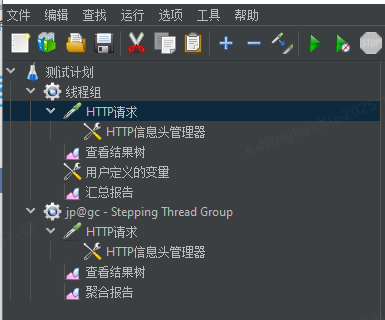
 2.下载插件 JMeter Plugins Manager ,放入到extras/lib目录下面,重启之后,安装插件,查找可用插件,gc安装,

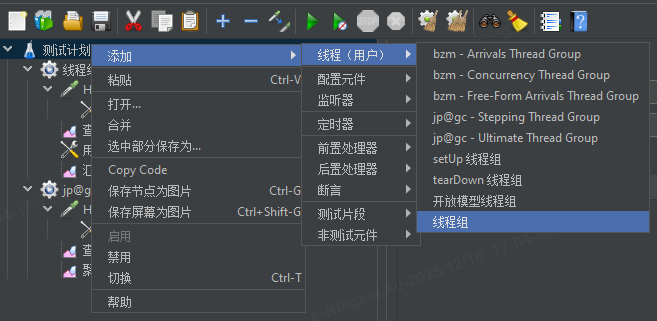
  在 Test Plan (测试计划) 上右键点击。

  选择 Add > Threads (Users) > jp@gc - Stepping Thread Group。

  一个新的 "Stepping Thread Group" 配置元素会出现在你的测试计划中。

2.了解工具

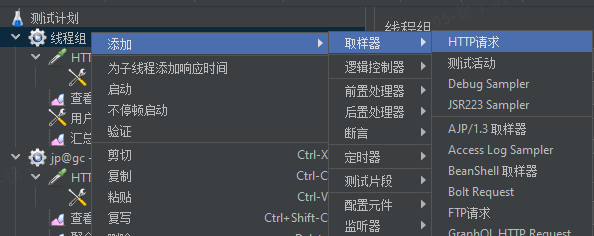
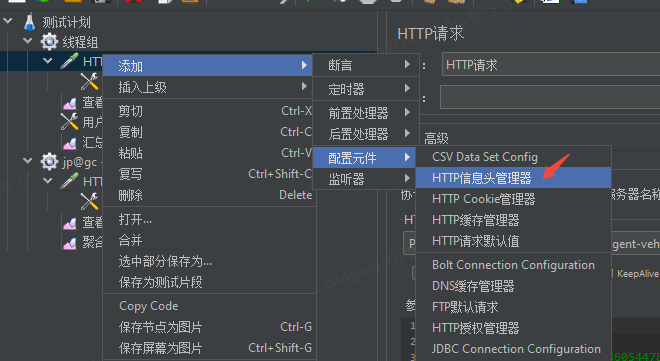
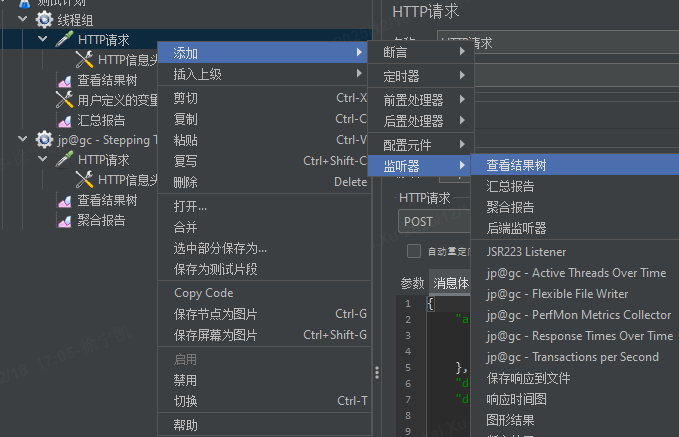
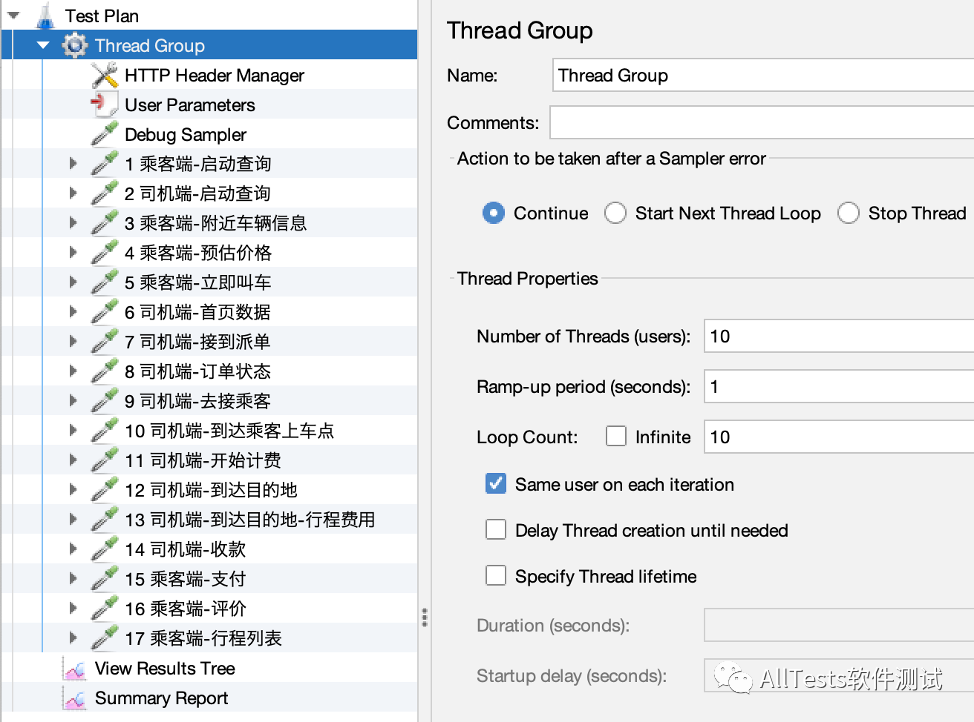
如何创建线程池,如何添加请求头,如何添加请求参数,如何查看结果,如何导出报告,如何查看压测是否异常
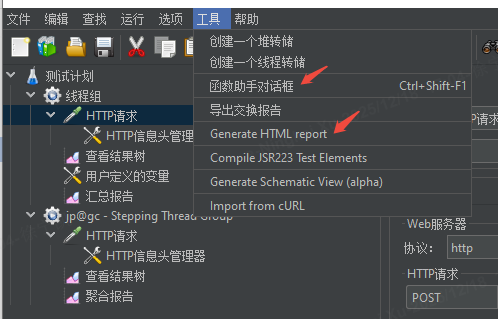
image

image

image

image

image

3.使用工具

image

image