惯性聚合 高效追踪和阅读你感兴趣的博客、新闻、科技资讯
阅读原文 在惯性聚合中打开

推荐订阅源

P
Proofpoint News Feed
L
LangChain Blog
U
Unit 42
Apple Machine Learning Research
The Cloudflare Blog
Martin Fowler
Martin Fowler
T
Tenable Blog
IT之家
IT之家
H
Help Net Security
阮一峰的网络日志
阮一峰的网络日志
Forbes - Security
Forbes - Security
N
Netflix TechBlog - Medium
The Hacker News
The Hacker News
J
Java Code Geeks
H
Hackread – Cybersecurity News, Data Breaches, AI and More
T
Tailwind CSS Blog
美团技术团队
NISL@THU
NISL@THU
T
Threatpost
GbyAI
GbyAI
T
Threat Research - Cisco Blogs
I
InfoQ
Jina AI
Jina AI
Microsoft Azure Blog
人人都是产品经理
人人都是产品经理
C
Check Point Blog
V
Vulnerabilities – Threatpost
cs.CL updates on arXiv.org
Spread Privacy
Spread Privacy
S
Securelist
大猫的无限游戏
大猫的无限游戏
P
Privacy & Cybersecurity Law Blog
Security Archives - TechRepublic
爱范儿
爱范儿
小众软件
小众软件
C
Cybersecurity and Infrastructure Security Agency CISA
Cisco Talos Blog
Cisco Talos Blog
Engineering at Meta
Engineering at Meta
S
Security Affairs
S
Secure Thoughts
T
Troy Hunt's Blog
Application and Cybersecurity Blog
aimingoo的专栏
aimingoo的专栏
博客园 - 司徒正美
PCI Perspectives
PCI Perspectives
C
Cisco Blogs
MongoDB | Blog
MongoDB | Blog
Vercel News
Vercel News
月光博客
月光博客
Recorded Future
Recorded Future

博客园 - danzhang

第十三年的MVP勋章:感谢这片技术社区 Azure DevOps Server:2026年6月份补丁(无法移除用户) 在Github的企业Enterprise中开通Copilot 在Azure DevOps Server中实现用户端原地址透传(X-Forwarded-For) Azure DevOps Server:2026年4月份补丁(安装详细步骤) Azure DevOps:应用远程MCP服务器,提升工作效率 Azure DevOps Server:2026年3月份补丁 Azure DevOps Server:扩充数据库服务器的磁盘 Azure DevOps Server:使用团队日历 Azure DevOps Server:2026年二月补丁(Patch 8) Azure DevOps:迭代看板简洁视图 Azure DevOps:移除TFVC中过时的签入策略 Azure DevOps Server 正式版本发布 Azure DevOps Server:复制markdown文档中的代码块 Azure DevOps Server:允许讨论但不允许修改工作项 Azure DevOps Server 2022.2 补丁(Patch 7) 在Azure DevOps Server中分析Git代码库的健康状况 Azure DevOps Server 25H2 最新版本发布 使用Azure DevOps MCP和Playwriht,将功能测试用例转换为自动化测试用例 使用Azure DevOps MCP服务器,在开发过程中应用GitHub Copilot人工智能 在VS Code中使用Playwright实现自动化测试(UI测试) Azure DevOps Server 2022.2 补丁(Patch 6) 在Azure DevOps的工作项中使用markdown
Azure DevOps Server 25H2 安装手册
danzhang · 2025-10-19 · via 博客园 - danzhang

Contents

    1. 概述
    •2. 安装手册

    ◦下载安装包
    ◦安装操作系统
    ◦安装数据库SQL Server
    ◦安装和配置服务器
    ◦验证系统

1. 概述

经过一年多时间的积累,微软在2025年10月9日发布了最新版本的Azure DevOps Server。由于软件产品生命周期策略(Lifecycle Policy)的变化,微软将最新版本命名为Azure DevOps Server 25H2,意思是2025年下半年发布的版本。25H2是两个词的组合,25意思是2025年,H2是Half 2(second half of the year)的简称。

下面是笔者按照微软的操作说明,全新安装Azure DevOps Server服务器的过程,供大家参考。

2. 安装手册

  • 下载安装包

    • 首先从微软官方获取软件安装包的镜像文件:
      https://learn.microsoft.com/en-us/azure/devops/server/download/azuredevopsserver
    • 由于当前软件还处在RC(Release Candidate候选)阶段,用户可以随意下载;但是需要注意,这个RC版本也是受到微软技术支持的,并非测试版本的概念;就是说,如果这个版本出现缺陷,微软会提供技术支持来解决问题。
  • 安装操作系统

这里省略操作系统的安装过程,但是读者需要注意Azure DevOps Server 25H2支持的操作系统版本如下:

  • Windows Server 2025 (Server Core and Server with Desktop are supported)
  • Windows Server 2022
  • 安装数据库SQL Server

这里省略数据库的安装过程,但是读者需要注意Azure DevOps Server 25H2支持的数据库版本如下:

  • Azure SQL Database

  • Azure SQL Managed Instance

  • SQL Server 2022

  • SQL Server 2019

  • 安装和配置服务器

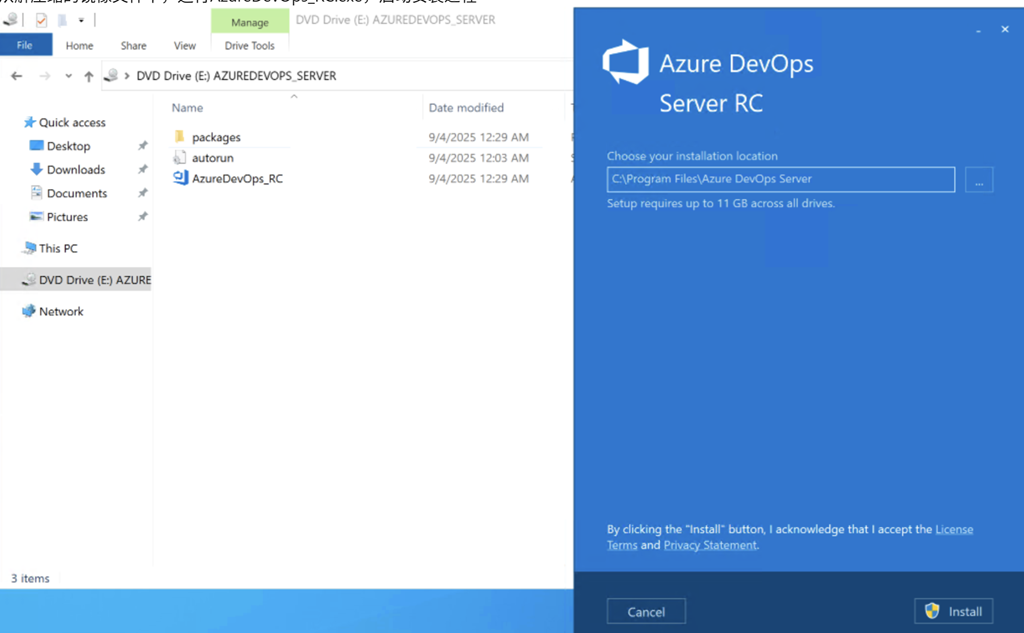
    • 从解压缩的镜像文件中,运行AzureDevOps_RC.exe,启动安装过程
      image

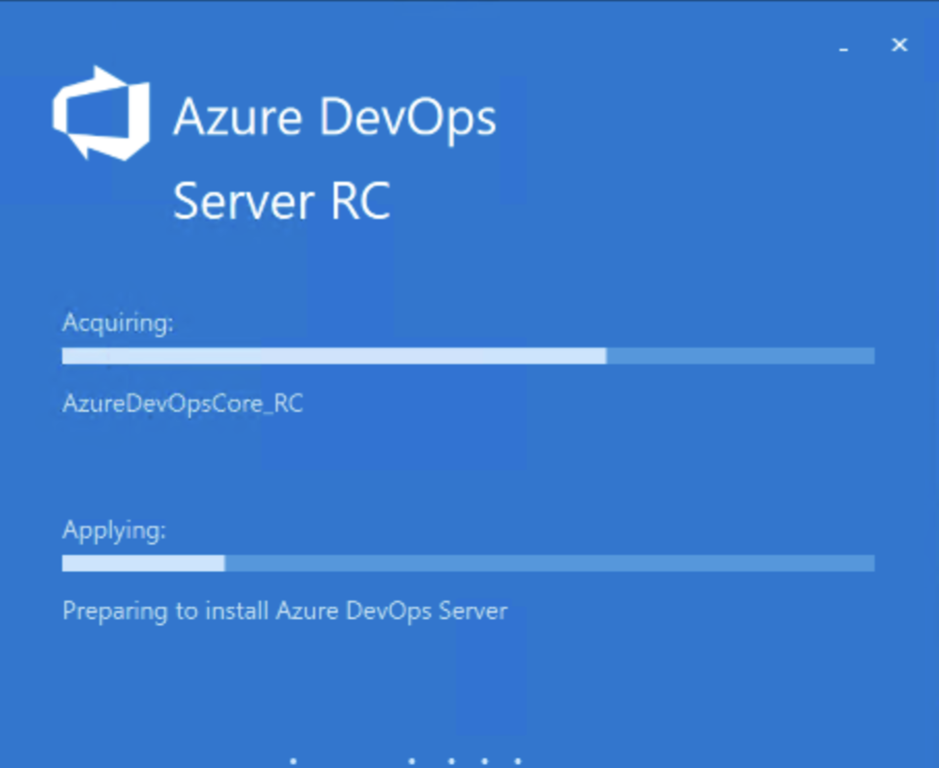
    • 安装软件自动检测系统是否符合要求,并将软件必要的程序安装在操作系统中
      image

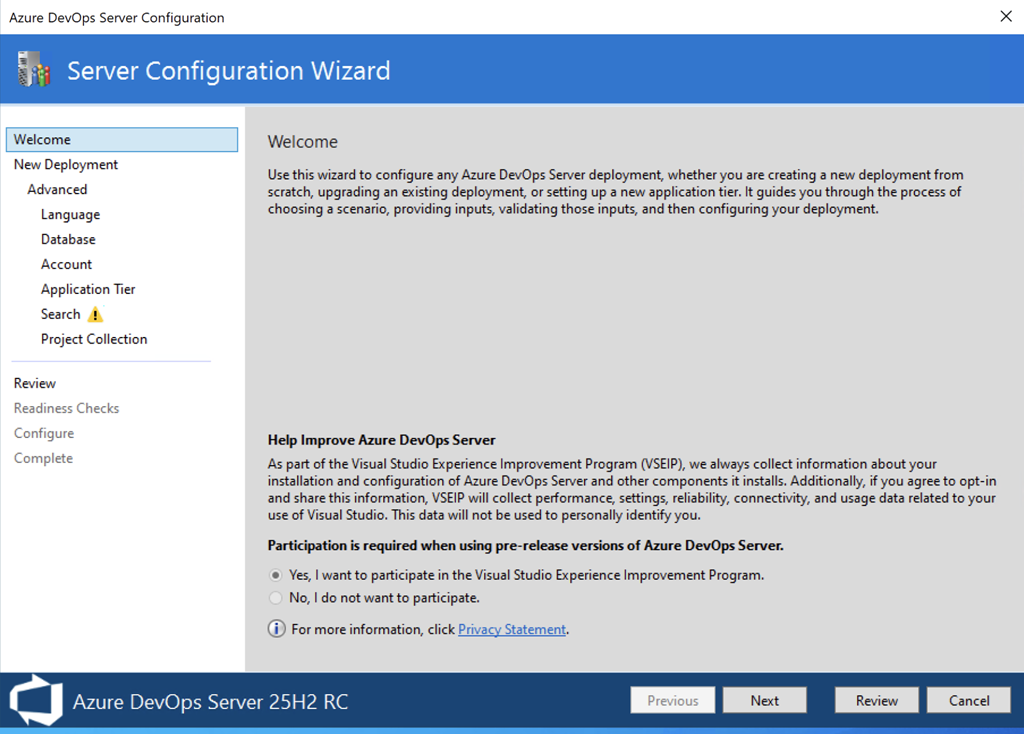
    • 当安装过程完成后,系统自动启动配置过程,这里我们选择配置Azure DevOps Server
      image

    • 由于是RC版本,必须选择参与提升体验项目;RTM版本可以选择不参与
      image

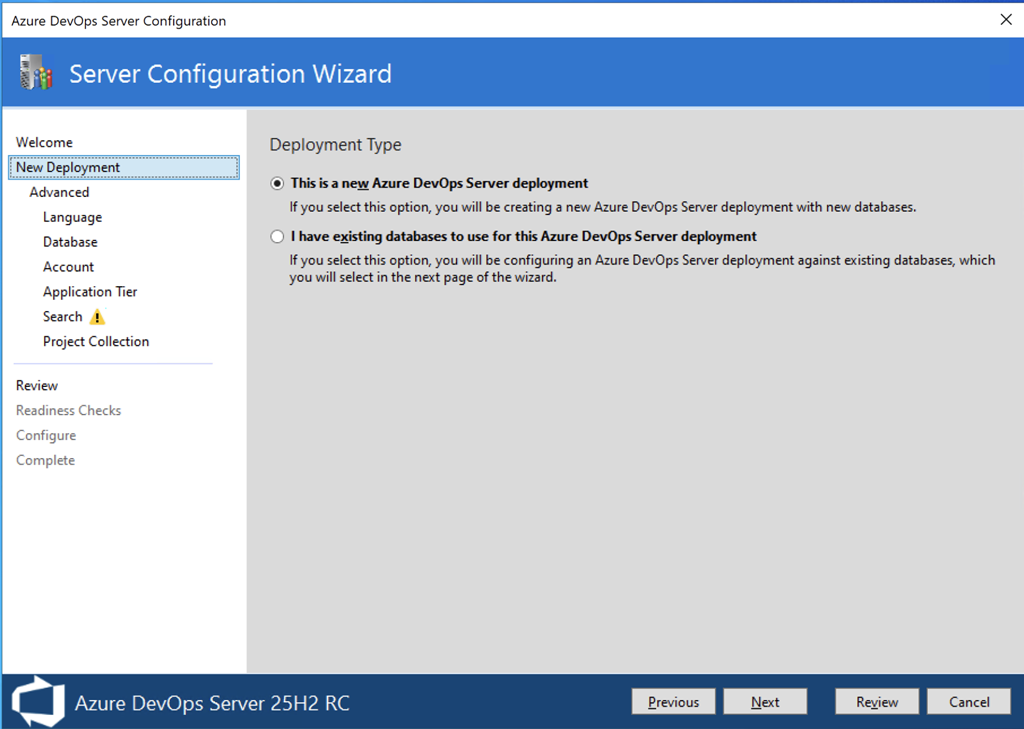
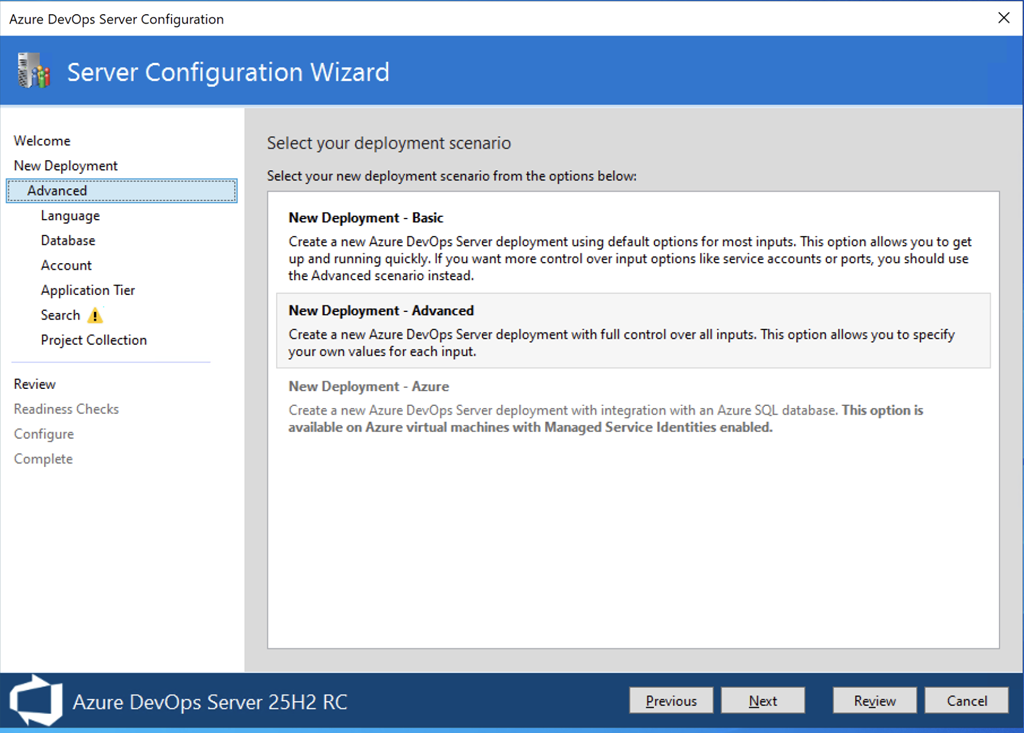
    • 选择全新部署;如果在原有服务器上安装软件,系统会自动软件使用存在的数据库
      image

    • 默认选择高级配置
      image

    • 选择语言,默认为英语
      image

    • 选择数据库服务器实例
      image

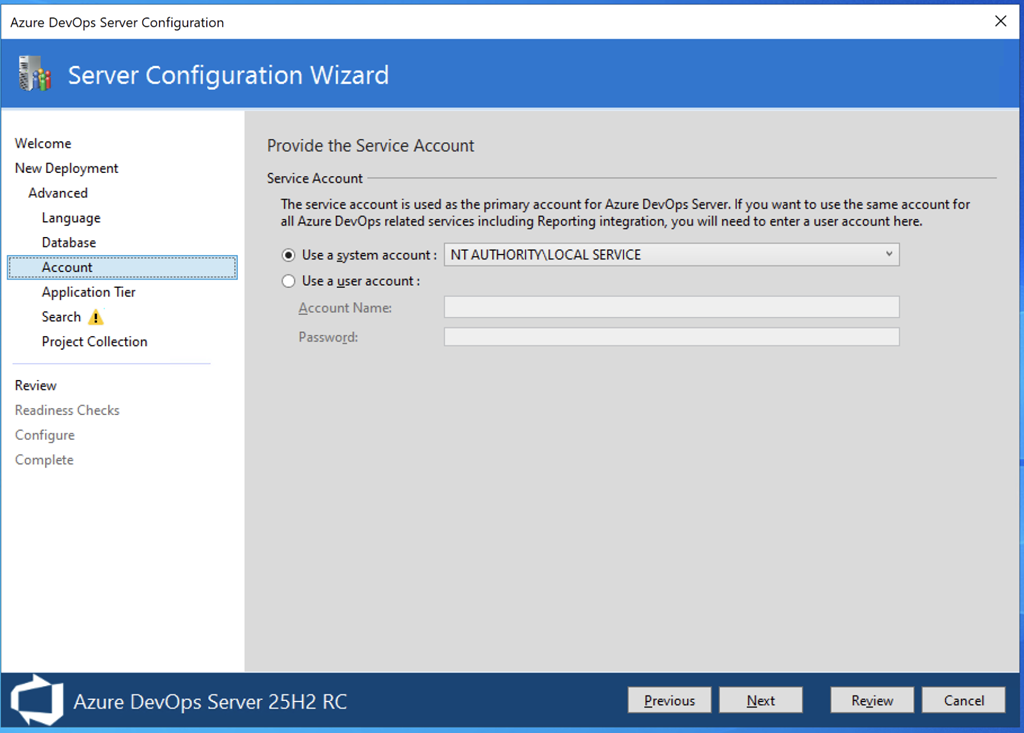
    • 选择应用运行账户;如果是测试用途,可以选择默认的本地服务账户,如果是生产环境,一般需要选择一个域账户
      image

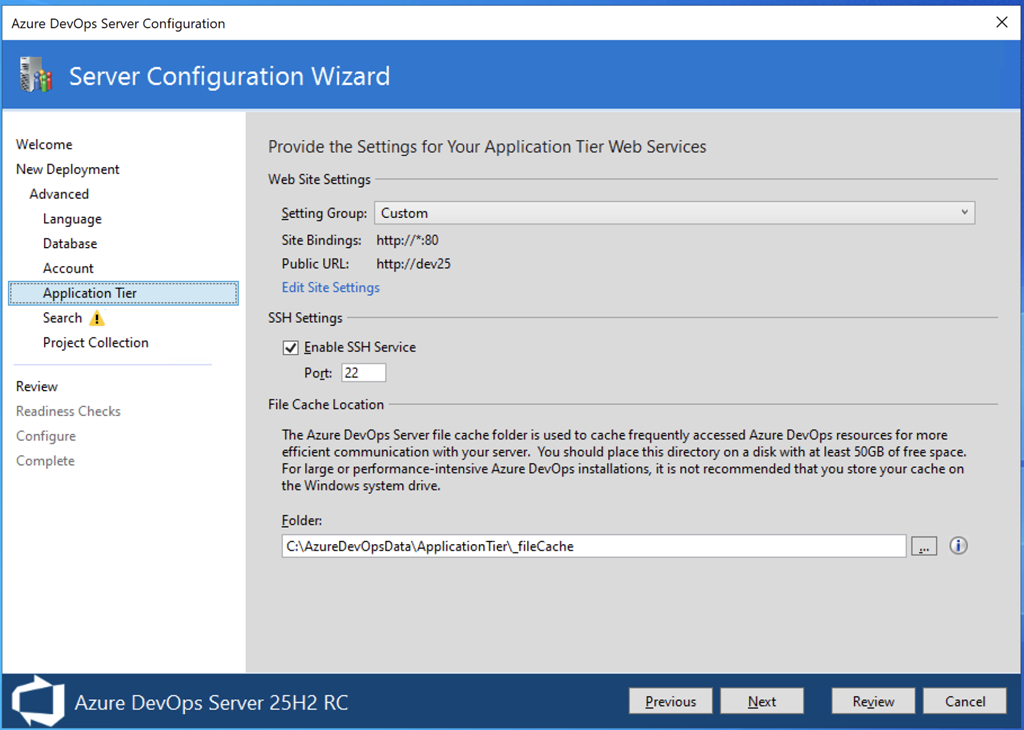
    • 设置Web服务器的端口、域名等;这里选择默认的80端口
      image

    • 确定是否安装搜索服务;默认选择安装,系统会自动安装必要的以来软件,例如Java环境
      image

    • 默认安装一个默认团队项目集合(DefaultCollection)
      image

    • 检测并确认前面的设置,都没有问题后,开始应用所有配置
      image

    • 系统检测所有配置正常
      image

    • 所有配置都应用完毕后,系统提示安装成功

验证系统

安装完成后,我们可以使用网页浏览器打开Azure DevOps Server,在帮助页面中可以看到系统的版本号,笔者使用的版本为Azure DevOps Server 25H2 RC (AzureDevopsServer_20250903.1)。

image

https://www.cnblogs.com/danzhang
Azure DevOps MVP 张洪君

image