




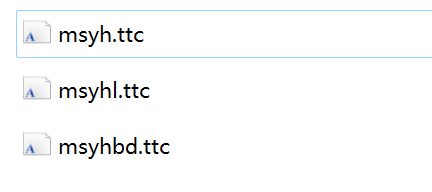
1、在C:\Windows\Fonts\ 找到想要安装到linux的字体;如微软雅黑字体,它们可能的文件包括:
2、将相关字体文件复制到指定文件夹“/usr/share/fonts/”
3、执行字体安装:
cd /usr/share/fonts/
mkfontscale
mkfontdir
如果提示 mkfontscale: command not found,需自行安装 yum install mkfontscale
如果提示 fc-cache: command not found,则需要安装yum install fontconfig
4、刷新缓存:
fc-cache
5、查看已安装的中文字体:
fc-list :lang=zh
6、刷新系统字体缓存:
fc-cache -fv
7、重启tomcat服务
此内容由惯性聚合(RSS阅读器)自动聚合整理,仅供阅读参考。 原文来自 — 版权归原作者所有。