惯性聚合 高效追踪和阅读你感兴趣的博客、新闻、科技资讯
阅读原文 在惯性聚合中打开

推荐订阅源

Recent Commits to openclaw:main
GbyAI
GbyAI
Y
Y Combinator Blog
freeCodeCamp Programming Tutorials: Python, JavaScript, Git & More
aimingoo的专栏
aimingoo的专栏
H
Hackread – Cybersecurity News, Data Breaches, AI and More
云风的 BLOG
云风的 BLOG
博客园 - 【当耐特】
Hugging Face - Blog
Hugging Face - Blog
M
MIT News - Artificial intelligence
博客园_首页
B
Blog RSS Feed
Recorded Future
Recorded Future
N
Netflix TechBlog - Medium
钛媒体:引领未来商业与生活新知
钛媒体:引领未来商业与生活新知
罗磊的独立博客
Apple Machine Learning Research
D
DataBreaches.Net
IT之家
IT之家
The GitHub Blog
The GitHub Blog
P
Proofpoint News Feed
Microsoft Azure Blog
S
SegmentFault 最新的问题
宝玉的分享
宝玉的分享
T
The Blog of Author Tim Ferriss
B
Blog
The Cloudflare Blog
MyScale Blog
MyScale Blog
雷峰网
雷峰网
U
Unit 42
C
Check Point Blog
月光博客
月光博客
Blog — PlanetScale
Blog — PlanetScale
T
Tailwind CSS Blog
OSCHINA 社区最新新闻
OSCHINA 社区最新新闻
大猫的无限游戏
大猫的无限游戏
D
Docker
Microsoft Security Blog
WordPress大学
WordPress大学
L
LangChain Blog
F
Fortinet All Blogs
腾讯CDC
Martin Fowler
Martin Fowler
I
InfoQ
J
Java Code Geeks
博客园 - Franky
Engineering at Meta
Engineering at Meta
人人都是产品经理
人人都是产品经理
有赞技术团队
有赞技术团队
阮一峰的网络日志
阮一峰的网络日志

博客园 - OpenCASCADE

管道轴测图引擎IsoAlgo-坡度管标注 武汉图核科技网址:whtuhe.cn 使用IsoAlgo在Solidworks中生成管道单线图 管道设计效率低?NX+IsoAlgo一键生成单线图 管道轴测图引擎IsoAlgo-1.0版本发布 IsoAlgo管道轴测图引擎-导出PDF IsoAlgo管道轴测图引擎-保温伴热 IsoAlgo管道轴测图引擎用户界面 管道轴测图引擎IsoAlgo-1.0-beta免费使用 IsoAlgo管道轴测图引擎全新升级 PlantAssistant-提升VUE性能 PlantAssistant-轻松浏览1G的RVM PlantAssistant-0.1.16 发布啦 IsoAlgo管道轴测图引擎获颁软件著作权 PlantAssistant-保温层处理 PlantAssistant-隐藏焊点 SP3D 自动切图标注系统 PlantAssistant-管道数据文件PCF 从RvmTranslator到PlantAssistant
PlantAssistant-导出Excel
OpenCASCADE · 2025-12-29 · via 博客园 - OpenCASCADE

随着PlantAssistant性能的不断优化,越来越多的用户使用起来觉得还不错。程序小巧快速,免安装,不联网,不用担心数据安全问题,可以放心使用

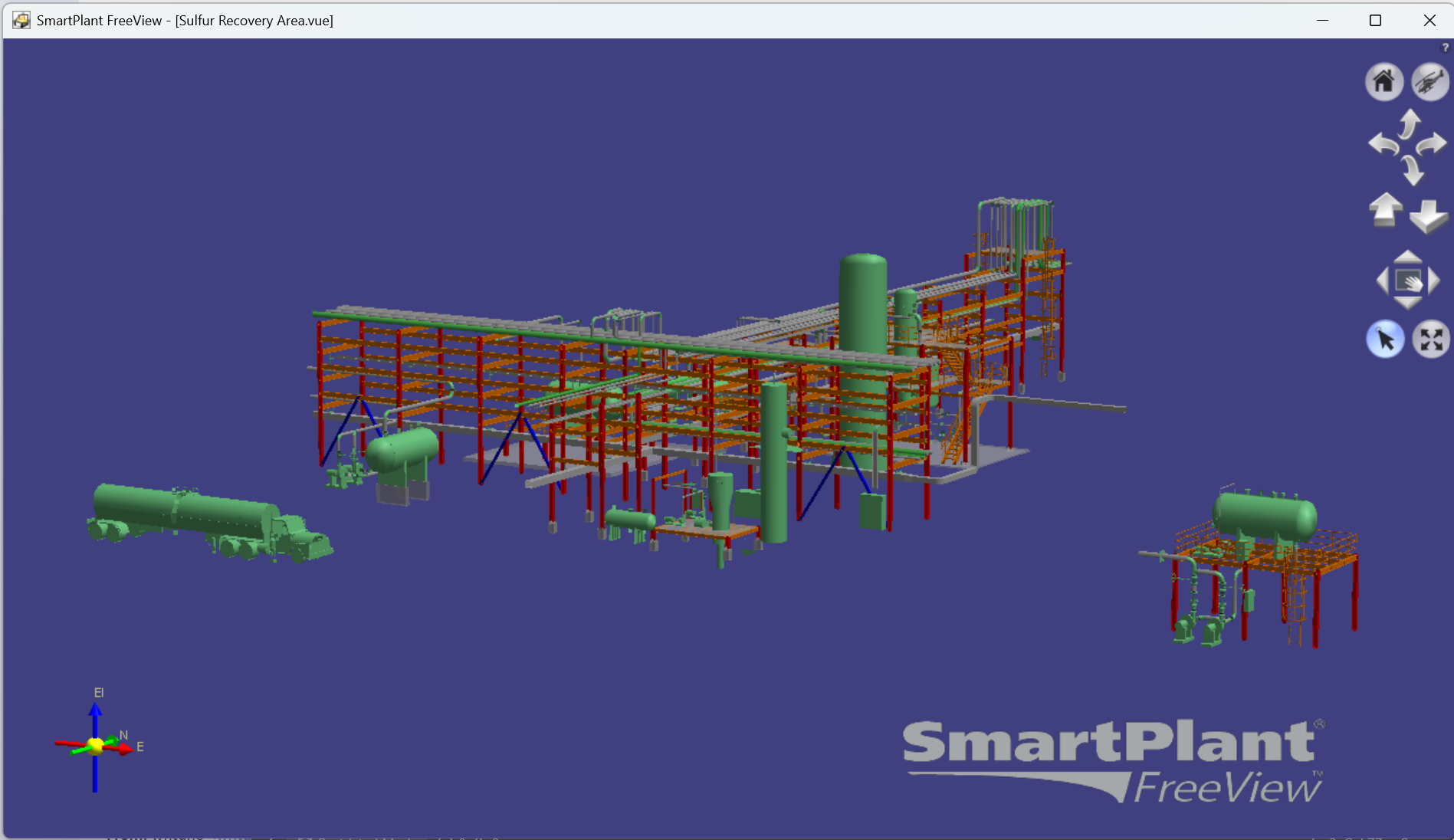
SmartPlant FreeView

与鹰图的SmartPlantFreeView相比,PlantAssistant提供了设计导航目录树和属性窗口,方便查看模型的数据。最近有用户反馈PlantAssistant使用起来还比较方便,希望增加导出属性数据到Excel的功能,借助Excel强大的筛选过滤功能,让模型的属性数据发挥更大价值。

在PlantAssistant的设计导航目录树上,选择在导出属性数据的树结点,点击右键:
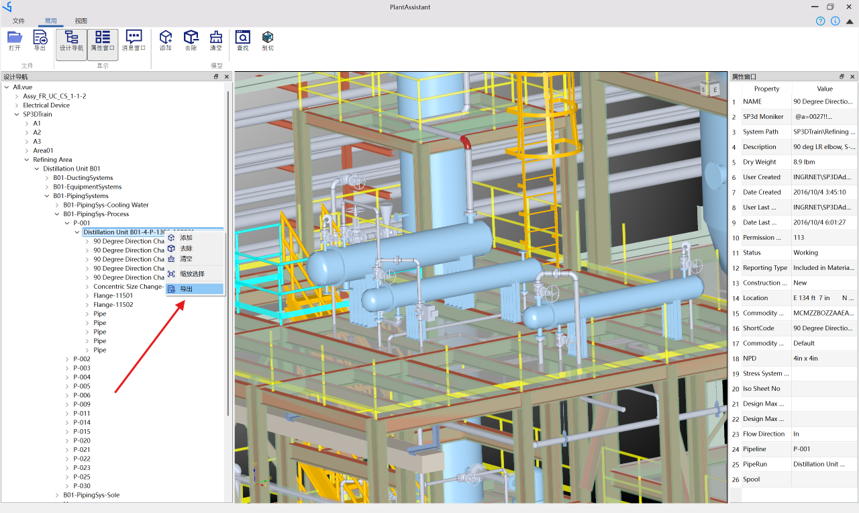
Excel

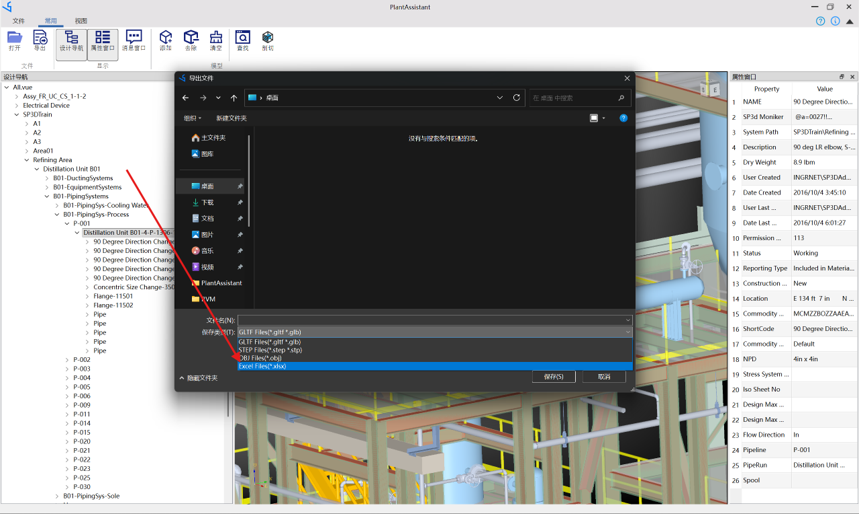
选择导出文件格式为Excel文件:

Excel

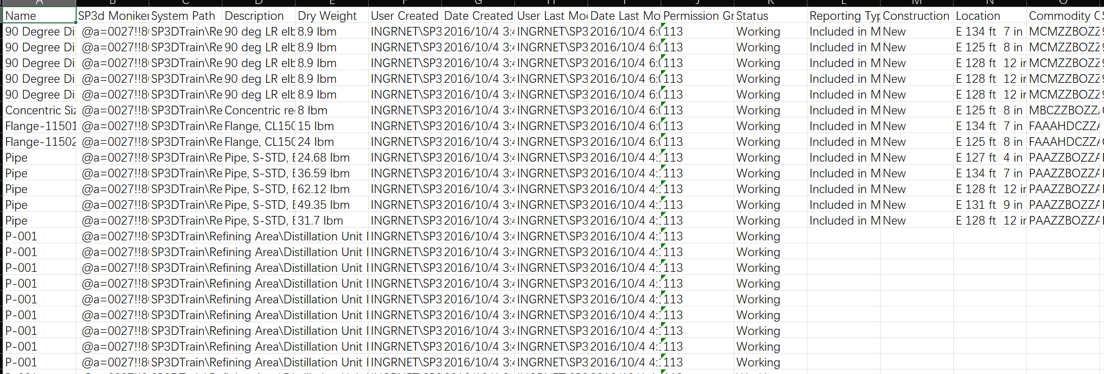
即可以快速将模型的属性数据导出到Excel文件:

Export Excel

下载PlantAssistant

PlantAssistant软件在PipeCAD QQ群文件中下载,欢迎大家下载使用反馈意见。
欢迎大家加入PipeCAD QQ交流群 964851855,交流软件问题、心得:

PipeCAD QQ

也可以微信扫码加入微信交流群:

wx