





PublisherOptions.cs)包含出版社相关的配置参数
使用数据注解进行验证
提供默认值
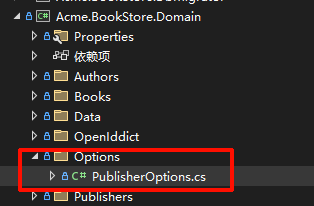
using System.ComponentModel.DataAnnotations;

namespace Acme.BookStore.Options
{
    public class PublisherOptions
    {
        [Required]
        [Range(1, 100)]
        public int DefaultPageSize { get; set; } = 10;

        [Required]
        [Range(1, 1000)]
        public int MaxPageSize { get; set; } = 100;

        [Required]
        [StringLength(100)]
        public string DefaultSorting { get; set; } = "Name";

        public bool EnableCaching { get; set; } = true;

        [Range(1, 1440)]
        public int CacheDurationMinutes { get; set; } = 30;

        [Url]
        public string? DefaultWebsiteUrl { get; set; }

        [EmailAddress]
        public string? SupportEmail { get; set; }
    }
}
BookStoreDomainModule.cs)在依赖注入容器中注册 Options
从 appsettings.json 的 Publisher 节点读取配置
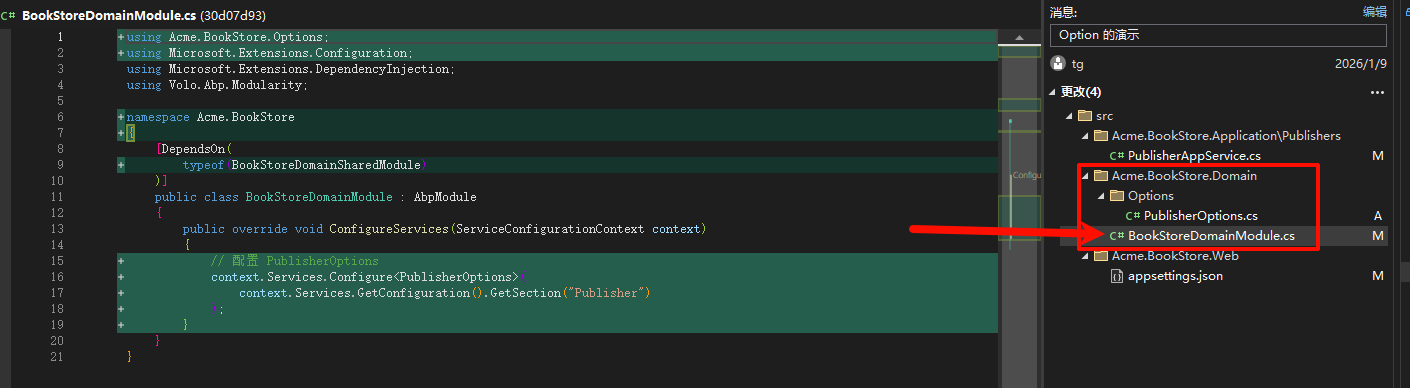
public override void ConfigureServices(ServiceConfigurationContext context)
{
    // 配置 PublisherOptions
    context.Services.Configure<PublisherOptions>(
        context.Services.GetConfiguration().GetSection("Publisher")
    );
}
appsettings.json)
{
  "App": {
    "SelfUrl": "https://localhost:44333"
  },
  "ConnectionStrings": {
    "Default": "Server=SU;Database=BookStore;User Id=sa;Password=123456;Trusted_Connection=True;TrustServerCertificate=True"
  },
  "StringEncryption": {
    "DefaultPassPhrase": "k0uGenCTlEUMJraa"
  },
  "Publisher": {
    "DefaultPageSize": 20,
    "MaxPageSize": 100,
    "DefaultSorting": "Name",
    "EnableCaching": true,
    "CacheDurationMinutes": 30,
    "DefaultWebsiteUrl": "https://publisher.example.com",
    "SupportEmail": "support@publisher.example.com"
  }
}
PublisherAppService.cs)IOptions<PublisherOptions> 注入配置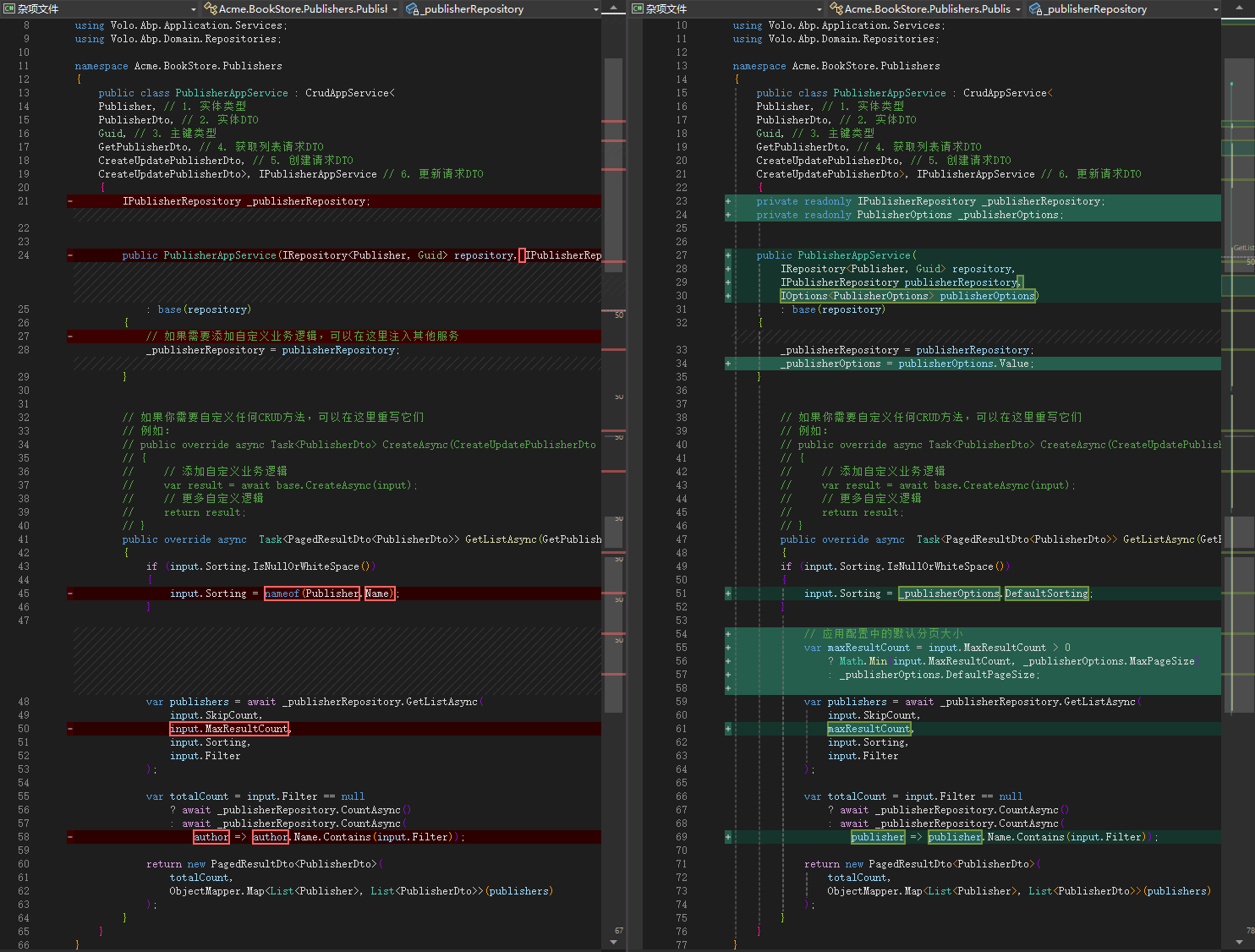
appsettings.json 中修改 Publisher 节点PublisherOptions 类中添加属性,然后更新配置文件IOptions<PublisherOptions> 即可此内容由惯性聚合(RSS阅读器)自动聚合整理,仅供阅读参考。 原文来自 — 版权归原作者所有。