









Constant crashes at even lowest settings. Notification during launch says i need to be on nvidia gpu driver 596.49 but cachyos is still on 595 and I dont know how to get it to update because all the commands just download 595
595 is the latest driver version on Linux. Forza Horizon 6 is a Windows game so that error message is likely irrelevant. It probably does not check whether it’s running on Linux or not so the error message defaults to asking for the latest driver version on Windows, the version numbering being different on Linux notwithstanding; additionally, I don’t even think that it ever receives the actual Linux driver specifications from the system. I suspect it instead sees a “faked” string provided by Proton, since the Windows environment needs to be replicated as accurately as possible.
I’d try other fixes like Proton Experimental, GE Proton or CachyOS Proton to fix the crashes, but it’s also possible your PC is simply not up to par for running the game.
Mind you, this is just what I logically infer based on my limited understanding on the subject, as I’m not a programmer.
Alexey 3
Its a new game so proably need to wait for fixed from vkd3d and nvidia to get it running or maybe experiment with launch options.
I tried proton expiramental last night and pc specs definitely arent the problem as I have a 4090 and ryzen 9 7950x3d guess im just going to have to play it on the backup laptop for now and wait
I’m playing the game fine on my 9070xt but I had to turn off ray tracing or else it would freeze and crash as soon as it loads
Maybe try that?
Oh my steam deck this game opens go a black screen and I can’t alt+tab to it. Really annoying.
dben302 6
I’m having the same issue, crashes like ten seconds after it needs to render literally anything. Doesn’t matter what Proton version I use. Tried updating, nope. I tried the sudo pacman -S linux-cachyos-nvidia-open command, no dice. It’s a 2060 in a Razer laptop, gotta love big green.
At least I can play it on my Steam Deck with no tinkiering or anything, It Just Works™.
Hilarious on deck for me it doesn’t work when I tried last night but on my desktop it runs like a dream
you just booed it up on deck?
Yeah Im going to play through the intro on my laptop tonight and then try loading into game on main pc, hoping maybe its part of the intro thats causing crashes
dben302 9
It’s not just the intro. Even after putting a little time on the deck and loading the save from the Cachy laptop, I got about as far as trying to select a new car in the garage before it crashed. I wasn’t even in the open world! lol
@johnblaze00 So far yeah. I pressed start and the game just fired right up. Seven hours of play time with no issue. Linux, ammirite?
just gona bump my name in here cause I’m facing the same issue atm.. I just reinstalled the game, gona see if it did the trick
Looks like a small update got pushed last night. Still no dice.
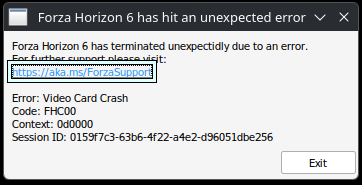
Jesus, how soon might cachyos update to the new drivers?
As Thornskade already said, 595 is the latest official NVIDIA driver for Linux. If NVIDIA doesn’t release a newer driver, the Cachyos team can’t integrate it. I’m guessing the 596.49 update was a hotfix for Windows. Unfortunately, Team Green doesn’t treat us equally. We’re still on 595.
Oh, and I don’t have the game—I just wanted to let you know that I found this here.
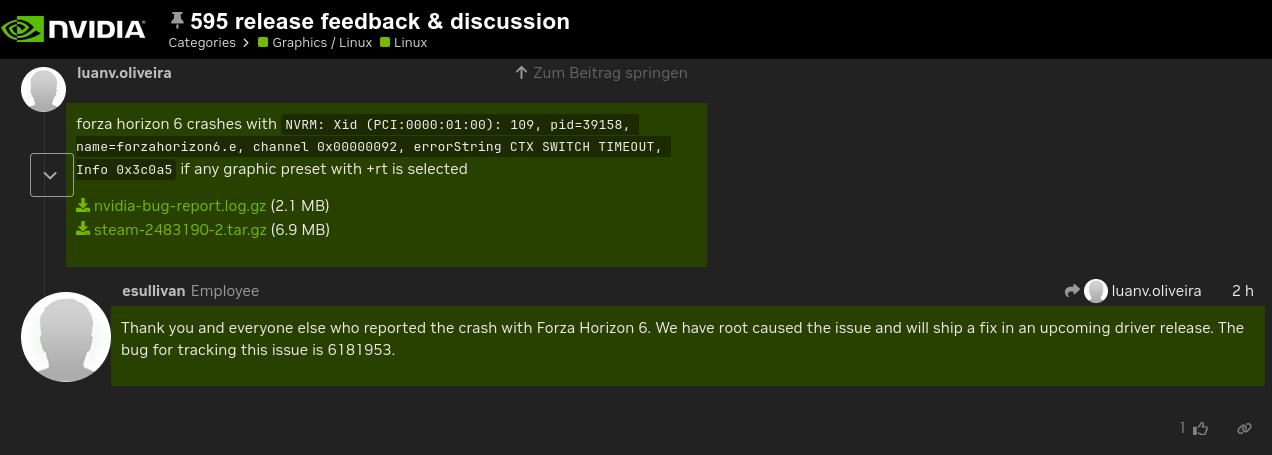
I guess it’ll be a while before this works. At least they’re working on it.
finally i can enter the chat here…
from my testing, using proton hotfix will fix most issue (and seems it’s updated today, with public release of FH6)
what i tested (before changing to hotfix)
using proton-cachyos-slr 20260506 / GE Latest
- no audio in lot of things, no character voice, no cutscene audio
- seems lot of slow down (fps drop, every few seconds)
using proton-hotfix
- fixed audio issue
- downside is can’t use FSR4 in here, need to use optiscaler
- no slow down fps like other proton
using proton-cachyos-slr 20260429
- audio play without issue
- same as the latest cachyos, but more noticeable, for the slow down
so i guess, you might want to try proton hotfix today
benchmark with hotfix + optiscaler + fg ._.

and yes, RT broke the game for AMD card
People like you are a blessing for my smol brain, I will be trying this when I get home. Thank you
You get stutters with latest cachy-proton. So weird how I don’t.
i should try the hot fix but I don’t want to lose fsr4 and don’t like using opetivaler if I don’t have to. I also barely notice a dif between fsr 4.0.3 and 4.1. how’s your experience with it?
is ray tracing still broken for you as well with hotfix?
yeah, my experiences was like
capped fps to 120, every few seconds its drop to 90ish for 1s then go back to 110+ again, repeat
i dunno if this because i didn’t use shader from steam (but using from MESA directly) or not
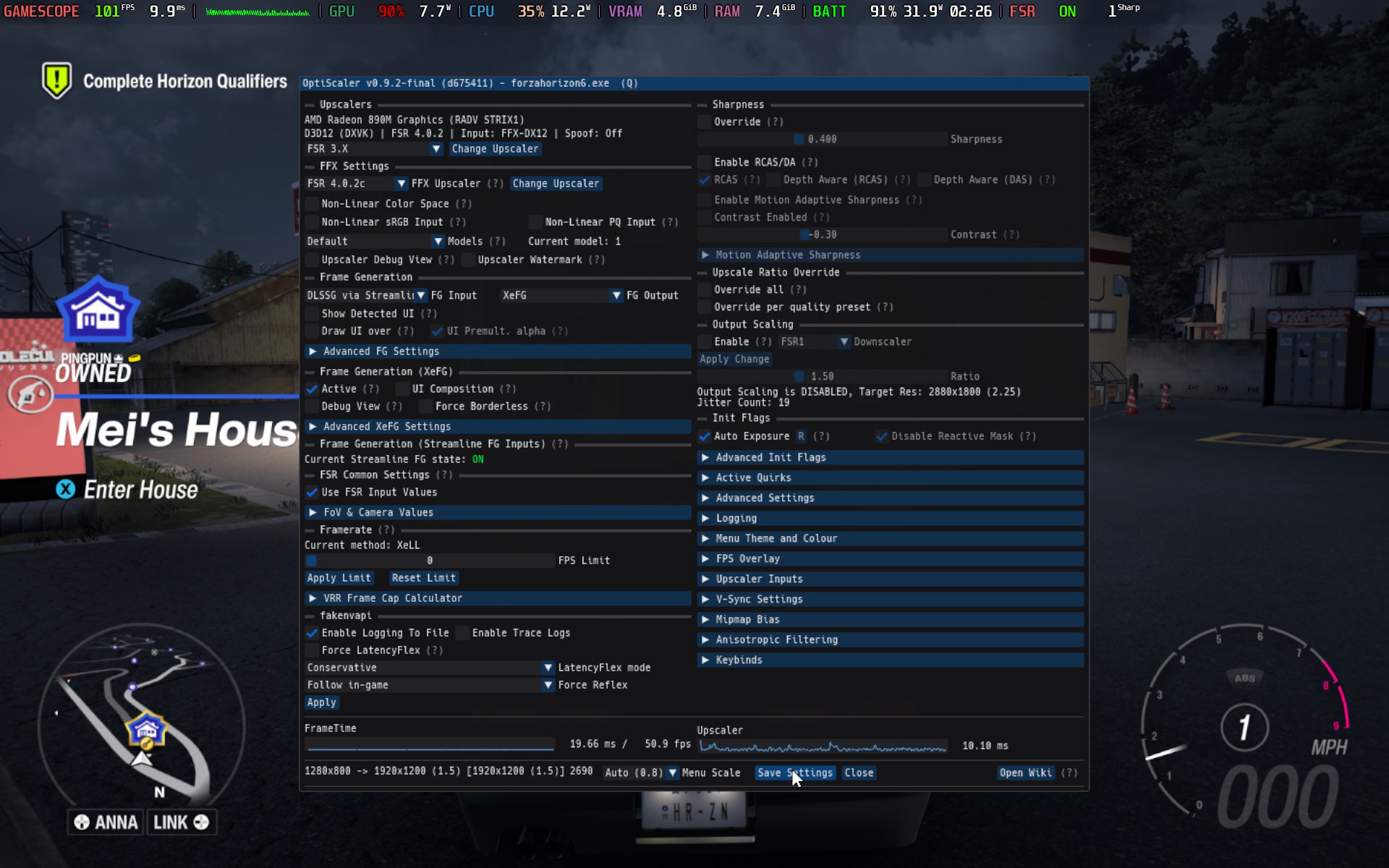
i use hotfix with optiscaler, only to enable fsr4 LMAO, and use some FG (because my UW monitor with 1440p is kinda like asking the 4k performance)
also i noticed for better performance, reducing the Environment Texture Quality to LOW reduce the chance of micro stuttering on my end
yes, every single times, whatever the proton is (not yet tesing on experimental)
i don’t have time to play at all sadly, so more testing and tweaking in weekend i guess (busy with works)
also Proton is getting some "horrible" workarounds for Forza Horizon 6 on Linux | GamingOnLinux
on another note, i tested this on my Claw A8 (CachyOS ofc)
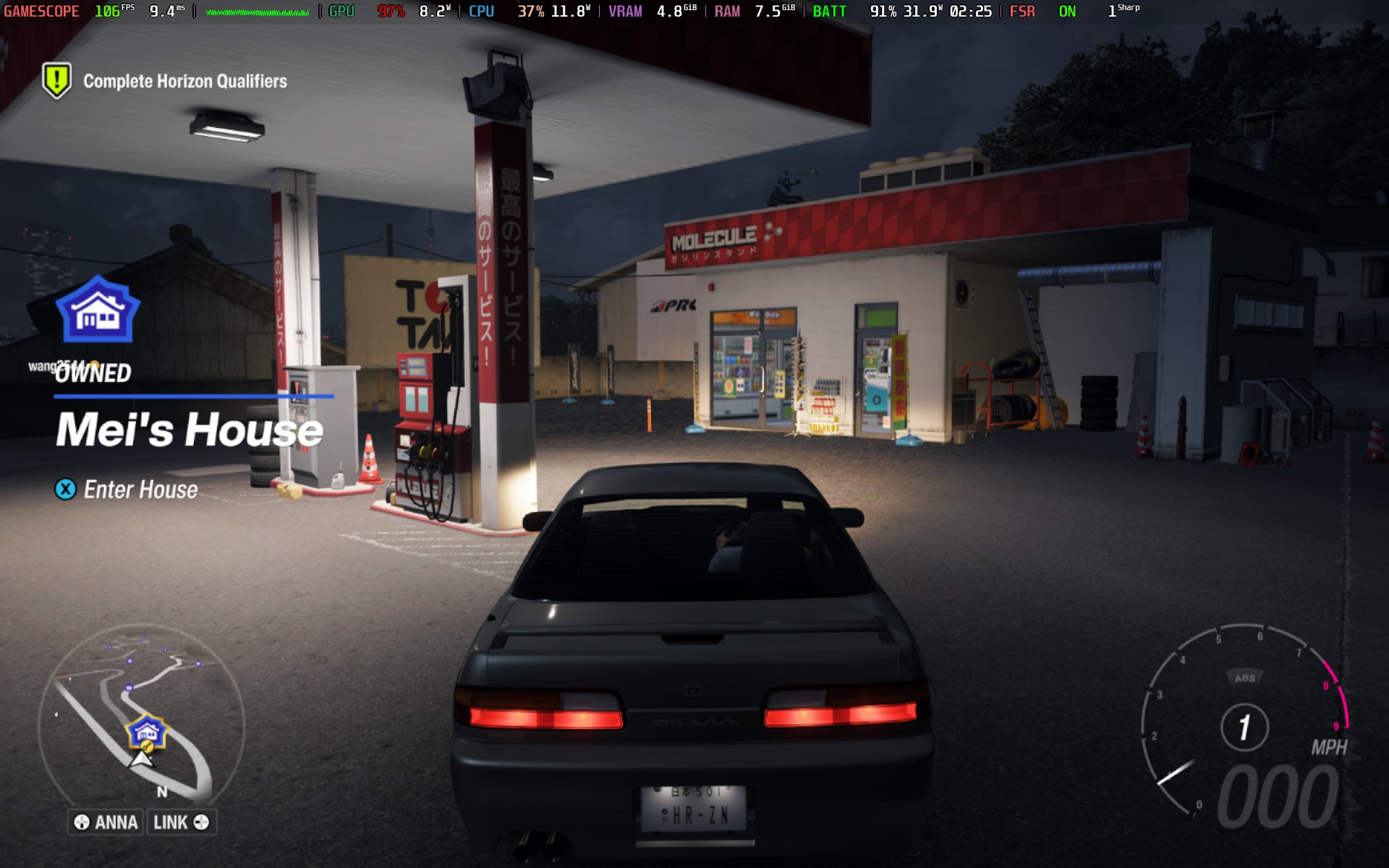
and its quite wonderous, as how i managed to make it works with FSR 4.0.2c Quality + FG (i’m using xefg to avoid shimmering in fsr fg) + 2x LSFG, the result was low preset 1200p with 90 ~ 100fps  with 20w tdp
Est-ce que le problème de ce crash a été résolu ?
Biscuits 19
if you’re using AMD gpu, turn off the RT, it’s still broken (iirc FHC00 was RT problem)
dben302 20
Installed the new drivers annnnddddd… still broken.