惯性聚合 高效追踪和阅读你感兴趣的博客、新闻、科技资讯
阅读原文 在惯性聚合中打开

推荐订阅源

博客园_首页
博客园 - 三生石上(FineUI控件)
爱范儿
爱范儿
Vercel News
Vercel News
aimingoo的专栏
aimingoo的专栏
The GitHub Blog
The GitHub Blog
freeCodeCamp Programming Tutorials: Python, JavaScript, Git & More
A
About on SuperTechFans
H
Hackread – Cybersecurity News, Data Breaches, AI and More
量子位
Hugging Face - Blog
Hugging Face - Blog
C
Check Point Blog
Engineering at Meta
Engineering at Meta
有赞技术团队
有赞技术团队
月光博客
月光博客
M
MIT News - Artificial intelligence
V
Visual Studio Blog
Stack Overflow Blog
Stack Overflow Blog
阮一峰的网络日志
阮一峰的网络日志
D
DataBreaches.Net
I
InfoQ
OSCHINA 社区最新新闻
OSCHINA 社区最新新闻
The Cloudflare Blog
雷峰网
雷峰网

Mac Data Recovery

How to Cancel a Disk Drill Enterprise Subscription CLEVER CLEANER TERMS OF USE New Disk Drill 6.3 for macOS With Lots of Anticipated Improvements and Fixes New Disk Drill 6.3 With Essential Improvements and Fixes Over Multiple Modules Disk Drill Licensing Gets a Fresh Look New Disk Drill 6.2 - Integrated Video Repair Service and Improved Video Recovery Disk Drill 6.2 - Video Repair Service Added to the App. Video Recovery Greatly Enhanced Disk Drill PRO Subscription & Lifetime License Disk Drill 6.1 is Fully Compatible With macOS Tahoe. Lots of Improvements in Advanced Camera Recovery Module Disk Drill 6.1 Recovers Even More File Types and Brings Lots of Improvements to Existing Functionality A Few Thoughts on Digital Archeology Disk Drill 6 Released – An Essential App for macOS & Windows Disk Drill 6.0 - New in Camera Recovery Alongside Anticipate Enhancements and Fixes
How to Grant Full Disk Access and Allow App Background Ac...
CleverFiles Team · 2025-09-17 · via Mac Data Recovery

What is App Background Activity and Why It Matters

Starting with macOS Sonoma, Apple added a privacy control under System SettingsGeneralLogin Items & Extensions called App Background Activity. When you flip this on for an app, you’re telling macOS it’s OK for that app’s helper processes to run small tasks after you close the app—for example, checking for updates, posting alerts, or preparing services Disk Drill needs to work smoothly.

Why Disk Drill asks for it

  • Ensures Disk Drill’s lightweight background helpers can run when needed.
  • Improves reliability for device S.M.A.R.T. detection and notifications

How to Allow App Background Activity for Disk Drill

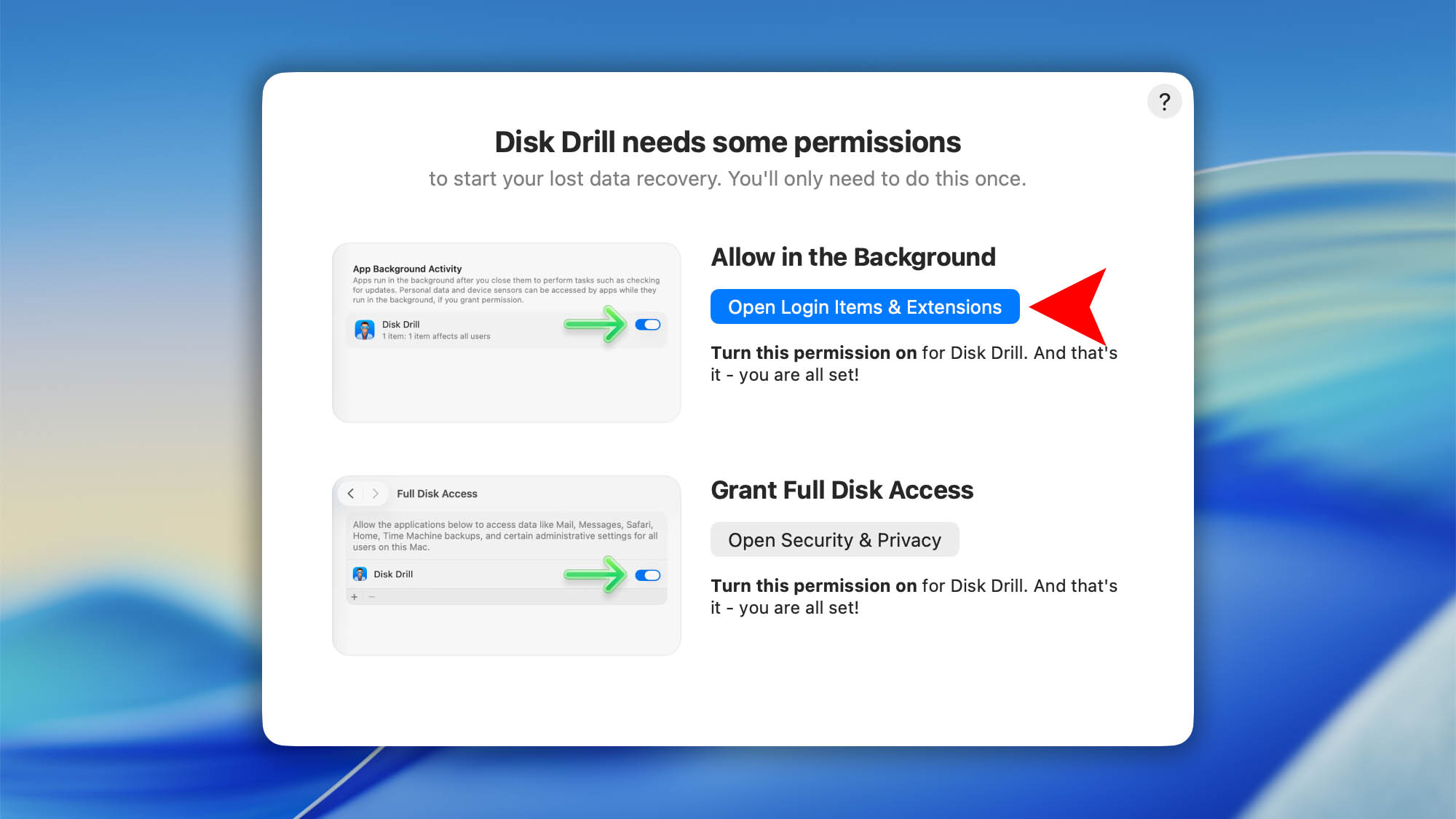
On your first launch of Disk Drill you’ll complete a one‑time permissions setup. Disk Drill includes a simple setup wizard to guide you. The first step is enabling App Background Activity:

  1. In the “Disk Drill needs some permissions” window click Open Login Items & Extensions.background full disk access mac step 01
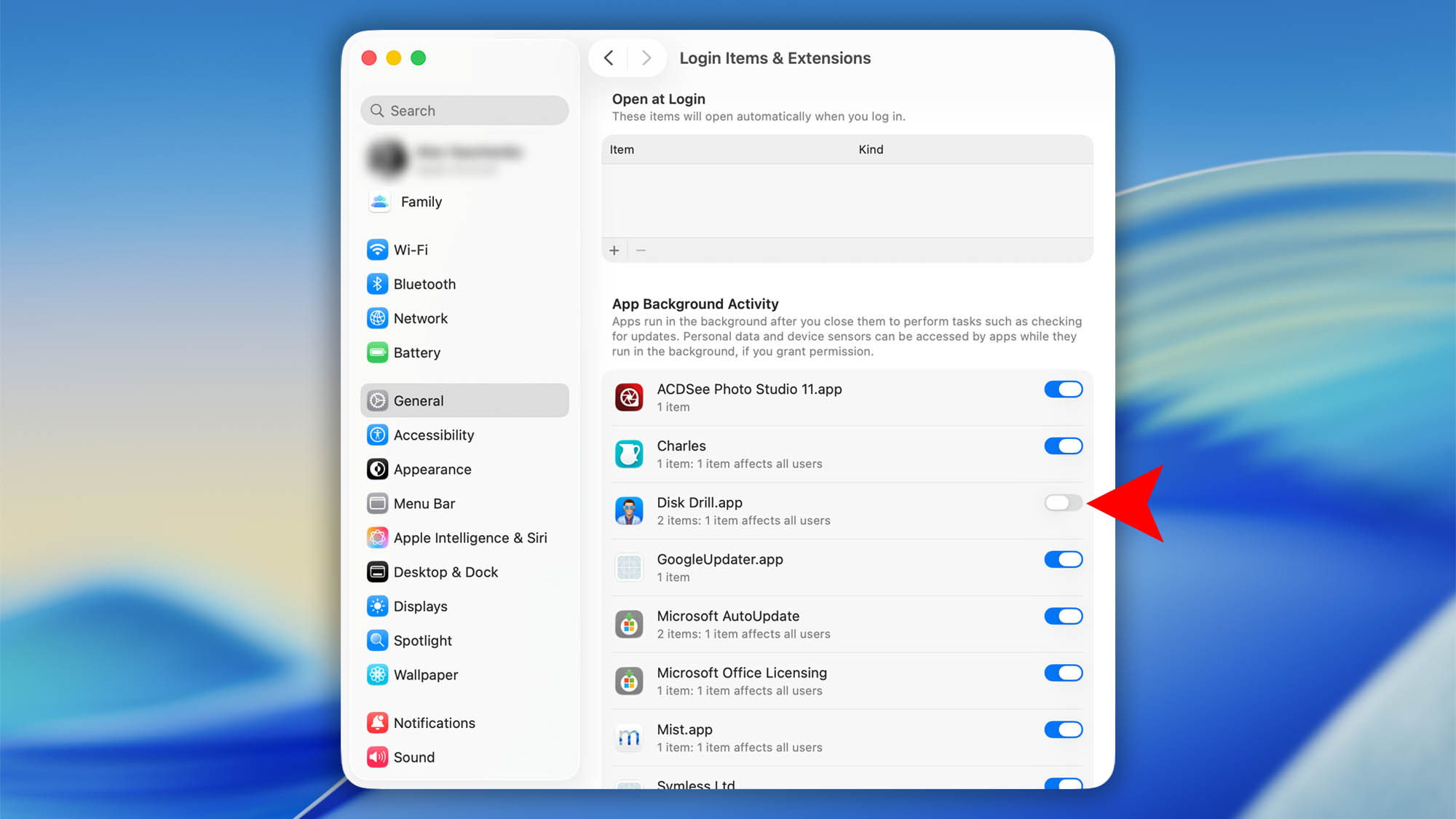
  2. Turn Disk Drill.app On (toggle to the right).background full disk access mac step 02
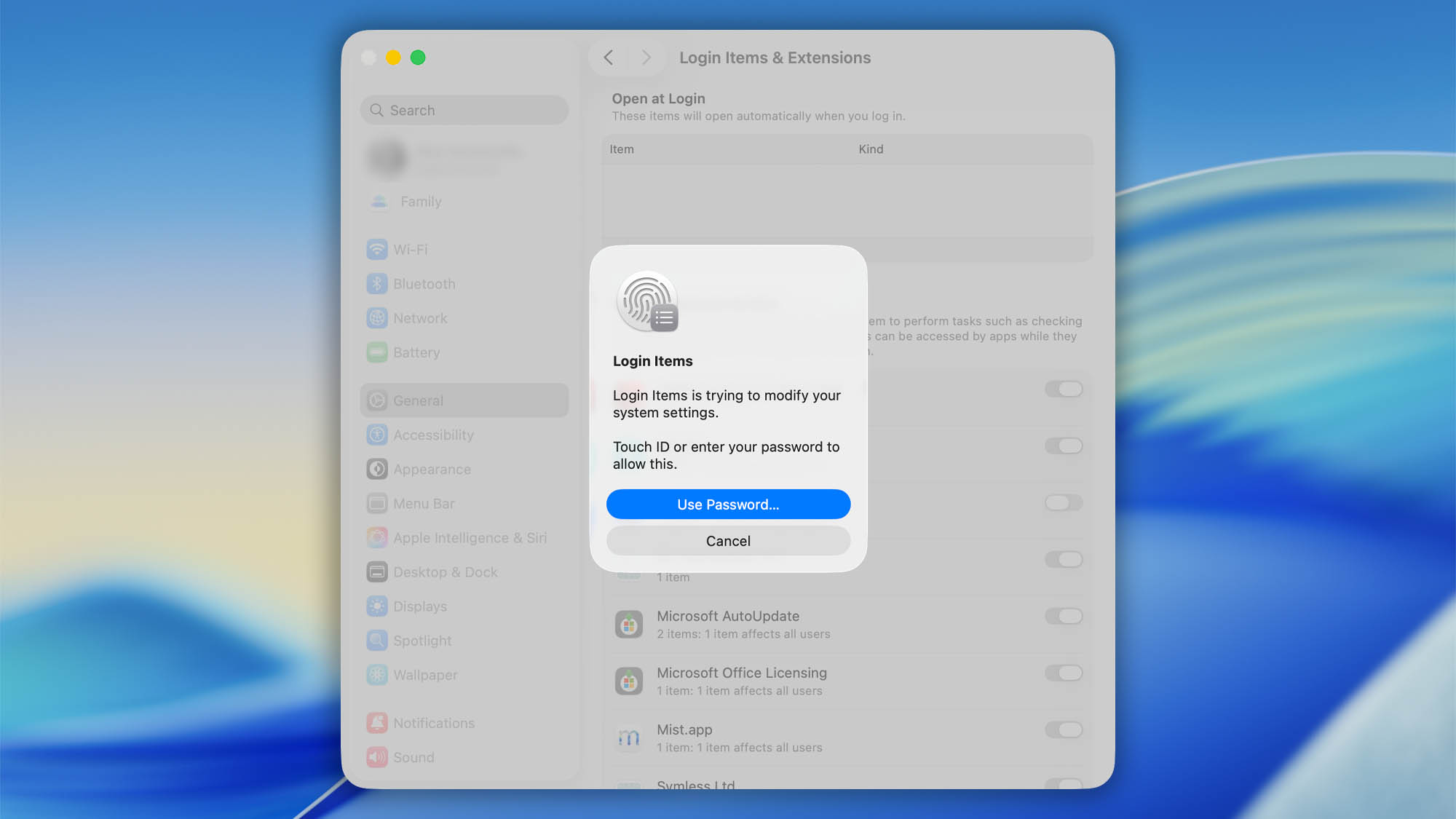
  3. Enter your Mac’s password. That’s it.background full disk access mac step 03

How to Grant Full Disk Access to Disk Drill

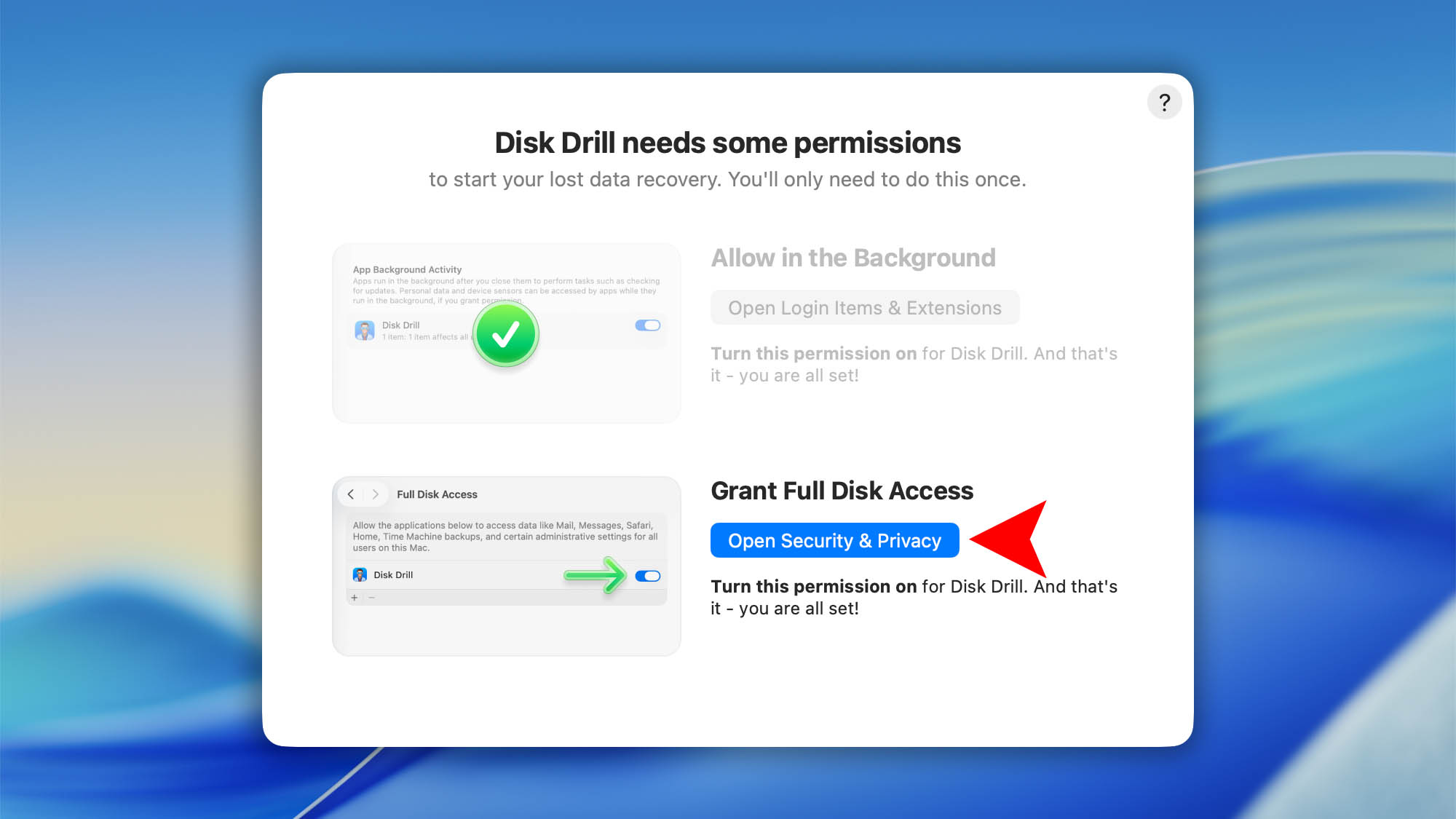
The final step is to grant Disk Drill Full Disk Access (FDA). macOS protects certain areas of your drive—like Mail, Messages, Time Machine backups, and some system folders—behind this permission. Data recovery apps need FDA to scan those protected locations and recover as much data as possible (see our deeper explanation in this article).

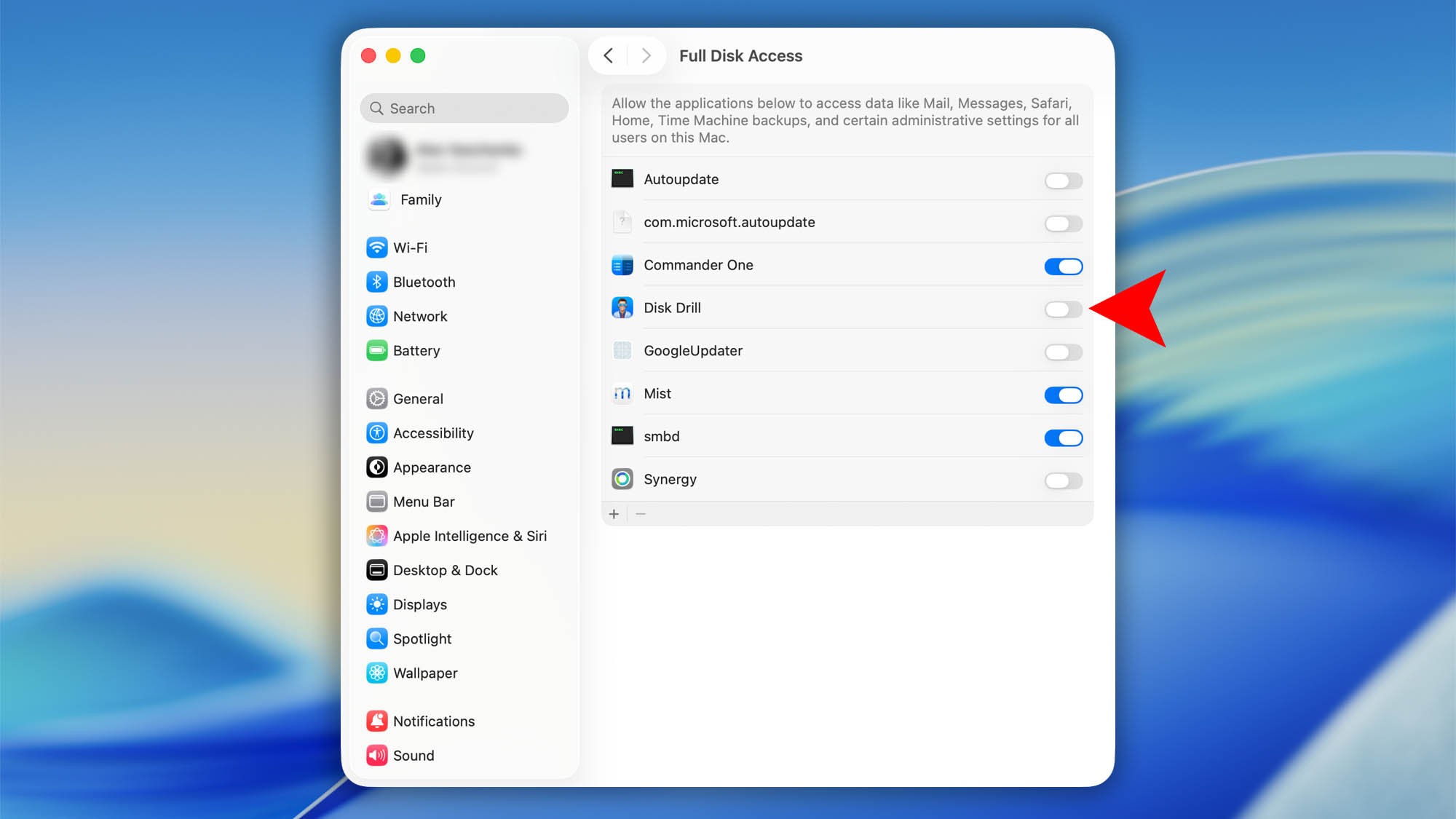
  1. In the “Disk Drill needs some permissions” window click Open Security & Privacybackground full disk access mac step 07
  2. Find Disk Drill in the list and switch it On.background full disk access mac step 04
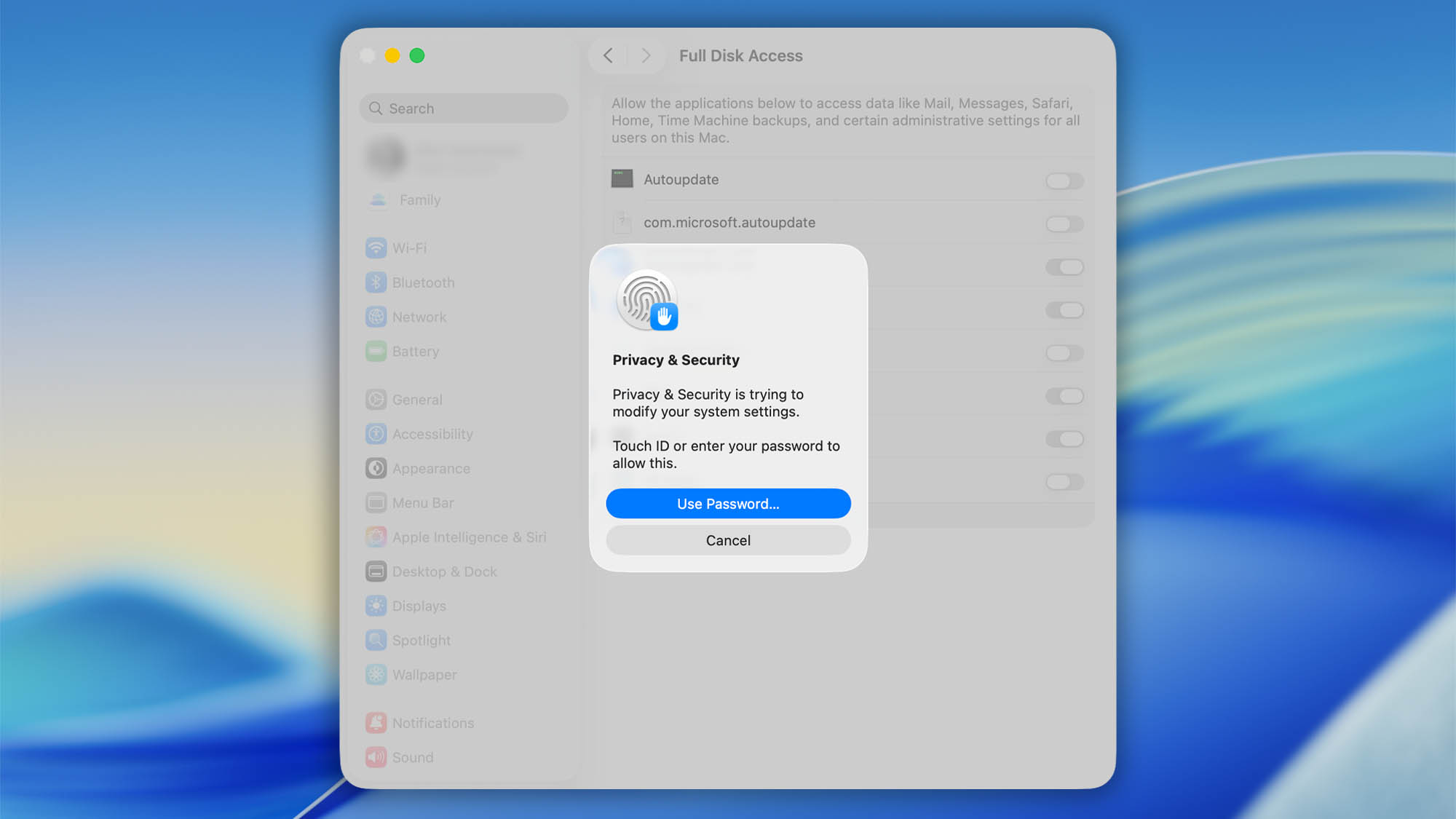
  3. Enter your Mac’s password.background full disk access mac step 05
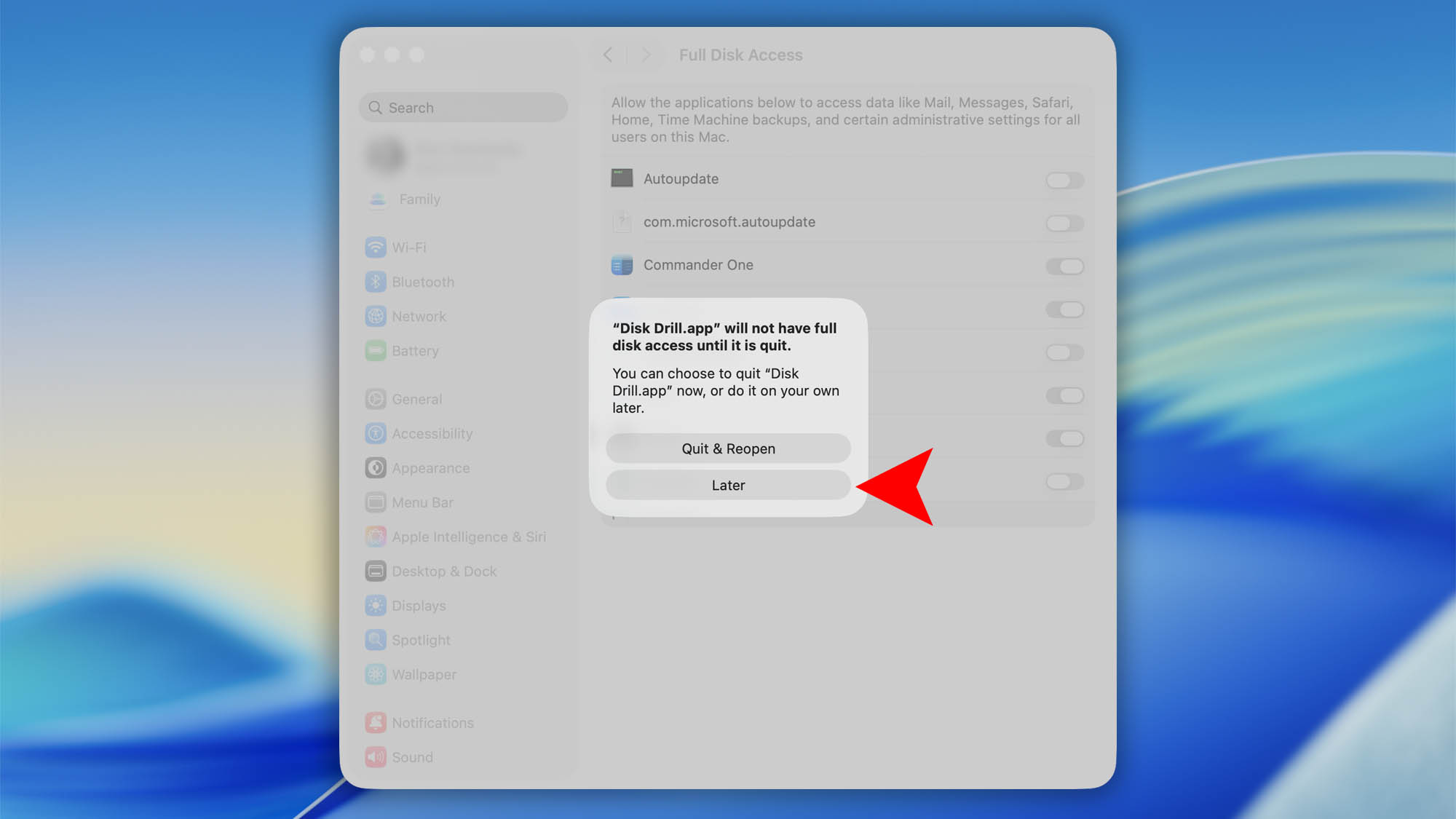
  4. When macOS asks to Quit & Reopen Disk Drill click Laterbackground full disk access mac step 06