





Lifetime License or Subscription
Disk Drill Pro offers two purchase options: a one-time Lifetime License and a subscription.
One-time Purchase
With a one-time purchase, you pay once and receive Disk Drill PRO without an expiration date. The Lifetime License is a one-time purchase and does not renew.
Subscription
Subscription Period
The Disk Drill PRO subscription is offered for a one-year (12-month) period.
The exact billing details and price are confirmed in your purchase confirmation email.
Renewal and Billing
After the initial 12-month term, the subscription renews automatically for successive one-year terms unless you cancel before the renewal date.
Payments are processed by Paddle, our merchant of record and authorized reseller.
The displayed price may include applicable sales tax or VAT depending on your location.
Promotional Offers
If you purchase Disk Drill PRO under a promotional offer, the discounted price applies only to the first 12-month billing period. After the first year, your subscription renews automatically at the price valid at the time of renewal.
Renewal prices may change over time. If the renewal price differs from your original purchase price, you will be charged the price valid at the time of renewal.
How to Cancel a Disk Drill PRO Subscription
You can cancel your Disk Drill PRO subscription at any time. After canceling, your app remains fully functional until the end of the current billing period, but the subscription won’t renew automatically.
Follow these steps if you subscribed to Disk Drill PRO via Paddle:
Step 1: Open the Customer Portal
You can cancel your subscription using the Paddle Customer Portal. There are two ways to access it, but both lead to the same page.
Go directly to the Customer Portal:
https://customer-portal.paddle.com/cpl_01d8ktean030x7ye8vsrr3bd0t
OR
Open the subscription confirmation email you received from Paddle (the Merchant of Record) and click the link in the “Manage subscription” section.
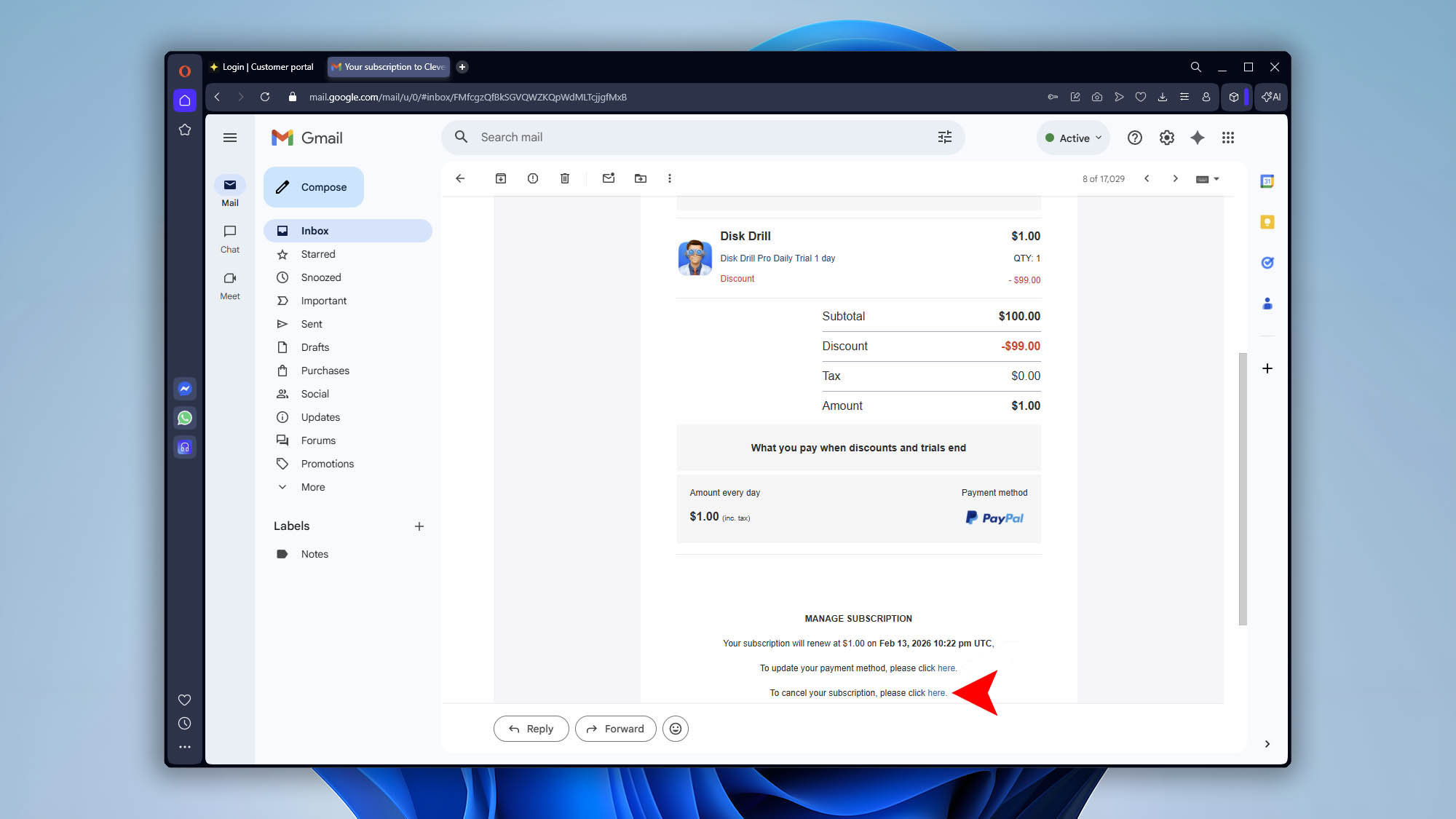
Both options will take you to the same Customer Portal page.
Step 2: Sign in
- Enter the email address used to purchase the subscription.
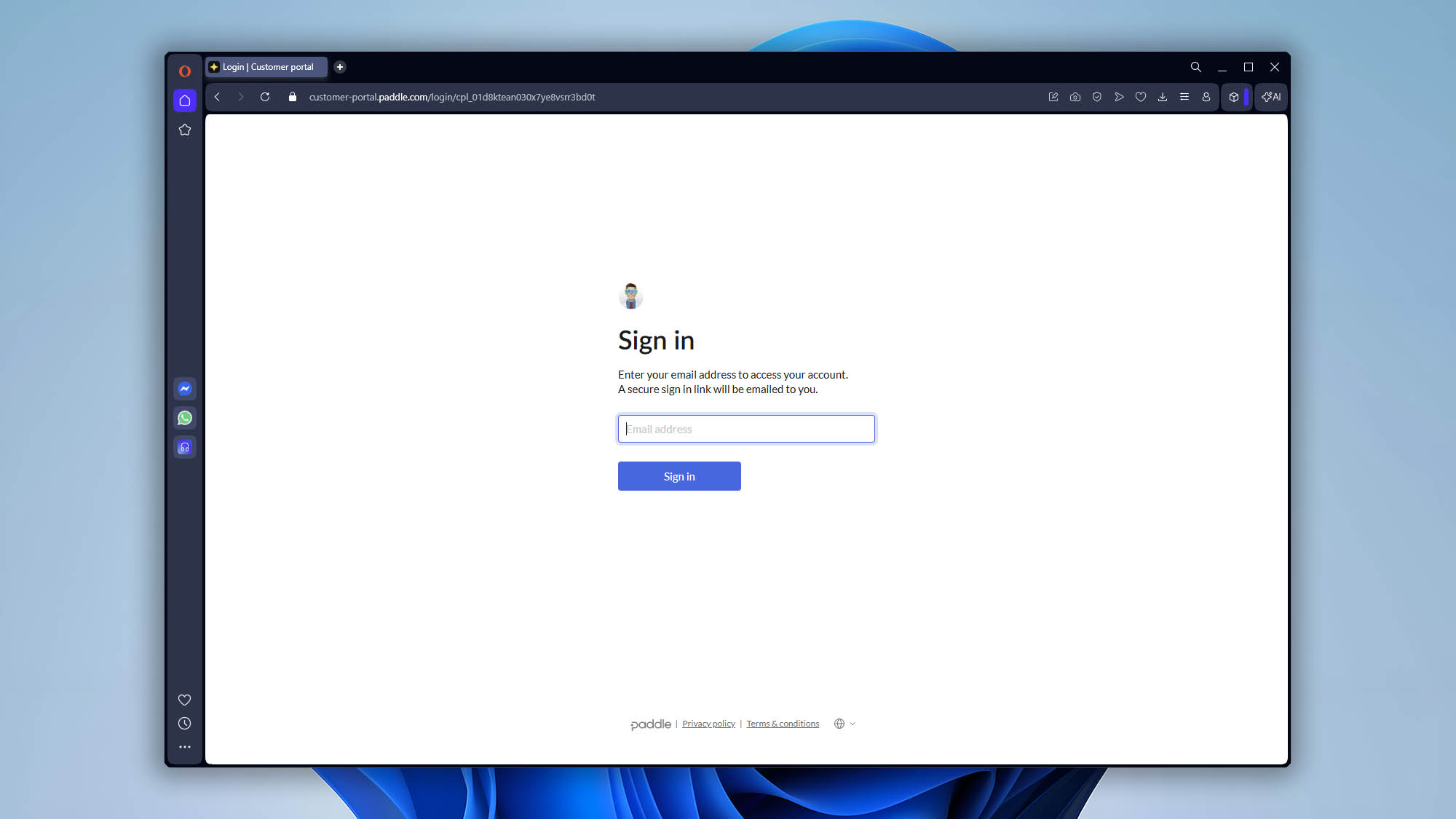
- Click “Sign in”.
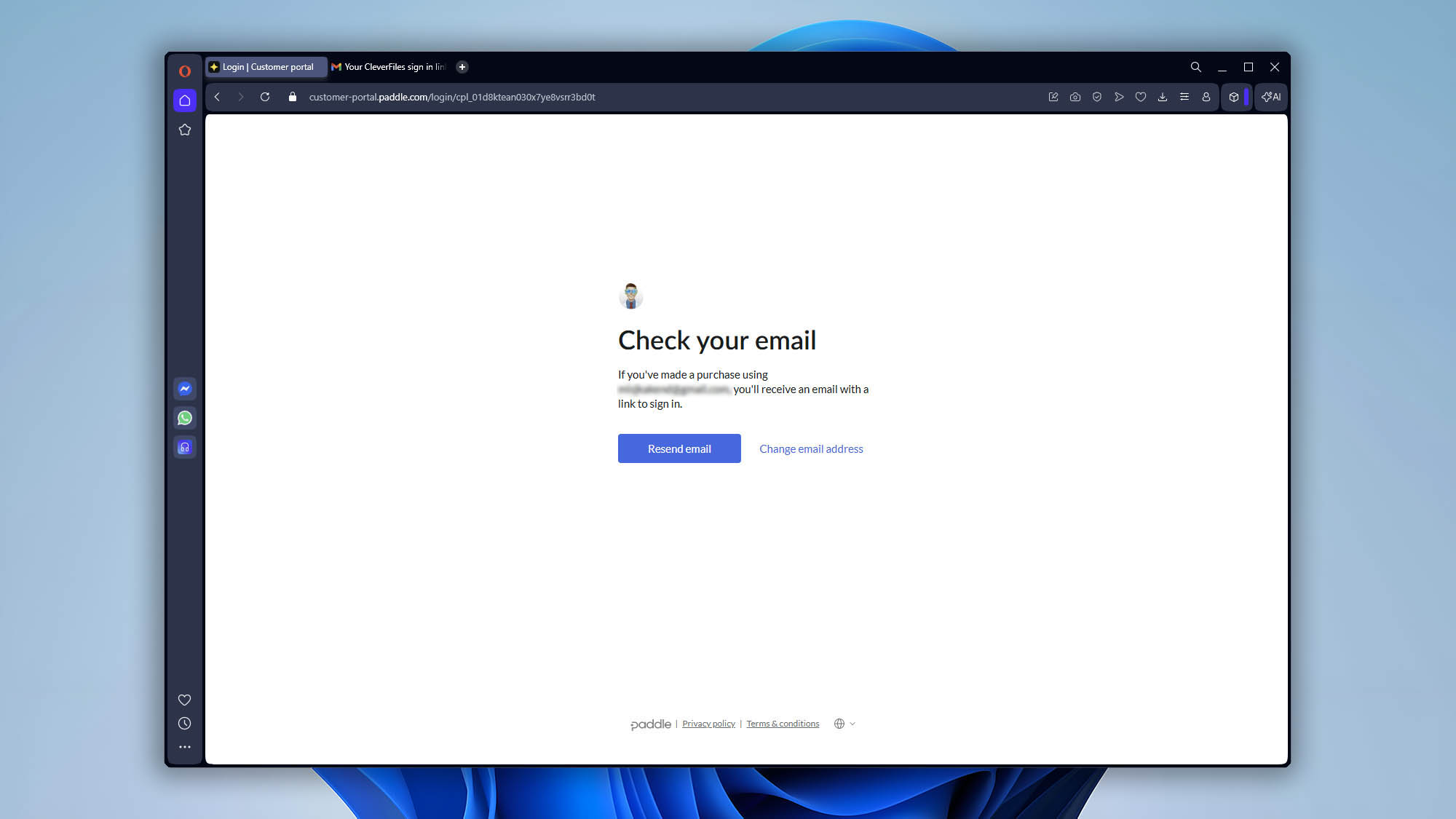
- A secure login link will be sent to your email.
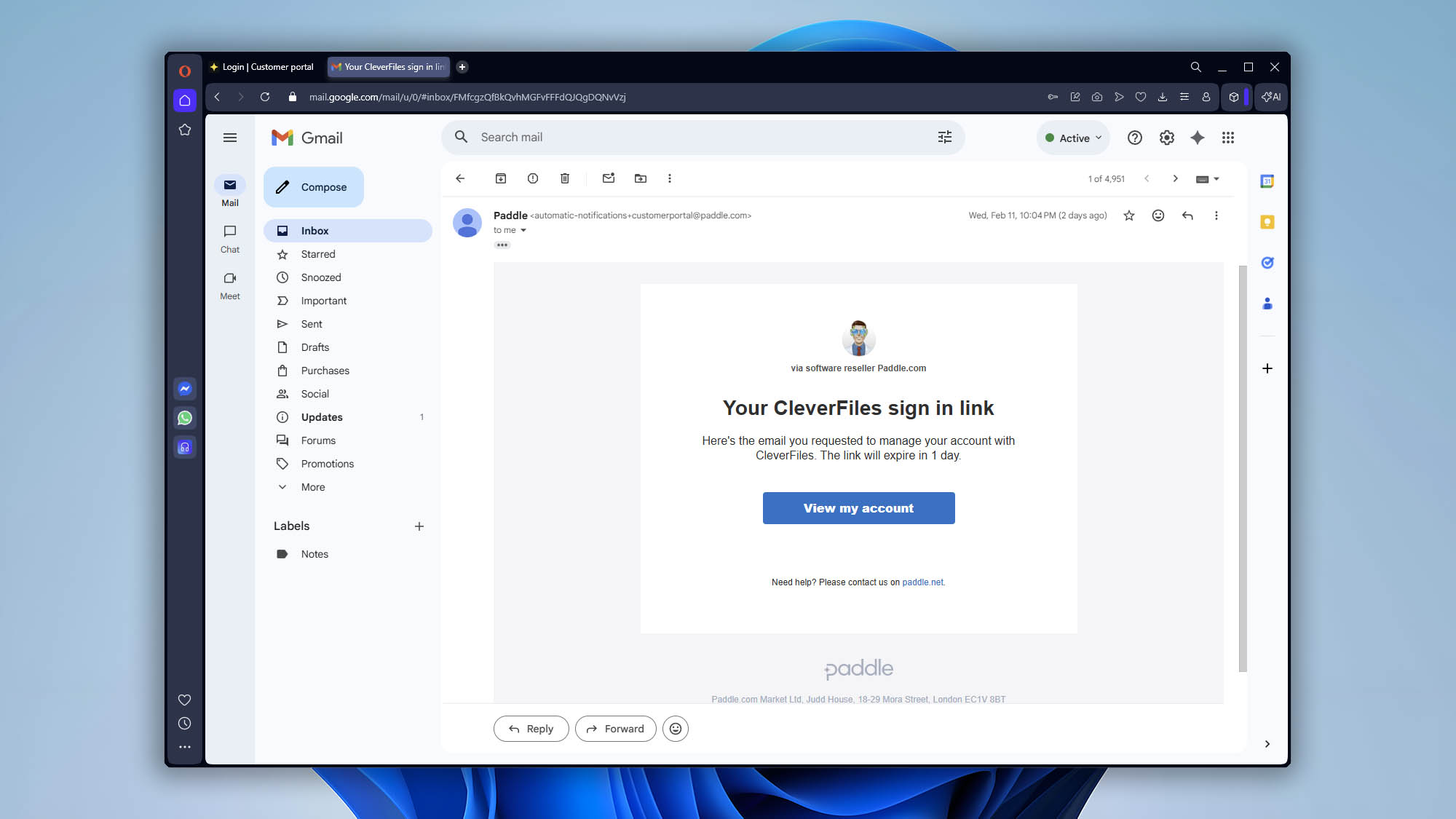
Open the email and click the secure sign-in link to access your subscription dashboard.
Step 3: Cancel the Subscription
After signing in:
What happens next?
- You will see a confirmation message that the subscription is scheduled to cancel.
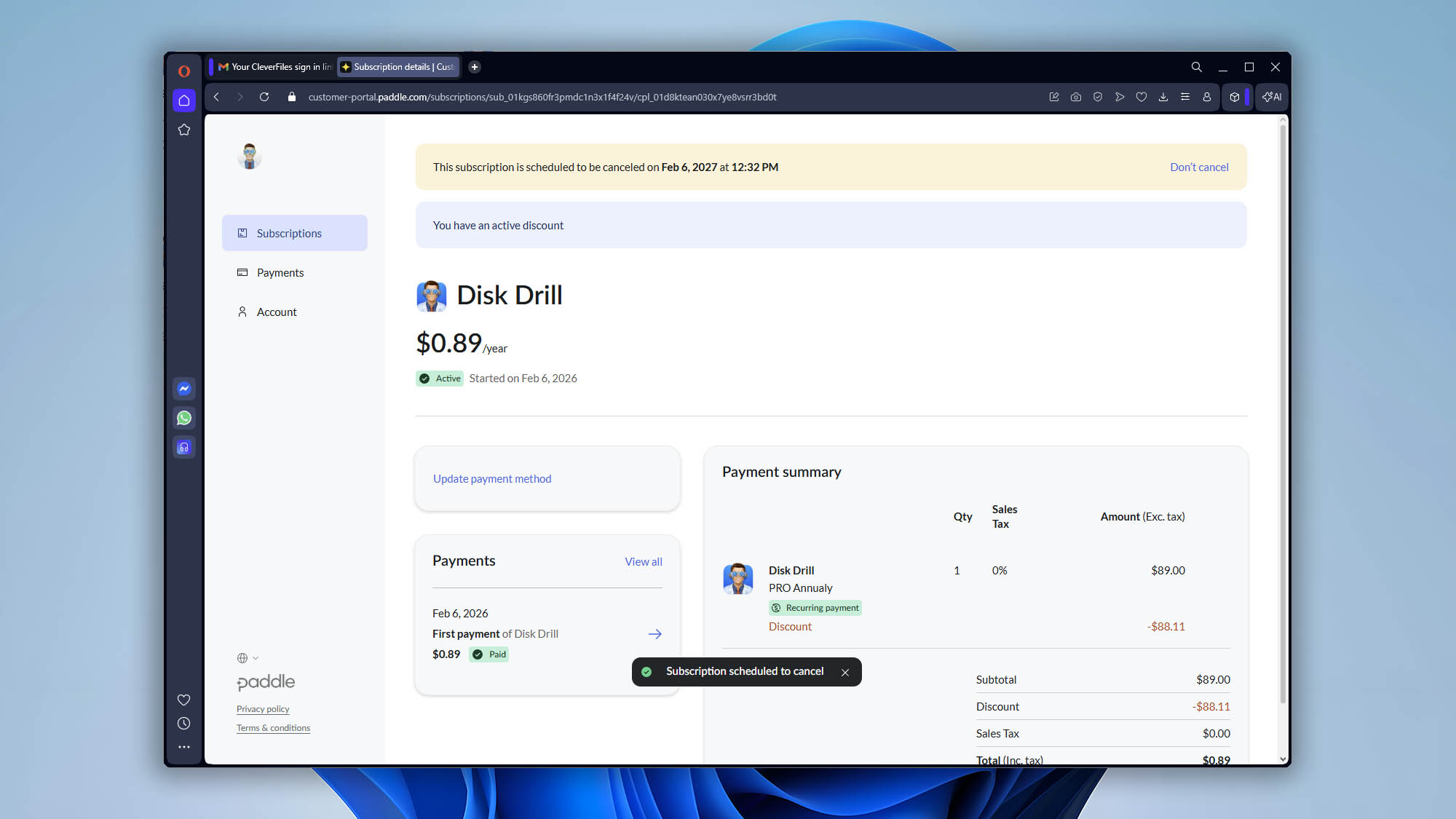
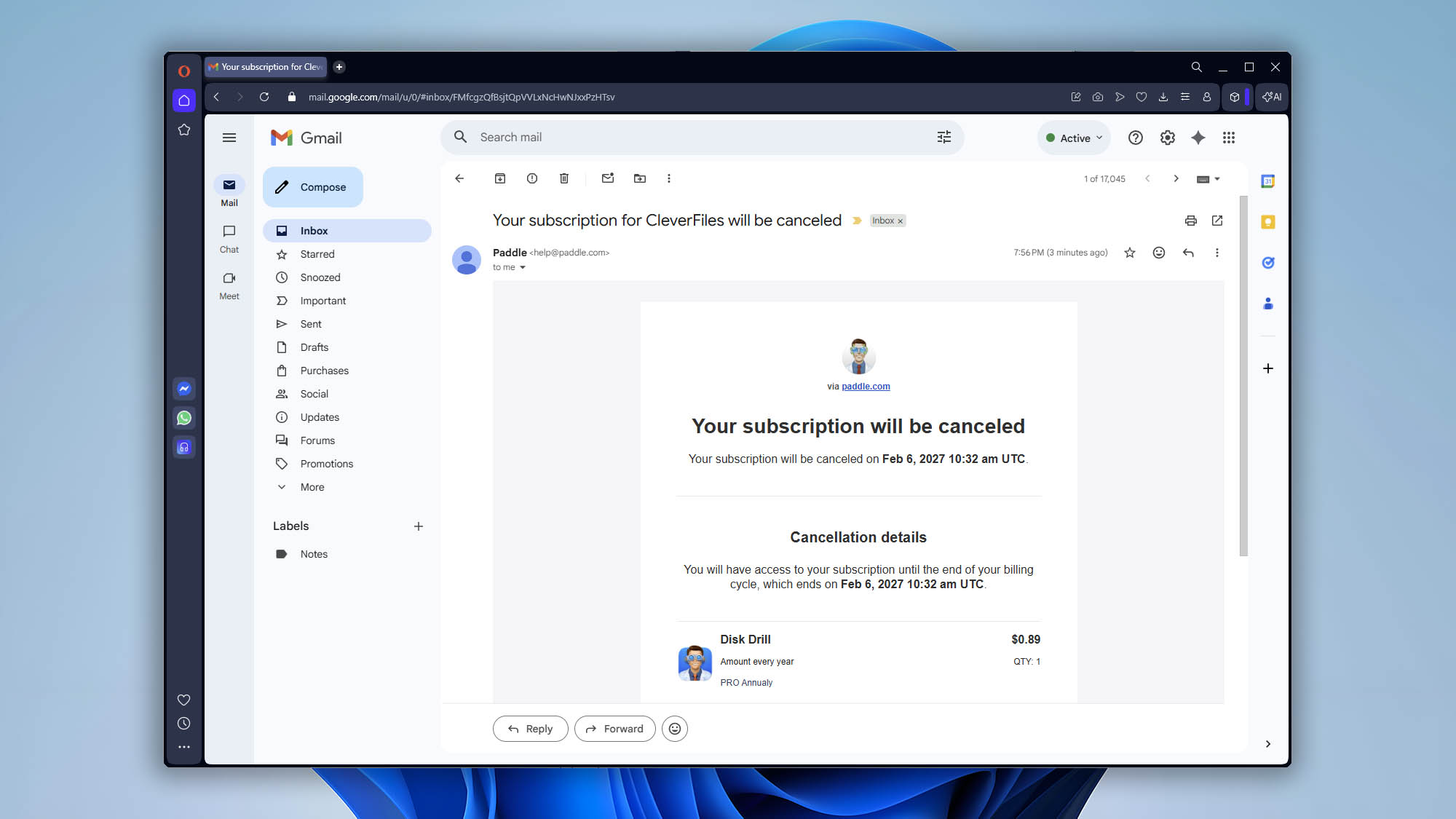
- A cancellation confirmation email will be sent to you. If you don’t get the email, check your Spam folder.
Update Payment Details
First, sign in to the Paddle Customer Portal by following the sign-in steps described in the previous tutorial.
After logging into your subscription dashboard:
- Go to the Subscriptions section.
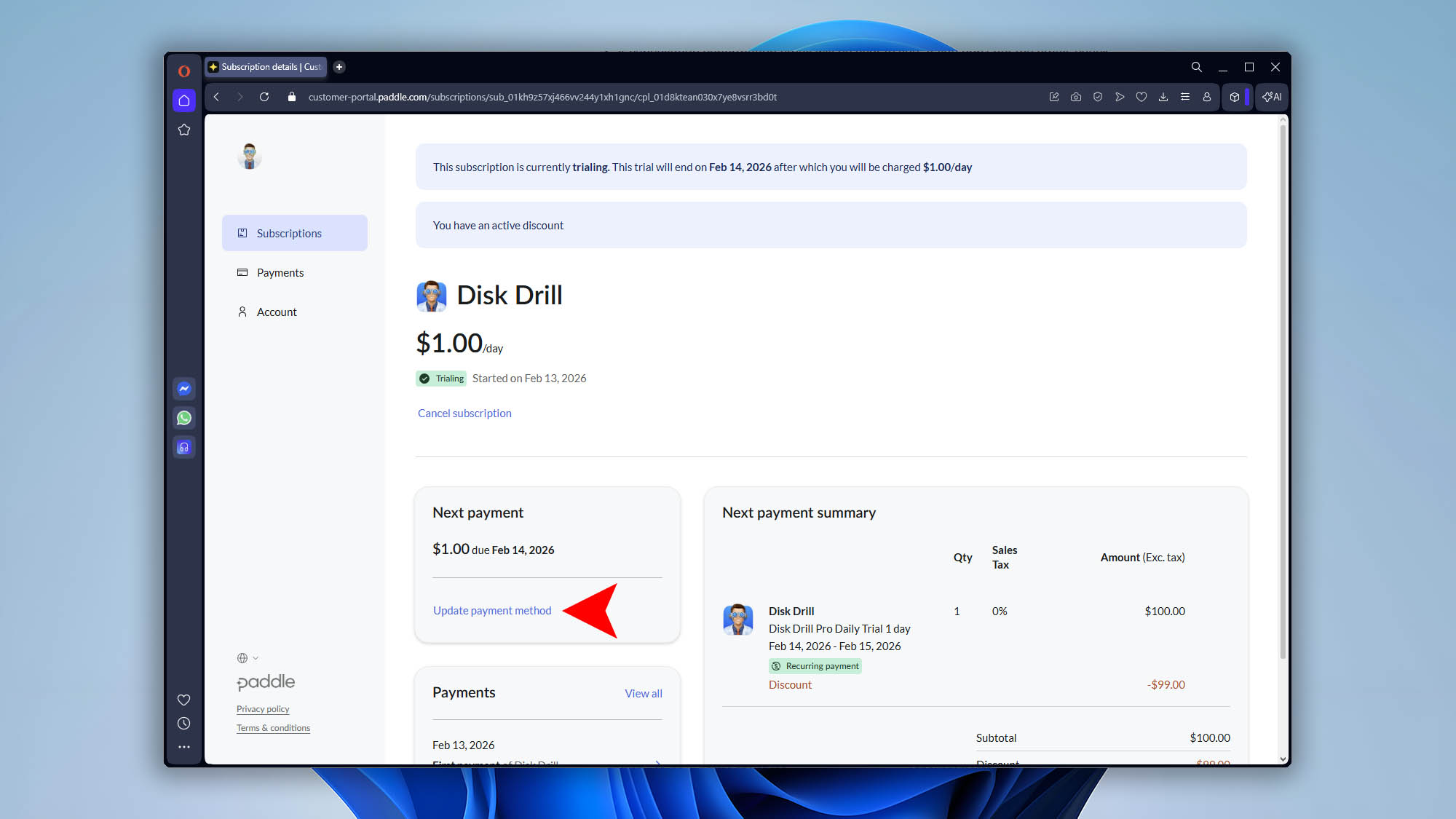
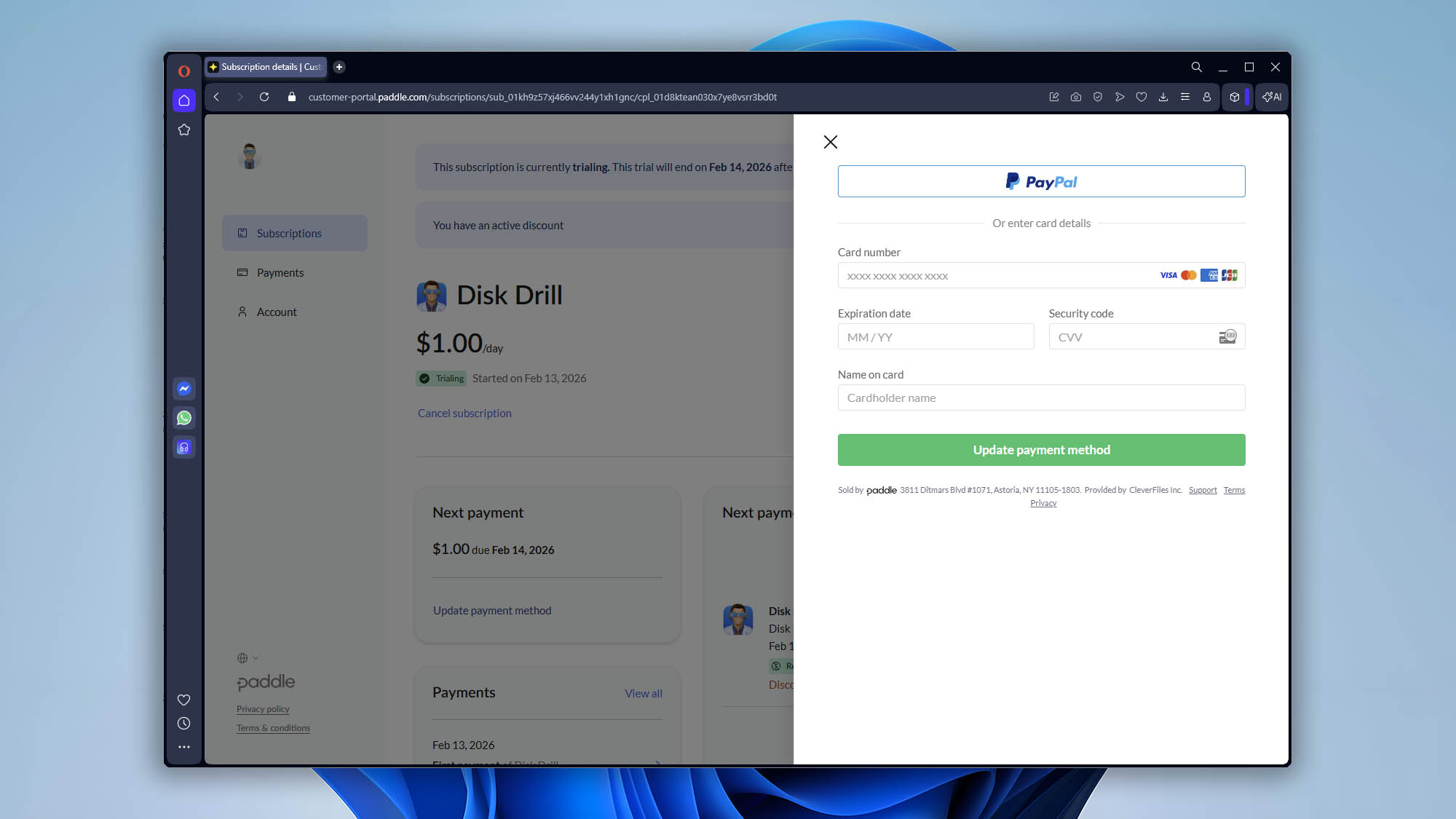
- Click Update payment method.
Refunds
Disk Drill PRO is a digital software product delivered instantly after purchase via an activation code.
Because the product provides immediate full access and cannot be returned, purchases are generally final.
Before purchasing, you can use the free Disk Drill Basic edition to scan your storage and preview recoverable files. We strongly recommend verifying preview results before upgrading.
If you experience a technical issue, malfunction, or believe there was an error with your purchase, please contact our Support Team. Refund requests are reviewed on a case-by-case basis.
For full details, please refer to our Refund Policy in the Terms of Service.