








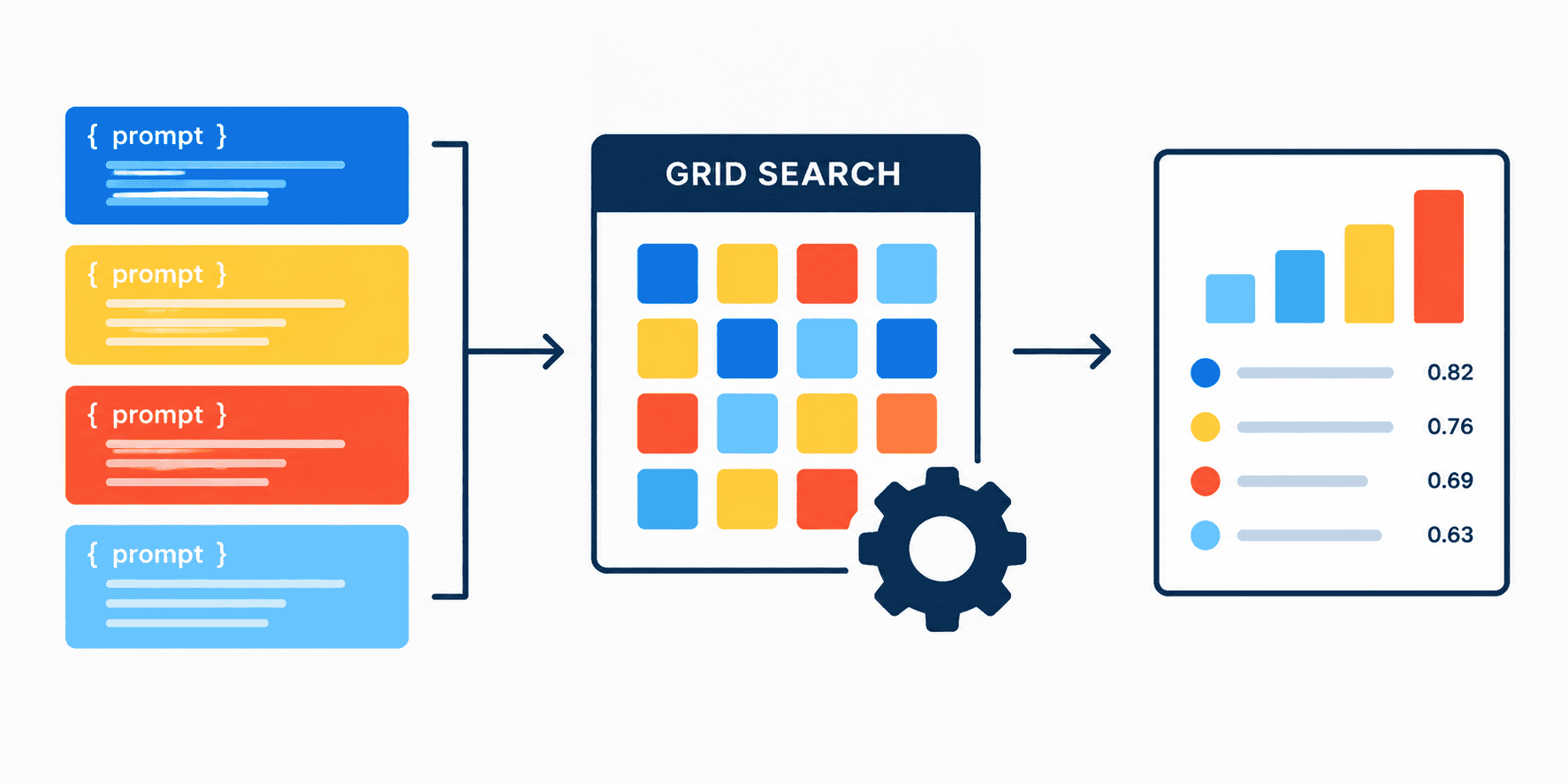
In this article, you will learn how to treat prompt templates as tunable hyperparameters for a language model, using scikit-learn’s grid search to find the best-performing prompt for a zero-shot text classification task.
Topics we will cover include:
- How to wrap a language model in a scikit-learn-compatible classifier that accepts interchangeable prompt templates.
- How to define a hyperparameter grid of candidate prompts and run cross-validated grid search over them.
- How to interpret the results to identify which prompt yields the highest classification accuracy.
Let’s not waste any more time.
Introduction
In traditional machine learning, a common technique used by data scientists is hyperparameter optimization via search algorithms, such as grid search or random search. Their goal is to test different settings or configurations of machine learning models to find a combination of such settings (hyperparameters) that yields optimal model behavior, e.g. maximum accuracy.
This article shows how to use the same approach to test natural language, treating prompt instructions as tunable hyperparameters — in other words, trying to determine which prompt for a language model works best. We will wrap the AI model in a custom container compatible with scikit-learn, allowing us to supply plug-in models with diverse prompt templates, automate the evaluation process, and score how well they classify text.
A Complete Example, Step by Step
For a smoother run of this code in your own machine or notebook environment, we will consider a couple of safeguards:
- We will load the AI model into memory only once before initiating the test, rather than loading it inside the testing loop. This will save plenty of execution time.
- We will use a hard formatting of the prompt as a “chat message”, making the AI lean towards instruction-following and question-answering, rather than assuming an otherwise default text completion task.
Without further ado, it’s time to start by making the required imports for our code:
import numpy as np from sklearn.base import BaseEstimator, ClassifierMixin from sklearn.model_selection import GridSearchCV from transformers import pipeline |
Now we initialize the model, specifying a fast and free option like "Qwen/Qwen2.5-0.5B-Instruct":
generator = pipeline( "text-generation", model="Qwen/Qwen2.5-0.5B-Instruct" ) |
Next, it’s time to define a custom class that inherits scikit-learn’s BaseEstimator and the ClassifierMixin to act as a zero-shot text classifier. In practice, this means no explicit training on a new dataset is needed to classify — just leveraging the knowledge in the chosen pre-trained model to infer the class (positive vs. negative).
|
1 2 3 4 5 6 7 8 9 10 11 12 13 14 15 16 17 18 19 20 21 22 23 24 25 26 27 28 29 30 31 32 33 34 |
class ZeroShotPromptClassifier(BaseEstimator, ClassifierMixin): # 2. Passing the generator in as a parameter def __init__(self, generator, prompt_template="Classify as positive or negative: {text}"): self.generator = generator self.prompt_template = prompt_template def fit(self, X, y=None): return self def predict(self, X): predictions = [] for text in X: prompt = self.prompt_template.format(text=text) # 3. Formatting as a chat message to force answering instead of auto-completing messages = [{"role": "user", "content": prompt}] output = self.generator( messages, max_new_tokens=5, pad_token_id=self.generator.tokenizer.eos_token_id ) # 4. Extracting the assistant's specific reply from the chat history reply = output[0]['generated_text'][-1]['content'].strip().lower() if "positive" in reply: predictions.append("positive") elif "negative" in reply: predictions.append("negative") else: predictions.append("unknown") return np.array(predictions) |
Let’s briefly explain what the three methods inside the class do:
__init__()initializes the classifier, integrating the text-generation model and the prompt template to use.fit()doesn’t perform any real action, as we are using a zero-shot classification approach that doesn’t require further training. Still, it needs to be explicitly defined inside the class.predict()is where the input texts are classified, generating model answers based on prompts and extracting sentiment polarity from the responses.
The classifier is ready; now we need the ingredients: some data examples. Consider the following toy dataset containing reviews with different sentiments, and their associated class labels:
X = np.array([ "I absolutely love this new feature!", "This update completely broke my workflow.", "Best user experience I have had all year.", "Terrible customer service and slow load times." ]) y = np.array(["positive", "negative", "positive", "negative"]) |
Another couple of key ingredients are an actual instance of our classifier and a hyperparameter grid containing the candidate prompt templates to test, which adopt the role of hyperparameter values:
clf = ZeroShotPromptClassifier(generator=generator) # Prompt templates to test param_grid = { 'prompt_template': [ "Classify as positive or negative: {text}", "Is the sentiment positive or negative? Text: {text}", "Analyze this review. Output 'positive' or 'negative': {text}" ] } |
Now it’s time to put it all together. The following code runs cross-validated grid search with cv=2 folds: enough for a tiny, four-sample dataset like ours. We call fit() on the search object to run the process of finding the best-performing prompt template when used alongside our zero-shot classifier on the four reviews:
grid = GridSearchCV(clf, param_grid, cv=2, scoring='accuracy') grid.fit(X, y) |
After running this code, the heavy lifting is complete. We can print a few results to analyze the output, highlighting which prompt template worked best and what the accuracy was:
print("Optimization Complete!\n") print(f"Best Prompt Template: '{grid.best_params_['prompt_template']}'") print(f"Best Cross-Validated Accuracy: {grid.best_score_ * 100}%") |
Output:
Optimization Complete! Best Prompt Template: 'Analyze this review. Output 'positive' or 'negative': {text}' Best Cross-Validated Accuracy: 75.0% |
This is what we achieved by treating our prompts and interaction format with the model as tunable hyperparameters. This procedure is also known as systematic prompt engineering: figuring out what a model prefers being told when it comes to addressing tasks that resemble traditional machine learning use cases like classification.
A word of caution: we kept the dataset tiny and lightweight to make execution easy and smooth in your first attempt. The larger the dataset you use instead (as well as the repertoire of candidate prompt templates), the more grounded and solidly justified your experimental results will be.
If you encounter a few warning messages before seeing these results, you can suppress them by adding this line at the start of the code, right after the imports: transformers.logging.set_verbosity_error().
Wrapping Up
In this article, we walked through the process of treating candidate prompt templates for a model as tunable hyperparameters for a machine learning model. This is a systematic yet effective strategy for finding which prompts work best for certain use cases, given specific data.