







We look at the tools and services threat actors are using and abusing to distribute malware via online ads.
As threat actors continue to rely on the use of online ads to distribute malware (malvertising), we are learning more about their tactic, techniques and procedures (TTPs). There are a number of elements in the attack chain that defenders can disrupt by reporting, taking down or creating detection rules.
While many security companies tend to focus on the malicious infrastructure and malware payloads, few have documented what happens within the broader malvertising ecosystem. To be fair, there is not a lot of information readily available to quantify such attacks. Certainly, advertising and analytic platforms must collect a lot of very interesting data points, but these are seldom shared publicly.
In this blog post, we explore some of the techniques and services used and abused in a typical malvertising campaign. Of course, the TTPS may vary quite a bit from one threat actor to the next, but generally speaking we often see very similar approaches.
Disclaimer: This is by no means a tutorial or invitation to perform malicious activities; the incident described here came from a real attack which was already reported to Google.
Attack overview
Lately, we’ve observed several malicious ads for an IT admin tool called Advanced IP Scanner. One such campaign was noteworthy because the threat actor made a few mistakes that allowed us to gain some insights.
The malicious ad looks authentic, redirects to a decoy website where victims will be tricked into downloading a digitally signed, but malicious executable that installs both Advanced IP Scanner and a loader before downloading and executing the final payload (SecTopRAT).
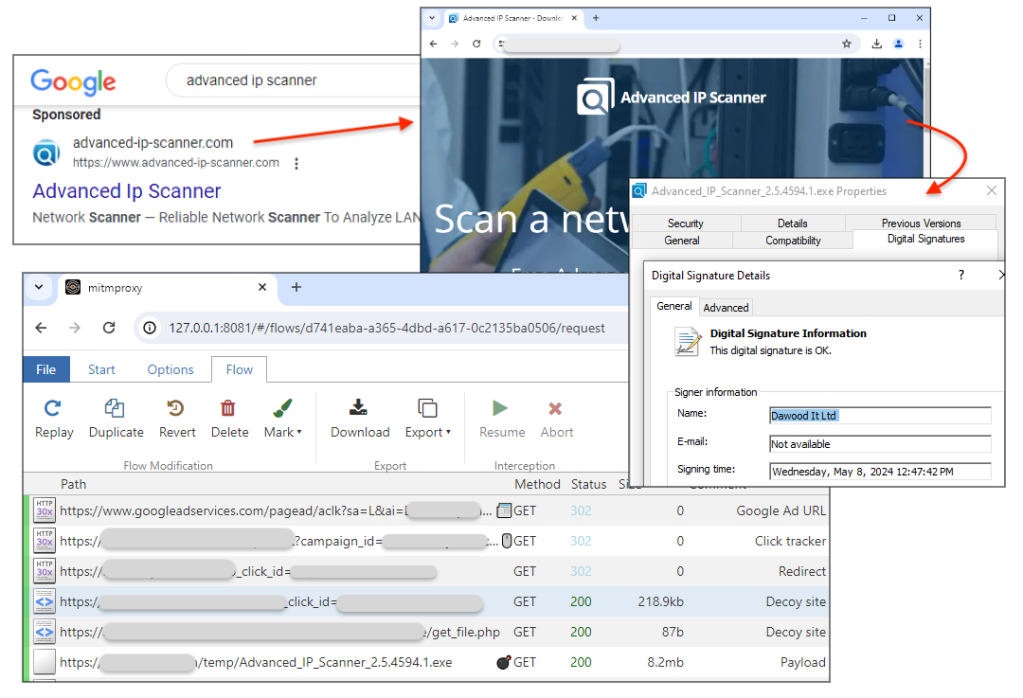
Malicious ad
The threat actor is using Google Ads to create a malicious ad likely from a hijacked account that they bought from some other criminal. This allows them to benefit from previously established legitimacy and fly under the radar.
Upon creating a new ad campaign, you are instructed to provide a “final URL”. Also known as a landing page in marketing terms, its goal is to convert ad clicks into website traffic thereby increasing the potential to generate sales. Criminals will use a final URL that matches that of the brand they are impersonating (i.e. their official website) to comply with Google’s rules. In practice, they will be able to reroute traffic from the ad to their own malicious URL, thanks to a feature called a tracking template.
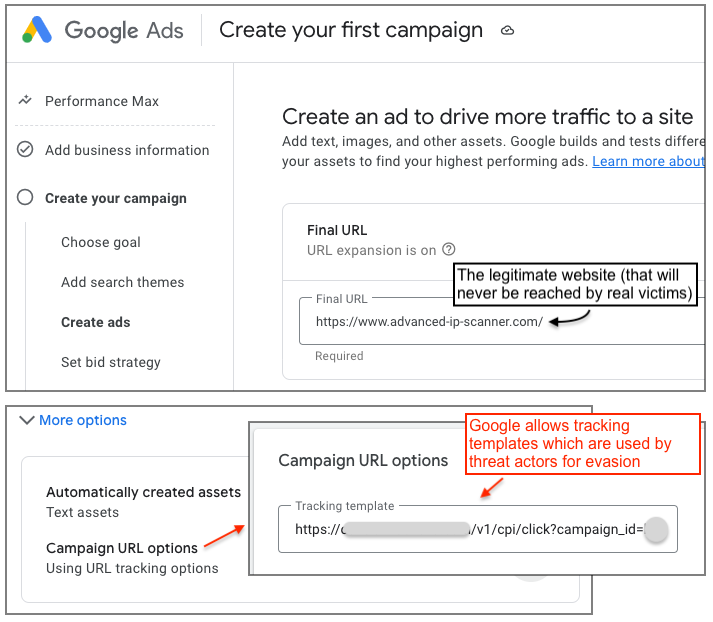
A tracking template can be added under the campaign URL options, and is typically used to track analytics related to ad clicks. This is a common practice in the marketing/affiliate space to make sure that visitors are real and unique humans that meet their criteria. A problem arises when such templates are abused to fingerprint visitors and redirect bots, crawlers or validations tools to the real website or a bogus site that is not malicious. In contrast, potential victims will be redirected to a malicious website instead.
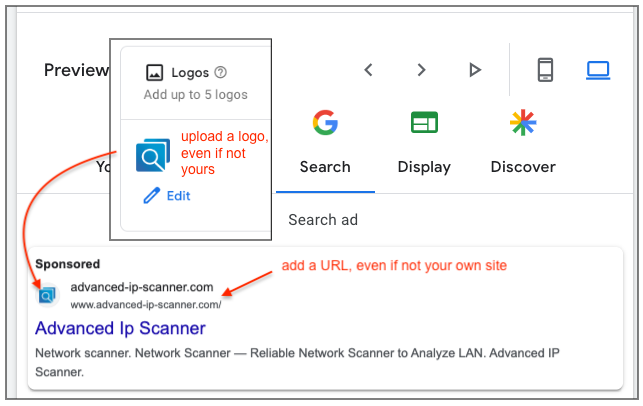
As we can see, an ad can be fully customized, from headline to display URL, in a way that can impersonate a brand. For example, you can upload a custom logo that could be the official logo for a well known product.
Once the ad goes live, victims may see it when they perform a search that matches the ad’s keywords and provided that the advertiser won the bidding against other competitors. The way a search results page works is by showing sponsored results at the top and throughout the page. This gives an attacker (or a competitor) an easy way to drive traffic to their own website, while the organic search result will come next. With malvertising, this leads to situations such as the one seen below where victims have little chance but to click on the malicious link.
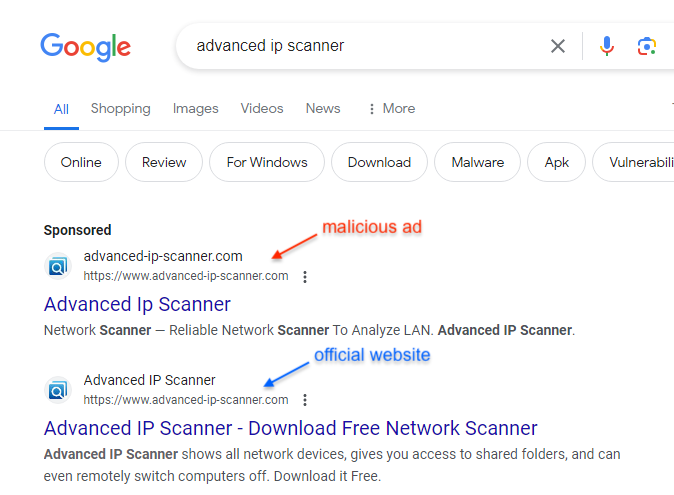
Cloaking/click tracking
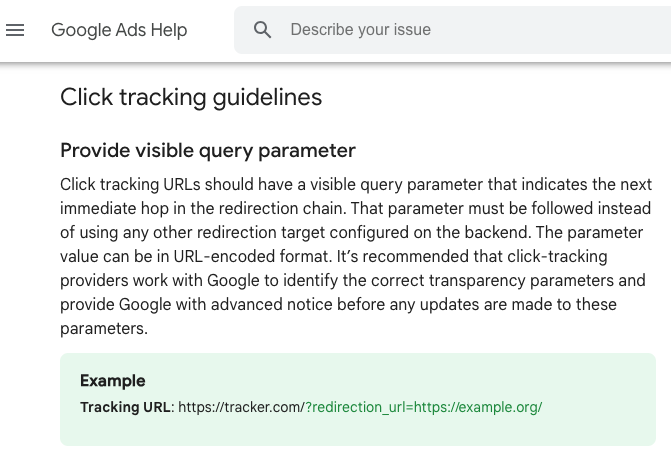
There are a number of legitimate services offered to advertisers to track their marketing campaigns. Google refers to those services as click trackers and maintains the Google Transparent Click Tracker Certification program that helps to protect users from click tracker abuse.
This is directly related to the tracking template URL threat actors are abusing. We can see that the certification program and guidelines are not enough to prevent exploiting this feature. Over time, we have observed certain click tracking companies abused more so than others, perhaps due to their ease of use or cost.
Decoy site
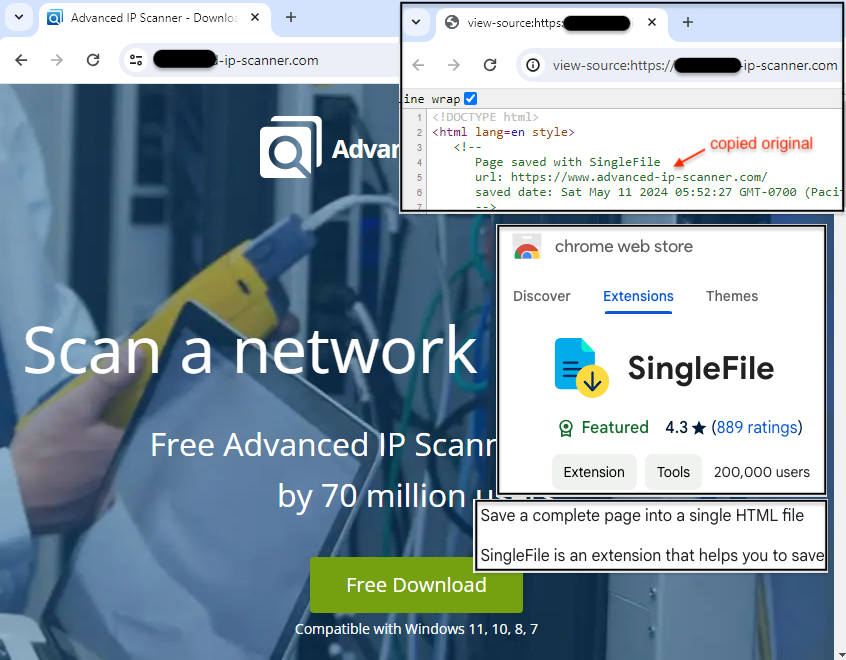
The final destination for a victim is not the so-called final URL, thanks to the click tracker service, but rather an attacker-controlled website. That landing page is meant to trick users into downloading malware, thinking they are downloading the actual program instead.
The attacker created a decoy site that uses a domain name lexically close to the brand to deceive victims that aren’t paying close attention. The site’s content was copied from the official page by using a Chrome extension known as SingleFile. What this means is that the threat actor only needs to upload a single HTML file that contains all the CSS, images, and other web content.
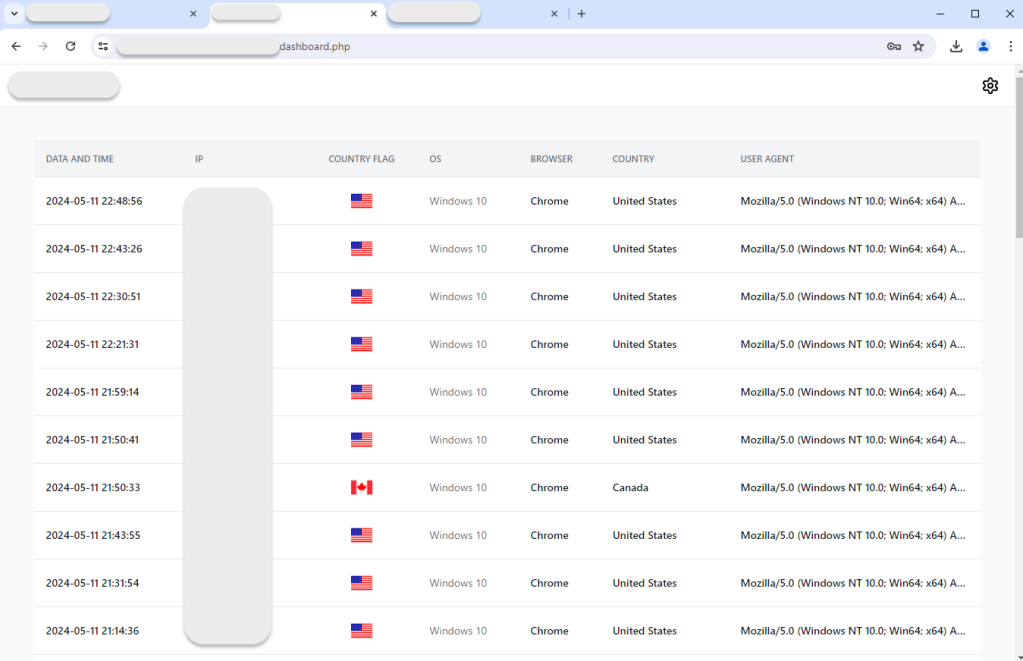
Control panel
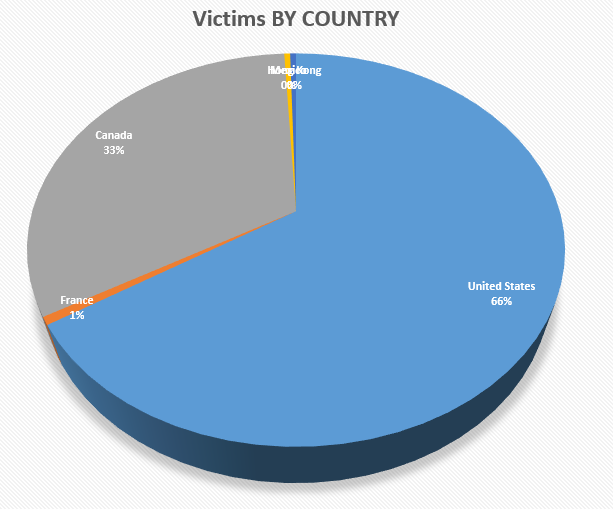
The threat actor is tracking traffic to their landing page and recording the date, IP address, country, operating system, browser and user-agent of each visitor. We can see that most victims are from the United States, running Windows 10 and the Chrome web browser.
Here is the breakdown of victims by country generated from the exported file clicks_data.csv:
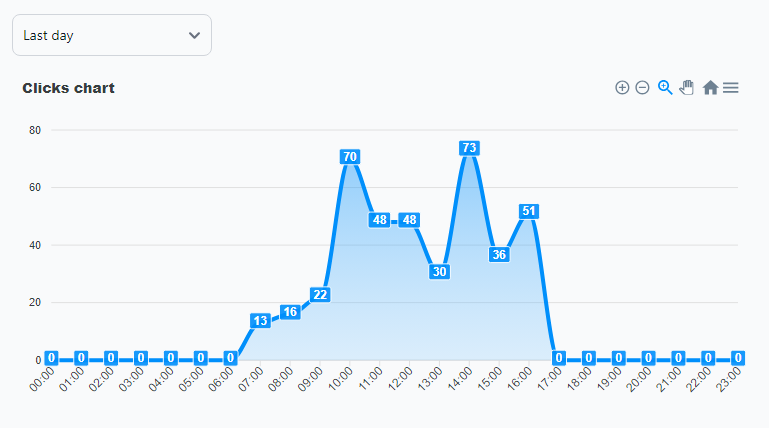
The following chart records the number of clicks (and actual redirects to the decoy site, excluding crawlers, bots, etc.) on the ad for one day:
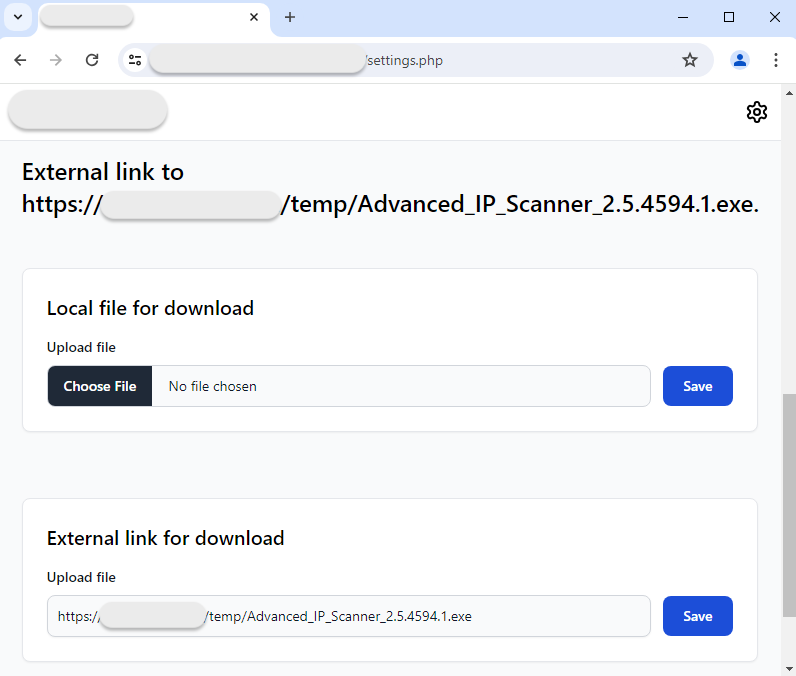
The link to the malware payload can be defined directly from the panel:
Payload
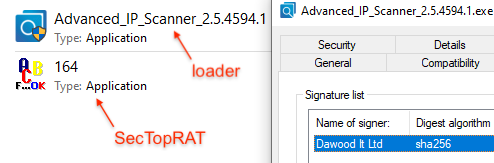
It is quite common for attackers to digitally sign their payload as a way to bypass AV detections. Often times, the payloads dropped from such malvertising attacks are “simply” loaders which means that they are included in the overall service (malicious ad + decoy site + loader). A customer will choose to add their own malware payload (SecTopRAT here).
Conclusion
This blog post provided an overview into a malvertising campaign by showing some of the techniques, tools and services used by a threat actor. For the past couple of years, Google search ads have been consistently exploited to deliver malware to users looking to download business, productivity or communication programs.
ThreatDown researchers track and report the different components involved in malvertising attacks. As we cannot control if or when malicious ads and infrastructure will be taken down, we first and foremost provide protection to our customers.