








Kreya 1.18 brings powerful new ways to visualize and validate your API workflows: Data Previews and Snapshot Tests. These features make it easier than ever to understand your API responses and ensure your integrations remain stable over time.
Kreya 1.18 introduces Snapshot Tests, a fast, code-free way to ensure your APIs behave consistently over time. Inspired by Jest, snapshot tests automatically capture and compare API responses, alerting you to any unexpected changes.
How snapshot tests work:
Advanced usage:
For more control, use the kreya.snapshot API in your scripts to snapshot custom values:
kreya.grpc.onResponse(async msg => await kreya.snapshot.verifyObjectAsJson('response', { length: msg.value.length }));
Best practices:
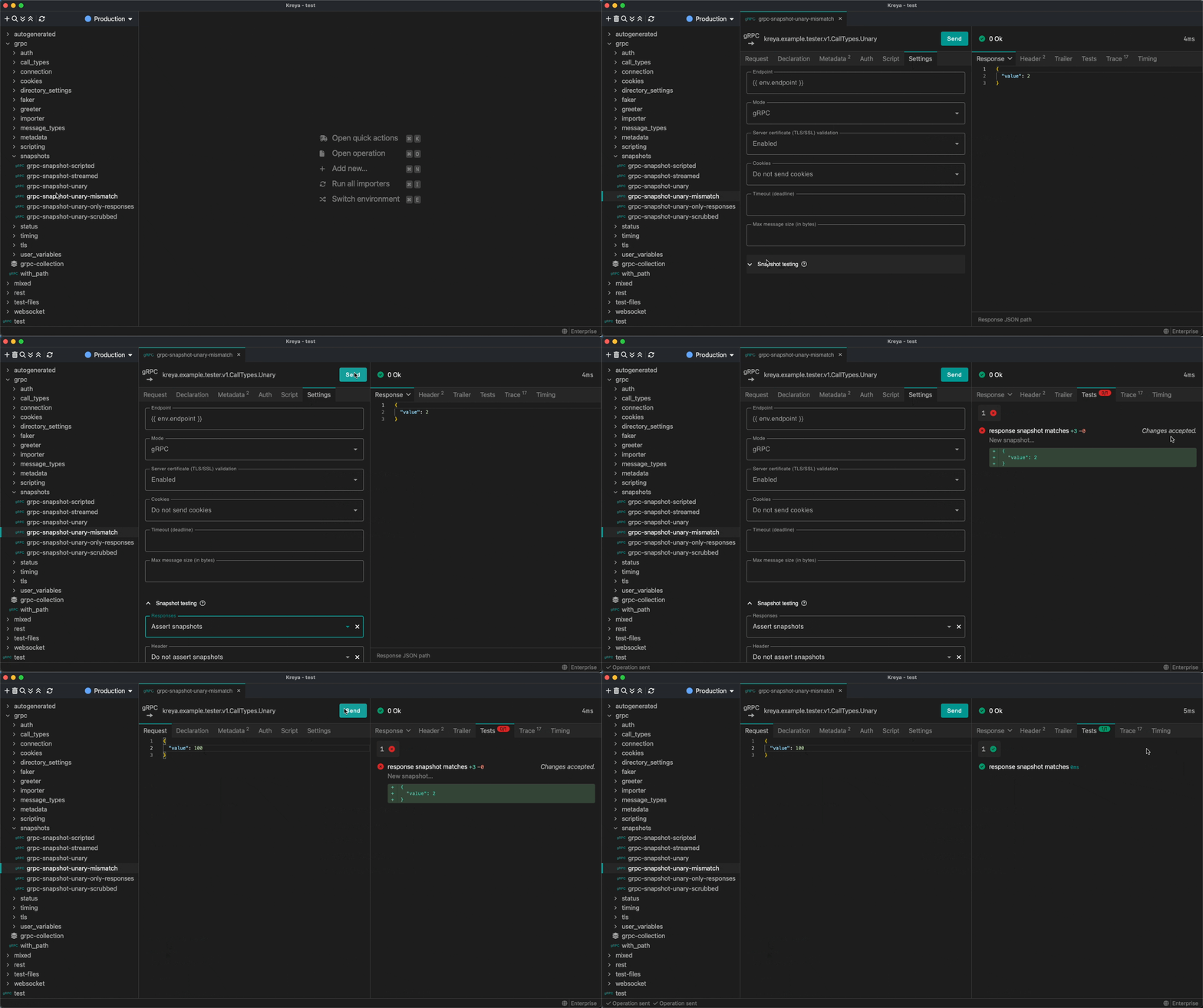
Test results are shown in the Tests tab, with visual snapshot diffs.
See the snapshot documentation for more details.
Kreya now lets you create rich, interactive data visualizations directly in the app. With the new kreya.preview API, you can display PDFs, charts, HTML, and more, right from your scripts. This makes it easy to turn raw API responses into meaningful insights.
Why use previews?
Sample: Visualize API data as a chart
You can render charts using libraries like Apache ECharts. For example, to visualize a REST API response as a bar chart:
kreya.rest.onCallCompleted(
  async resp =>
    await kreya.preview.html(
      `
  <html>
    <body>
      <div id="chart" style="width: 100%; height: 100%;"></div>
      <script src="https://cdn.jsdelivr.net/npm/[email protected]/dist/echarts.min.js"></script>
      <script>
        const chart = echarts.init(document.getElementById('chart'));
        chart.setOption({
            title: { text: 'Values' },
            animation: false,
            xAxis: { type: 'category', data: ${JSON.stringify(resp.response.content.map(d => d.label))} },
            yAxis: { type: 'value' },
            series: [{ type: 'bar', data: ${JSON.stringify(resp.response.content.map(d => d.value))} }]
        });
        window.addEventListener('resize', () => chart.resize());
      </script>
    </body>
  </html>
  `,
      'Sales',
    ),
);
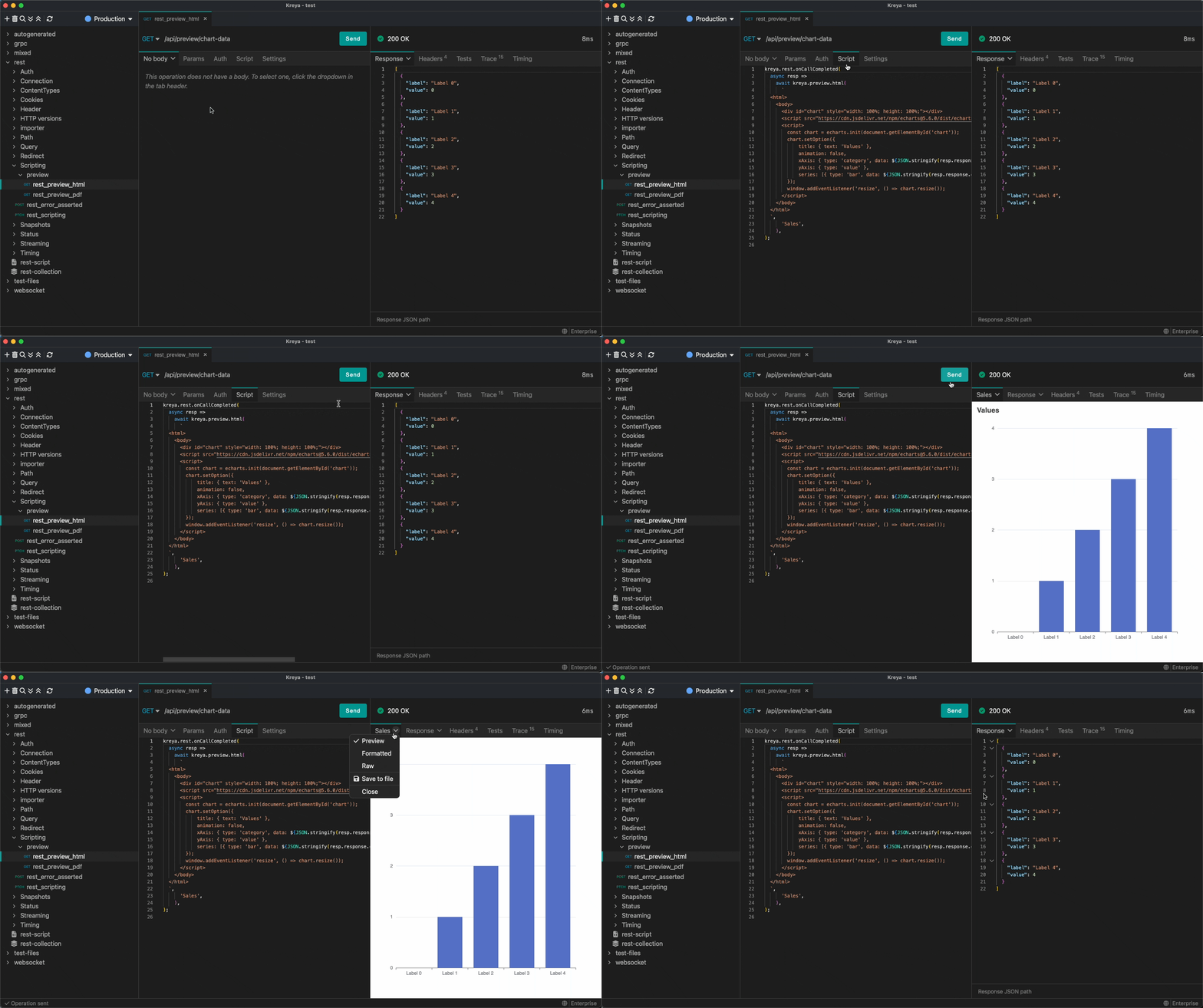
See the kreya.preview API documentation and samples for more details and inspiration.
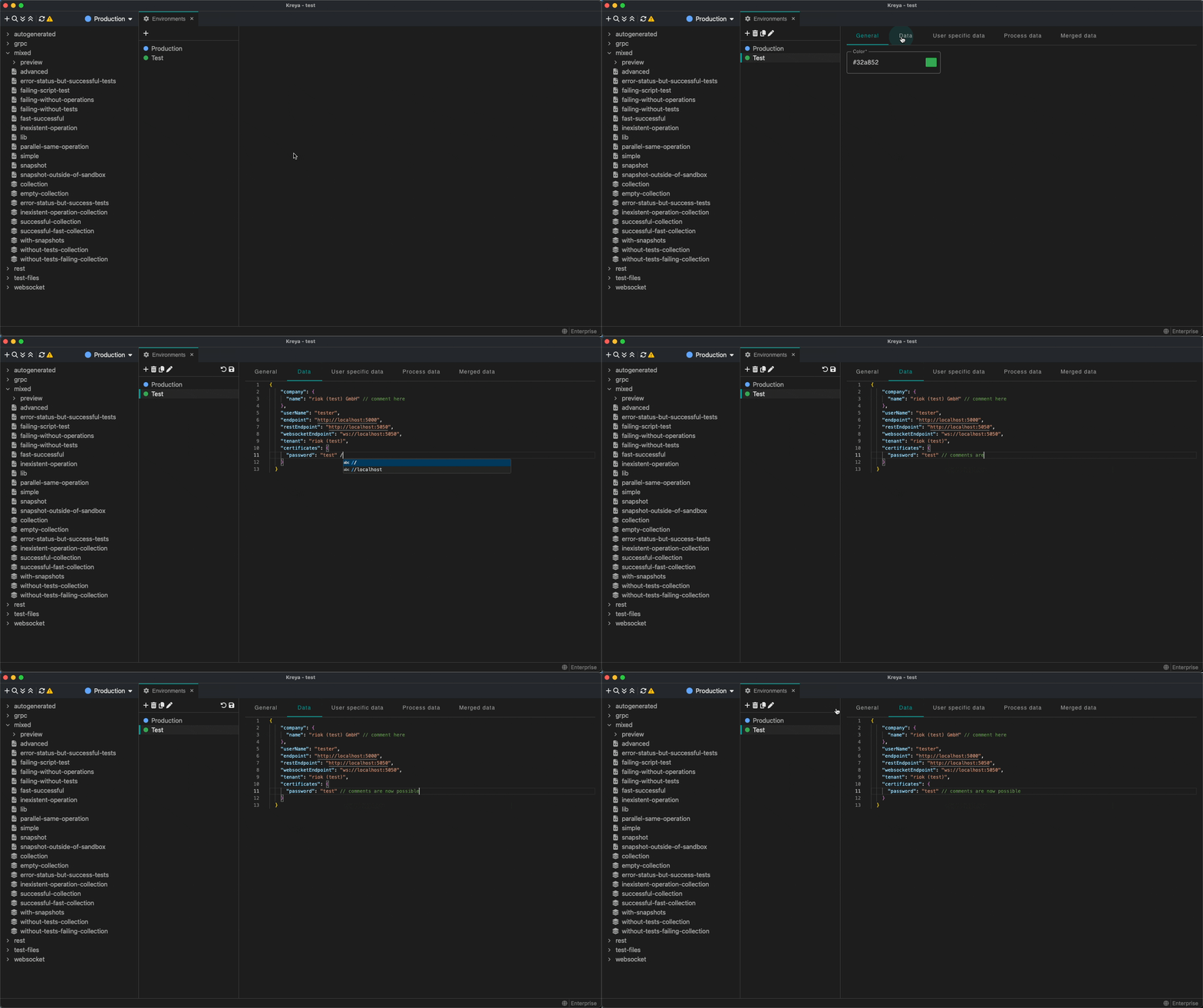
A small change, but sometimes really useful. It's now possible to store comments in environments.
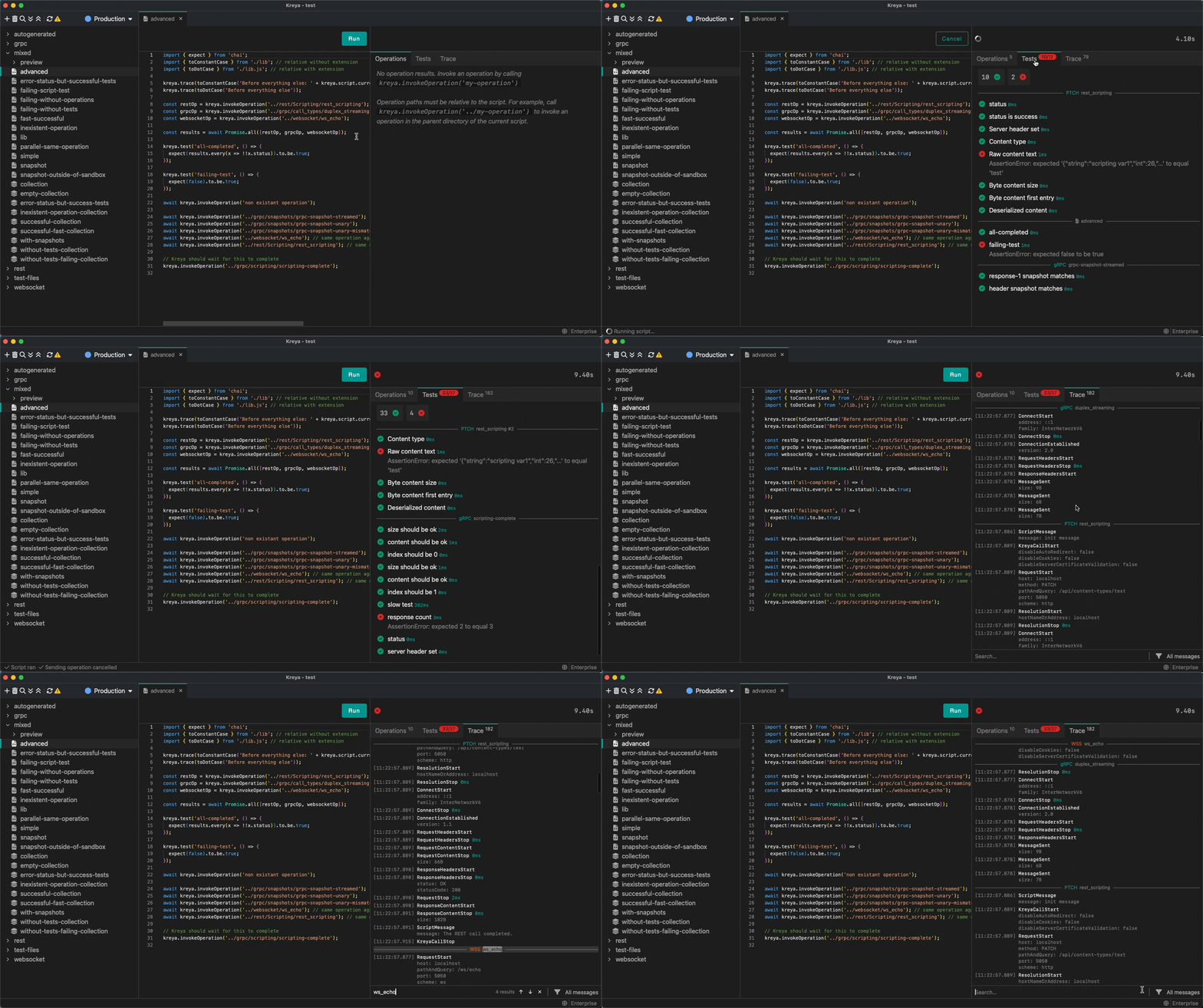
The Trace and Test tab has been redesigned. Messages are now grouped by operation name, making it quick and easy to see which message belongs to which operation. It is also now possible to search the Trace tab and navigate through the search results.
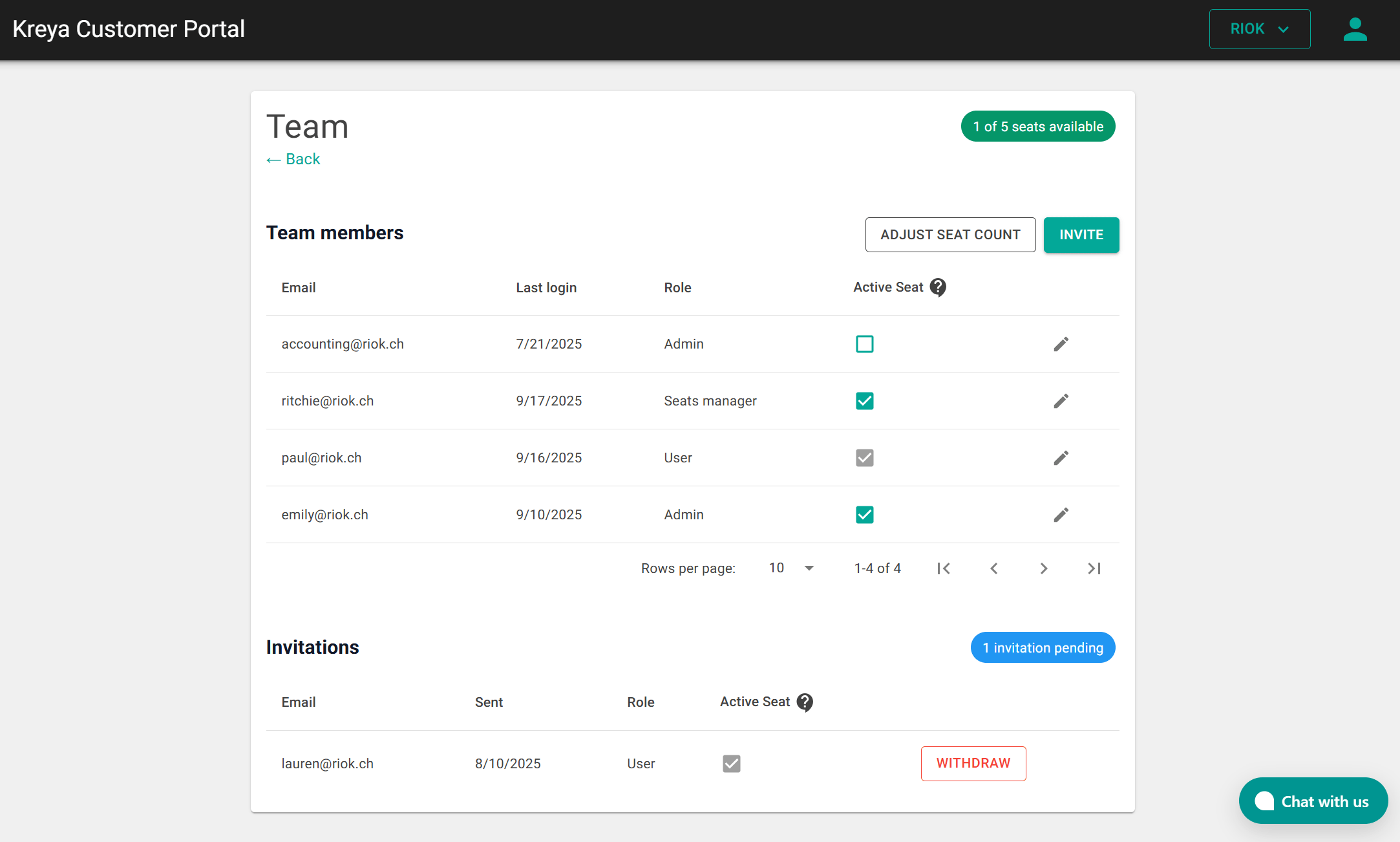
There is now a dropdown menu in the header of the customer portal for managing multiple organizations, whether personal or business.
Additionally, the customer portal now features a new role called Seats Manager, which distinguishes between the billing administrator and the person responsible for managing user seats.
On Linux, we updated our dependencies to GTK4. If you do not use Kreya via snap, make sure that you have libgtk-4-1 and libwebkitgtk-6.0-4 installed.
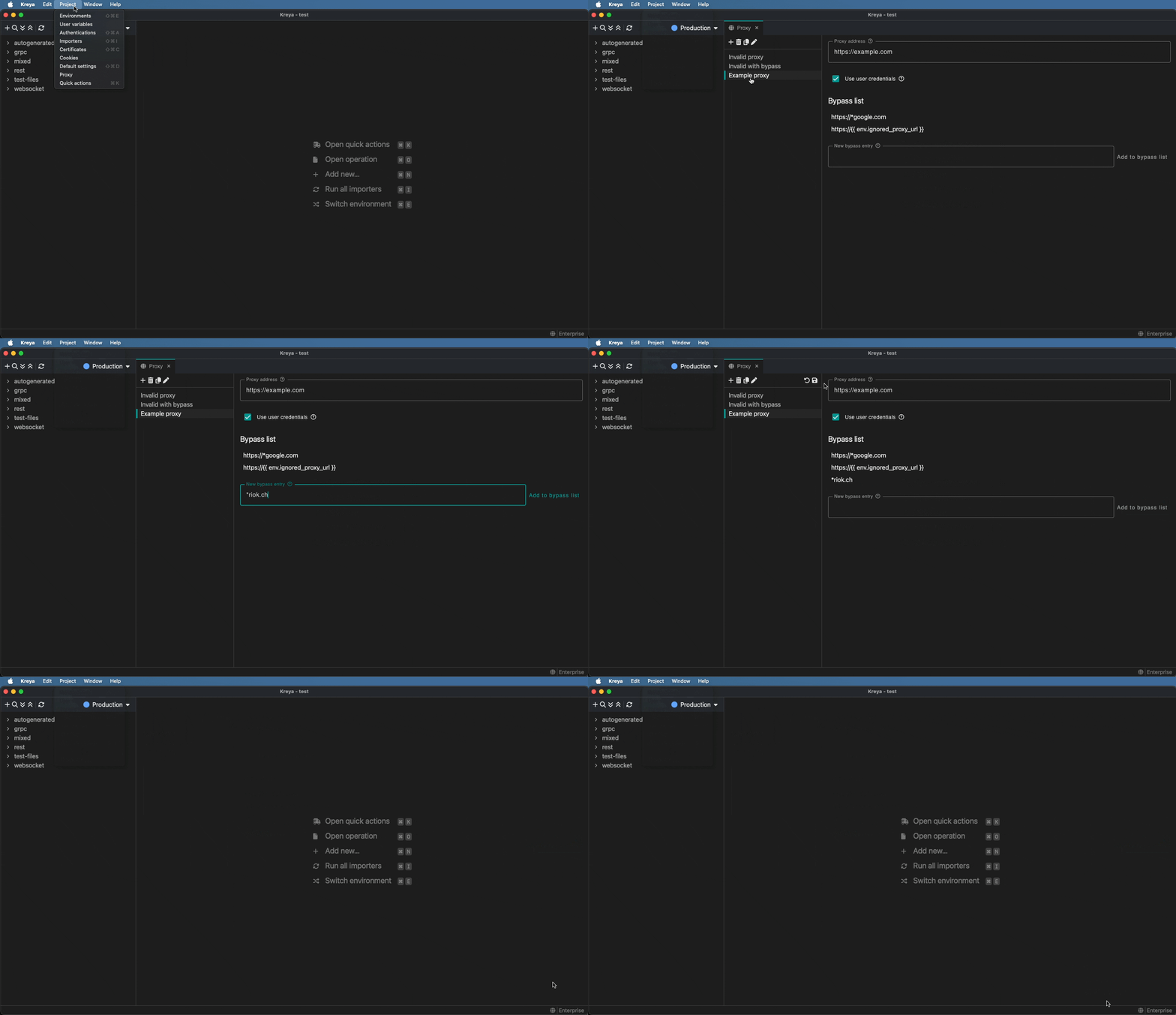
It is now possible to configure proxy settings under Project > Proxy.
Here, you can add a proxy address and exclusions. To activate a proxy, select it in the footer bar.
Kreya 1.18 also includes various improvements and bug fixes. For a full list, see the release notes.
If you have feedback or questions, please contact us or report an issue.
Stay tuned! 🚀
此内容由惯性聚合(RSS阅读器)自动聚合整理,仅供阅读参考。 原文来自 — 版权归原作者所有。