惯性聚合 高效追踪和阅读你感兴趣的博客、新闻、科技资讯
阅读原文 在惯性聚合中打开

推荐订阅源

freeCodeCamp Programming Tutorials: Python, JavaScript, Git & More
腾讯CDC
cs.AI updates on arXiv.org
L
LINUX DO - 热门话题
D
Darknet – Hacking Tools, Hacker News & Cyber Security
Project Zero
Project Zero
V
Vulnerabilities – Threatpost
Cisco Talos Blog
Cisco Talos Blog
P
Palo Alto Networks Blog
C
Cisco Blogs
A
Arctic Wolf
月光博客
月光博客
The GitHub Blog
The GitHub Blog
T
The Blog of Author Tim Ferriss
量子位
小众软件
小众软件
Latest news
Latest news
OSCHINA 社区最新新闻
OSCHINA 社区最新新闻
Microsoft Security Blog
T
The Exploit Database - CXSecurity.com
Security Latest
Security Latest
N
Netflix TechBlog - Medium
K
Kaspersky official blog
人人都是产品经理
人人都是产品经理
Cyber Security Advisories - MS-ISAC
博客园_首页
Y
Y Combinator Blog
P
Proofpoint News Feed
H
Hackread – Cybersecurity News, Data Breaches, AI and More
M
MIT News - Artificial intelligence
T
Threat Research - Cisco Blogs
S
Schneier on Security
D
Docker
Scott Helme
Scott Helme
MyScale Blog
MyScale Blog
Spread Privacy
Spread Privacy
cs.CL updates on arXiv.org
Threat Intelligence Blog | Flashpoint
GbyAI
GbyAI
有赞技术团队
有赞技术团队
Google DeepMind News
The Hacker News
The Hacker News
H
Help Net Security
Simon Willison's Weblog
J
Java Code Geeks
C
Cyber Attacks, Cyber Crime and Cyber Security
T
Tenable Blog
B
Blog
Know Your Adversary
Know Your Adversary
IT之家
IT之家

Linux – 魔帆博客

Git配置:如何优雅的配置多用户并使用 ssh 密钥验证 | 魔帆博客 Git 提示 fatal: unsafe repository is owned by someone else 错误 | 魔帆博客 Linux 报错Certificate verification failed: The certificate is NOT trusted. | 魔帆博客 Fedora 系统升级 32->34 跨版本升级 | 魔帆博客 教程:如何更新安装 docker-compose V2 和使用 docker switch | 魔帆博客 Docker WSL1/2 迁移 Linux 发行版目录 | 魔帆博客 双重验证 Authy 导出所有 TOTP token 和 golang 配置 GOPROXY 解决网络问题 | 魔帆博客 Linux 教程:Linux 初学者必了解的概念 | 魔帆博客 创建支持安全启动(Secure Boot)的 Arch Linux ISO 安装镜像 | 魔帆博客 使用 Aria2 搭建离线下载服务器 | 魔帆博客 梅林固件KoolProxy插件崩溃连接ssh卸载指南(北) | 魔帆博客 [Linux] dconf 系统配置编辑器——我的系统我做主 | 魔帆博客 Arch Linux 通过 xdg-mime 设置默认文件管理器解决总是用 Visual Studio Code 打开文件夹的问题 | 魔帆博客
【记录】Deepin 桌面无限转圈(风火轮) | 魔帆博客
Sonui · 2019-04-02 · via Linux – 魔帆博客

0x00 进坑

近日闲的卵疼,想用用linux,想了想装了Deepin,刻盘,启动,安装,启动,设置,输入密码,回车,恩,不错,一切都很舒服,转圈?等等吧,应该加载中(???我用的可是SSD)几分钟过去了。。。半小时过去了,丝毫没变化,还在转转圈,你信不信我给你点个爱的魔力转圈圈

0x01 解决之道

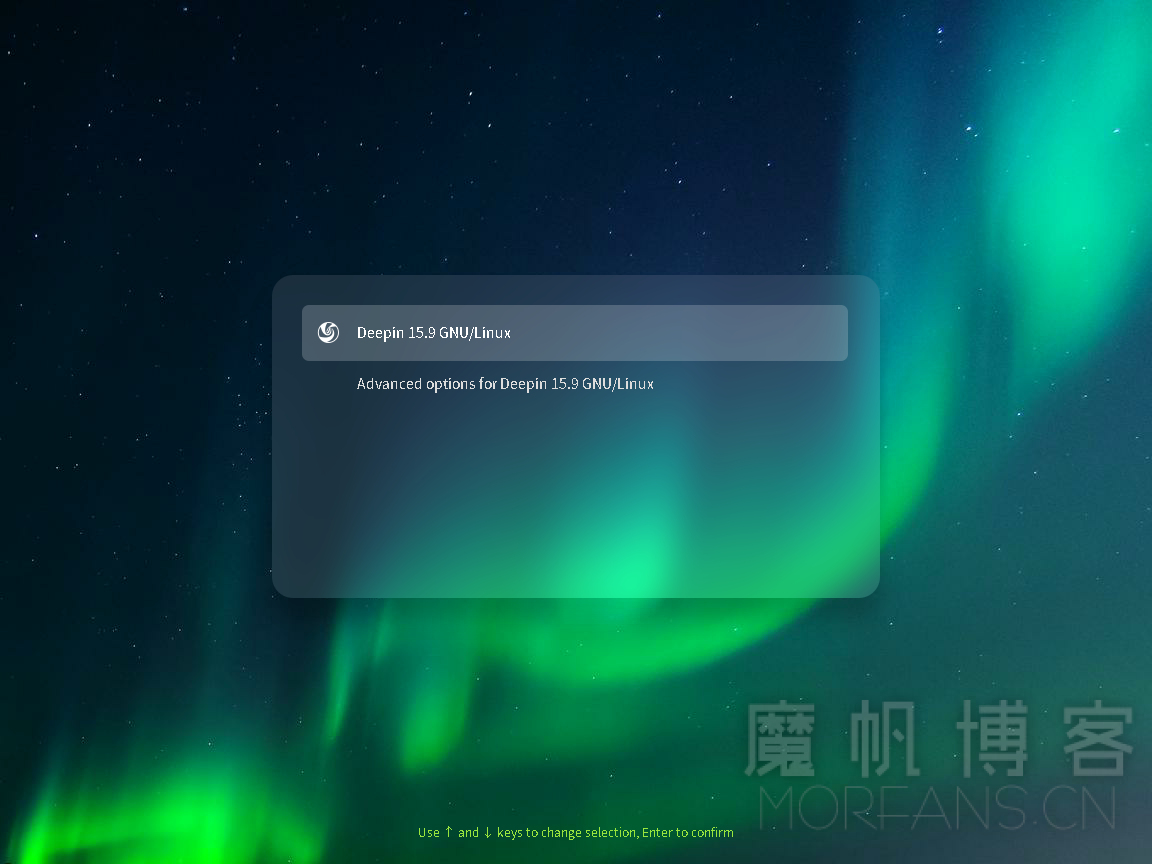
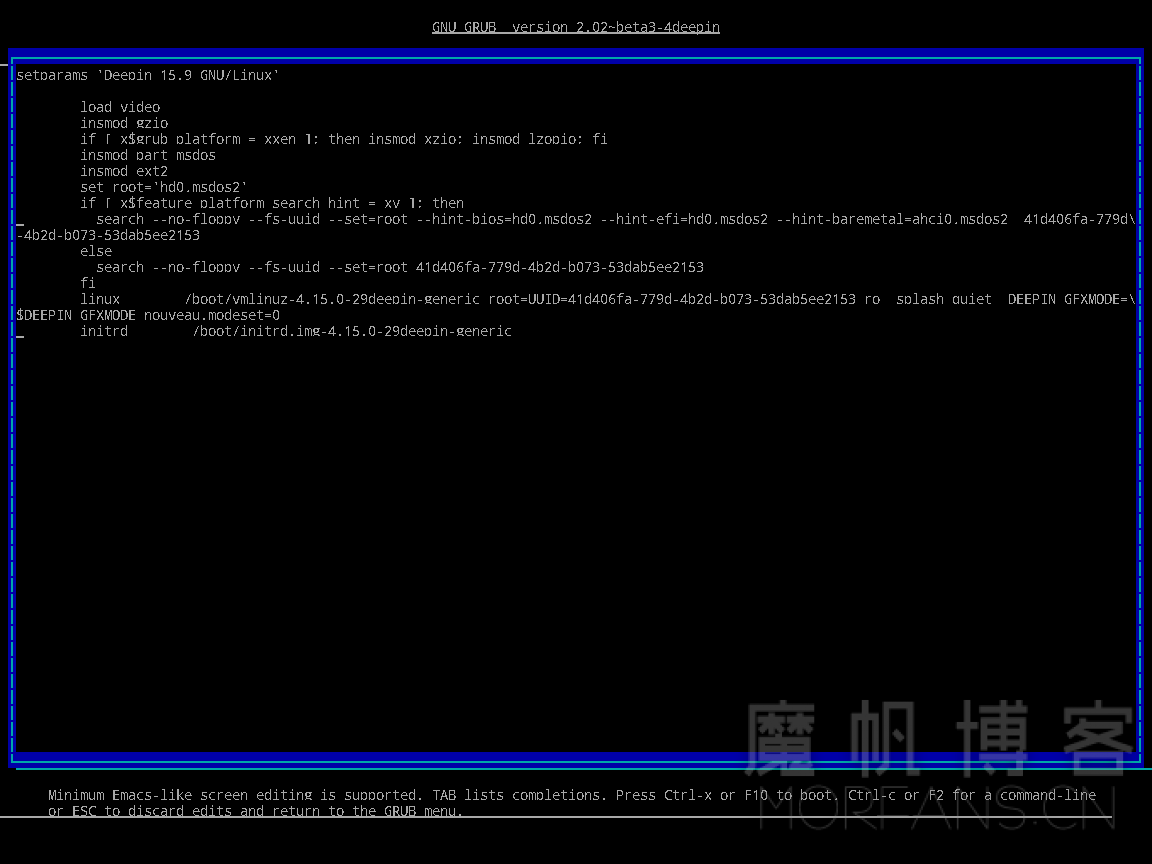
在Grub引导界面时,光条移动到Deepin上,按下 E2019040205190590

移动到倒数第二行(Linux一行) 输入

nouveau.modeset=0
2019040205192479

然后按下 F10键 保存启动,然后就可以正常进入桌面了

接下来编辑GRUB引导配置以永久解决这个问题

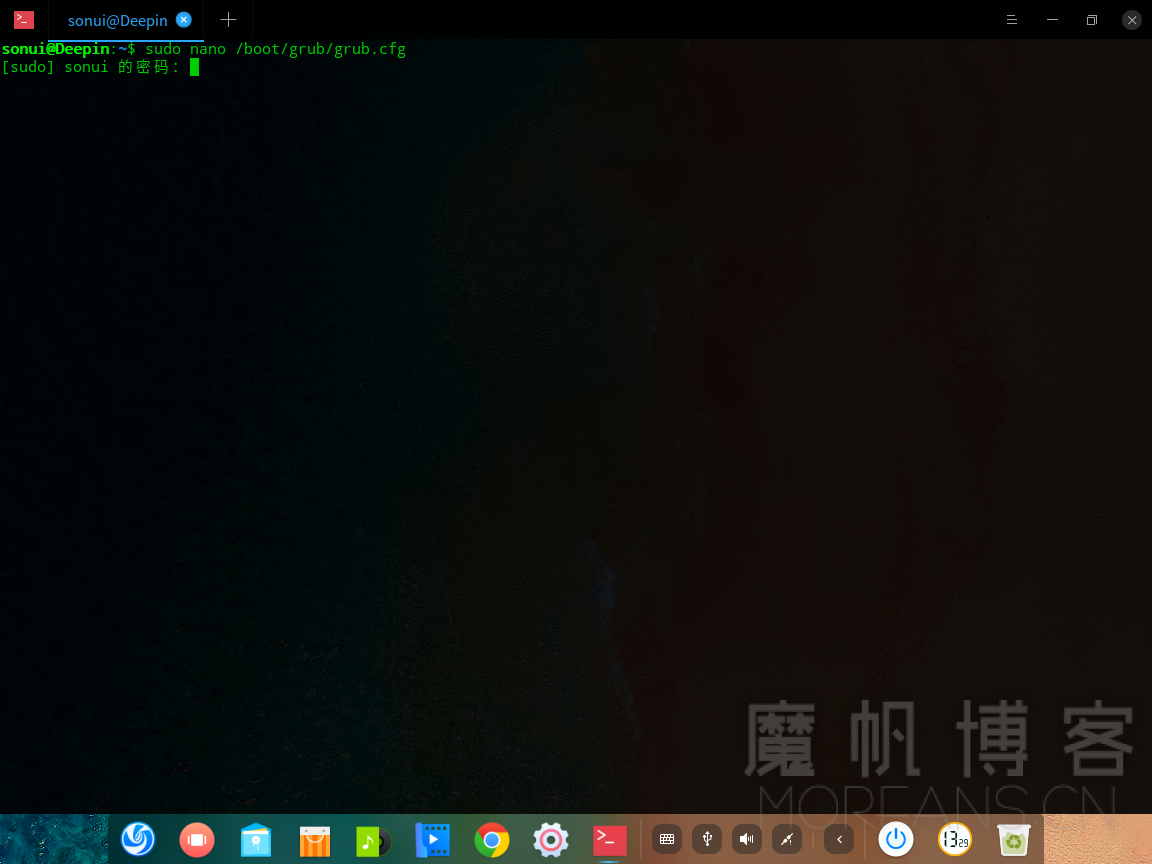
按下 CTRL+ALT+T 打开终端,敲入

sudo nano /boot/grub/grub.cfg 注:nano是一个编辑器,对新手比较友好

回车,可能会提示输入密码,直接输入你账号的密码就可以了,Linux为了安全,不会显示密码掩盖符,看上去像什么都没有输入,不用管,输入完后敲击 回车

(nano真的很好用! 🙂 )2019040205331610
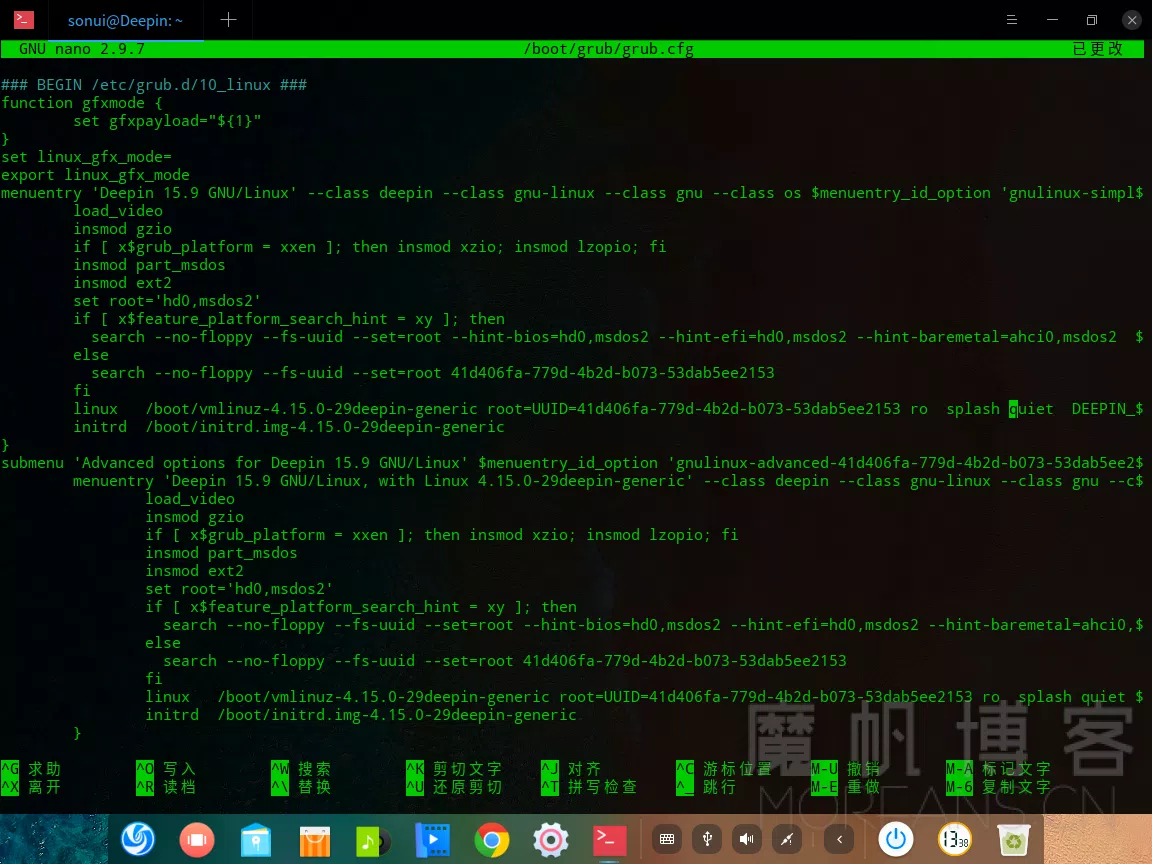
进入nano后,按下 CTRL+W 敲入quiet 然后按下回车,会自动跳到搜索结果
2019040205391693

我们按下 →键 移动光标,到末尾处,输入nouveau.modeset=0然后按下 CTRL+O 写入,再按 CTRL+X 退出编辑(据说用显卡驱动管理器切换到开源驱动也可以,未尝试,各位可以试一下,如果可以麻烦告知)

0x02 重启

现在你可以放心飞了~

注意!不要在显卡驱动管理器使用Intel默认驱动