




Ghost shows a warning when one or more of your members has more than one active paid subscription at the same time.
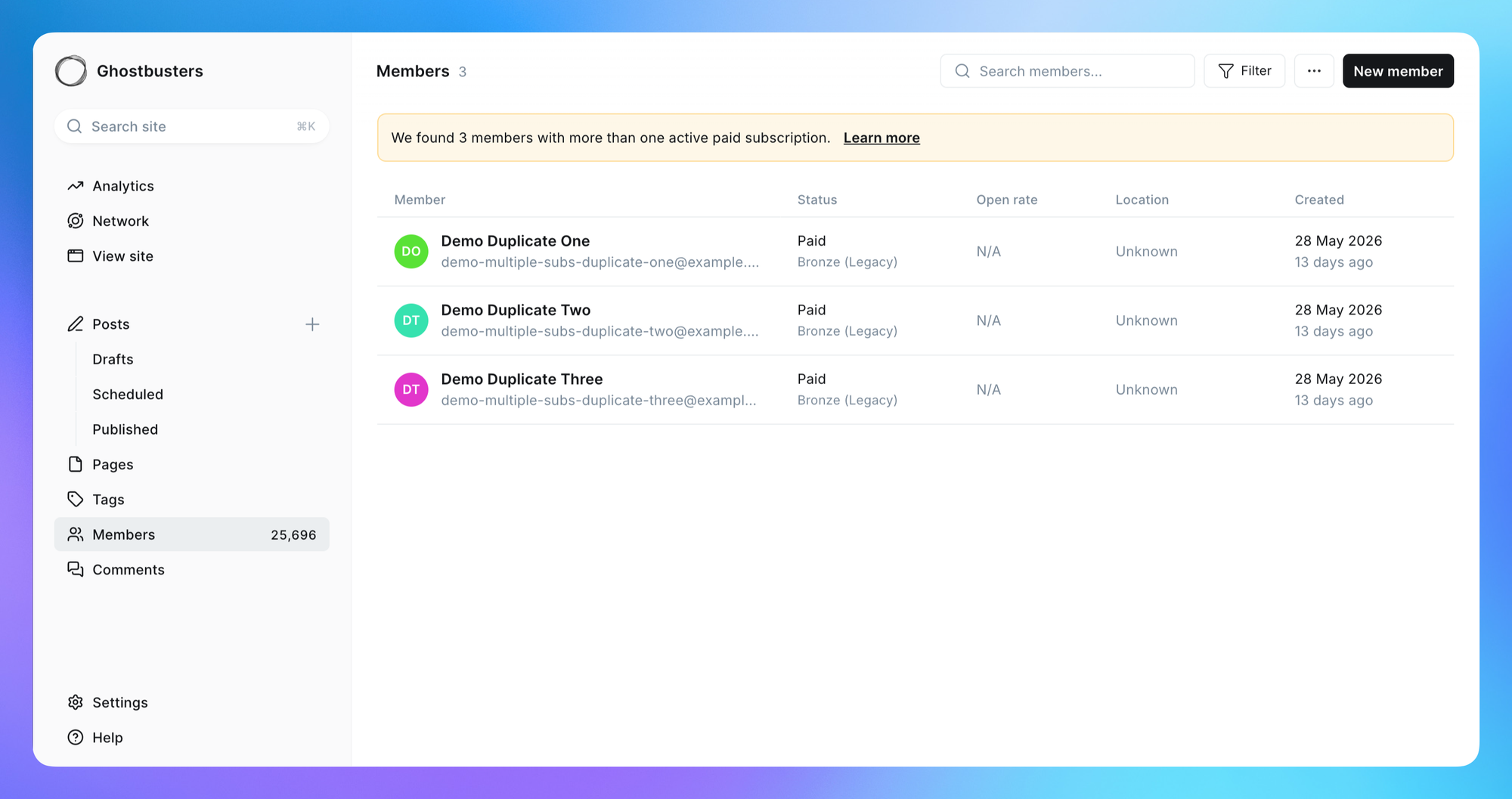
A banner appears at the top of your members list when Ghost detects a member with two or more active paid subscriptions. Each one bills separately, so the member is being charged more than once for access to your publication.
Ghost's default signup flow prevents this automatically by asking for an email before sending someone to Stripe, so we can recognize an existing member.
Duplicates appear when a member reaches Stripe through a route that skips that step — usually a custom membership page in your theme, or a checkout button that links straight to Stripe. Stripe allows a customer to hold more than one subscription by default. So a member who reaches checkout this way can go through the payment flow and subscribe a second time — genuinely paying again — usually because they've forgotten they already subscribed.
Select the banner to filter your members list to the affected people, then decide how to handle each one. For most publishers that means cancelling the extra subscription — from the member's profile in Ghost or in your Stripe dashboard — and optionally refunding the overlap.
You don't have to act on every duplicate at once. If you dismiss the banner, it won't reappear unless Ghost detects a new member with a duplicate subscription. To revisit the filtered list at any time, you can do so here.
Yes, Stripe has an optional setting to limit customers to one subscription. When it's turned on, Stripe checks at checkout whether the customer already has an active subscription and, if they do, sends them to sign in to their account instead of paying again.
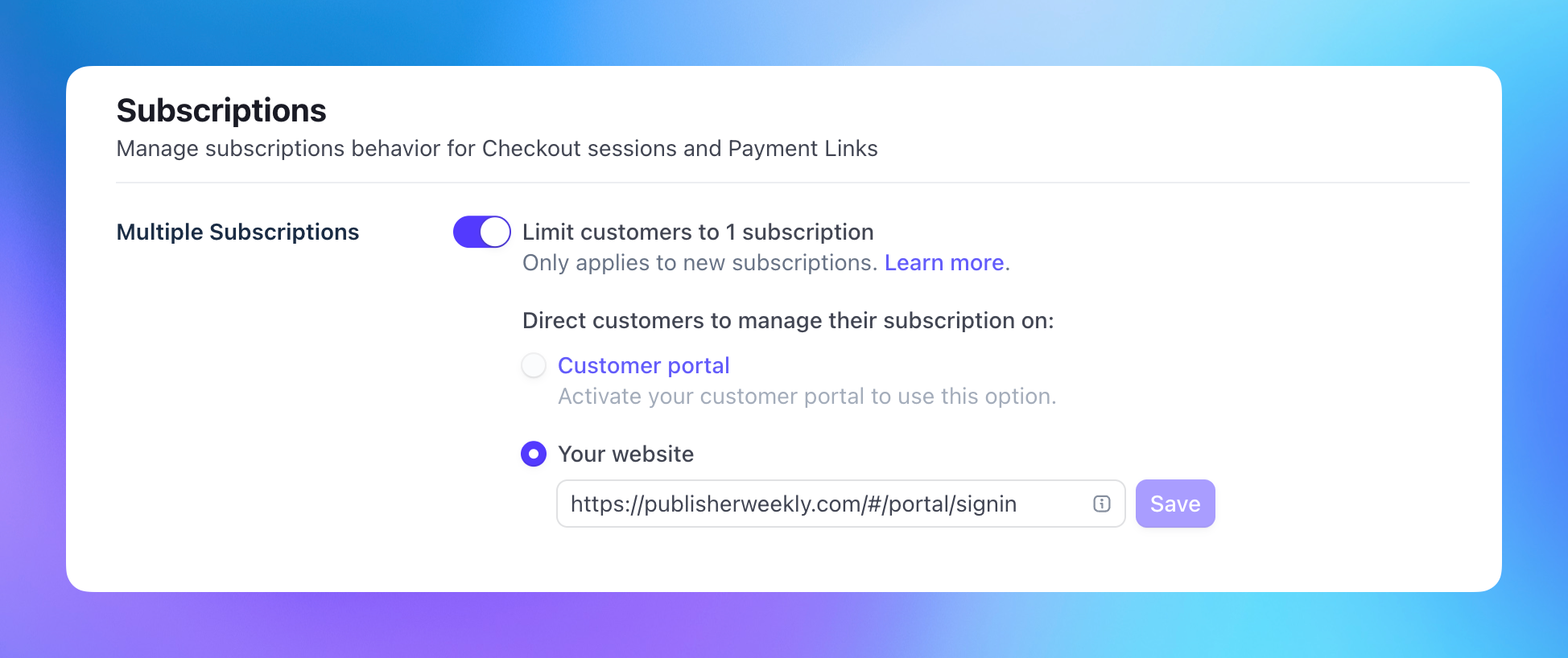
This setting lives in your Stripe dashboard and has to be turned on there — it can't be enabled from inside Ghost. Here's how to set it up:
#/portal/signin — for example, https://www.yoursite.com/#/portal/signin.Once this is on, any member who tries to subscribe again while they already have an active subscription is redirected to sign in to their existing account. Stripe matches them by email address, so this works across any custom membership pages or checkout buttons.
Some publishers deliberately let members hold more than one subscription — for example, a standard membership alongside a separate support contribution or add-on. If that describes your setup, the warning is expected, and there's no need to act on it or change the Stripe setting.
此内容由惯性聚合(RSS阅读器)自动聚合整理,仅供阅读参考。 原文来自 — 版权归原作者所有。