








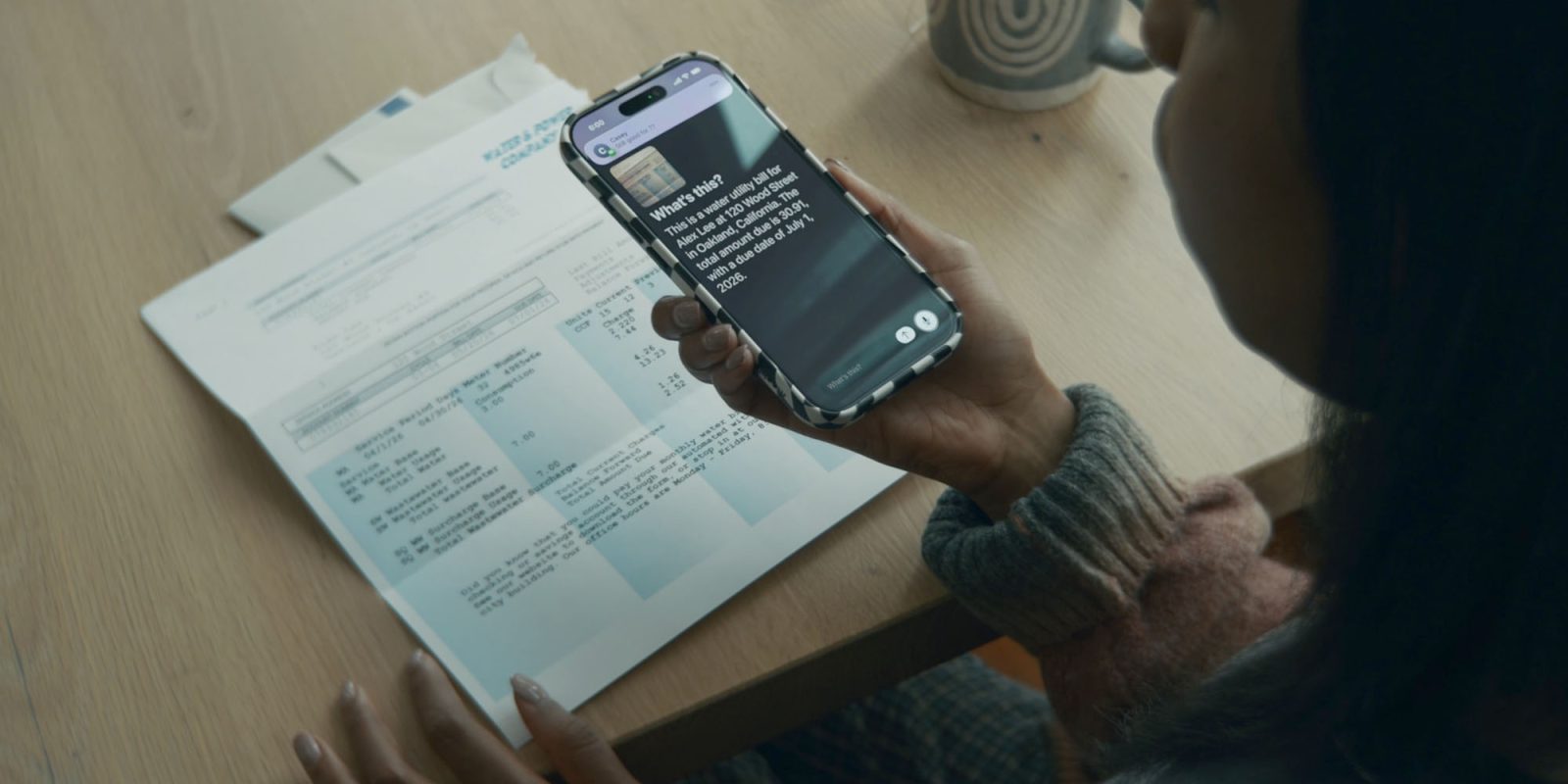
Apple has today announced that it’s using AI to boost the power of a number of accessibility features. These include VoiceOver, Magnifier, Voice Control and Accessibility Reader.
Additionally, power wheelchair users will now be able to use their eyes as controls when using Vision Pro …
Apple says that it has not compromised privacy when adding AI capabilities to its accessibility features.
“Apple’s approach to accessibility is unlike any other,” said Tim Cook, Apple’s CEO. “Now, with Apple Intelligence, we are bringing powerful new capabilities into our accessibility features while maintaining our foundational commitment to privacy by design.”
“The accessibility features our users rely on every day become even more powerful with Apple Intelligence,” said Sarah Herrlinger, Apple’s senior director of Global Accessibility Policy and Initiatives. “With these updates, we’re bringing new, intuitive options for input, exploration, and personalization — designed to protect users’ privacy at every step.”
VoiceOver and Magnifier assist users who are blind or have low vision to understand both on-screen information and their surroundings. Both are getting an AI boost.
The Image Explorer in VoiceOver uses Apple Intelligence to give more detailed descriptions of images systemwide, including what’s in photographs, scanned bills, personal records, and other visual content. With updates to Live Recognition, VoiceOver users can press the Action button on iPhone to quickly ask a question about what’s in the camera viewfinder and get a detailed response. Users can also ask follow-up questions in their own words to get more visual information.
Magnifier also works with the Action button so users can quickly ask questions and get answers. And users can control the app itself with spoken requests, such as “zoom in” or “turn on flashlight.”
Voice Control has so far required users to memorize exact words and phrases. With AI, Apple says that the feature now allows people to use natural language.
With a new flexible input, users can describe onscreen buttons and controls with natural language instead of memorizing exact labels or numbers. The option to “say what you see” is great for navigating any app, including those with visual layouts such as Apple Maps or Files, using intuitive language like “tap the guide about best restaurants” or “tap the purple folder.” This can also help users overcome barriers when elements aren’t properly labeled for accessibility.
For those who struggle to read text, Accessibility Reader is now significantly smarter.
Accessibility Reader is a customized reading experience for users with a wide range of disabilities, from dyslexia to low vision, and with Apple Intelligence, the reading experience is more accessible than ever. Accessibility Reader works on more complex source material like scientific articles, handling text with multiple columns, images, and tables. On-demand summaries provide readers the option to get an overview of the article before diving into the details. And with new built-in translation, users can read text in their native language while retaining custom formatting, font, and colors.
Any video can now be captioned with AI-generated subtitles. This includes video clips received from family and friends as well as those streamed online. This has the potential to be transformative for users who are deaf or hard of hearing. On-device captioning is used in order to preserve privacy.
While captioning solutions are increasingly common for users who are deaf or hard of hearing, subtitles for spoken dialogue are rarely available for personal videos, content shared by friends and family, and other media. With new generated subtitles, videos can display transcriptions of spoken audio automatically when captions or subtitles are not already provided, including in clips recorded on iPhone, received from friends and family, or streamed online. With on-device speech recognition, subtitles are generated privately and appear automatically for uncaptioned videos on iPhone, iPad, Mac, Apple TV, and Apple Vision Pro.
While some power wheelchair users have sufficient movement to use joystick controls, this isn’t true for everyone. Users will now be able to use eye control within Vision Pro.
Leveraging the precision eye-tracking system on Apple Vision Pro, a new power wheelchair control feature offers users a responsive input method for compatible alternative drive systems. With Vision Pro, eye tracking doesn’t require frequent recalibration and works in a variety of lighting conditions. The feature launches with Tolt and LUCI alternative drive systems in the U.S., with accessory support for both Bluetooth and wired connections.
Apple says further wheelchairs will be supported over time.
Apple also listed a number of additional accessibility enhancements.
AI is about much more than chatbots. While Apple has been criticized for being slow to adopt AI features, accessibility features is certainly an excellent priority. It also indicates that there will be many other things on which the company is quietly working behind the scenes. I very much hope to see a lot of further AI developments announced at WWDC.


FTC: We use income earning auto affiliate links. More.
此内容由惯性聚合(RSS阅读器)自动聚合整理,仅供阅读参考。 原文来自 — 版权归原作者所有。