







Hot on the heels of the first release candidate, we’re happy to have a second RC ready! In the last 3 weeks since releasing GIMP 2.10.0-RC1, we’ve fixed 44 bugs and introduced important performance improvements.
As usual, for a complete list of changes please see NEWS.
A major regression of GIMP 2.10, compared to 2.8, was slower painting. To address this issue, several contributors (Ell, Jehan, Massimo Valentini, Øyvind Kolås…) introduced improvements to the GIMP core, as well as to the GEGL and babl libraries. Additionally, Elle Stone and Jose Americo Gobbo contributed performance testing.
The speed problems pushed Ell to implement multi-threading within GIMP, so that painting and display are now run on separate threads, thus greatly speeding up feedback of the graphical interface.
The new parallelization framework is not painting-specific and could be used for improving other parts of GIMP.
Since the development version 2.9.4, we had new themes shipped with GIMP, and in particular dark themes (as is now common for creative applications). Unfortunately they were unmaintained, bugs kept piling up, and the user experience wasn’t exactly stellar.
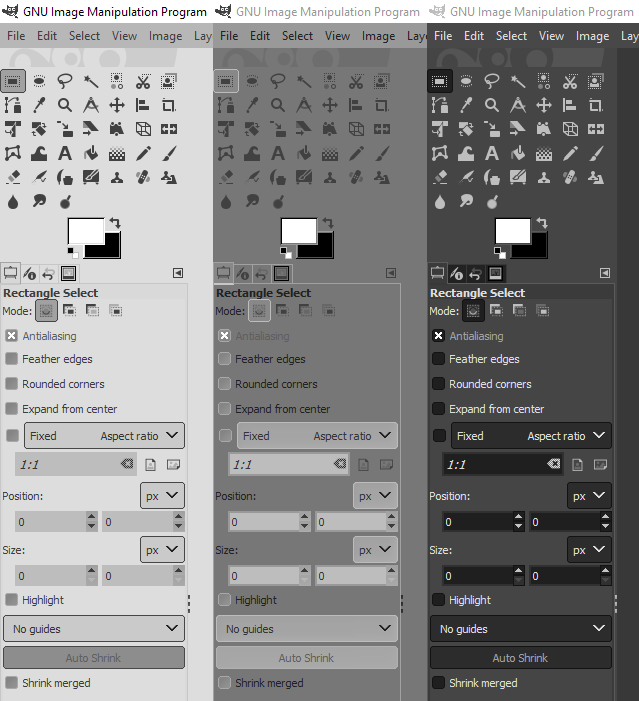
Our long-time contributor Ville Pätsi took up the task of creating brand new themes without any of the usability issues and glitches of previous ones. While cleaning up, only the Gray theme has been kept, whereas Light and Dark were rewritten from scratch. Darker and Lighter themes have been removed (they won’t likely reappear unless someone decides to rewrite and contribute them as well, and unless this person stays around for maintenance).
Thanks to Michael Natterer and Øyvind Kolås, the gradient tool can now work in either perceptual RGB, linear RGB, or CIE LAB color space at your preference.
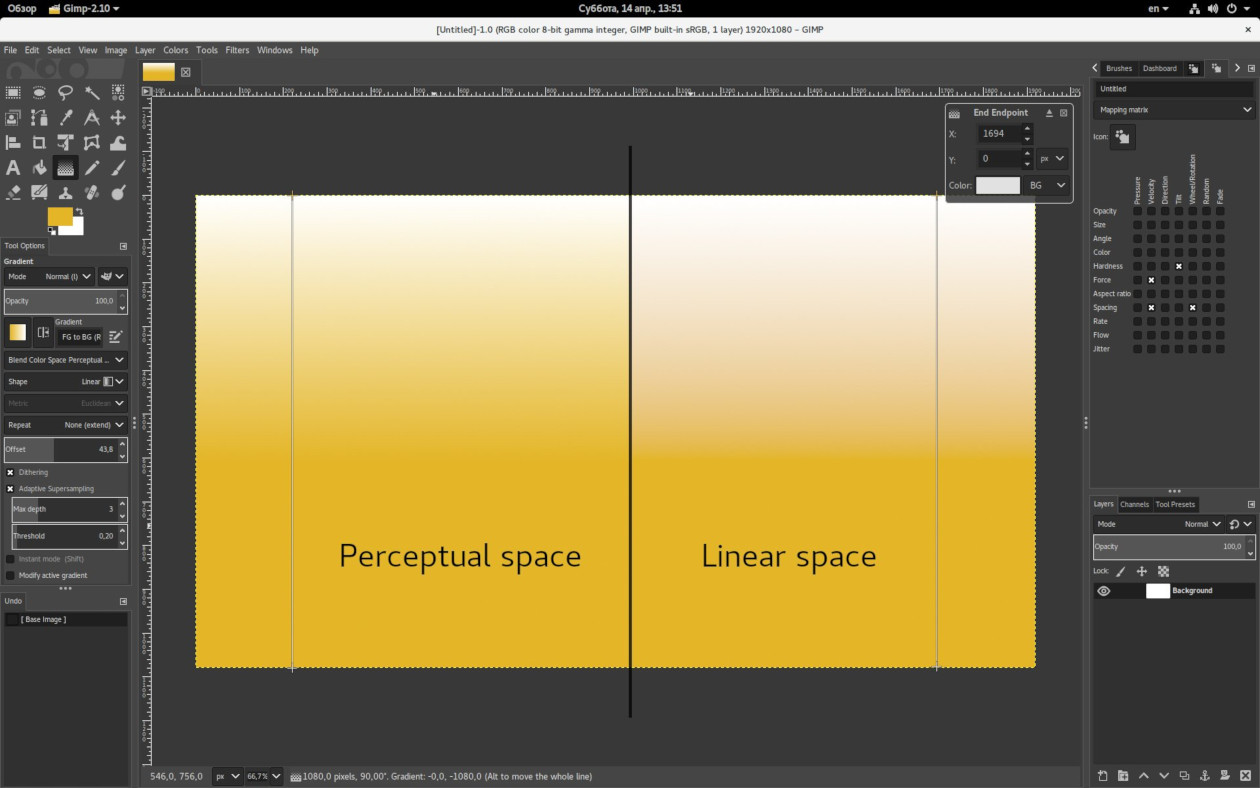
We also used the opportunity to rename the tool, which used to be called “Blend tool” until now, even though barely anyone uses such name. “Gradient tool” is a much more understandable naming.
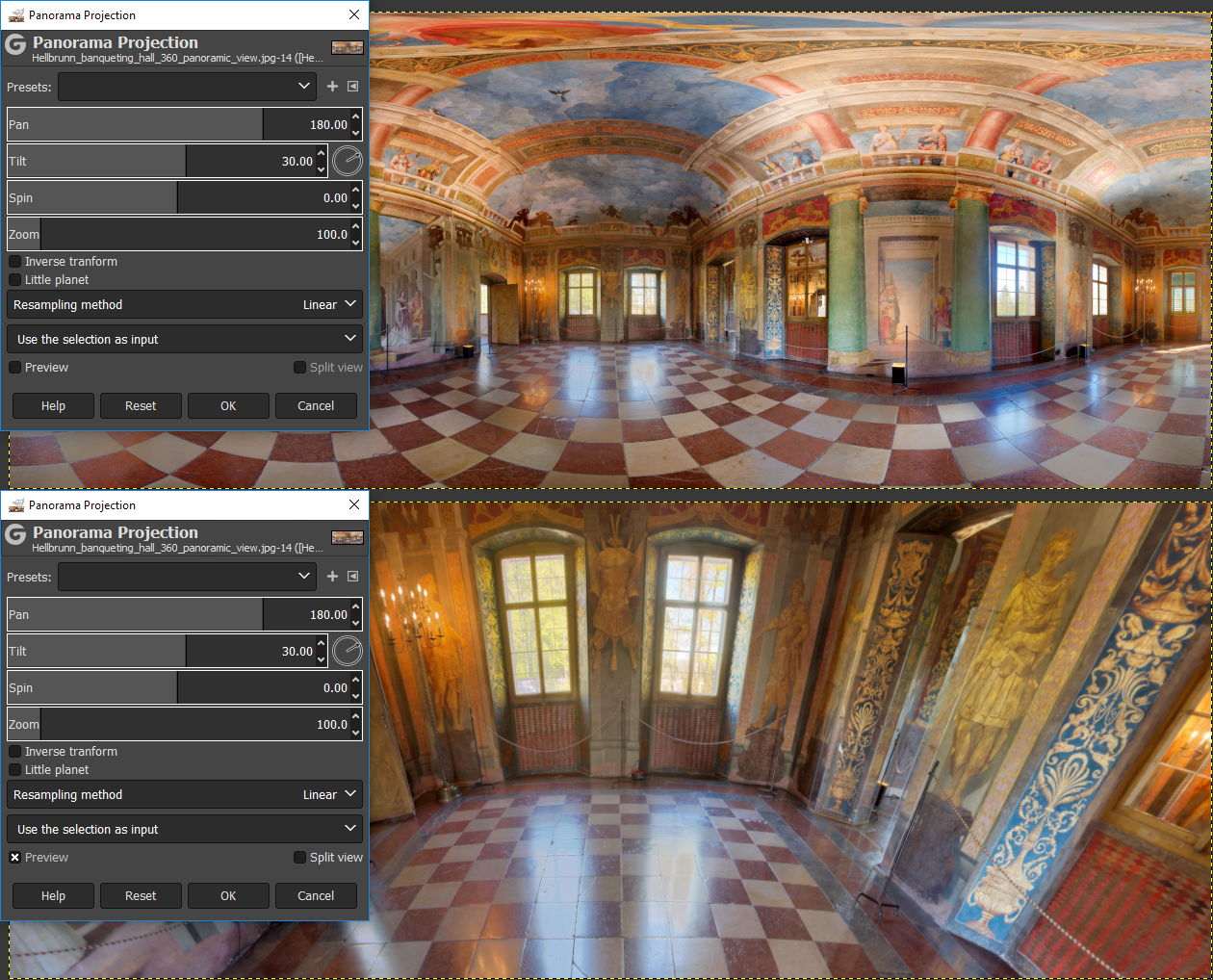
A new widget for on-canvas interaction of 3D rotation (yaw, pitch, roll) has been implemented by Ell. This new widget is currently only used for the Panorama Projection filter.
GIMP doesn’t do any gamma conversion when converting between selection, channels, and masks anymore. This makes the selection -> channel -> selection roundtrips correct and predictable.
Additionally, for all >8-bit per channel images, GIMP now uses linear color space for channels. This and many other fixes in the new release were done by Michael Natterer.
8 translations have been updated between the two release candidates. We are very close to releasing the final version of GIMP 2.10.0. If you plan to update a translation into your language and be in time for the release, we recommend starting now.
Mosty of the changes in GEGL since the release in March are performance improvements and micro-optimizations in display paths. Additionally, avoiding incorrectly gamma/ungamma correcting alpha in u8 formats provides a tiny 2-3% performance boost.
For further work on mipmaps support, GEGL now keeps track of valid/invalid areas on smaller granularity than tiles in mipmap.
The Panorama Projection operation got reverse transform, which permits using GIMP for retouching zenith, nadir or other arbitrary gaze directions in equirectangular, also known as 360×180 panoramas.
Finally, abyss policy support in the base class for scale operations now makes it possible to achieve hard edges on rescaled buffers.
We are now 7 blocker bugs away from the final release.
On your marks, get set…
此内容由惯性聚合(RSS阅读器)自动聚合整理,仅供阅读参考。 原文来自 — 版权归原作者所有。