





Edit: thank you CmykStudent for keeping the 🐠 April fool 🐟 fun alive!
As most would have noted, this new “Color Mode” was obviously a joke. This being said, it underlines real work in progress, whose hint is actually visible in this news!
So I guess, this year, the April fool gets to continue as an Easter egg 🐣 hunt! Happy easter! 🐰
🐡🥚 End of Edit 🔔🦈
Hello! I’m one of the developers for GIMP. If you use GIMP, you might be familiar with my work adding support for Seattle Filmworks photos, along with other, less important features and fixes.
We like to emphasize that GIMP is made by the community. That’s why we try to spotlight areas of interests by our developers, designers, and artists - such as Bruno Lopes’ work on Snap packaging, Fredrik Persson’s art for the GIMP 3.0 splash screen and interviews with Mitch, Michael, Simon, and Øyvind. Today, I’ll add to this illustrious group by sharing a bit about my own area of interest that I’ll be focusing on for the next version of GIMP!
The first big project I worked on when I started contributing to GIMP was related to color models. Images can be stored and represented in lots of different ways. The most common mode for many people is RGB, where each color is made up of a combination of red, green, and blue values. You can also represent colors with a single color component, often in Grayscale. Another frequently seen mode is indexed, where you limit the total number of colors to a specific palette (this model is often used in games and pixel art).
GIMP has supported all three of these color modes for many years. However, there have been constant user requests for including another well-known color model. Unfortunately, no one had ever stepped up to work on it - until now! I am proud to announce that I will be focused on implementing the long awaited…
That’s right! At last, GIMP will allow you to easily create images compatible with IBM’s Enhanced Graphics Adapter. You’ll be able to define up to 16 different colors to use with your image from the palette of 64 approved colors. It’ll also be optimized to show high-quality images at a jaw-dropping maximum resolution of 640 × 350!
It should be noted that GIMP has had an EGA palette built in for years, so a “late-binding” EGA workflow where you converted before export was already possible. My work will enable an “early-binding” workflow where you can edit and create in EGA color mode right from the start.
While this feature is still in early development, here’s an example of before and after converting a RGB image to EGA Color Mode.
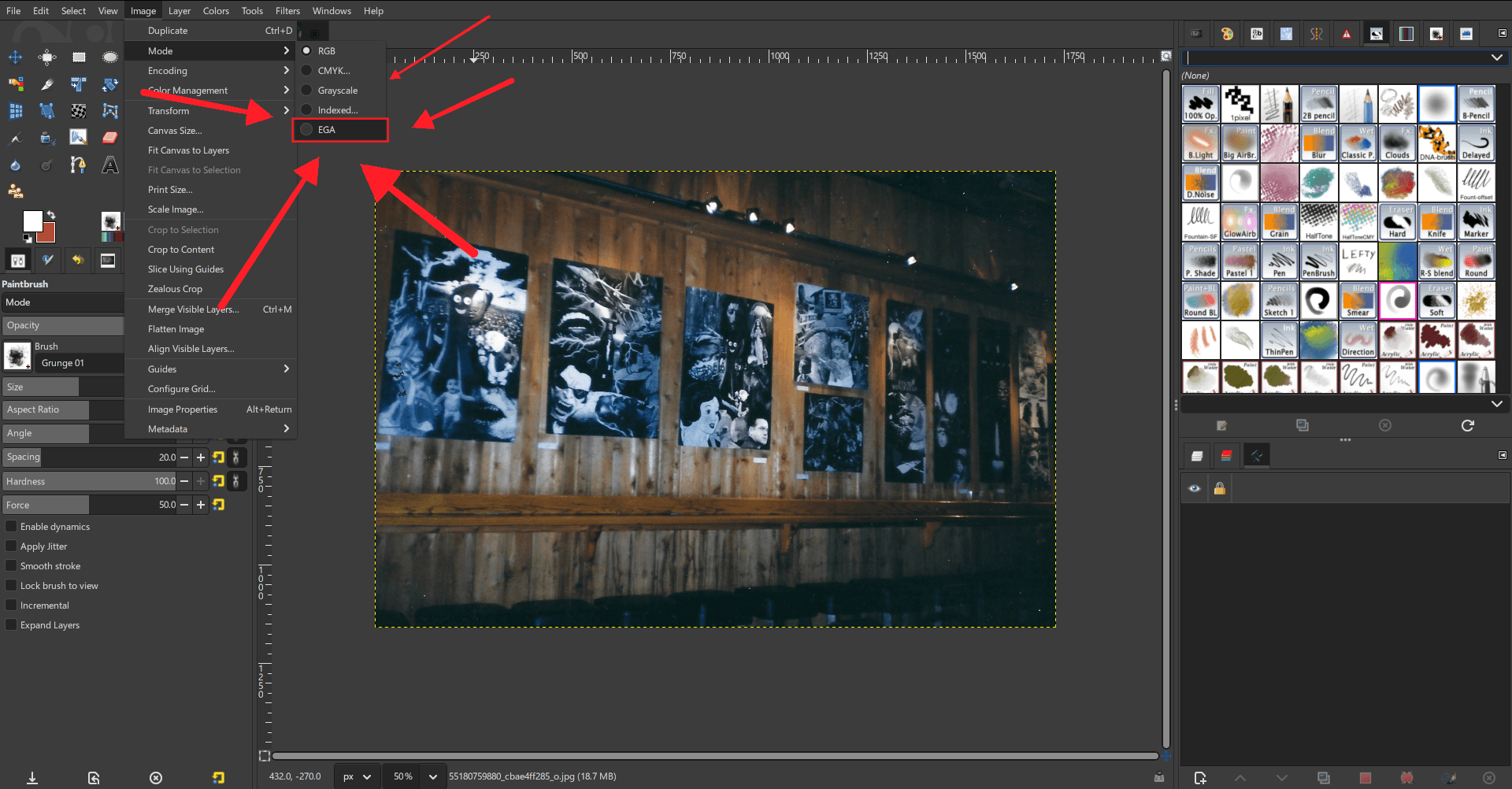
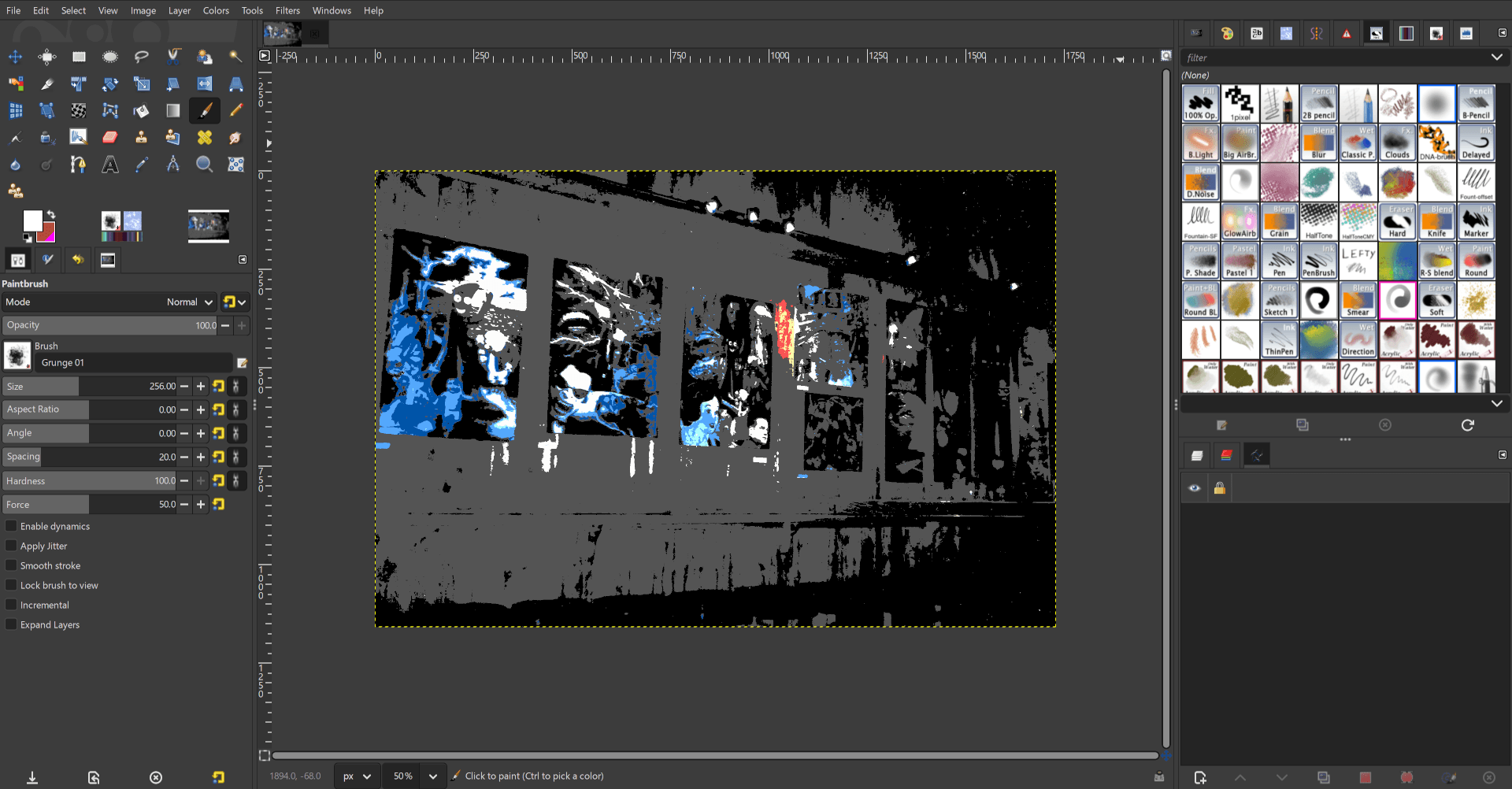
Note that these are still work-in-progress UX - the actual interactions and GUI elements may change during development.
Once the initial version has been built, tested, and merged, I have plans for further expansions such as adding a CGA-compatible mode. I also hope that the final code submission will serve as a guide for other developers to add more long-requested color models to GIMP, such as a 1-bit mode and even the highly compressible 0-bit color mode!
I’m looking forward to sharing more updates on this exciting new feature once we start the next phase of development for GIMP 3.4. I hope you all will try it out when it’s added in our development builds, and I look forward to your feedback!
此内容由惯性聚合(RSS阅读器)自动聚合整理,仅供阅读参考。 原文来自 — 版权归原作者所有。