





惯性聚合 高效追踪和阅读你感兴趣的博客、新闻、科技资讯
阅读原文 在惯性聚合中打开

推荐订阅源

B
Blog RSS Feed
Jina AI
Jina AI
雷峰网
雷峰网
Blog — PlanetScale
Blog — PlanetScale
Hugging Face - Blog
Hugging Face - Blog
奇客Solidot–传递最新科技情报
奇客Solidot–传递最新科技情报
Last Week in AI
Last Week in AI
博客园 - 司徒正美
罗磊的独立博客
J
Java Code Geeks
Engineering at Meta
Engineering at Meta
WordPress大学
WordPress大学
Vercel News
Vercel News
A
About on SuperTechFans
I
InfoQ
D
DataBreaches.Net
爱范儿
爱范儿
freeCodeCamp Programming Tutorials: Python, JavaScript, Git & More
U
Unit 42
aimingoo的专栏
aimingoo的专栏
宝玉的分享
宝玉的分享
P
Proofpoint News Feed
Microsoft Azure Blog
美团技术团队

Example blog

Ghost routing explained with routes.yaml examples — routes, collections & taxonomies Ghost redirects explained with practical redirects.yaml examples How to Serve JSON or XML Data in Ghost How to Change Your Default Post Template in Ghost Ghost Custom Theme Settings How to add Google Fonts to Ghost Themes How to Configure Ghost with Mailgun Ghost Theme Structure & Organization How to Make Custom Templates in Ghost Themes How to Install Ghost CMS via Ghost-CLI How to Add Syntax Highlighting to Ghost The best Ghost CMS hosting platforms Ghost 6.0 — Social Web and Native Ghost Analytics Ghost CMS Social web beta, email 2FA and more author social links How to keep custom design settings when updating your Ghost theme How to use the public preview card in Ghost How to add members-specific sections in Ghost How to customize the default content CTA in Ghost How to build a custom homepage in Ghost An overview of Ghost editor cards and and how they work Ghost CMS News: One-time payments & collecting sales tax How to add custom fonts in Ghost themes Ghost CMS News: Additional payment methods & internal linking How to use Code Injection in Ghost How to set meta data of your custom routes & collections in Ghost Ghost CMS News: TK reminders, ActivityPub and improvements How to format dates and use the date helper in Ghost Ghost CMS internationalization, custom fonts & spam protection Understanding and optimizing post and page settings in Ghost CMS Trigger the Ghost Portal popup based on page scroll progress
How to customize the private site access template in Ghost
Bright Themes · 2024-10-05 · via Example blog

Private sites are perfect when you want to limit access to your content. Whether you're still working on your site's design or creating exclusive content for a small community, password protection is a great option.

When password protection is enabled, Ghost disables social sharing and search engine indexing, requiring visitors to enter a password to access your content.

Enabling password protection for your Ghost site

To make your site private, go to Ghost Admin > Settings. Under the General settings, find the Make this site private option. Toggle Enable password protection, set your password, and save the changes.
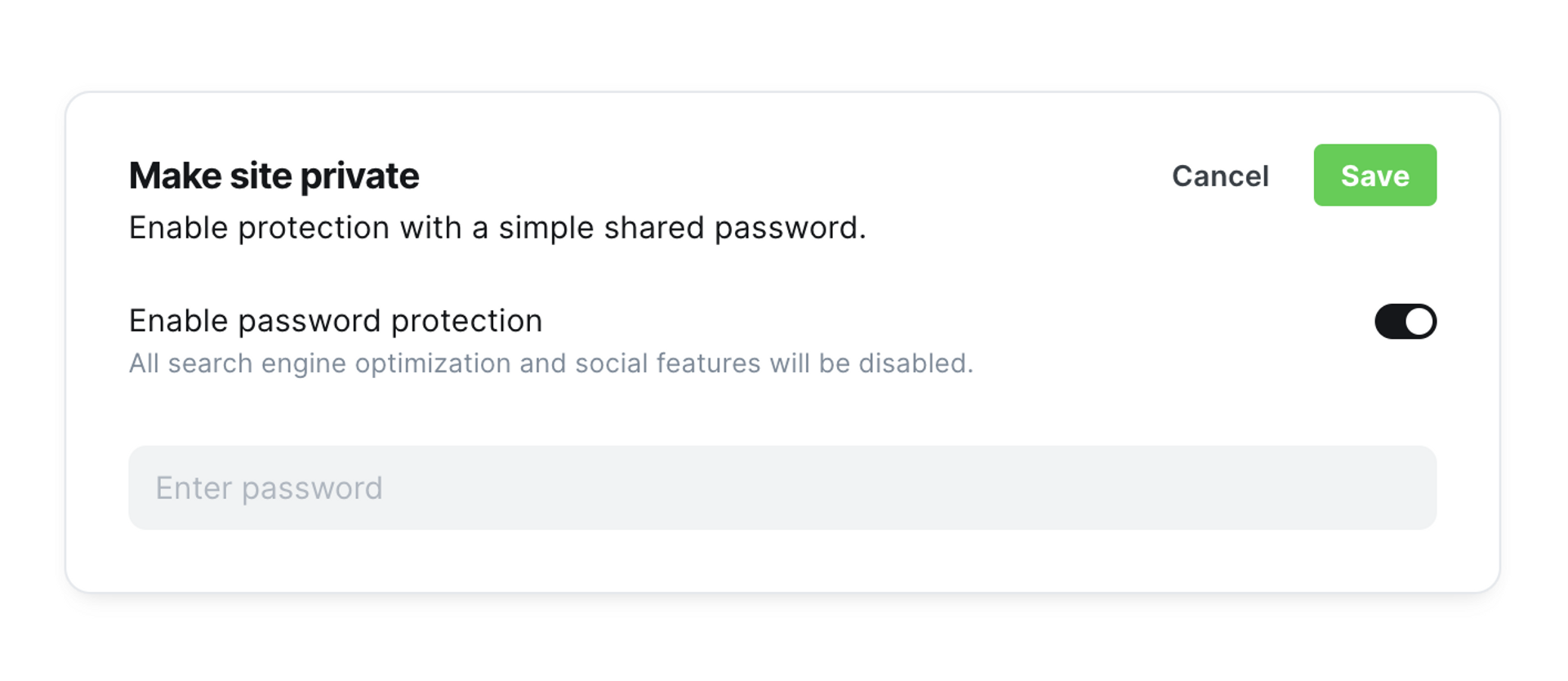
Ghost CMS - Make site private

This is designed for the typical use case—a site with restricted access using a shared password. When visitors arrive at your website, they’ll see a password field. Only those with the password can proceed to view the content.

The default private.hbs template

Ghost uses a single template for the private access page across all themes. This template is located in the private.hbs file within Ghost core.

After enabling password protection and saving it, visitors will see a message: "This site is private" alongside the password field.
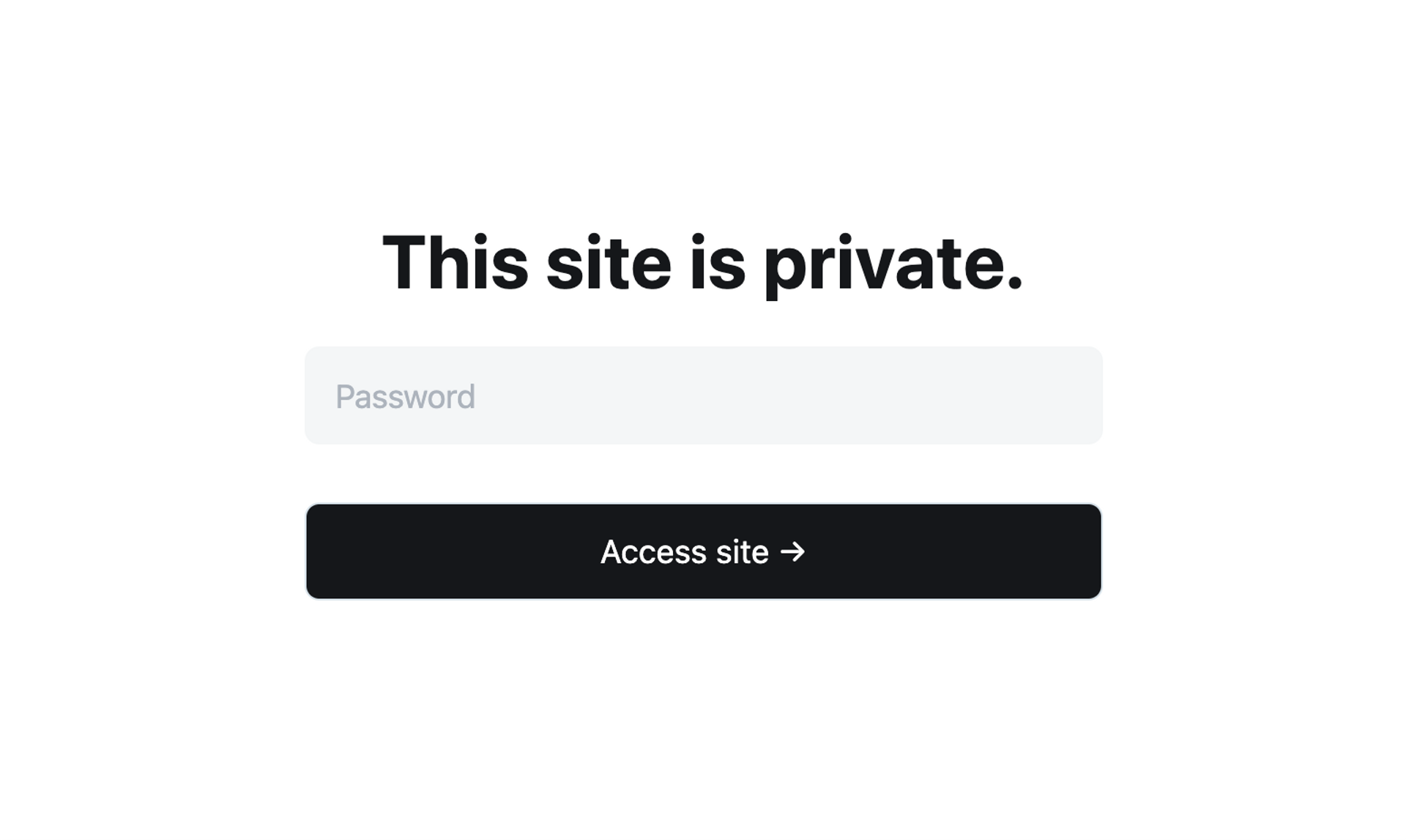
Ghost - This site is private

Anyone who knows the password can enter it to unlock the site.

Customizing the private.hbs template

The default private access template is simple, but it can be customized to better match your site’s needs.

Here’s how to customize it:

  1. Create a private.hbs file in the root of your theme.
  2. Copy the code from the default private.hbs.
  3. Make your changes to the template.
  4. Re-upload your modified {theme}.zip file to Ghost.

The most common changes will likely be in the <body> section. You can:

  • Modify the "This site is private" message.
  • Add additional content, such as a description.
  • Include a contact or subscription form.
  • Add a cover image to enhance the design.

Customizing the private site access page in Ghost allows you to create a more personalized experience for visitors. By editing the private.hbs template, you can adjust the message, design, and functionality to better fit your site's purpose while still keeping it restricted to authorized viewers.