惯性聚合 高效追踪和阅读你感兴趣的博客、新闻、科技资讯
阅读原文 在惯性聚合中打开

推荐订阅源

W
WeLiveSecurity
The GitHub Blog
The GitHub Blog
Engineering at Meta
Engineering at Meta
Microsoft Azure Blog
The Register - Security
Stack Overflow Blog
Stack Overflow Blog
博客园 - 三生石上(FineUI控件)
T
Threat Research - Cisco Blogs
S
SegmentFault 最新的问题
V2EX - 技术
V2EX - 技术
Hacker News: Ask HN
Hacker News: Ask HN
K
KPMG report finds enterprise disconnect between AI and its ROI | CIO
P
Proofpoint News Feed
J
Java Code Geeks
Microsoft Security Blog
M
MIT News - Artificial intelligence
AI
AI
cs.CL updates on arXiv.org
P
Proofpoint News Feed
Hacker News - Newest:
Hacker News - Newest: "LLM"
B
Blog
N
News and Events Feed by Topic
N
News | PayPal Newsroom
Google DeepMind News
酷 壳 – CoolShell
酷 壳 – CoolShell
freeCodeCamp Programming Tutorials: Python, JavaScript, Git & More
WordPress大学
WordPress大学
C
Cybersecurity and Infrastructure Security Agency CISA
Cyber Security Advisories - MS-ISAC
博客园 - 【当耐特】
U
Unit 42
腾讯CDC
Threat Intelligence Blog | Flashpoint
The Cloudflare Blog
H
Help Net Security
Recent Announcements
P
Privacy & Cybersecurity Law Blog
IT之家
IT之家
钛媒体:引领未来商业与生活新知
钛媒体:引领未来商业与生活新知
Security Archives - TechRepublic
L
LINUX DO - 热门话题
Martin Fowler
Martin Fowler
MongoDB | Blog
MongoDB | Blog
cs.CV updates on arXiv.org
H
Heimdal Security Blog
博客园 - 聂微东
S
Securelist
大猫的无限游戏
大猫的无限游戏
Cloudbric
Cloudbric
Cisco Talos Blog
Cisco Talos Blog

博客园 - 一杯清酒邀明月

使用开源三件套(OpenClaw+Ollama+1Panel)部署个人AI助理 DeepSeek本地部署,告别服务器崩溃的烦恼 范进中举 Win11内核隔离无法启动,彻底删除AliPaladin64 Windows11 微软Microsoft官方制作系统U盘方法,系统安装详细教程 Windows11 微软Microsoft官方系统安装、重装教程 硬盘检测和维护常用软件,NAS用户必备 硬盘检测工具 Victoria 简单使用教程,Victoria 无响应?无法扫描? Postman 安装使用教程---图文讲解 机器视觉开源代码集合 Windows11 Microsoft Edge浏览器,任务栏显示的是Edge(2),怎么去掉(2) Microsoft Edge浏览器收藏夹网页(书签)怎么默认新建标签页打开 电气设备故障诊断法“六诊、九法、三先后、六先后” Win10 Win11 蓝牙耳机连接笔记本电脑音量直接爆棚 预装Windows 11系统的新电脑怎么跳过联网验机?这两种方法可以搞定 Qt与C++标准的兼容之旅 Q QTreeWidget遍历,通过QTreeWidgetItemIterator Qt QTableWidget中设置单个单元格不可编辑和可以编辑 Qt CSS设置QTreeWidget拖动条宽度
Window自带的“画图”软件查看图片某点的RGB值
一杯清酒邀明月 · 2024-08-12 · via 博客园 - 一杯清酒邀明月

第一步:用“截图工具”截取图片并保存到本地,假设命名为“捕获.JPG”

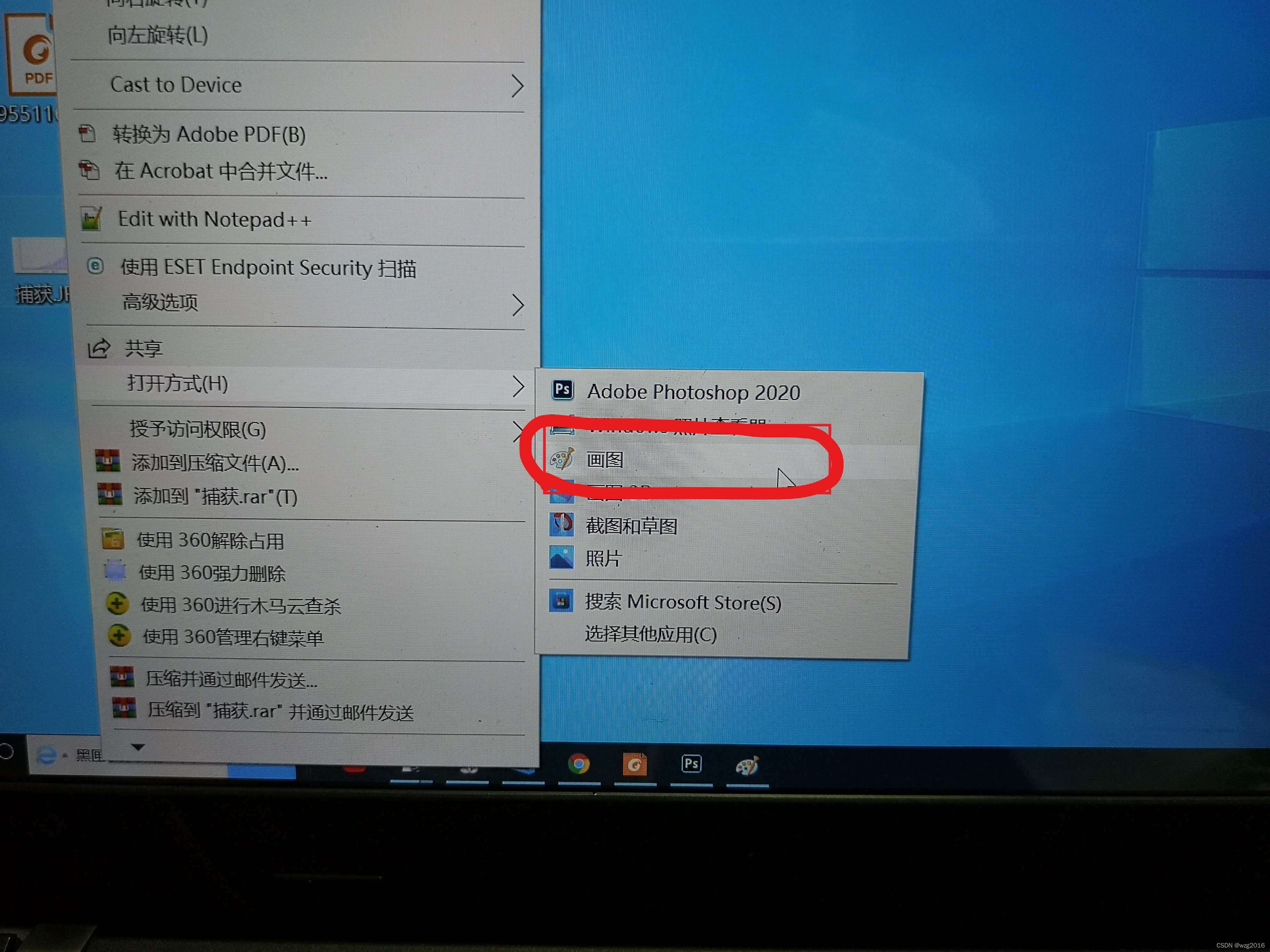
第二步:用“画图”工具打开图像

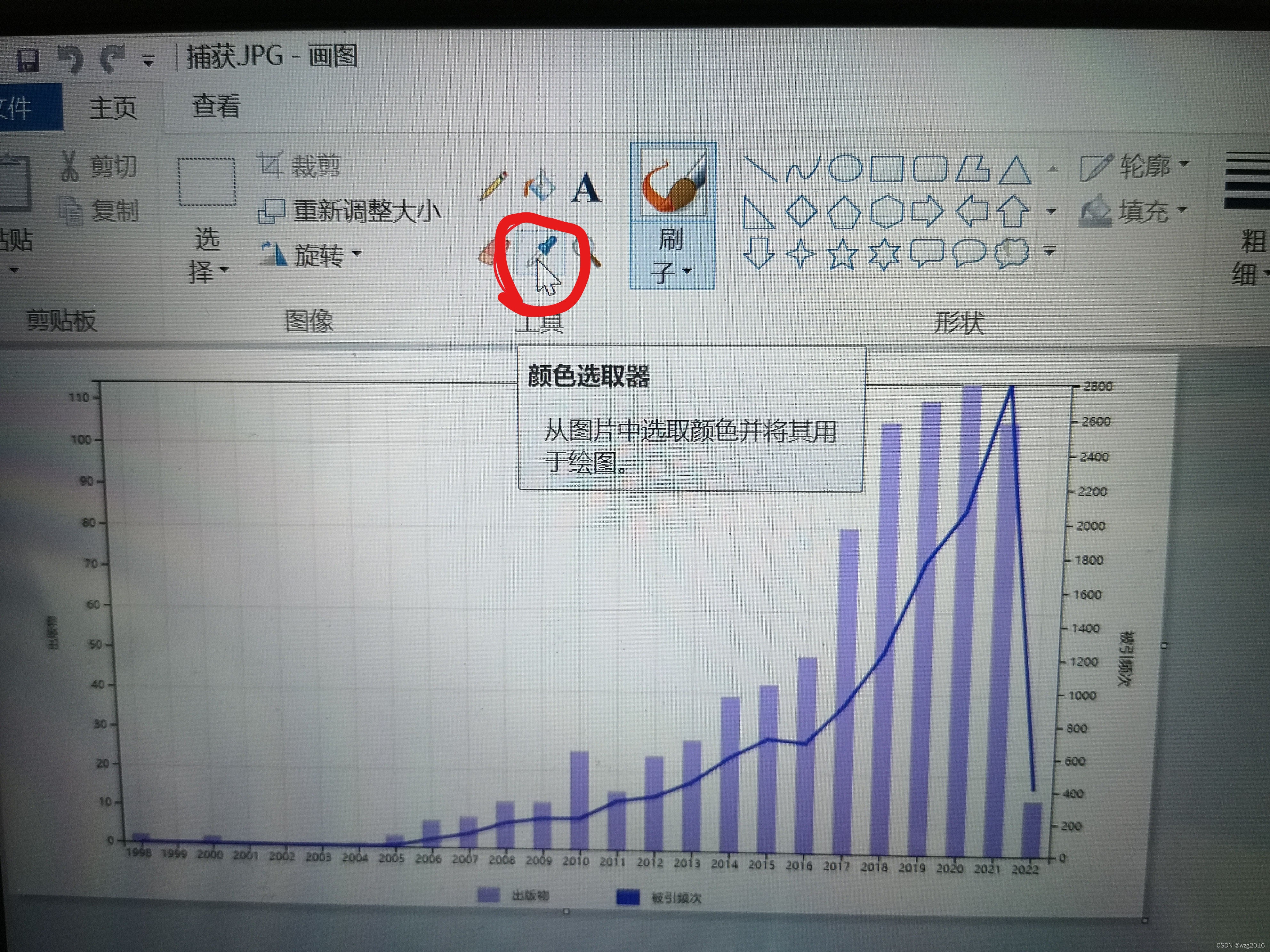
 第三步:点击颜色选取器

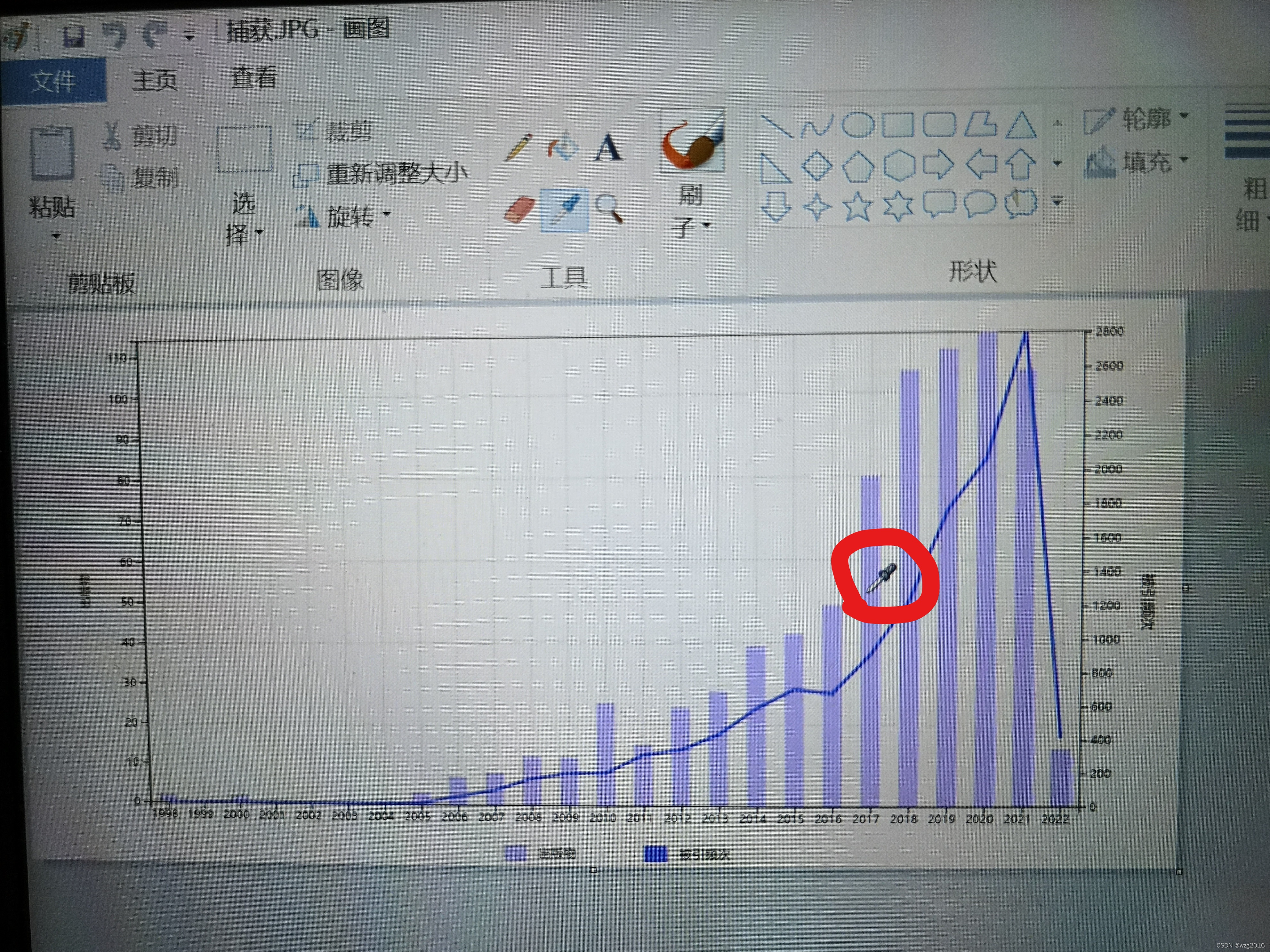
 第四步:在图上选择颜色,左键点击选中

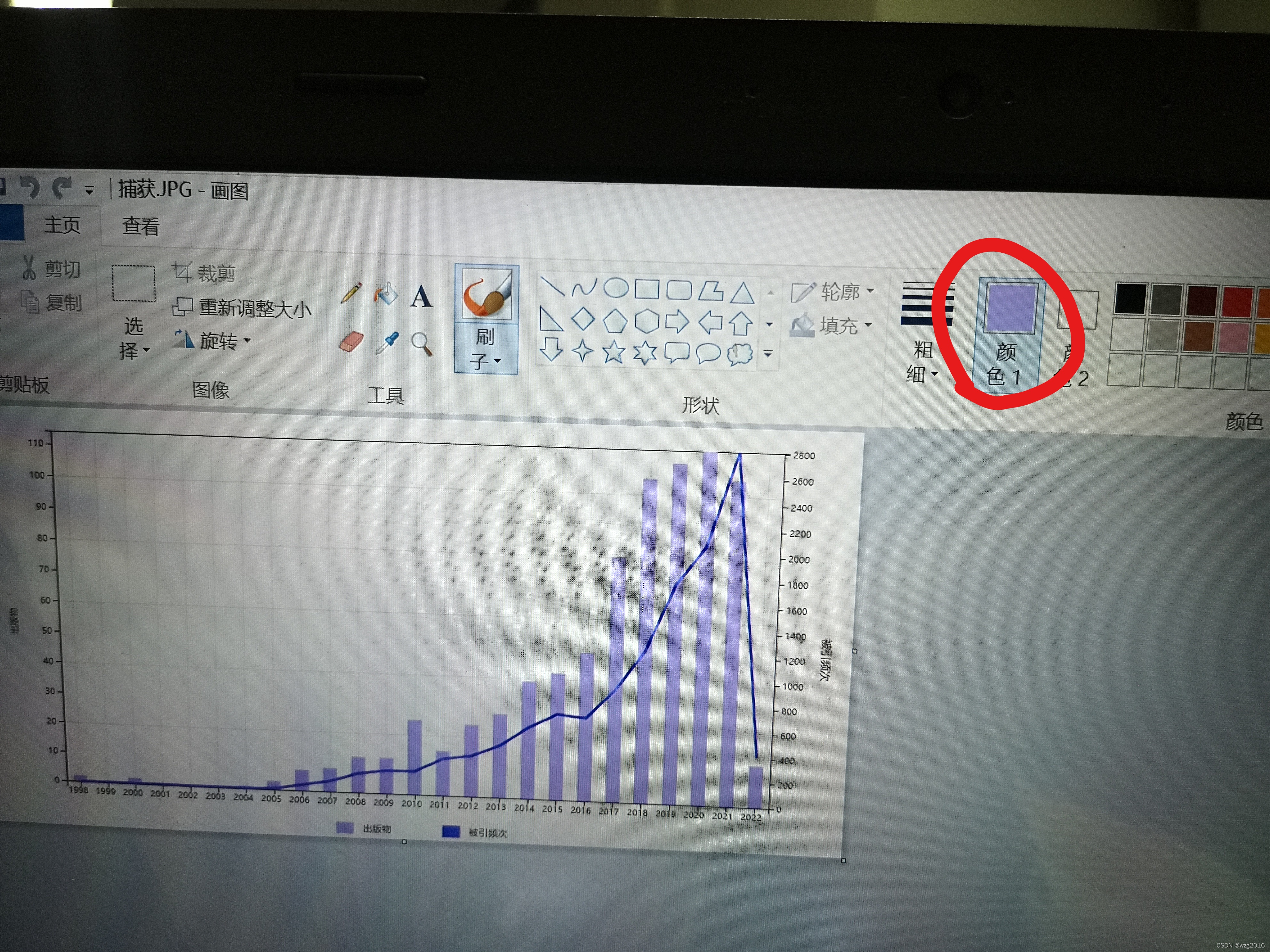
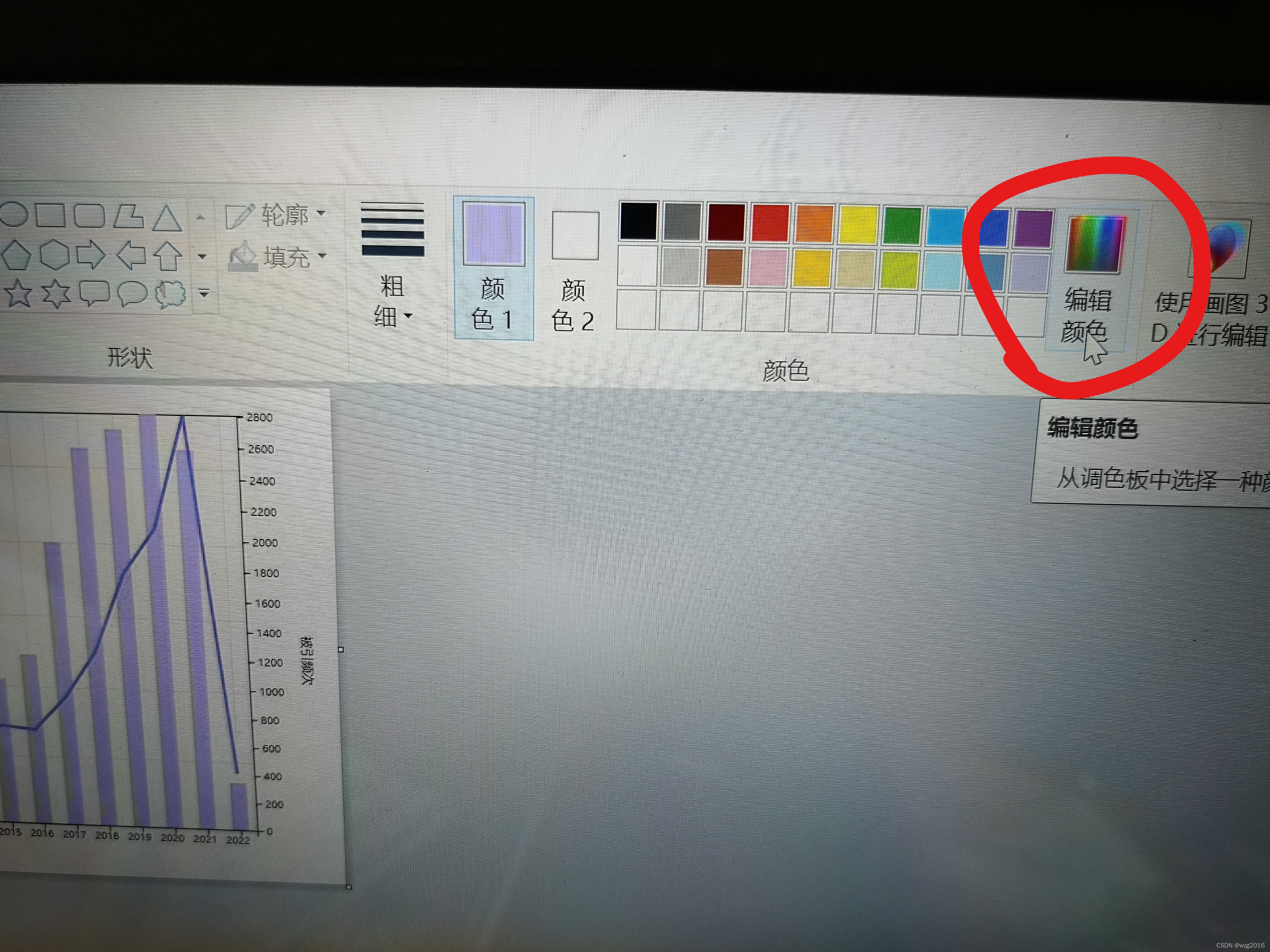
 此时右上方已经显示了捕获的颜色

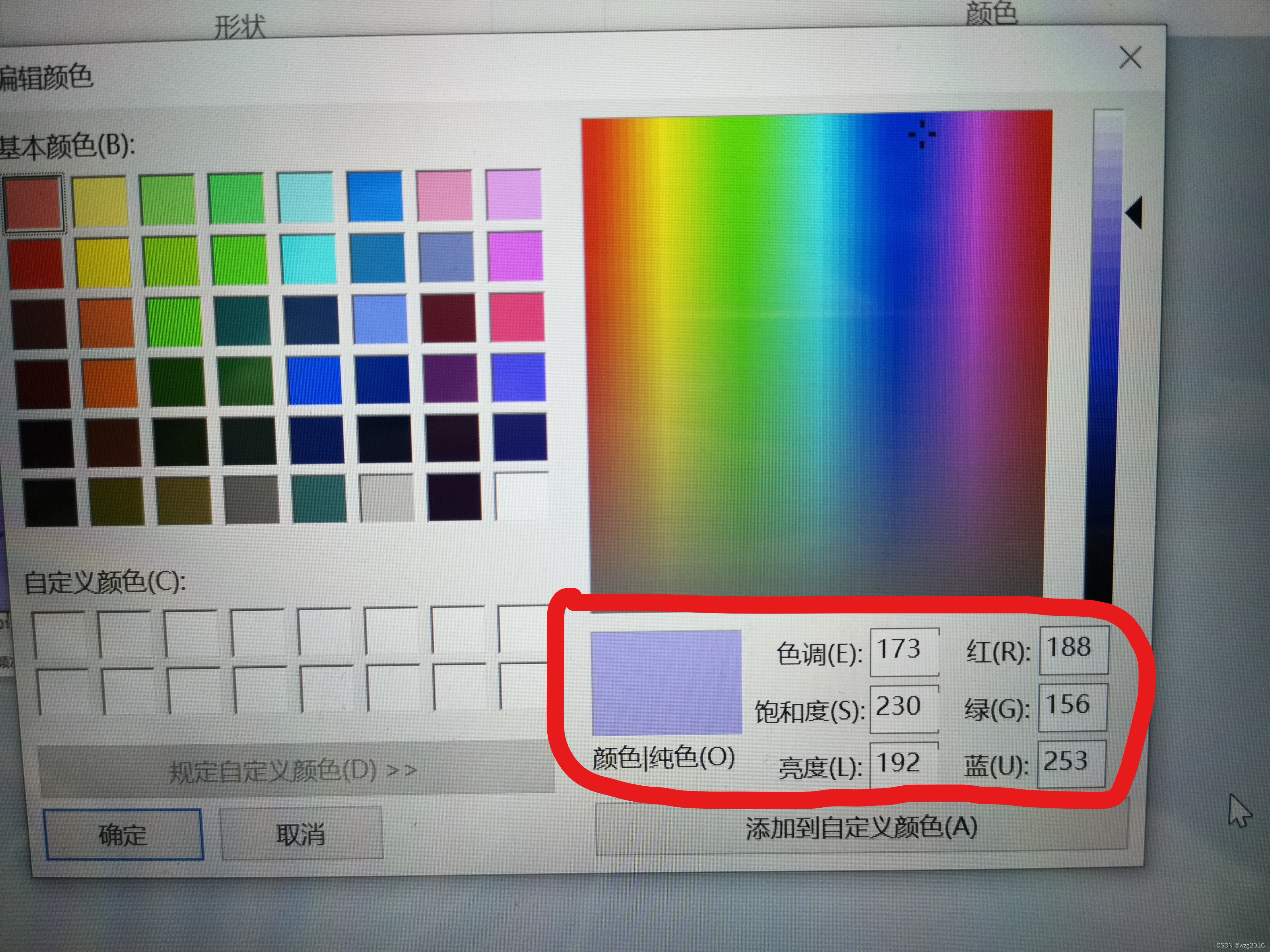
 第五步: 点击右上方的“编辑颜色”

 就能看到对应的颜色的RGB数值了