





We're celebrating Google Images turning 25 with a look back at some major milestones — and introducing new ways to explore and create visual content.
Your browser does not support the audio element.
Listen to article
This content is generated by Google AI. Generative AI is experimental
[[duration]] minutes
This week marks 25 years since we launched Google Images, beginning the evolution of Search from a text-based experience to one that allows you to visually explore the world. To celebrate this milestone, we’re introducing two new ways to help you explore and create visual content — plus a look back at our major innovations in visual search.
Explore images in a whole new way.
Today, we're introducing a brand new browseable home for Google Images, featuring a dynamic, immersive gallery of images from across the web — updated in real time and intelligently tailored to your unique interests. As you browse and save ideas to your collections, they’ll appear as tabs above the main gallery, making it easy to jump back in and continue exploring based on what inspires you. This will roll out over the coming weeks on desktop in the U.S. in English. Sign in to your Google Account to try it out.
Create new images right in Search.
Sometimes, the perfect image is out there on the web, waiting to be found. But other times you might have a highly specific vision where an image doesn’t yet exist. To help bring those unique ideas to life, we’re bringing image generation directly into AI Overviews in Search. Using our latest Nano Banana model, this update transforms a simple text prompt into a high-quality, custom visual made completely from scratch, seamlessly bridging the gap between imagination and reality. Image generation in AI Overviews will start to roll out over the coming weeks in English, for all regions that currently support image creation in AI Mode.
Both of these updates are built on 25 years of innovation to make the world’s visual information instantly accessible and useful. To see how we got here, let’s take a look back at some of the major launches that transformed how we search with — and for — images.
2001: Google Images
When Jennifer Lopez’s iconic green Versace dress broke the internet in 2000, we realized that the standard search page at the time — a list of blue text links — simply wasn’t enough. People didn’t just want to read about the dress — they wanted to see it. So in July 2001, we launched Google Images, making it possible for the first time to search and instantly explore visual content from across the web.
2009: Similar Images
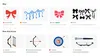
The Similar Images feature made it possible to find pictures without relying on text alone. If you searched for “bow,” you might see images of hair bows and bows and arrows. By clicking the one you had in mind and tapping “find similar images,” you could see more of what you wanted without typing a whole new query.
2011: Search by Image
We launched Search by Image to change how you navigate the web — moving beyond text to let the image do the work for you. By simply uploading an image or pasting its URL directly into the search bar, visuals became search terms. This allowed you to quickly identify the original source, track down where the photo appeared across the web or discover visually similar content.
2018: Google Lens in Search
Google Lens makes your everyday life searchable, letting you use your smartphone camera to ask about the world around you. With Lens, you can identify objects, translate text and pull up product links in real time without typing a query into the search box.
2022: Multisearch in Lens
Multisearch marked a significant step into the era of multimodal search. Now, you can search with text and images at the same time, like snapping a photo of a unique landmark and adding “what inspired this design.” Or taking a picture of a sleek dining table you saw on social and typing “coffee table” to find a similar piece for your own home.
2024: Circle to Search
To help you search anything on your Android phone screen, we built Circle to Search. With a simple gesture — like circling, highlighting, scribbling or tapping — you can select what you’re curious about on your phone screen and get more information right in the moment, without switching apps. Circle to Search is available on more than 580 million Android devices around the world.
2025: Lens + AI Mode
Last year, we brought together the multimodal power of Lens with AI Mode in Search so you can ask even more nuanced questions that require deeper reasoning. When you upload or snap a photo, AI Mode can process the entire scene. Using a "visual image fan-out" technique, it breaks a single image search into dozens of sub-queries to understand the full visual context and deliver relevant results.
2025: Search Live
Building on our advanced multimodal capabilities, Search Live lets you share your phone’s live camera feed while having an interactive voice conversation in AI Mode — using video input to capture motion and the full context of your surroundings. It’s like having a video call with Search — great for everything from help in the kitchen to troubleshooting tricky equipment.
2025: Visual Results in AI Mode
To make visual exploration feel more natural, we introduced an entirely new way to explore, imagine and shop using AI Mode in Search. You can describe exactly what you have in mind in a conversational way — like asking for "barrel jeans that aren't too baggy" — to instantly pull up a grid of visual inspiration and shoppable products.
2026: Circle to Search Multi-Object Recognition
Circle to Search now lets you explore multiple objects within a single image all at once, using the visual image fan-out technique. You can instantly deconstruct and shop for an entire outfit or search multiple items in one scene simultaneously to learn about what you see.
2026: Intelligent Search Box
With the new intelligent search box, you can now ask detailed questions about images right in Search and get a helpful AI Mode response. Just tap the plus icon to upload images — even multiple at a time — and ask whatever’s on your mind.
Over the last 25 years, Search has grown from helping you find a specific photo on the web to helping you search the world, exactly as you see — or imagine — it. We’ve come a long way and we’re excited to continue pushing the boundaries of what’s possible in visual search.
Done. Just one step more.
Check your inbox to confirm your subscription.
You are already subscribed to our newsletter.
You can also subscribe with a