


惯性聚合 高效追踪和阅读你感兴趣的博客、新闻、科技资讯
阅读原文 在惯性聚合中打开

推荐订阅源

S
Secure Thoughts
Security Latest
Security Latest
Simon Willison's Weblog
O
OpenAI News
GbyAI
GbyAI
L
LINUX DO - 最新话题
A
Arctic Wolf
T
Tor Project blog
G
GRAHAM CLULEY
I
InfoQ
博客园_首页
IT之家
IT之家
The Register - Security
Exploit-DB.com RSS Feed
P
Proofpoint News Feed
The GitHub Blog
The GitHub Blog
Blog — PlanetScale
Blog — PlanetScale
N
Netflix TechBlog - Medium
K
Kaspersky official blog
博客园 - 三生石上(FineUI控件)
S
SegmentFault 最新的问题
U
Unit 42
PCI Perspectives
PCI Perspectives
量子位
P
Palo Alto Networks Blog
S
Securelist
T
Troy Hunt's Blog
博客园 - 【当耐特】
Recorded Future
Recorded Future
K
KPMG report finds enterprise disconnect between AI and its ROI | CIO
S
Security Affairs
Engineering at Meta
Engineering at Meta
T
The Blog of Author Tim Ferriss
博客园 - 聂微东
罗磊的独立博客
N
News and Events Feed by Topic
人人都是产品经理
人人都是产品经理
B
Blog RSS Feed
NISL@THU
NISL@THU
C
Cisco Blogs
T
Threatpost
有赞技术团队
有赞技术团队
Forbes - Security
Forbes - Security
Hugging Face - Blog
Hugging Face - Blog
Last Week in AI
Last Week in AI
T
The Exploit Database - CXSecurity.com
Cloudbric
Cloudbric
Cyberwarzone
Cyberwarzone
Google DeepMind News
C
Cyber Attacks, Cyber Crime and Cyber Security

博客 归档 | Jack's Space

我的 WordPress 博客主题与插件设置分享 又一个 WordPress 友情链接插件 作为 blogger,我接受你的采访! 关于我为什么要建博客 「Comment Reply Email Notification 评论回复电邮通知插件」美化分享 WordPress博文 嵌入Bilibili视频
笔记 | iCloud 自定义域名为 WordPress 站点设置评论后邮件通知
阿杰 Jack · 2023-01-11 · via 博客 归档 | Jack's Space

WordPress 站点有个小毛病,站长回复访客的评论不会通知到访客。若是访客不再进入到评论的文章,可能永远也不知道自己收到的回复是什么。结合 iCloud+ 自定义域名和 wordpress 插件 WP Mail SMTPComment Reply Email Notification 可以实现利用自定义域名邮件通知访客评论。

目录

  1. 效果展示
  2. 设置步骤
    • 第一步 | 设置 icloud+ 自定义域名
    • 第二步 | 安装并设置 WP Mail SMTP 插件
      • 01 | Choose Your SMTP Mailer
      • 02 | Configure Mailer Settings
    • 第三步 | 安装并设置 Comment Reply Email Notification 插件

效果展示
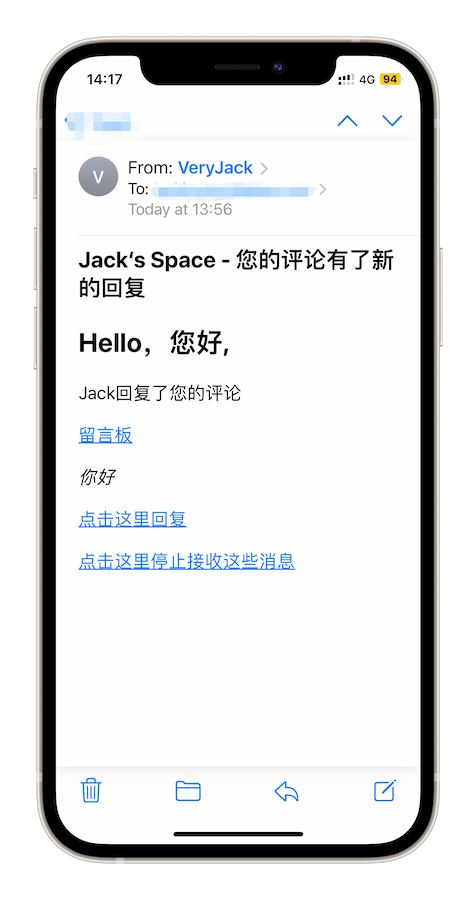
虽然展示邮件的回复非常简陋,但是总比没有强。

主要是本菜鸡不知道怎么修改插件代码调整邮件模版。

设置步骤

第一步 | 设置 icloud+ 自定义域名

这类教程网络上很多,这里不再赘述。

但是有几个注意事项:

  • 需要美区 Apple id 账号
  • 至少需要开通 1 刀/月的 iCloud+ 服务
  • 如果域名通过 Cloudflare 解析,设置时会比较方便

使用 QQ邮箱、Gmail、Outlook邮箱均可,但后面配置部分不同

第二步 | 安装并设置 WP Mail SMTP 插件

安装完插件后进入设置:

01 | Choose Your SMTP Mailer

  • 选择 其他SMTP

02 | Configure Mailer Settings

  • SMTP 主机 填写 smtp.mail.me.com
  • 加密 选择 TLS
  • SMTP 端口 填写 587
  • 认证 开启
  • SMTP用户名 填写 yourmail@icloud.com (你的苹果主ID邮箱可能不是以@icloud结尾,但此处要填写开启 iCloud 邮箱后获得的以@icloud结尾邮箱⚠️)
  • SMTP密码 需要填写 App 专用密码,不清楚的话请参考 苹果官网文档
  • 发件人名称 随意填写
  • 发件人 填写 iCloud 自定义邮箱地址

其他步骤就按需选择就好。

第三步 | 安装并设置 Comment Reply Email Notification 插件

安装并激活插件后,评论后邮件通知的功能默认开启,在评论处会多出一个勾选窗口,但默认是不勾选的。
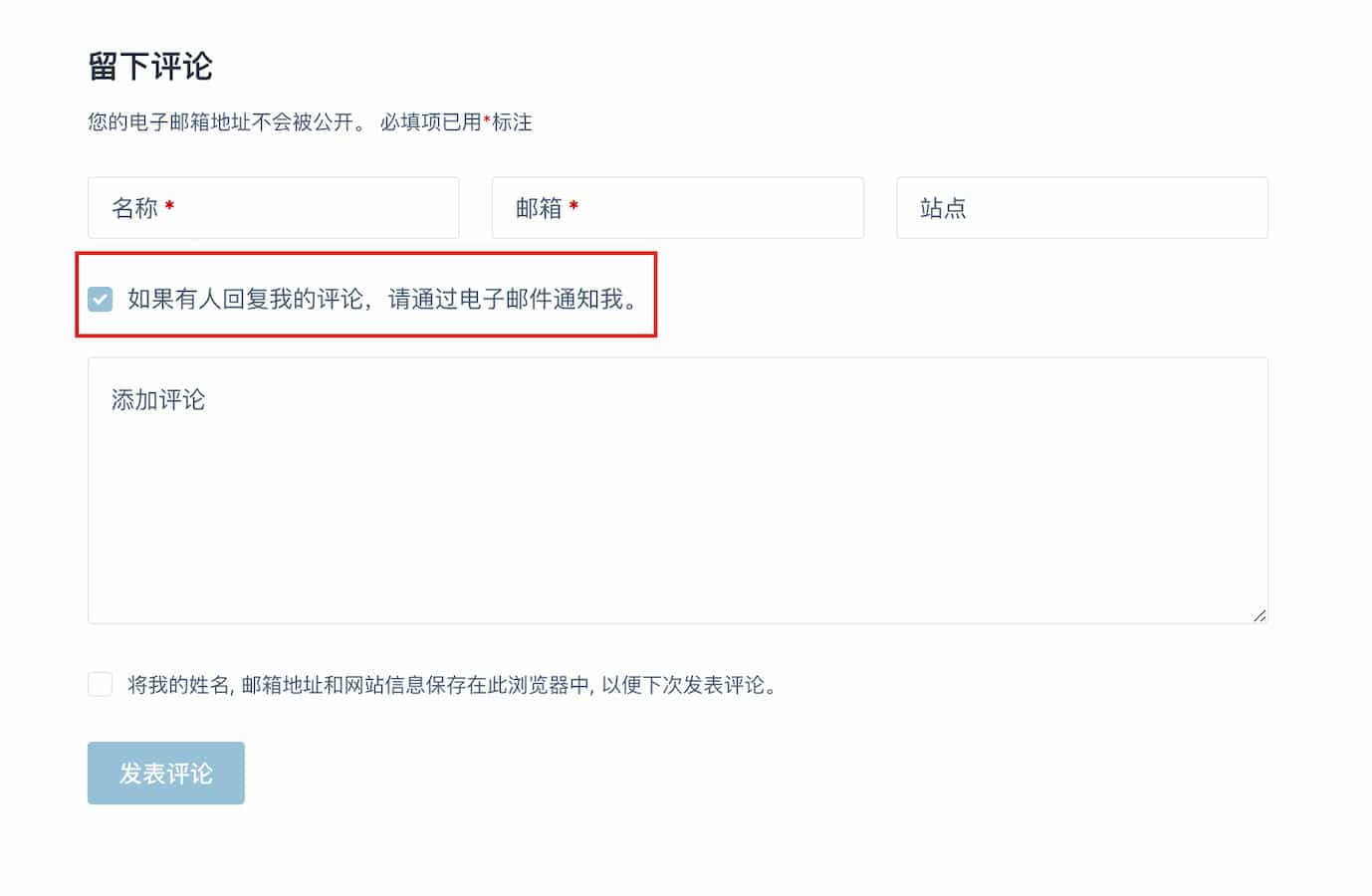
进入 仪表盘-设置-评论回复电邮通知 打开默认勾选订阅复选框即可。