惯性聚合 高效追踪和阅读你感兴趣的博客、新闻、科技资讯
阅读原文 在惯性聚合中打开

推荐订阅源

A
Arctic Wolf
T
Tenable Blog
T
Troy Hunt's Blog
Exploit-DB.com RSS Feed
P
Privacy & Cybersecurity Law Blog
NISL@THU
NISL@THU
Application and Cybersecurity Blog
H
Hacker News: Front Page
S
Secure Thoughts
AWS News Blog
AWS News Blog
L
LINUX DO - 最新话题
D
Darknet – Hacking Tools, Hacker News & Cyber Security
M
MIT News - Artificial intelligence
T
Tor Project blog
S
Schneier on Security
PCI Perspectives
PCI Perspectives
OSCHINA 社区最新新闻
OSCHINA 社区最新新闻
美团技术团队
Google DeepMind News
V
Visual Studio Blog
爱范儿
爱范儿
Google DeepMind News
Cyberwarzone
Cyberwarzone
T
The Exploit Database - CXSecurity.com
罗磊的独立博客
T
Threat Research - Cisco Blogs
Recent Commits to openclaw:main
V
V2EX
C
CXSECURITY Database RSS Feed - CXSecurity.com
Stack Overflow Blog
Stack Overflow Blog
freeCodeCamp Programming Tutorials: Python, JavaScript, Git & More
G
GRAHAM CLULEY
L
LINUX DO - 热门话题
D
Docker
J
Java Code Geeks
GbyAI
GbyAI
H
Heimdal Security Blog
The Hacker News
The Hacker News
MongoDB | Blog
MongoDB | Blog
V
Vulnerabilities – Threatpost
T
Tailwind CSS Blog
Cloudbric
Cloudbric
TaoSecurity Blog
TaoSecurity Blog
C
CERT Recently Published Vulnerability Notes
Y
Y Combinator Blog
Recorded Future
Recorded Future
Cisco Talos Blog
Cisco Talos Blog
T
Threatpost
The Register - Security
Hacker News - Newest:
Hacker News - Newest: "LLM"

暖心向阳335

生日、新显示器与一根筋的表弟 26春学17周杂记 26春学16周杂记 26春学15周杂记 26春学14周杂记 26春学13周杂记 26春学12周杂记 26春学11周杂记 26春学10周杂记 绝了,全员中招 26春学9周杂记 26春学8周杂记 26春学7周杂记 26春学6周杂记 26春学5周杂记 26春学4周杂记 OpenClaw接入微信教程 26春学3周杂记 26春学2周杂记 呃~饱了 OpenClaw接入QQ机器人教程 26春学1周杂记 OpenClaw 部署指南(Windows) 开学啦! 【回忆录】初中运动会:“红配绿”的我
OpenClaw接入企业微信机器人教程
暖心向阳335 · 2026-03-12 · via 暖心向阳335

一、获取Bot ID和Secret

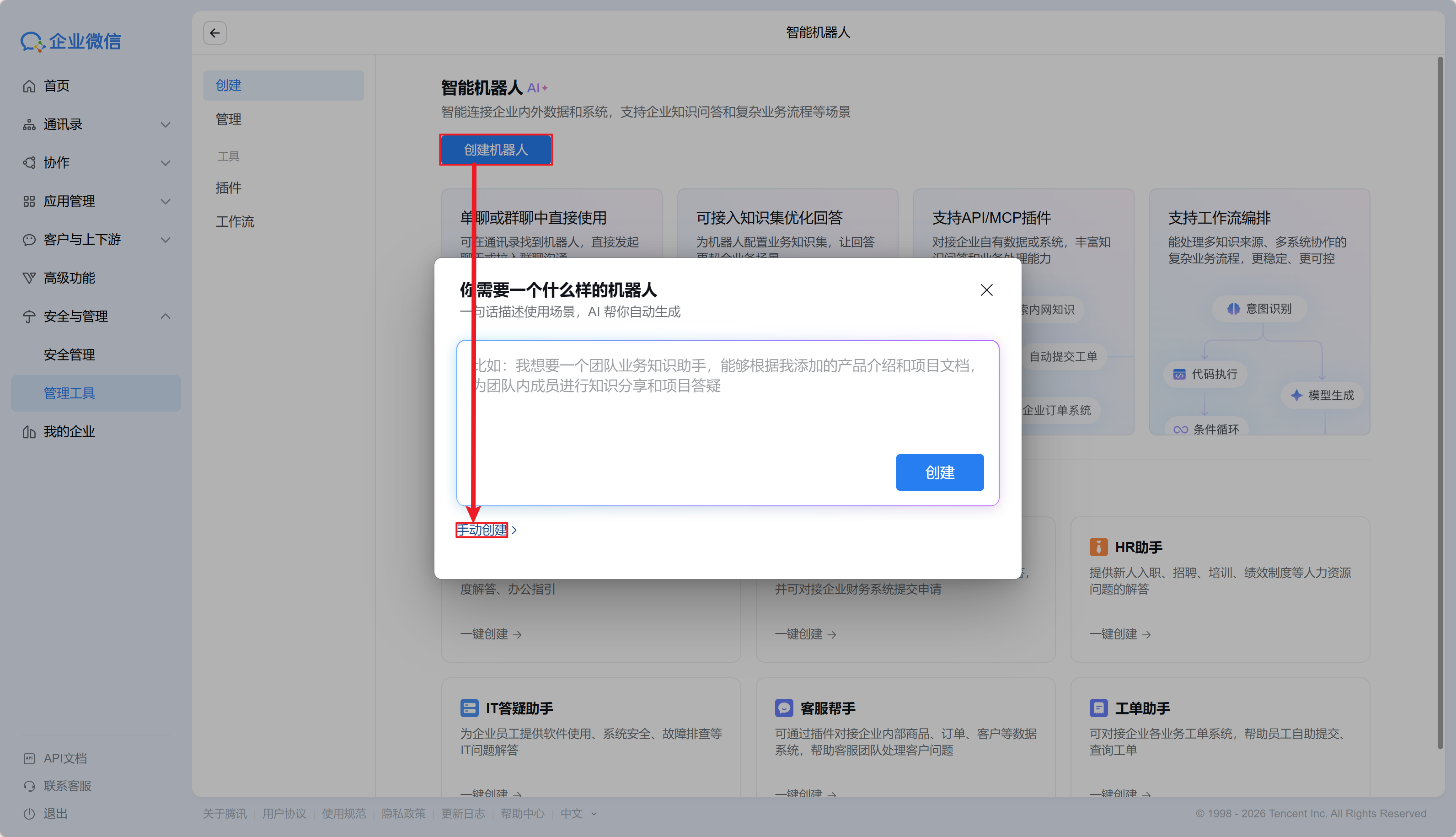
  1. 登录企业微信网页版,依次点击打开“安全与管理→管理工具→智能机器人”
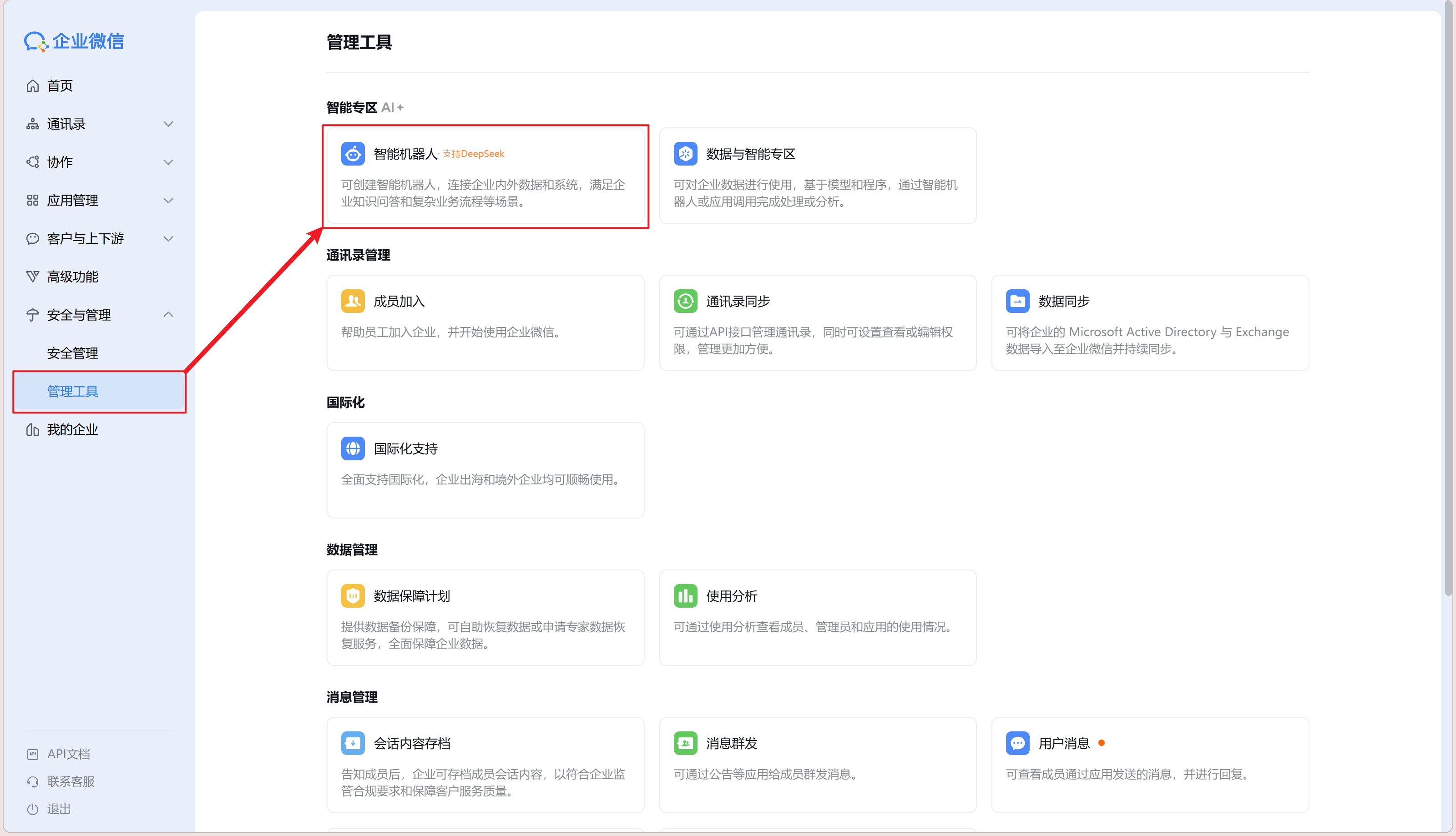
  2. 依次点击“创建机器人→手动创建”

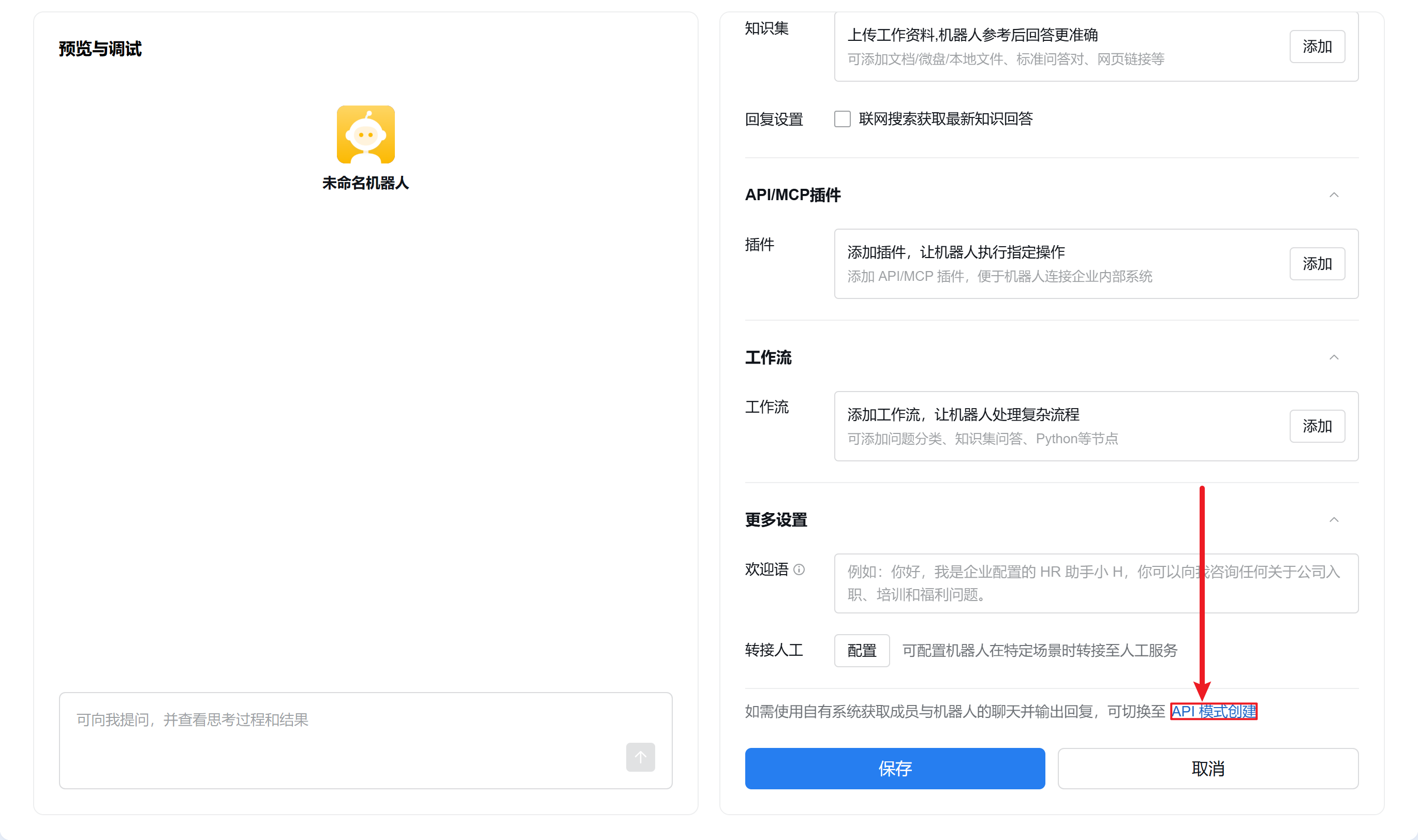
  3. 页面滑至底部点击“API 模式创建”

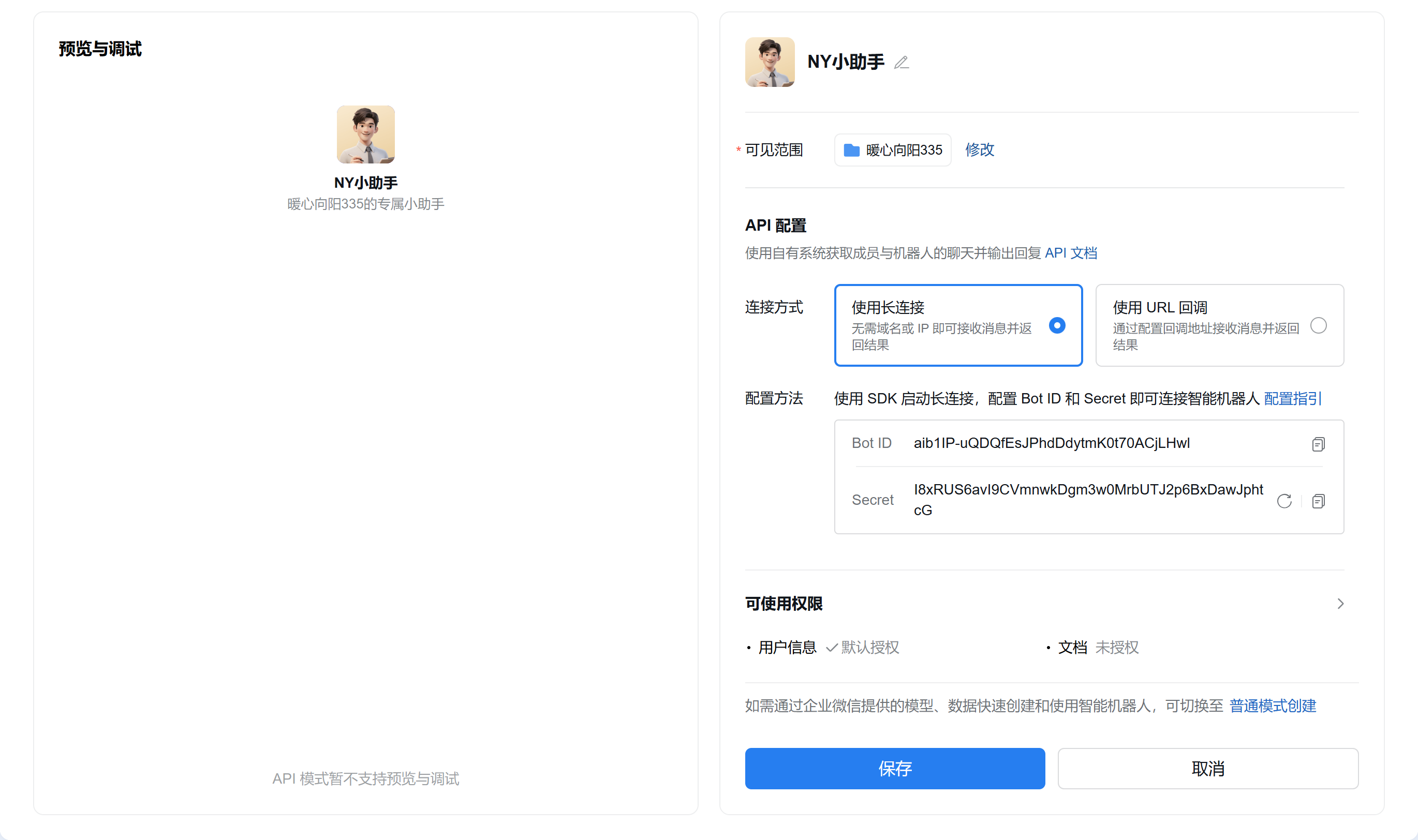
  4. 点击机器人名称右边编辑按钮配置机器人信息,可见范围根据情况自选,点击 Secret 旁的“点击获取”,不要点击保存或关闭页面,进入下一步
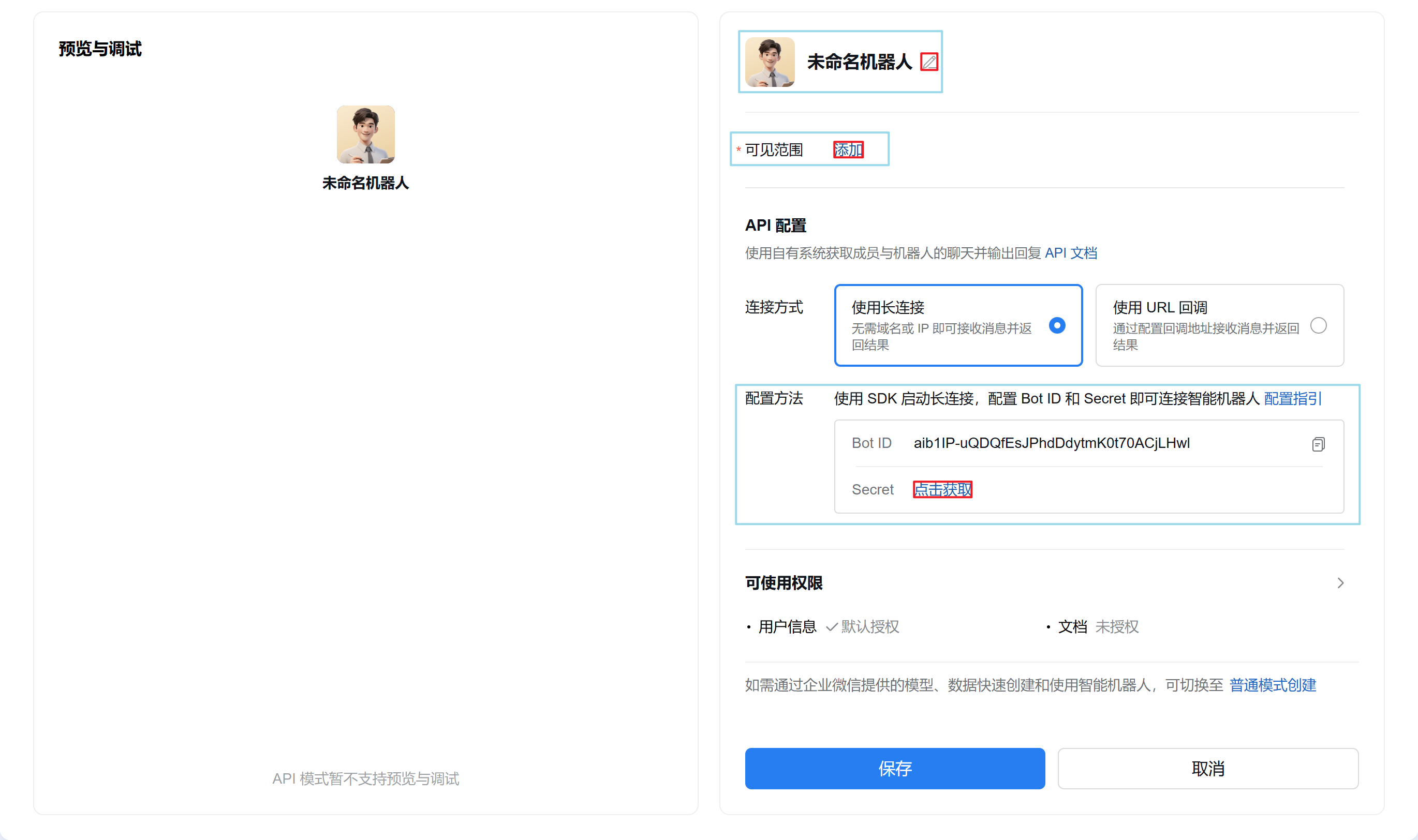
    配置前
    配置后

二、关联机器人至OpenClaw

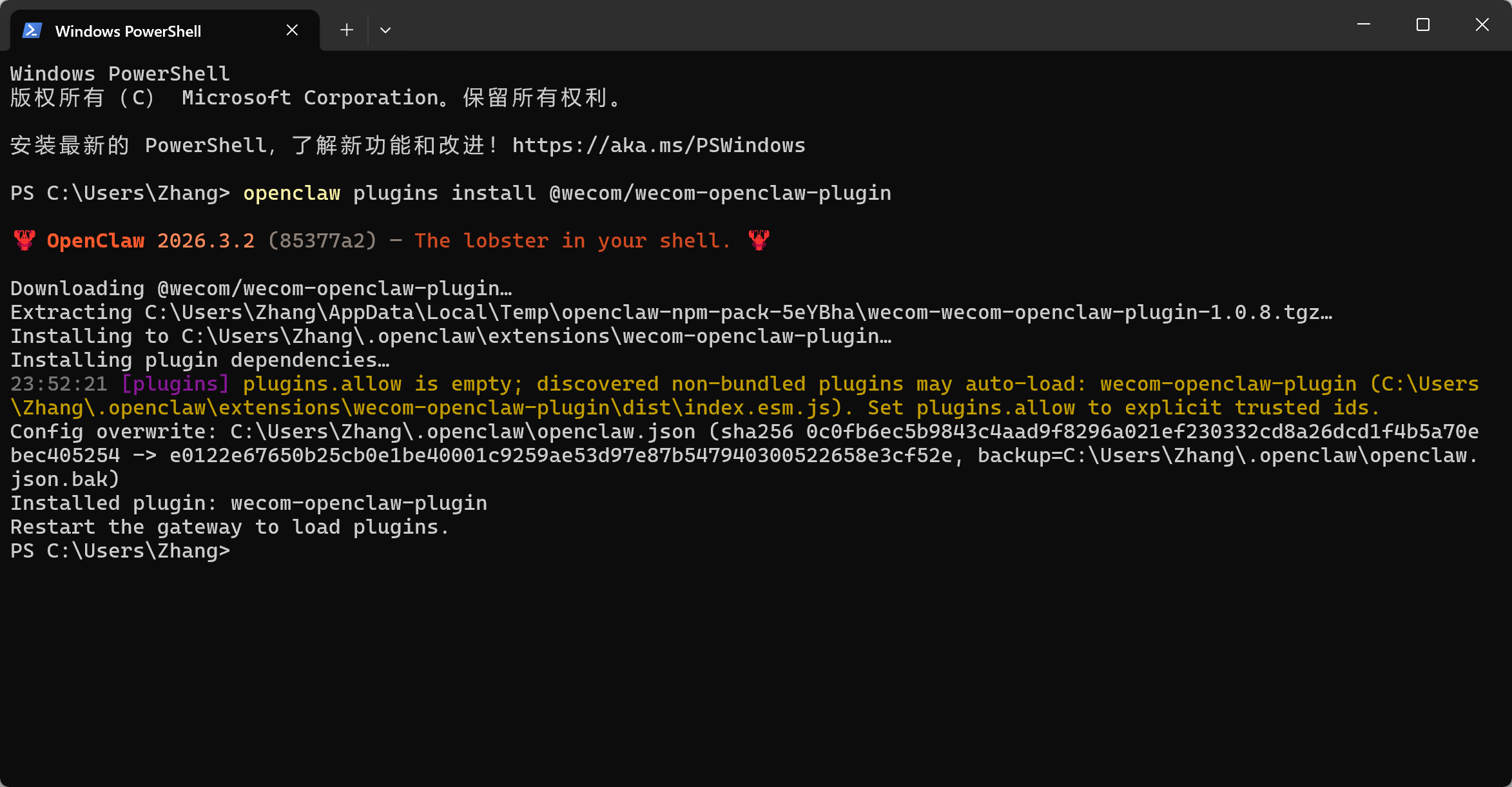
  1. 打开 PowerShell,安装企业微信官方插件openclaw plugins install @wecom/wecom-openclaw-plugin
  2. 重启 OpenClaw 网关openclaw gateway restart
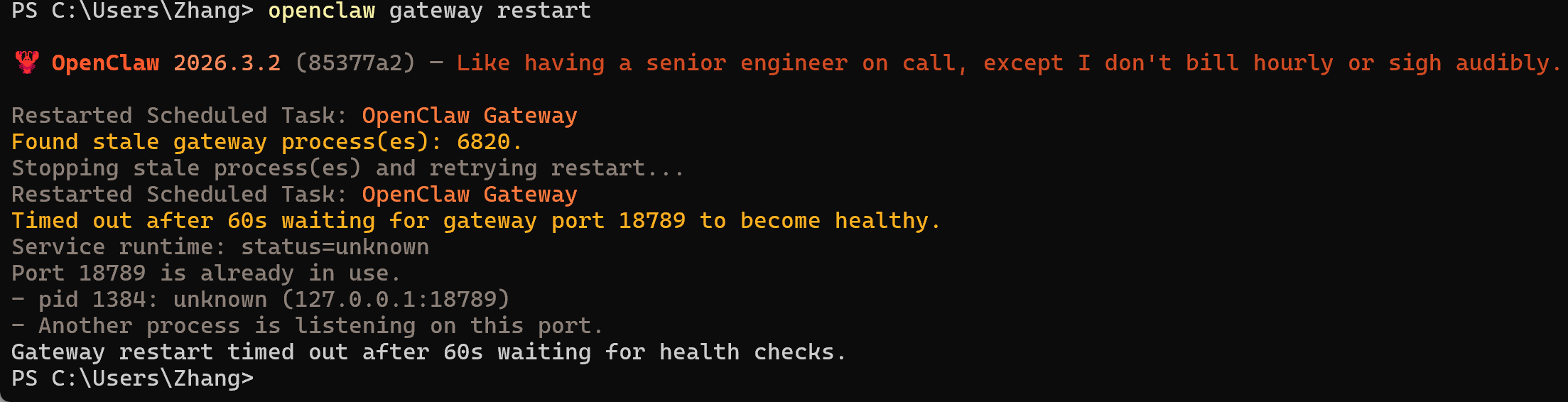
    image-qead.png

配置企业微信渠道

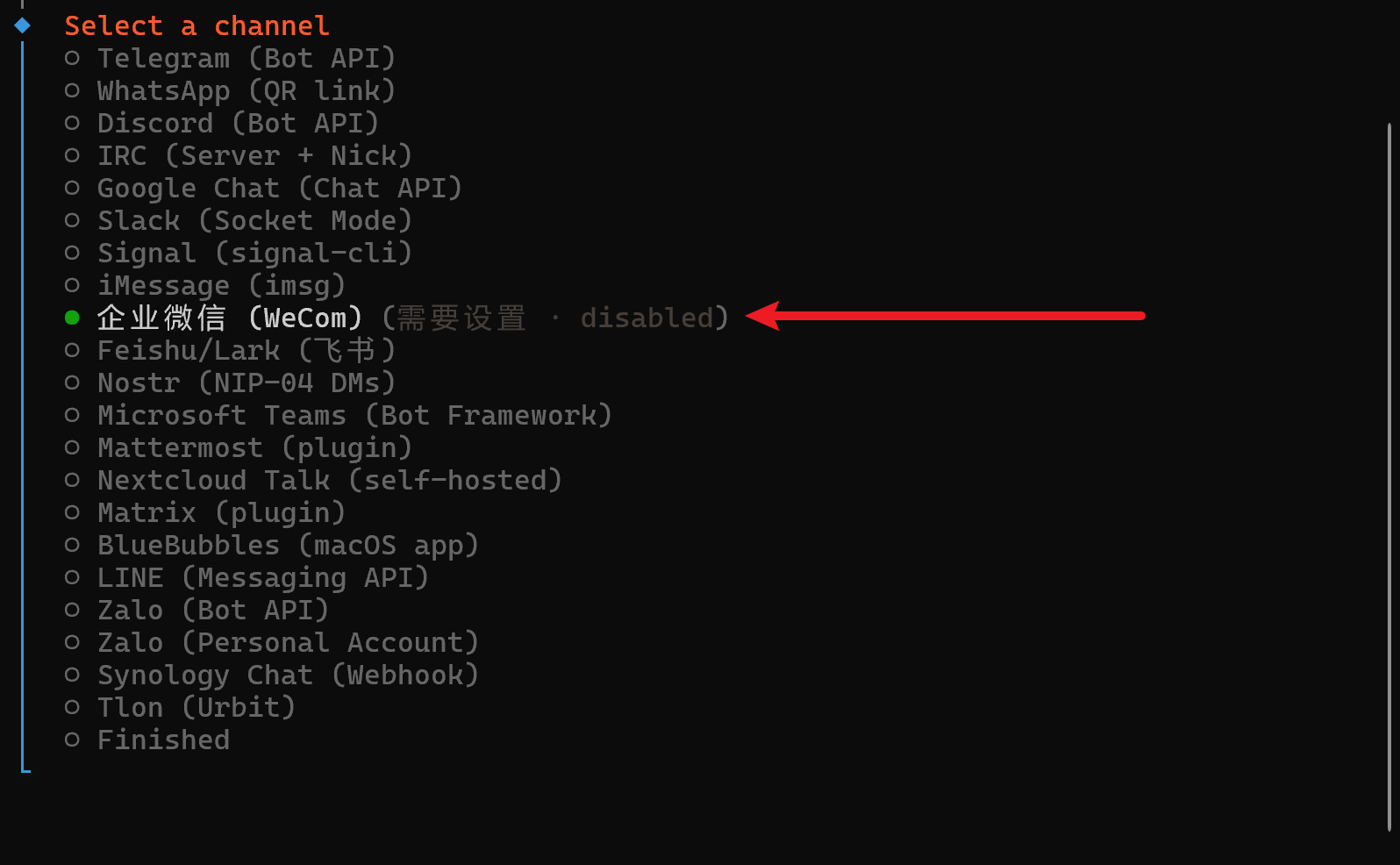
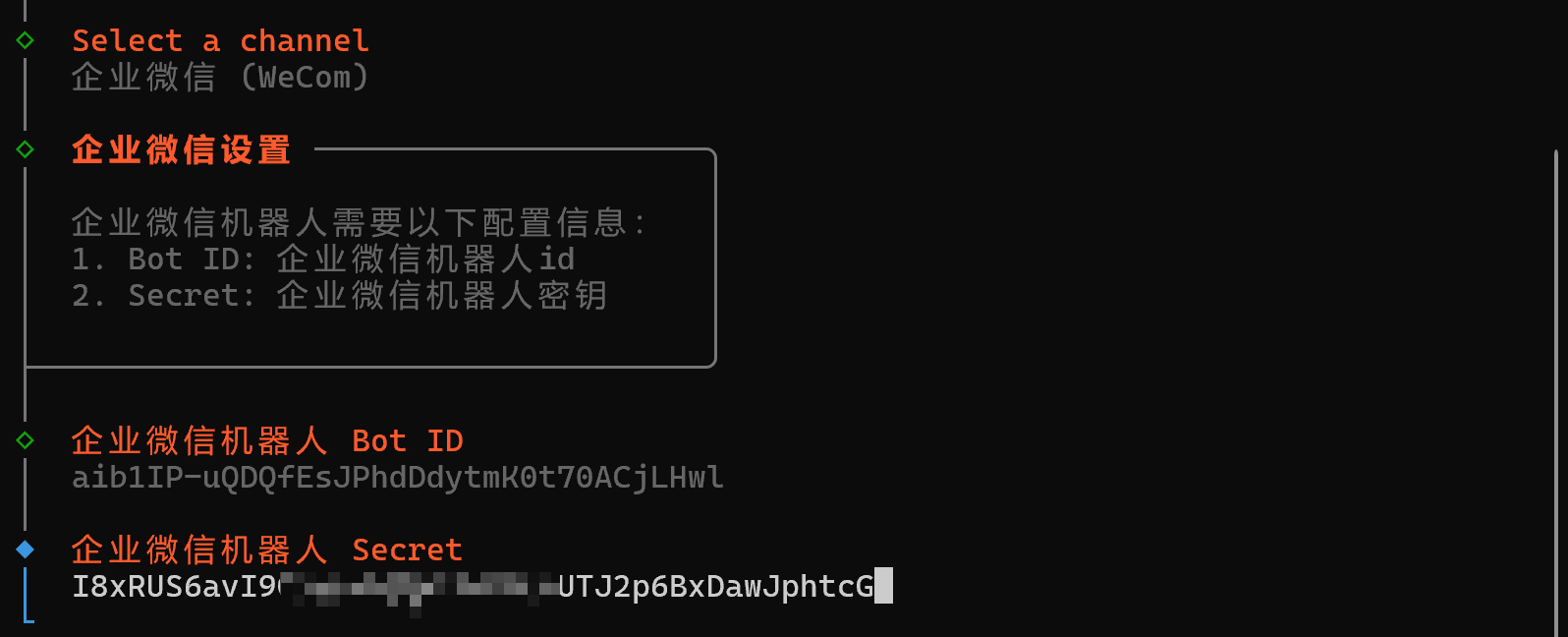
  1. 在 PowerShell 中输入openclaw channels add
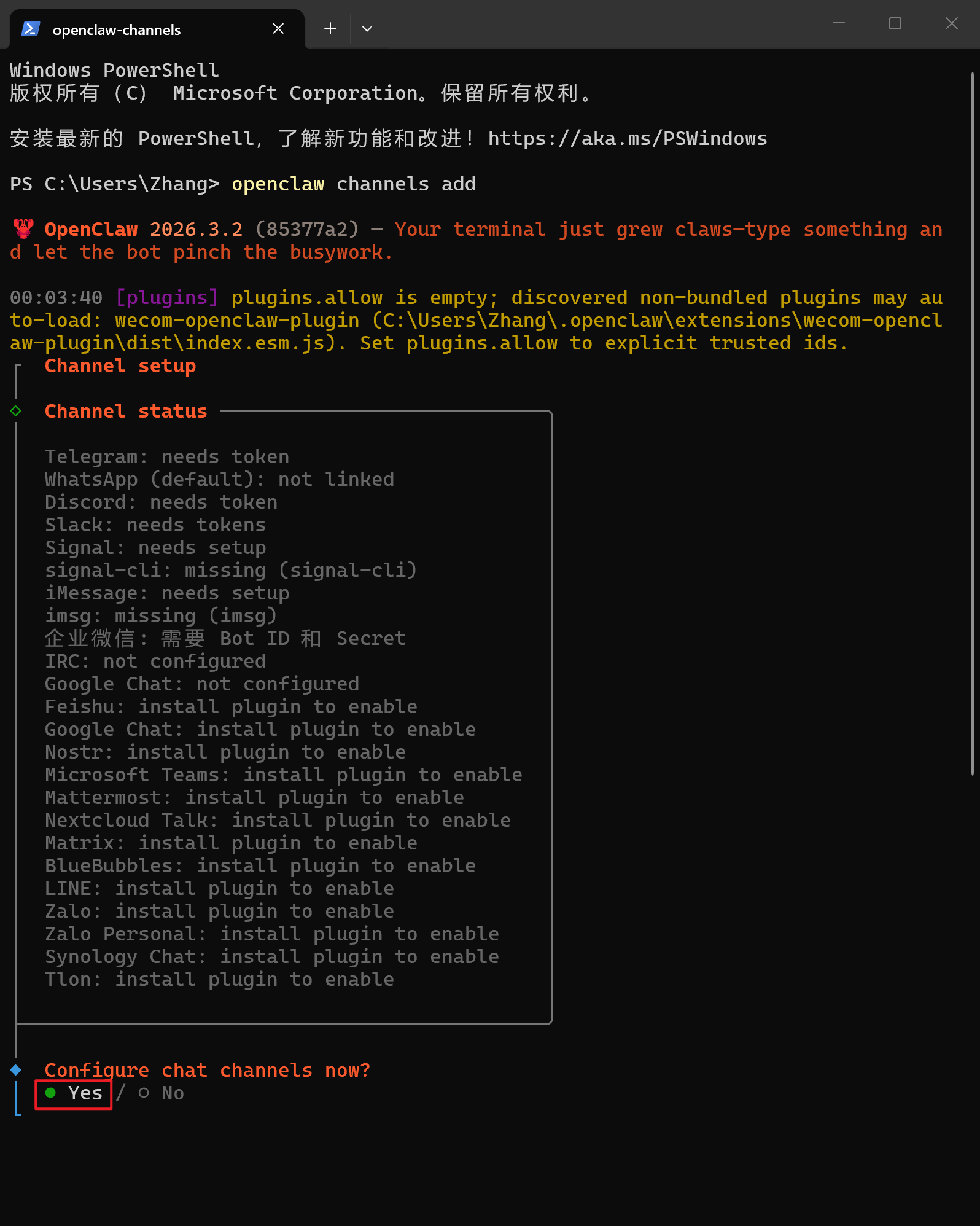
  2. 选择企业微信(WeCom)

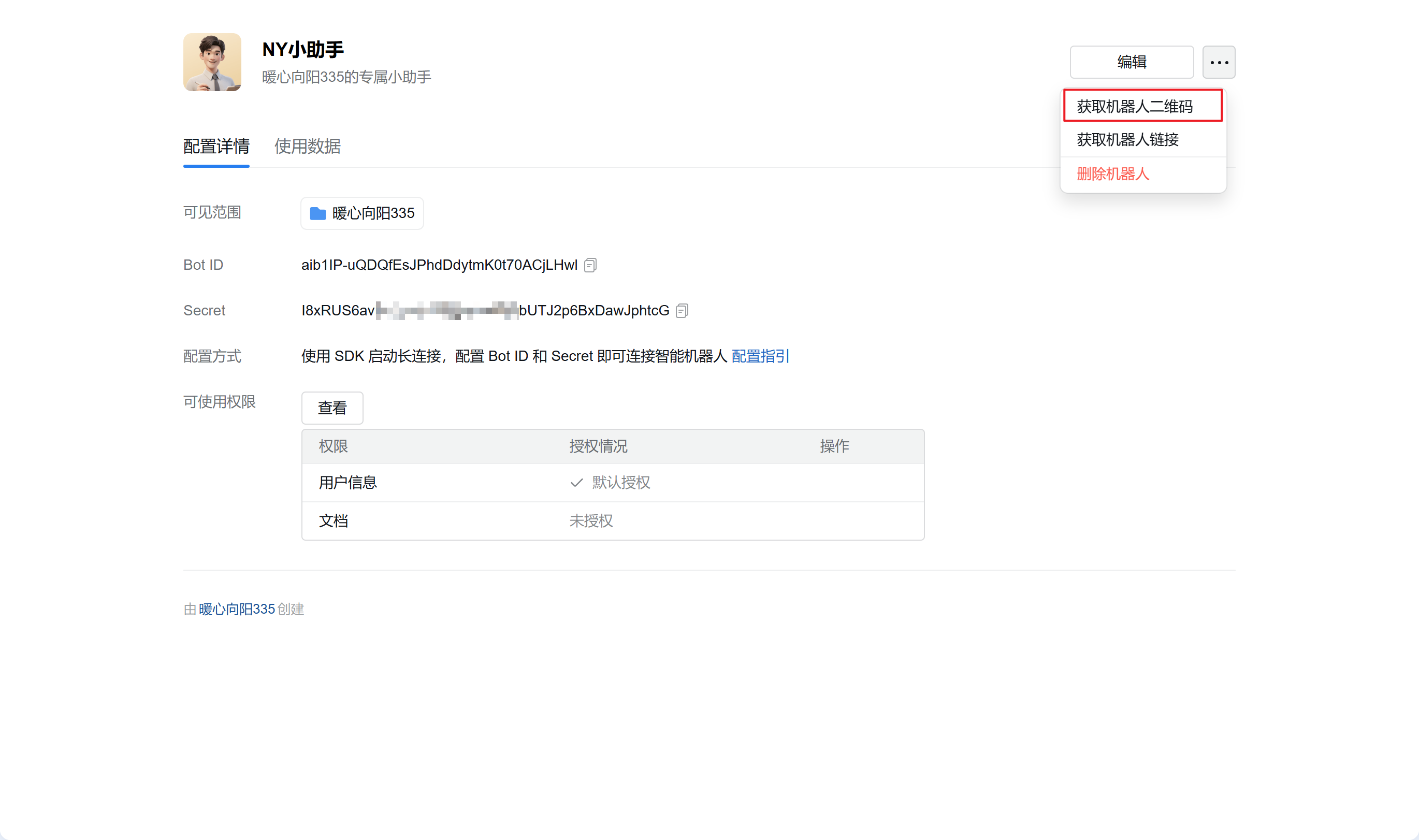
  3. 将之前获取的企业微信机器人的 Bot ID 和 Secret 输入至此

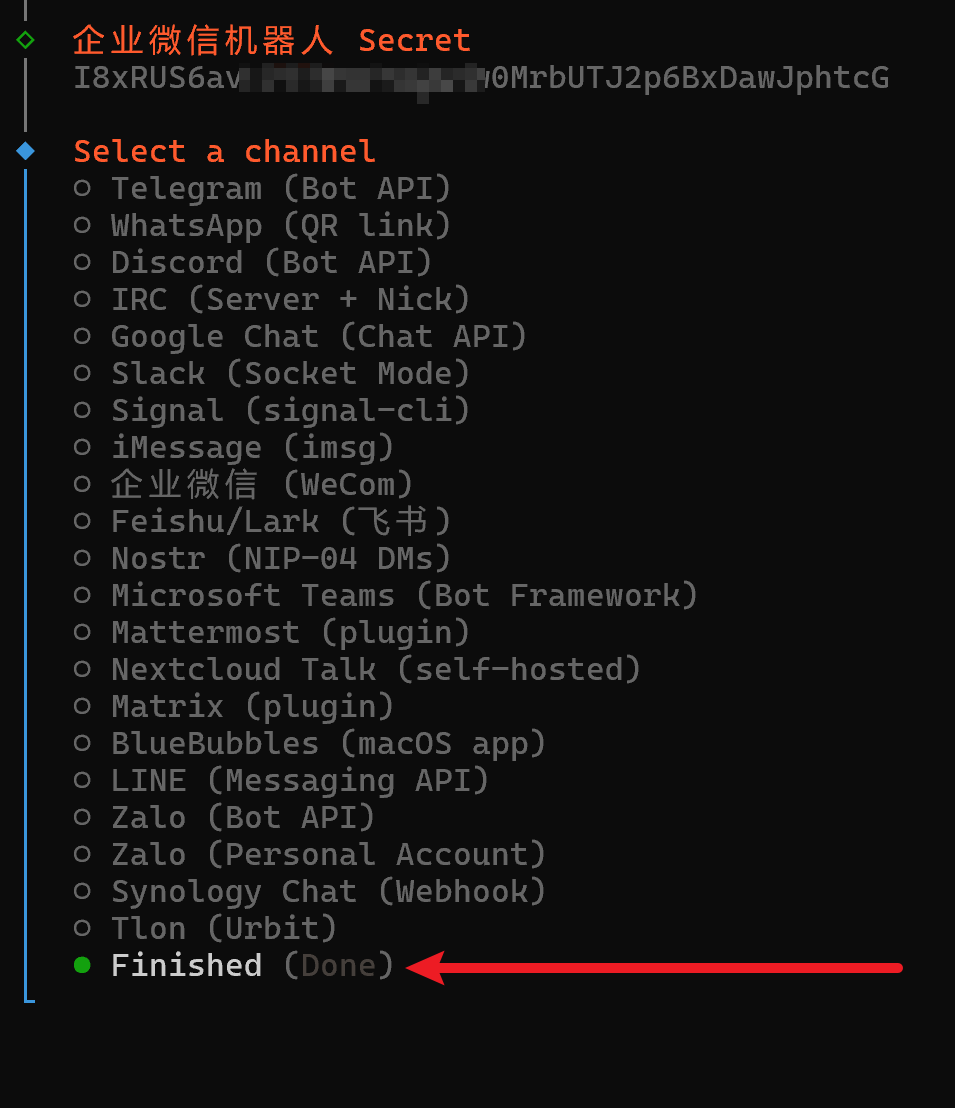
  4. 选择 Finished

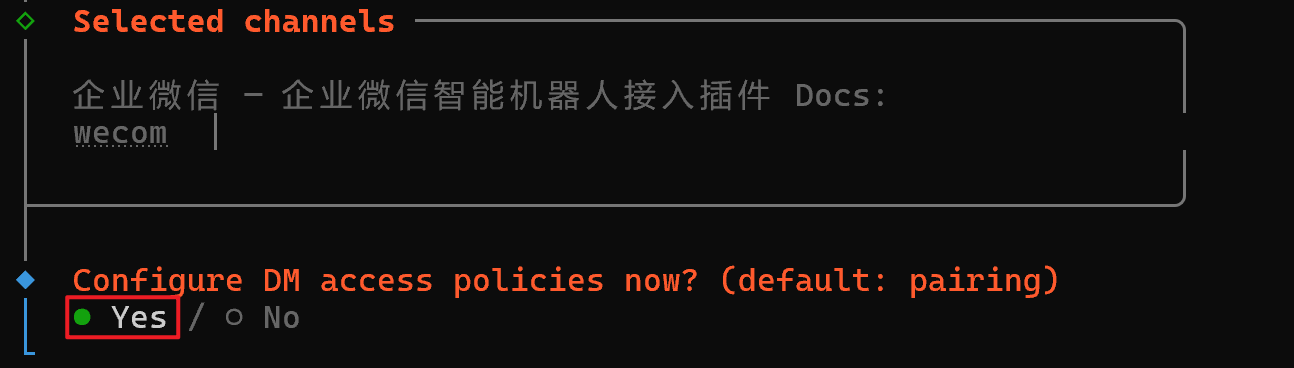
  5. 选择 Yes

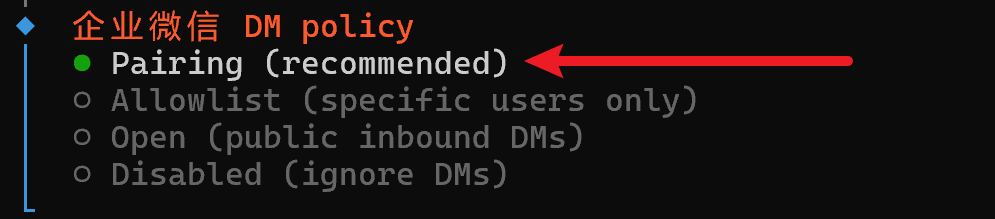
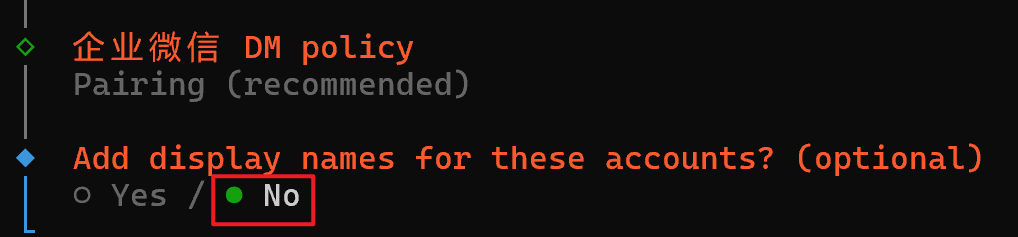
  6. 选择 Pairing(recommended)

  7. 选择 No

三、配对

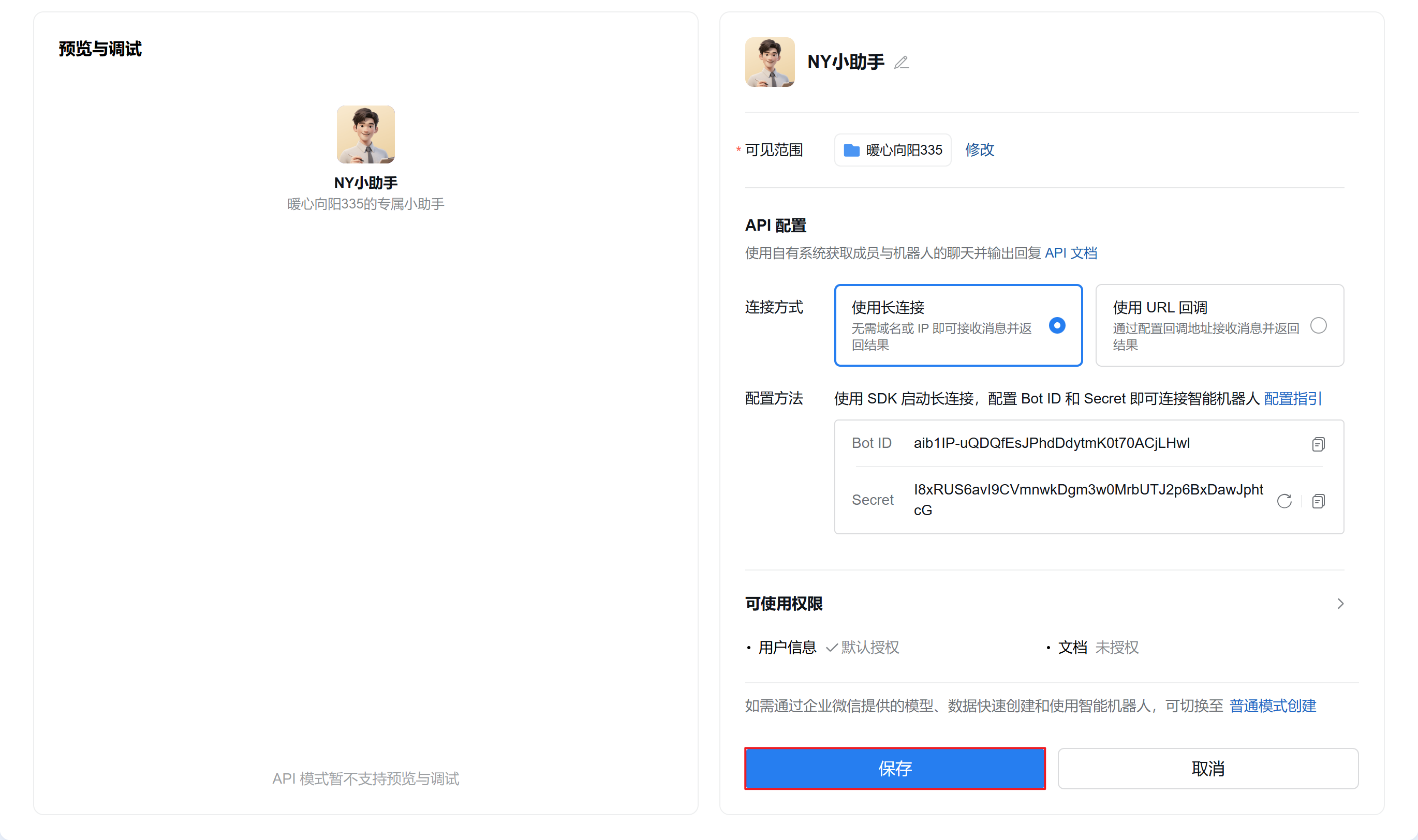
  1. 打开未关闭的企业微信机器人创建页面,点击“保存”

  2. 在点击保存后会弹出此界面,点击右上角的“···”并点击“获取机器人二维码”,使用企业微信客户端扫描机器人二维码添加机器人
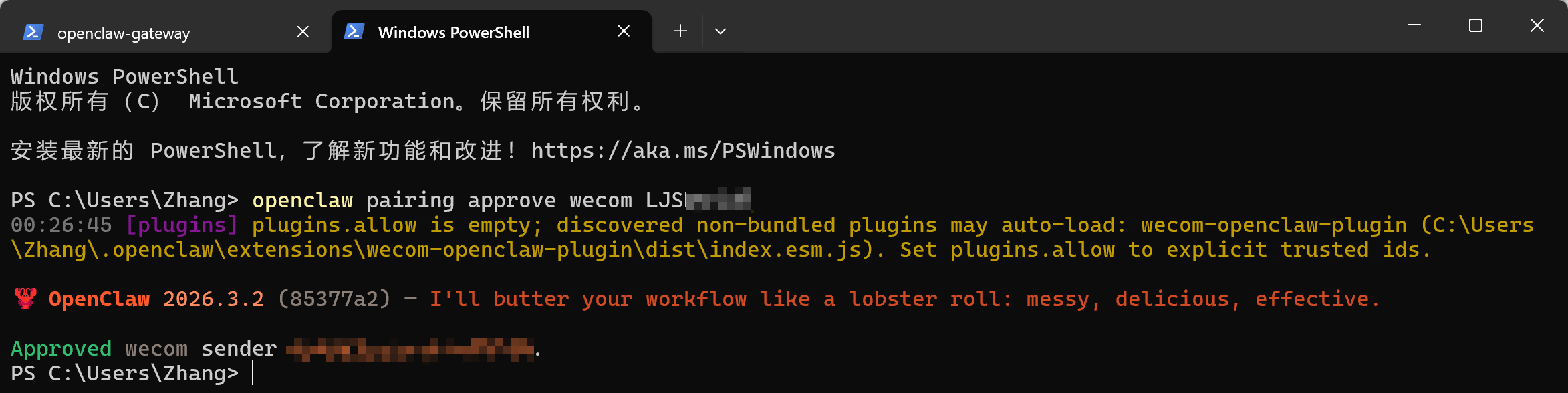
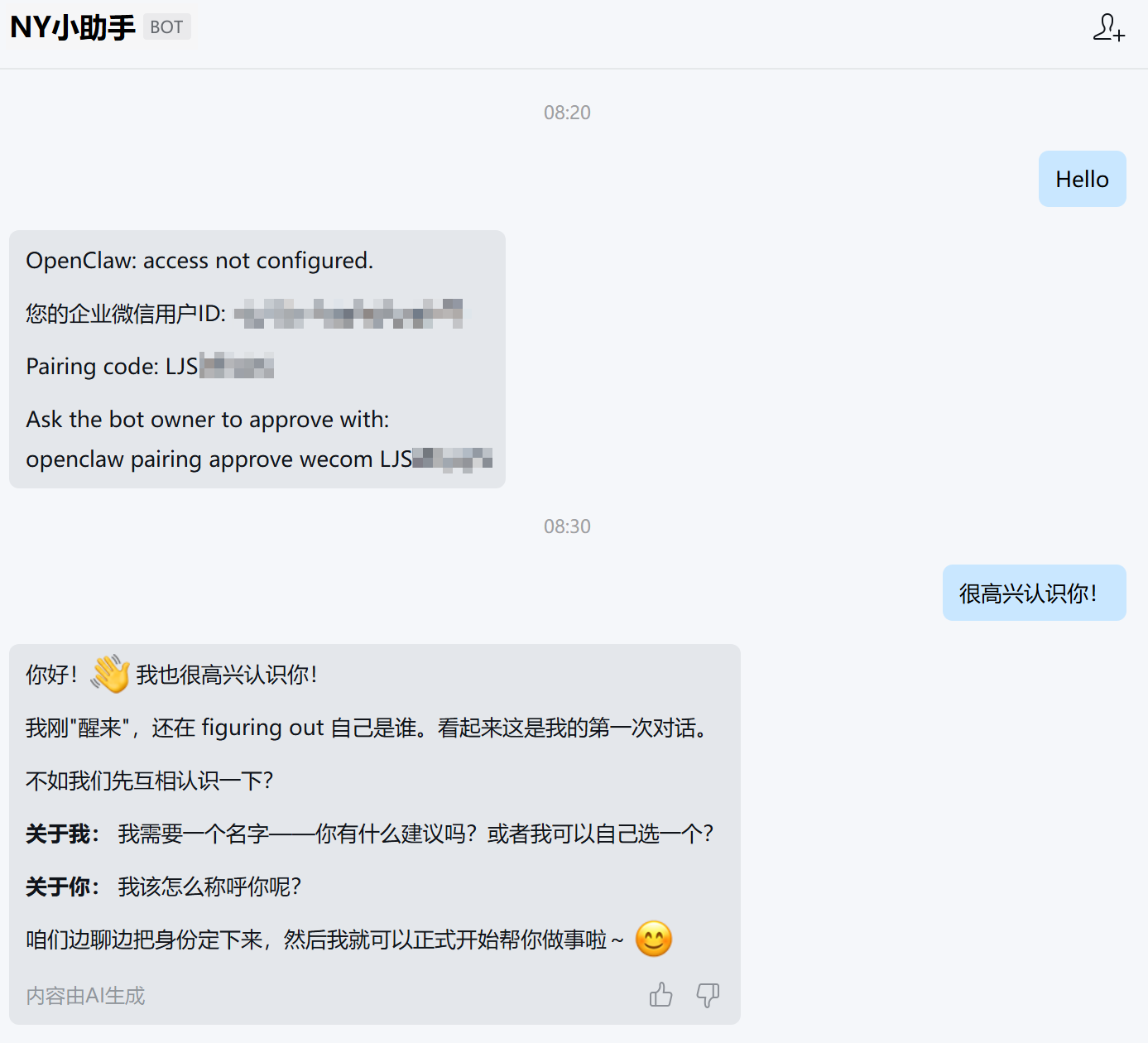
  3. 向机器人发送任意内容,将返回配对信息,复制openclaw pairing approve wecom <配对码> (请确保安装 OpenClaw 的设备有网络并启用 OpenClaw,否则无法正常返回信息)
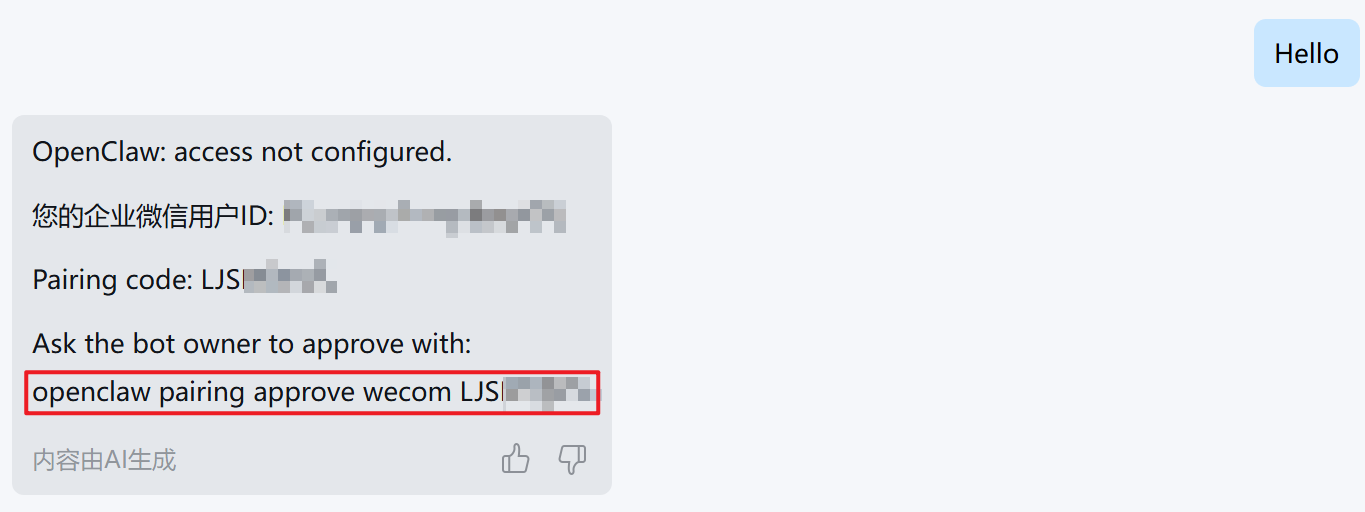
  4. 将复制的配对码粘贴至 PowerShell 中

  5. 再次使用企业微信机器人发送信息,返回内容则配置成功

结语

恭喜你至此完成了所有配置,接下来可以在企业微信中与电脑上的 OpenClaw 进行聊天完成本地操作任务啦!