惯性聚合 高效追踪和阅读你感兴趣的博客、新闻、科技资讯
阅读原文 在惯性聚合中打开

推荐订阅源

C
Cisco Blogs
爱范儿
爱范儿
有赞技术团队
有赞技术团队
博客园 - 【当耐特】
Jina AI
Jina AI
Project Zero
Project Zero
宝玉的分享
宝玉的分享
Martin Fowler
Martin Fowler
WordPress大学
WordPress大学
Simon Willison's Weblog
钛媒体:引领未来商业与生活新知
钛媒体:引领未来商业与生活新知
T
Tenable Blog
F
Fortinet All Blogs
大猫的无限游戏
大猫的无限游戏
Last Week in AI
Last Week in AI
月光博客
月光博客
雷峰网
雷峰网
G
Google Developers Blog
V
V2EX
T
Tor Project blog
罗磊的独立博客
Schneier on Security
Know Your Adversary
Know Your Adversary
W
WeLiveSecurity
freeCodeCamp Programming Tutorials: Python, JavaScript, Git & More
P
Privacy International News Feed
S
Securelist
奇客Solidot–传递最新科技情报
奇客Solidot–传递最新科技情报
P
Proofpoint News Feed
Blog — PlanetScale
Blog — PlanetScale
Threat Intelligence Blog | Flashpoint
小众软件
小众软件
Scott Helme
Scott Helme
I
Intezer
T
Threat Research - Cisco Blogs
The GitHub Blog
The GitHub Blog
N
Netflix TechBlog - Medium
C
CERT Recently Published Vulnerability Notes
Security Archives - TechRepublic
酷 壳 – CoolShell
酷 壳 – CoolShell
L
LINUX DO - 最新话题
N
News | PayPal Newsroom
L
Lohrmann on Cybersecurity
T
Troy Hunt's Blog
Google DeepMind News
P
Proofpoint News Feed
人人都是产品经理
人人都是产品经理
Latest news
Latest news
AWS News Blog
AWS News Blog
Apple Machine Learning Research

暖心向阳335

26春学17周杂记 26春学16周杂记 26春学15周杂记 26春学14周杂记 26春学13周杂记 26春学12周杂记 26春学11周杂记 26春学10周杂记 绝了,全员中招 26春学9周杂记 26春学8周杂记 26春学7周杂记 26春学6周杂记 26春学5周杂记 26春学4周杂记 OpenClaw接入微信教程 26春学3周杂记 26春学2周杂记 呃~饱了 OpenClaw接入企业微信机器人教程 26春学1周杂记 OpenClaw 部署指南(Windows) 开学啦! 【回忆录】初中运动会:“红配绿”的我
OpenClaw接入QQ机器人教程
暖心向阳335 · 2026-03-12 · via 暖心向阳335

一、安装与配置

  1. 登录QQ 开放平台 QQ-Bot OpenClaw 专用平台,点击“创建机器人”
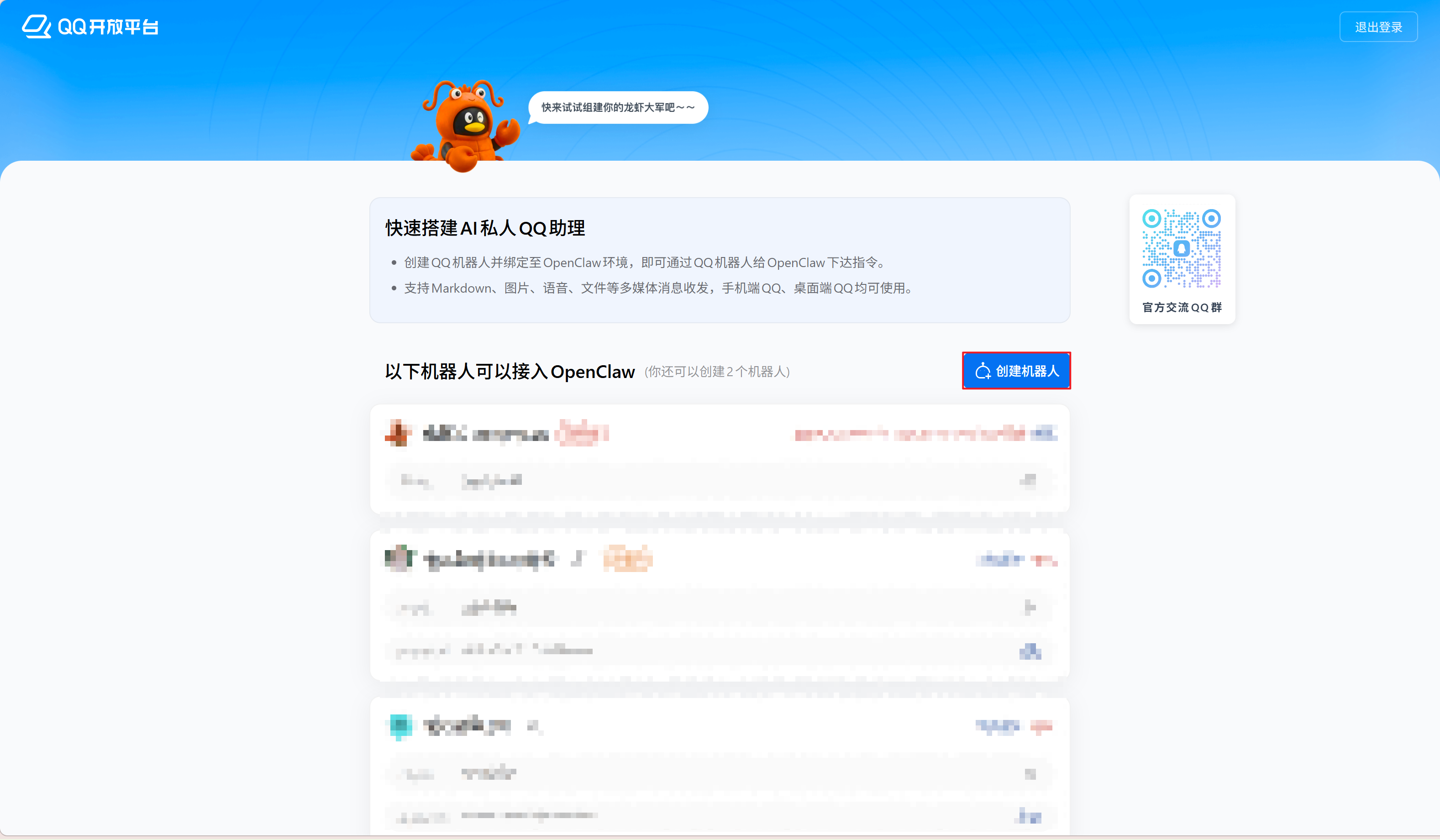
  2. 创建完成后,将显示新机器人列表。点击机器人默认名称旁的编辑按钮可修改名称。

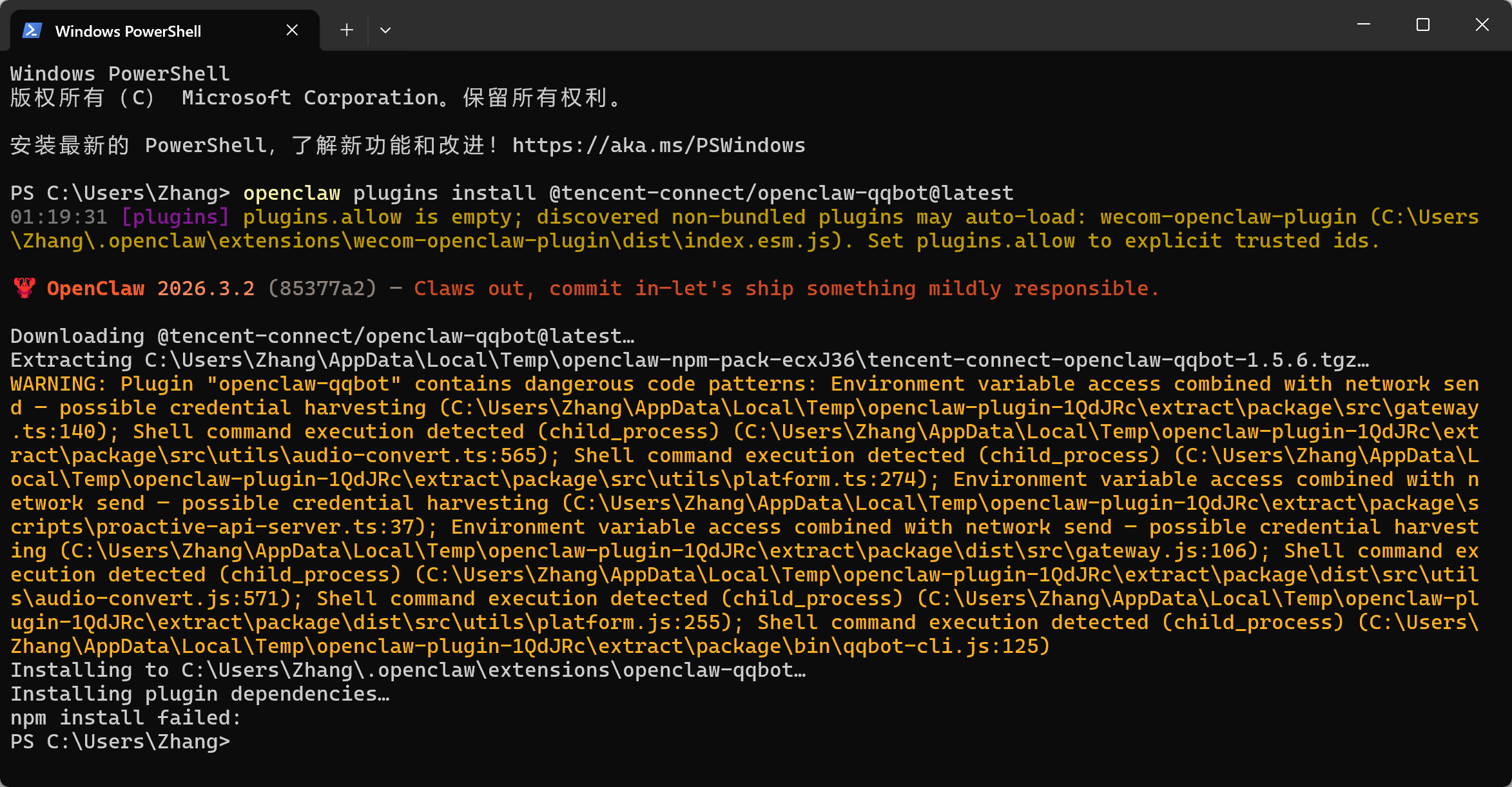
    接下来,在 PowerShell 中依次运行 OpenClaw 原生接入流程的代码。直接使用官方提供的完整命令行即可(步骤 3-5 可跳过,仅用于演示安装流程)。
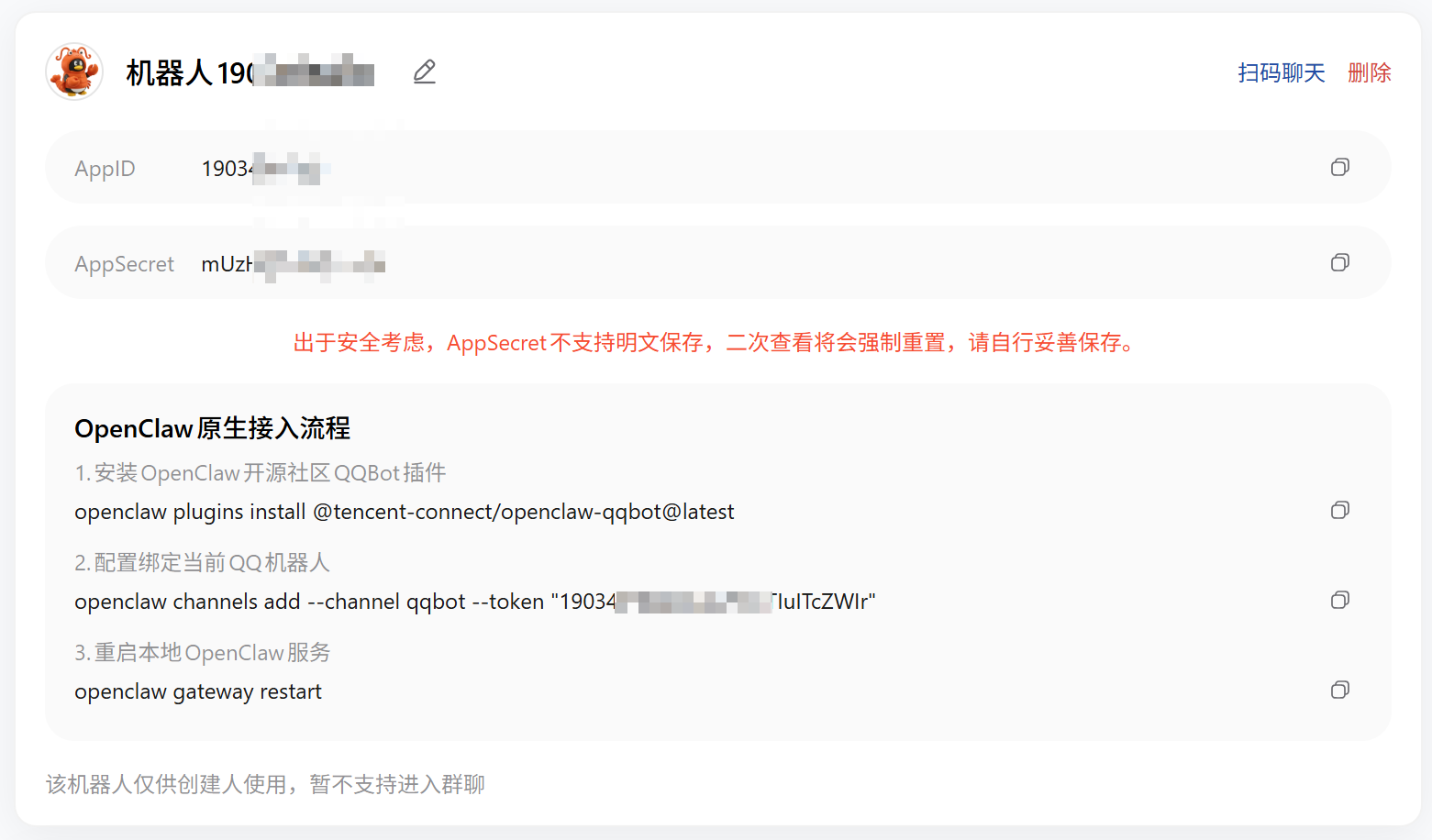
  3. 打开 PowerShell,安装 QQ-Bot 官方插件openclaw plugins install @tencent-connect/openclaw-qqbot@latest
  4. 运行openclaw channels add --channel qqbot --token "你的APPID:你的APPSecret"
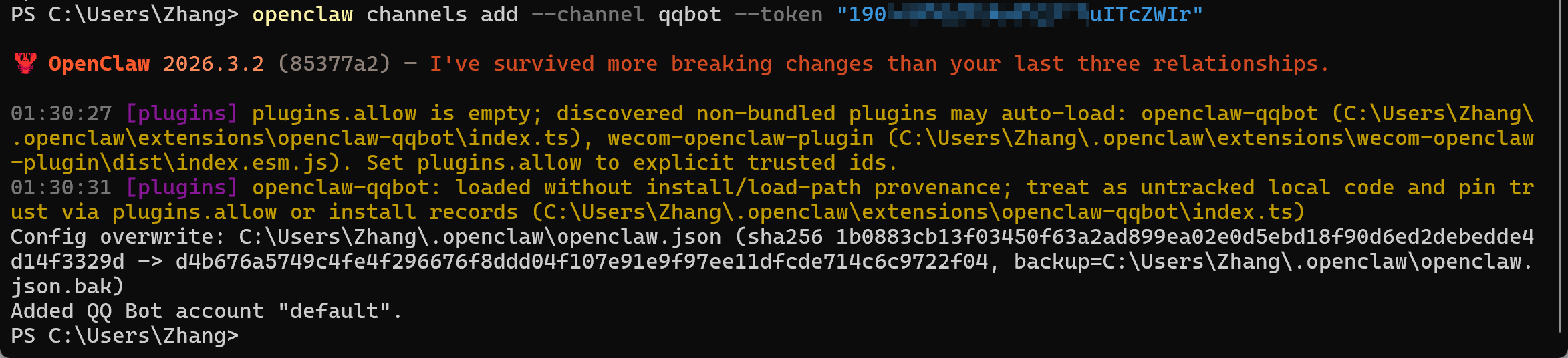
  5. 重启 OpenClaw 网关服务openclaw gateway restart
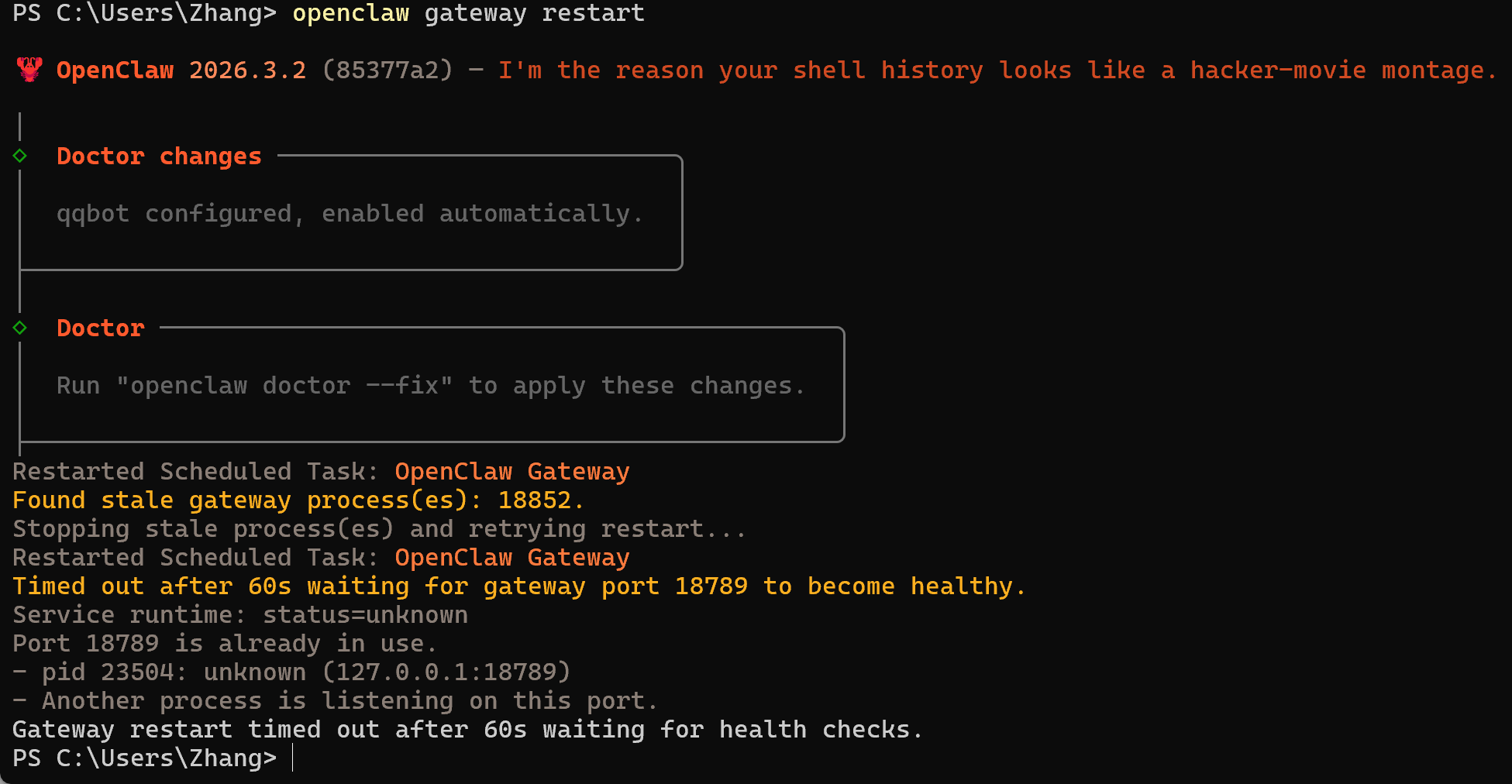
二、使用

  1. 鼠标悬浮在对应机器人列表右上角扫码聊天按钮上,使用 QQ 扫描二维码与机器人聊天
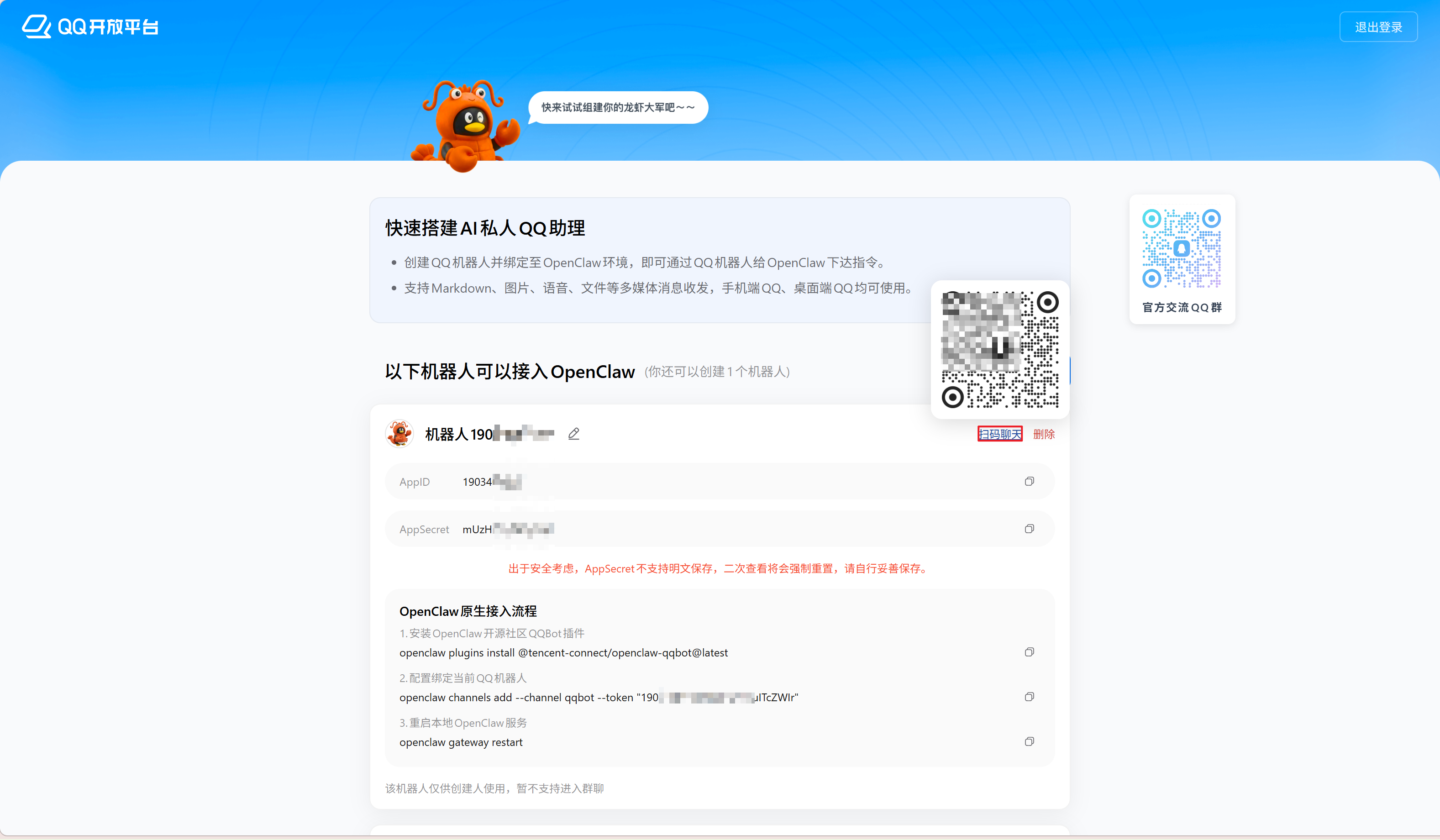
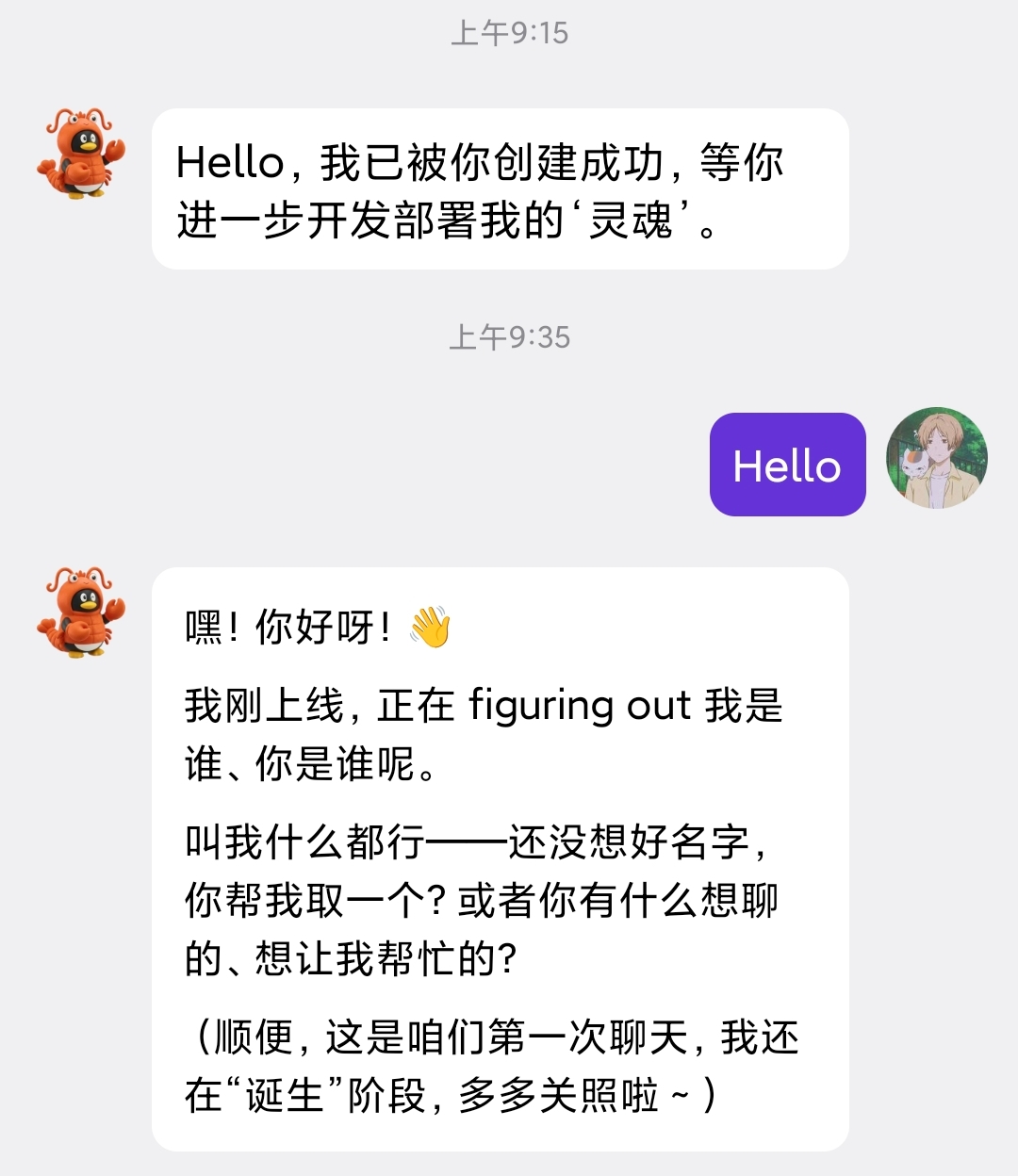
  2. 向机器人发送信息,如回复则配置成功

结语

恭喜你至此完成了所有配置,接下来可以在 QQ 中与电脑上的 OpenClaw 进行聊天完成本地操作任务啦!