







Runpod's Serverless platform allows for the creation of API endpoints that automatically scale to meet demand. The tutorial guides you through creating a basic worker and turning it into an API endpoint on the Runpod serverless platform. For this tutorial, we will create an API endpoint that helps us accomplish the tedious task of telling us if our number is even.
To follow along, you should have a local environment with Python, some basic knowledge of Docker, and the ability to build Docker containers. All the code can be found in the IsEven repository.
The first step is to have code that will take a job input, do something, and return the results.
Note that our input is being passed in a "job," containing the input we sent to our API. The structure will look like this:
Finally, we have our return that will be passed back when we check the status of the API request. You can return anything and it will appear as the output in the returned JSON. Here we are returning True or False but could have also returned {result": "Congrats! Your number is True!"}
If you need to pass back an error message, it can be done by returning {"error": "Your error message."} this will flag the job as bad and prevent the Serverless platform from trying to run the job again.
For the Serverless platform to know how to handle the API inputs, you need to start the worker by passing in your function as the handler.
After we imported runpod we then passed in our function as the handler with runpod.serverless.start({"handler": is_even})
You can run your endpoint locally by first installing runpod with pip install runpod and then creating a JSON fille called test_input.json in the same directory as your python file, this file should look something like this:
It must have an input which will contain whatever is required of your function, for is_even we need number to be passed as the input. Running this test with python whatever.py will result in something similar to:
On line 2 INFO | {'input': {'number': 2}, 'id': 'local_test'} we see the input from test_input.json, and then on line 6 WARNING | Local test job results: {"output": true} we see the output that the API will return.
Now that we know our function is working as expected, we need to turn it into a container. Start by creating Dockerfile with the following:
The last thing to do is build your container and push it to a repository such as Docker Hub. From the current directory, run docker build . --tag=repo/name and then docker push repo/name
Navigate to https://runpod.io/console/serverless/user/templates and click "New Template" where you will add your container image (don't forget to add your credentials under user settings for private container images).
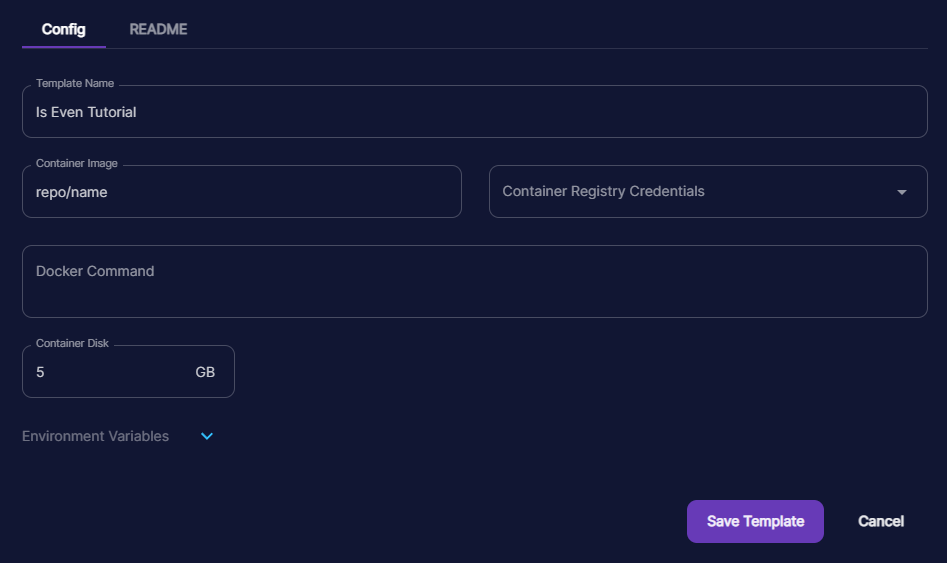
Runpod Serverless API
To convert the template into an API endpoint, navigate to https://runpod.io/console/serverless/user/apis and click "New API".
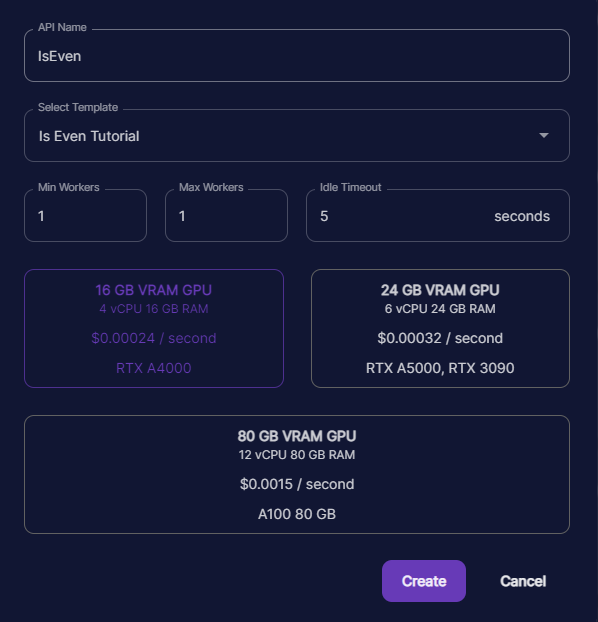
Please note that running 1 minimum worker is great for debugging purposes, but you will be charged for that worker whether or not you are making requests to your endpoint!
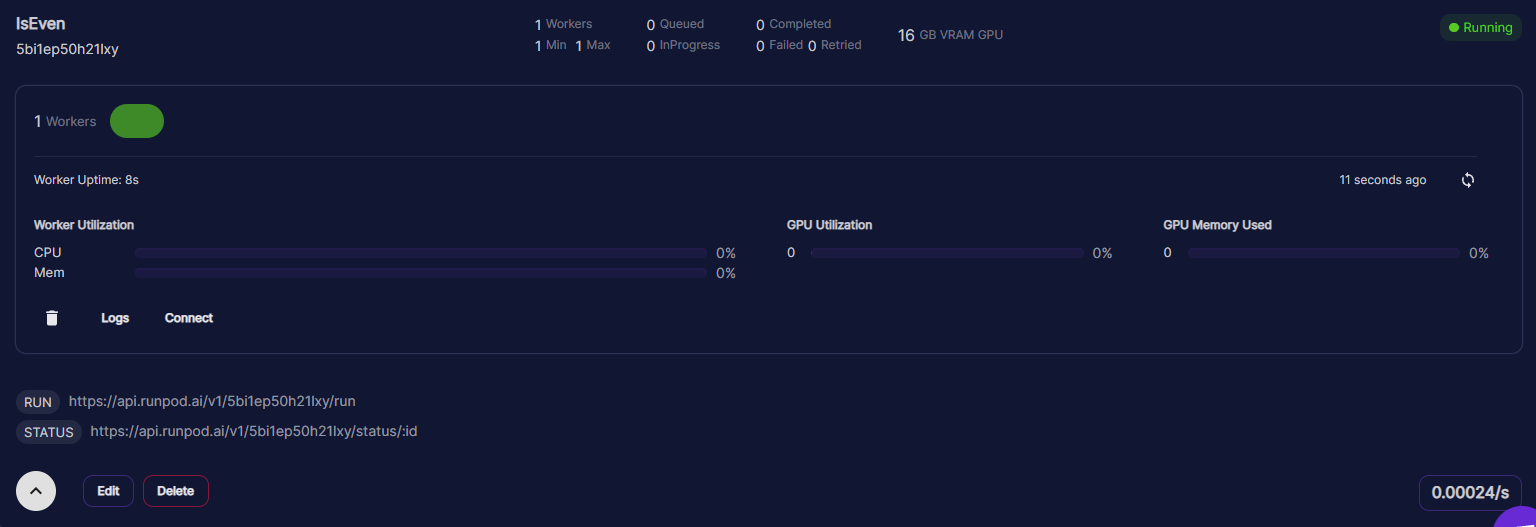
Time to try it out! Here we will use cURL, but you can also test it out with sites like reqbin.com
Author profile: Justin Merrell
此内容由惯性聚合(RSS阅读器)自动聚合整理,仅供阅读参考。 原文来自 — 版权归原作者所有。