


惯性聚合 高效追踪和阅读你感兴趣的博客、新闻、科技资讯
阅读原文 在惯性聚合中打开

推荐订阅源

aimingoo的专栏
aimingoo的专栏
宝玉的分享
宝玉的分享
freeCodeCamp Programming Tutorials: Python, JavaScript, Git & More
WordPress大学
WordPress大学
V
V2EX
Apple Machine Learning Research
J
Java Code Geeks
腾讯CDC
奇客Solidot–传递最新科技情报
奇客Solidot–传递最新科技情报
Engineering at Meta
Engineering at Meta
L
LangChain Blog
Jina AI
Jina AI
博客园 - 叶小钗
B
Blog RSS Feed
Recent Announcements
H
Help Net Security
小众软件
小众软件
大猫的无限游戏
大猫的无限游戏
B
Blog
云风的 BLOG
云风的 BLOG
Blog — PlanetScale
Blog — PlanetScale
D
DataBreaches.Net
钛媒体:引领未来商业与生活新知
钛媒体:引领未来商业与生活新知
罗磊的独立博客

Runpod Blog.

New Runpod datacenter now live: AP-IN-1 Track GPU spend across your team with Cost Centers The GPU supply supercycle is here. Here’s what AI builders need to know. Community Spotlight: One-click AI image and video generation on Runpod with SwarmUI | Runpod Blog Community Spotlight: LoRA Pilot Data Prep to Inference Introducing the Runpod Assistant: Manage Your Cloud GPU Resources with Natural Language OpenAI's Parameter Golf: Train the Best Language Model That Fits in 16MB on Runpod LLM inference optimization: techniques that actually reduce latency and cost Pruna P-Video and Vidu Q3 public endpoints now available on Runpod Runpod brand spelling guide Quickstart - Runpod Documentation The AI market looks nothing like the narrative Training StyleGAN3 with Vision-Aided GAN on Runpod KoboldAI – The Other Roleplay Front End, And Why You May Want to Use It How to Connect Cursor to LLM Pods on Runpod for Seamless AI Dev Community Spotlight: How AnonAI Scaled Its Private Chatbot Platform with Runpod Prompt Scheduling with Disco Diffusion on Runpod Runpod's Latest Innovation: Dockerless CLI for Streamlined AI Development Run Your Own AI from Your iPhone Using Runpod Introducing Flash: Run GPU workloads on Runpod Serverless: No Docker required Use Claude Code with your own model on Runpod: No Anthropic account required Avoid Errors by Selecting the Proper Resources for Your Pod What hackers built on Runpod at TreeHacks 2026 Easily Back Up and Restore Your Pod with Cloud Sync + Backblaze B2 The Complete Guide to GPU Requirements for LLM Fine-Tuning AI Guides, Tutorials & GPU Infrastructure Insights | Runpod Your first Claude Code project within Runpod: a complete setup guide 10 billion Serverless requests and counting Building for resilience: Runpod’s response to the AWS us-east-1 outage How to Connect Google Colab to Runpod
Stable Diffusion XL 1.0 Released And Available On Runpod
Brendan McKeag · 2023-07-28 · via Runpod Blog.

As discussed in the Runpod Roundup, Stable Diffusion XL is now available for the public and we've got you covered if you'd like to give it a shot. The Fast Stable Diffusion Template in Runpod has already been updated to take advantage of SDXL. Getting up and running is just as simple as spinning up a new pod and running through the steps in the provided Jupyter notebook.

Spinning up a new pod

The easiest way to jump into the action is to set up a new pod to ensure that you have the latest version of the Jupyter setup notebook. If you'd prefer to set it up in your existing pod instead, you can, as long as it has the most up to date version of AUTOMATIC1111. This guide will also have the updated parameters for the Notebook so you can install it in your current pod, if you make the changes manually to the notebook.

Set up a new pod using the Runpod Fast Stable Diffusion template:
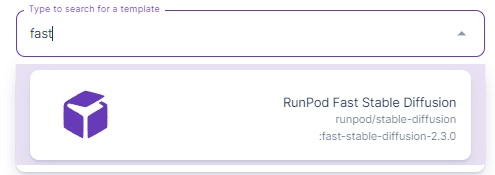
Template search box showing the Runpod Fast Stable Diffusion template result

Go ahead and connect to the Jupyter Notebook for the pod, and as usual, hit Ctrl+Enter in each cell to get it up and running. Note that the version in the Model Download/Load cell has changed to SDXL.
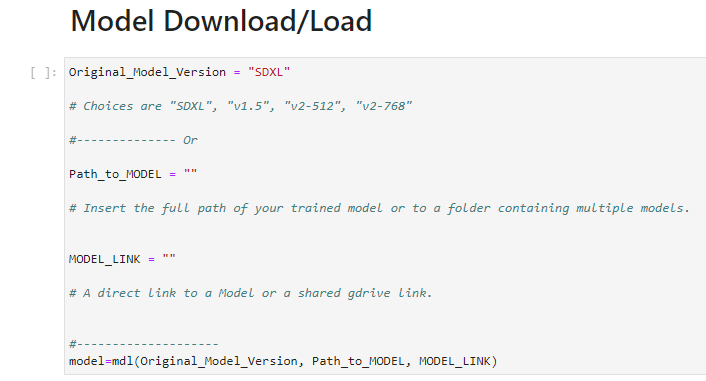
Notebook cell for model download with Original_Model_Version set to SDXL

Once you run through all the cells, the last one will have a link to A1111 within your pod.
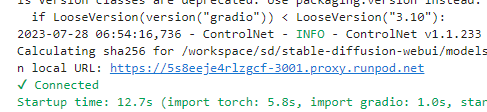
Stable Diffusion web UI launch log showing a proxy.Runpod.net URL and 12.7s startup time

Following the link should get you to the familiar A1111 interface with the SDXL model already loaded (top left.)
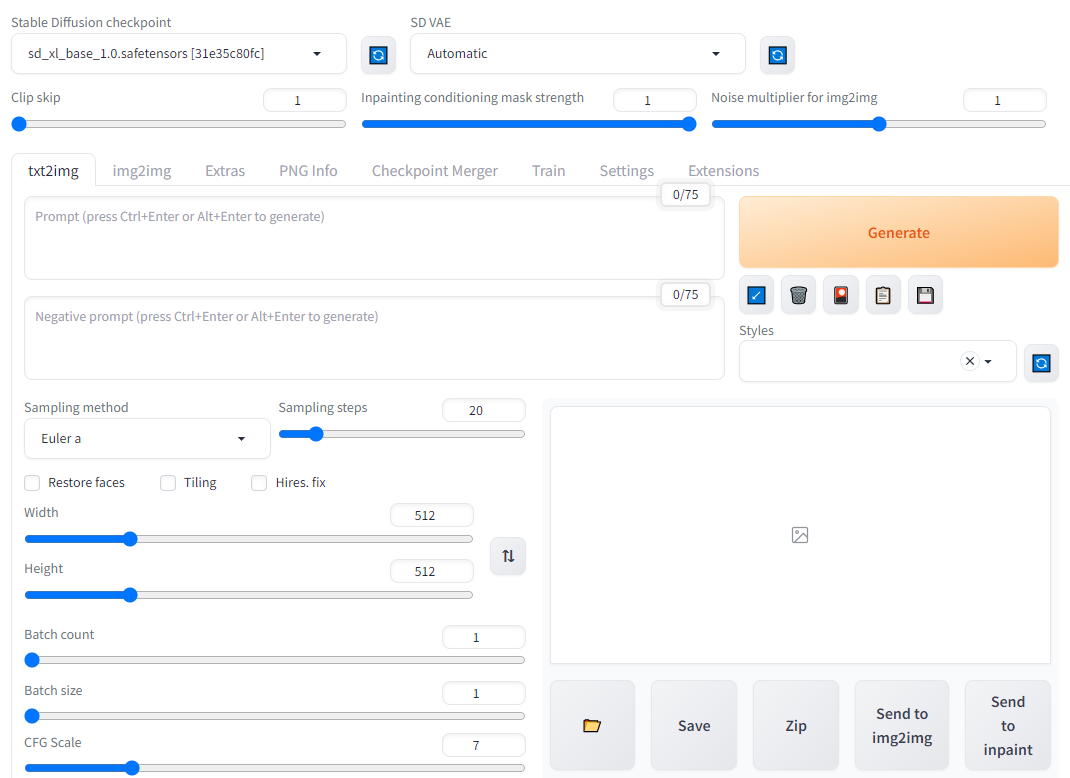
Stable Diffusion web UI txt2img tab with the sd_xl_base_1.0 checkpoint selected

So what's new in SDXL?

SDXL now supports text in images. (Mostly) gone are the fever dream interpretations of almost-language that Stable Diffusion used to generate, and it can now simply generate text natively. It's not entirely perfect and may take a few iterations, but I got this on my third try, so it shouldn't need a whole lot of tinkering.

AI-generated photo of a smiling woman holding a sign reading 'Text is fantastic'

SDXL also has greatly improved how it handles anatomy, such as arms and hands.

AI-generated portrait of a young man holding up both open hands

The language involved in SDXL prompts has also been greatly simplified. In previous versions of SD, you previously had to get very specific with admittedly rather arcane keywords in prompts, such as mentioning camera types, exposure times and apertures, odd keywords without relation to the subject matter such as "instagram" and so on.  In particular, SDXL has better fine tuning for colors, shadows, and so on, meaning that you should need to poke and prod at prompts much less to get the look that you want. According to the StabilityAI Huggingface, site, it appears that human evaluators far and away prefer the new SDXL models over SD 1.5 or 2.1.
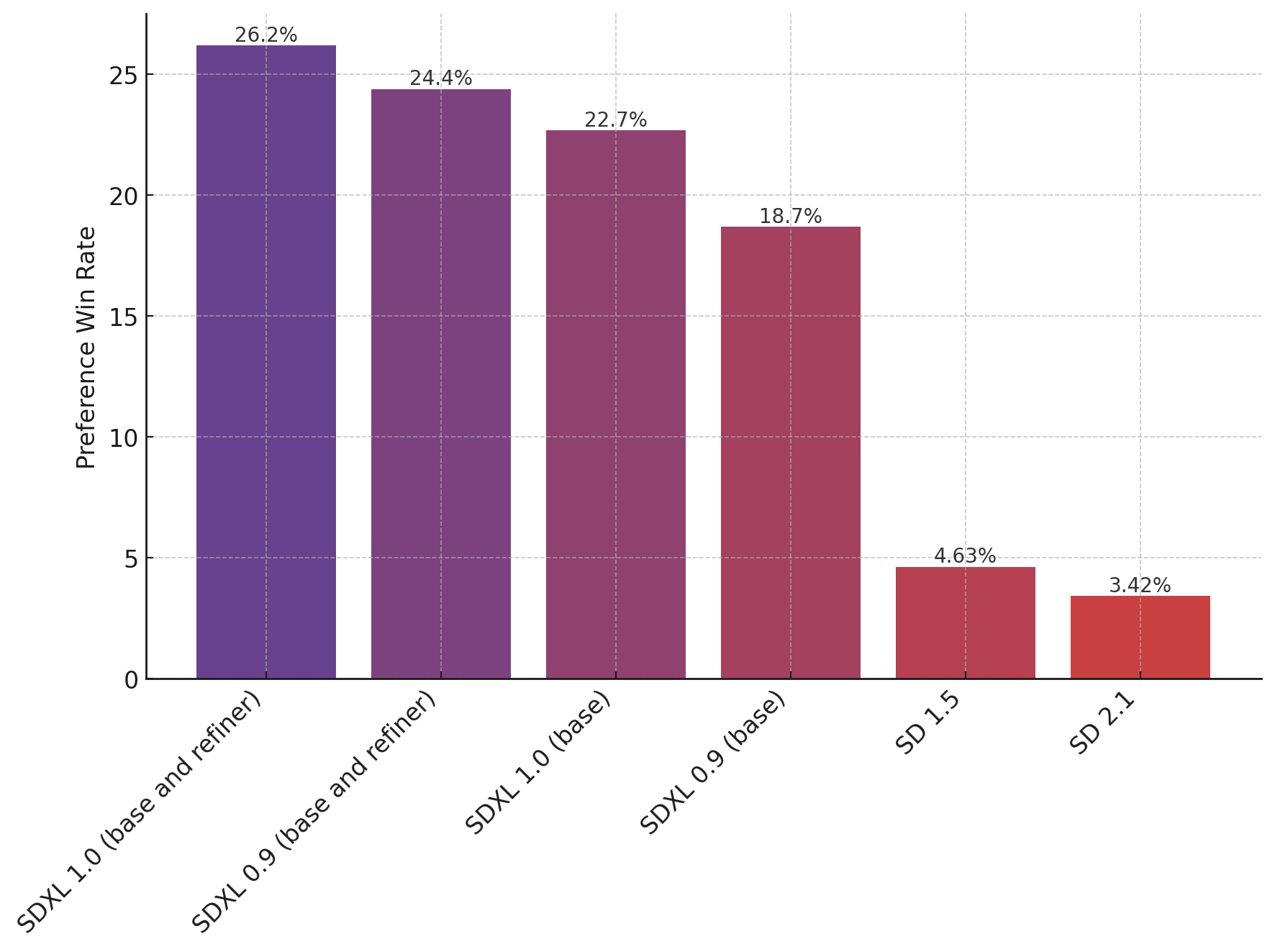
Bar chart of preference win rates showing SDXL 1.0 ahead of SDXL 0.9, SD 1.5, and SD 2.1

Finally, SDXL also supports higher resolutions natively compared to the 512x512 insisted on by earlier versions of Stable Diffusion. StabilityAI actually recommends generating images at 1024x1024 out of the box instead, leading to a much greater level of detail and richness in images.

Long story short, there really doesn't seem to be a reason NOT to use SDXL that we're aware of, and it may begin to render previous iterations obsolete as new models based on SDXL begin to make their way into the community.

Questions?

Runpod has a vibrant Stable Diffusion and art community within our Discord, and if you need any help getting up and running, we would love to help out. Feel free to drop in!

Author profile: Brendan McKeag