





Did you know you can use the WordPress autoposting plugin for your content efforts and improve not only your time management but your business and visibility as well?
Do you want to increase your traffic and blog or site visitors?
Top WP Hosting recommended by Meks
Do you wish to improve your SEO efforts?
How about boosting your Social Media presence and all that while saving your time as well?
If we managed to hit the right buttons and interest you in the useful solution to all of these issues, then, by all means, this post is for you!
But wait, how can we think about automatization in the age of personalization? Doesn’t one exclude the other?
Here’s our thought…
All that blogging and overall content creation are getting both popular and lucrative business increasingly. And whether you’re a blogger, content creator, an agency, or a small business, it’s the one thing you can’t do without nowadays. Our target audiences are online, and we should be here as well. That means that we need to find the time to develop, create, optimize, and share numerous content across the web on top of everything else we do with our businesses. In times, it can be quite a work and overwhelmed feeling, yes. Finding your people, starting a conversation, engaging, and sharing your message, let alone creating content in the first place.
That is why autoblogging and autoposting come in handy. Although some people care to disagree, these things can play a significant role within business and marketing and content strategy. Think of it as your go-to social media manager that never sleeps and always has the data and answers you need.
Working on autopilot isn’t always a good thing unless we’re talking about managing some parts of your everyday online business. With only 24 hours a day, it’s crucial to be high-minded at time management, productivity, and deciding what comes first. Engaging on social networks, sharing your messages and writings can – in times – be relatively overwhelming. That is why autoposting tools and plugins are proven useful and valuable helpers. It’s all about defining the framework then deciding which part can be automated, leaving you with enough time and resources for more dedicated, meaningful work.
Automate and track your content through 13 most popular and used social media networks, apps, and websites, such as:
as well as WordPress based websites.
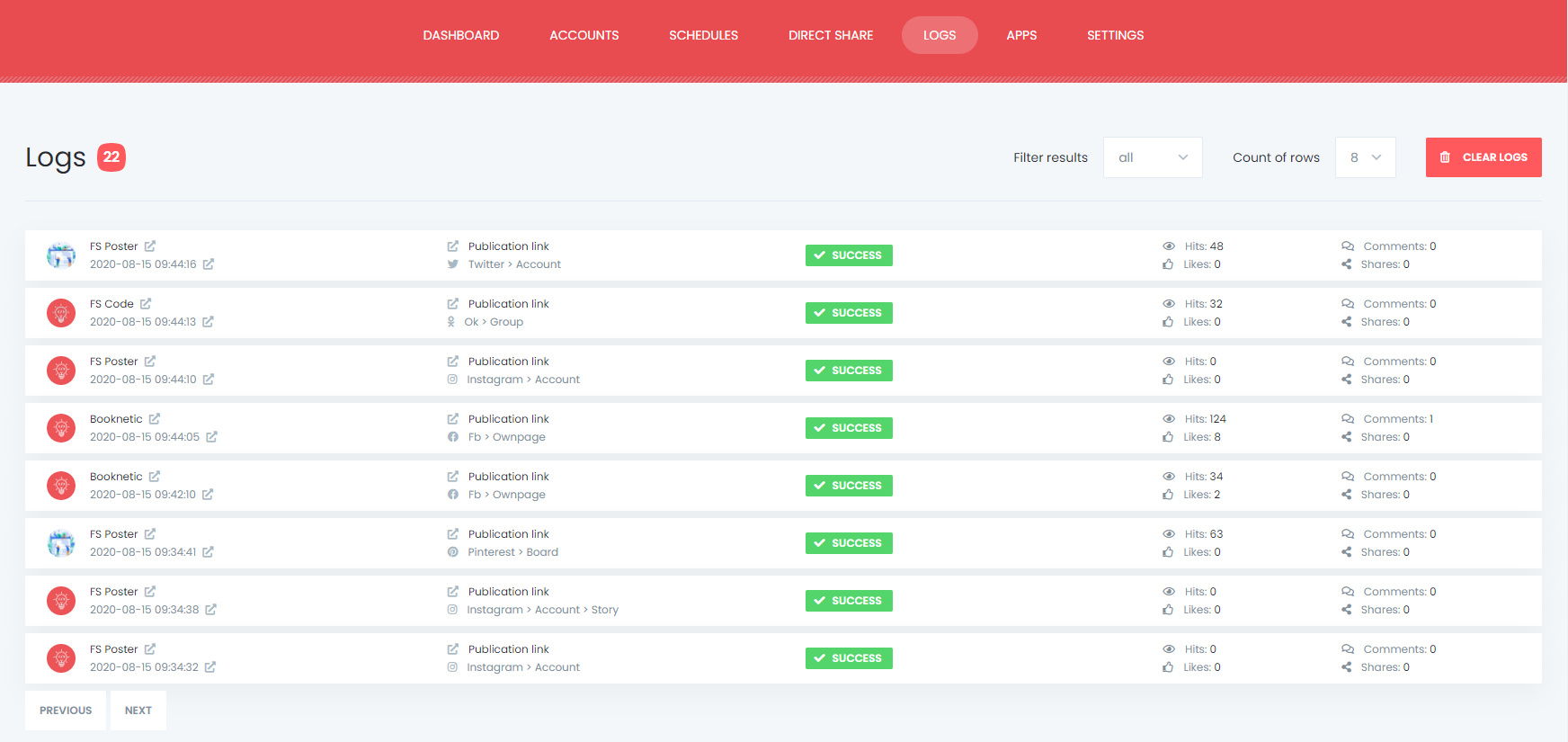
This plugin lets you customize numerous things, like:
as well as many more features and options that let you customize autoposting to your needs.
This specific WordPress autoposting plugin works not only with regular posts but e-commerce as well. Now, you see how easy it is to promote your products and share them across your choosing’s social networks. Within this feature, you can customize your message with clear CTA buttons, which can improve your traffic AND revenue at the same time.
The great thing about this WordPress autoposting plugin is that you can use it for the most relevant social networks, groups, and apps available today. From the usual holy trinity Facebook, Instagram, Twitter, to LinkedIn, Pinterest, Tumblr, to Reddit, Google My Business, Medium, and much more! One handy plugin that lets you deliver your message all across the internet while enabling you to do something else at the same time.
Diversely, if you’re not quite sure whether to go full autoposting or not, know that you can not only set up and automate the content from your blog or site but also third-party content as well. The direct sharing feature lets you choose the posts you want to share, put links, desired images, copy, and define whether to share immediately or schedule for later. Furthermore, you can save the post, select the desired account for sharing, and have it on the go, for future posting. That way, you will feel more in control while still saving some time in the process.
Moreover, FS Poster thinks of Google’s recommendation as well. Knowing that sharing the same post on numerous networks and communities might be accepted as a duplicated post and be blocked because of it, the plugin has an option of getting random URL characters at the end of each link, to become unique.
Additionally, FS Poster is a great analytics tool since it displays essential data as to which channel is more engaging, drives more clicks, and from which account. All this helps you get a more precise picture of your social media presence and guides you to better strategy decisions along the way.
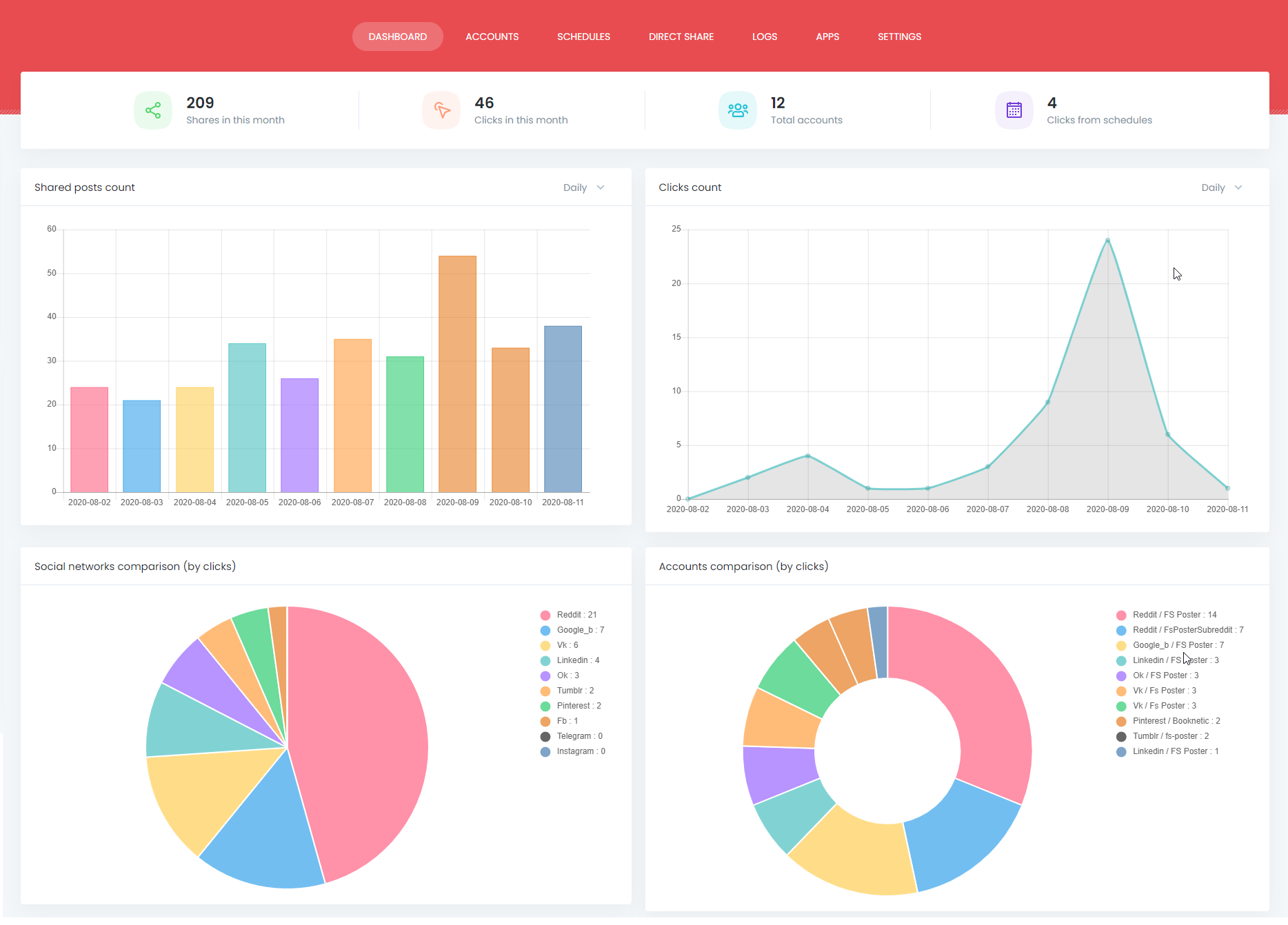
If all these interests you, but you’re still not quite sure whether it’ll work for you, head over to their demo page to check out how it works before purchasing. Depending on your needs, the plugin’s price is lifetime $45 for a single domain or $179 for up to 5 domains.
Writing and maintaining a blog or site, building community, and engaging with them while running a business don’t need to be all that time-consuming. Social media marketing as well. Autoposting with the tool such as the FS Poster plugin keeps you on track with your day-to-day business while taking care of your social media presence and engagement.
Have a question or need more info about the matter? Write us up in the comment section, we’d be glad to help!
Tags: WordPress plugins
此内容由惯性聚合(RSS阅读器)自动聚合整理,仅供阅读参考。 原文来自 — 版权归原作者所有。