






我们来试试编码器的能力上限吧!
上期决定做点会动的东西。单纯地移动色块之类的当然是要做,不过首先,我决定先做一些比较不正经的探索部件——毕竟,用代码生成视频的一个主要玩法就是程序化生成;而没有什么是比一个「随机」更适合作为基线的生成器了。
整理框架
继续用一个大的 main 函数处理一切也不是不行,但既然用了 C++, 合适的代码架构还是应该设计一下的。
简单来说,我们会将所有 SDL 相关的初始化放到一个类中,叫做 SdlContext; 所有 FFmpeg 相关的初始化和操作放到一个类中,叫做 FFmpegContext. 这两个类在构造时设置所有必要的内容,析构时清理所有用到的数据结构。
需要用到的关键配置,比如视频的宽高、帧率、码率、文件信息,整理成一个单独的结构体 VideoSettings.
这样,我们只需要把它放到全局上就好啦:
// in main.cpp, global scope
static VideoSettings videoSettings {
    .width = 640,
    .height = 480,
    .fps = 60,
    .bitrate = 10000000,
    .filename = "output.mkv"
};
static FFmpegContext ff{videoSettings};
static SdlContext sdl{videoSettings};
要提交一帧数据,只需要调用 ff.encode_rgb24_frame(.). 要获取 SDL 渲染好的 buffer, 只需要调用 sdl.get_render_output(),即:
// in main.cpp, main function
for (int i = 0; i < TOTAL_FRAME_COUNT; i++) {
    sdl.begin_frame();
    /* SDL 渲染操作 */
    sdl.end_frame();
    ff.encode_rgb24_frame(sdl.get_renderer_output());
}
SDL 渲染操作中,由各个生成器操作 SDL 的渲染目标材质 sdl.texture() 即可。我们也可以计算一下当前帧的时间 frameTime = static_cast<float>(i) / static_cast<float>(videoSettings.fps) 传递给生成器作为参考。
生成雪花帧
雪花帧的生成意外地难。
我们首先考虑一个朴素的实现:
for (int y = 0; y < videoSettings.height; y++) {
    for (int x = 0; x < videoSettings.width; x++) {
        const uint8_t r = next_random();
        const uint8_t g = next_random();
        const uint8_t b = next_random();
        SDL_SetRenderDrawColor(_renderer, r, g, b, 255);
        SDL_RenderPoint(sdl.renderer(), x, y);
    }
}
开始运行后,很长时间都没有出现结果。
[2026-05-25 22:42:15.708] [info] Start rendering output.mkv
[2026-05-25 22:42:15.709] [info] selected video codec: h264_videotoolbox (VideoToolbox H.264 Encoder)
直到半分钟后——
[2026-05-25 22:42:53.597] [info] rendered 600 frames in 37.763 seconds
这回是真的撞上了性能瓶颈。如果给每个像素都生成 3 个随机数的话,每帧就需要 640×480×3=921600 640 \times 480 \times 3 = 921600 个随机字节生成;以及每次都需要做 640×480=307200 640 \times 480 = 307200 次点绘制操作。
随机数生成部分还好说,毕竟视频并不需要很强的密码学随机,用一个足够好的伪随机数生成器也能出同样的效果;但是这个点绘制是真的够呛。由于 SDL 的渲染架构,我们必须每次 roll 一个颜色然后画一个点,导致这个步骤没法很好地并行;而且这个过程的步骤数还是随着视频分辨率平方增长的。我们需要一个更为高效的方法。
答案是:预先生成一张 2048×2048 2048 \times 2048 的雪花图,然后 GPU 直接从雪花图上复制区块下来就行。
具体的,我们先创建一个 CPU 渲染的画布(因为需要直接操作底层的 buffer, 比 GPU 画一堆点更快):
auto* randomSurface = SDL_CreateSurface(2048, 2048, SDL_PIXELFORMAT_RGB24);
然后,用随机数填充画布:
SDL_LockSurface(randomSurface);
auto* canvas = static_cast<uint8_t*>(randomSurface->pixels);
for (int y = 0; y < 2048; y++) {
    for (int x = 0; x < 2048; x++) {
        for (int i = 0; i < 3; i++) {
            canvas[y * 2048 * 3 + x * 3 + i] = next_random();
        }
    }
}
SDL_UnlockSurface(randomSurface);
最后,为了能让 GPU 使用它,把它烘焙成一个材质:
auto* randomTexture = SDL_CreateTextureFromSurface(sdl.renderer(), randomSurface);
用完后,记得释放材质和 CPU 画布:
SDL_DestroyTexture(randomTexture);
SDL_DestroySurface(randomSurface);
next_random 随机数的选择
随机数本身在选择上也有讲究:必须挑选一个周期特别特别长的随机数生成器,否则生成出来的材质看起来就一点也不随机了:雪花中会出现一条条纵向的斜线(如图 1)。
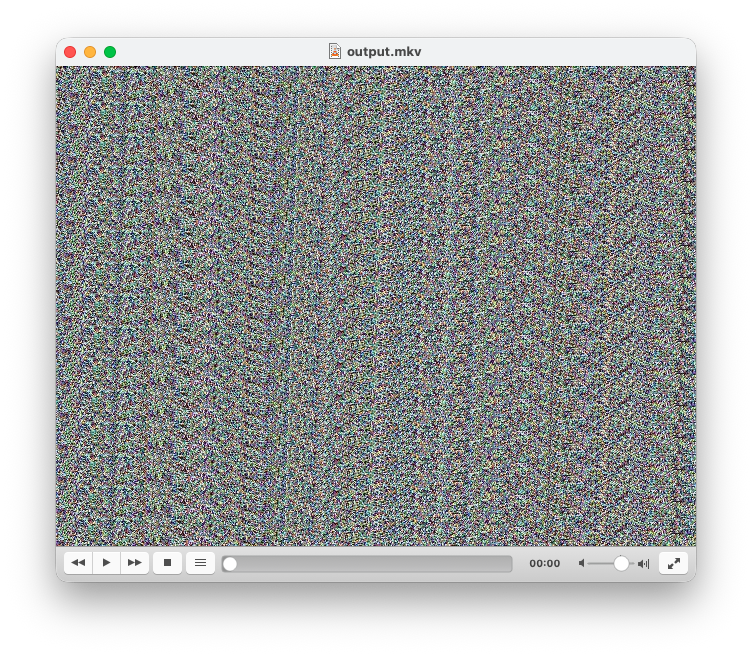
图 1 由于周期过短形成的纹路
C++ 中内置了梅森旋转法伪随机发生器,我们可以直接使用:
static std::random_device rnd;
static std::mt19937 engine{rnd()};
static std::uniform_int_distribution<uint8_t> dist(0, 255);

static uint8_t next_random() {
    return dist(engine);
}
绘制雪花
我们按照时间的流逝,将视窗快速循环地滑过整个材质表面(如图 2),就可以实现动起来的雪花屏效果了:
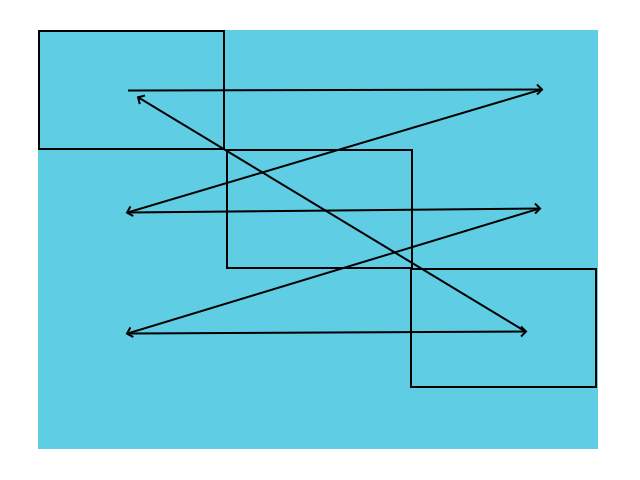
图 2 视窗在材质上 Z 字形滑动
const float NOISE_TRAVEL_FACTOR = 10000.f;
const int travel = static_cast<int>(frameTime * NOISE_TRAVEL_FACTOR);
const int maxX = 2048 - videoSettings.width;
const int maxY = 2048 - videoSettings.height;
const int horizontalTravel = travel % maxX;
const int verticalTravel = ((travel / maxX) * videoSettings.height) % maxY;

const SDL_FRect srcRect = {
    .x = horizontalTravel,
    .y = verticalTravel,
    .w = videoSettings.width,
    .h = videoSettings.height
};

SDL_SetRenderTarget(sdl.renderer(), sdl.texture());
SDL_RenderTexture(sdl.renderer(), randomTexture, &srcRect, nullptr);
注意到:如果我们设置的滑动速度 NOISE_TRAVEL_FACTOR 太慢的话,它看起来就会变成真的「滑动」了。
这回渲染的速度就比之前快了很多了:
[2026-05-25 22:46:17.333] [info] Start rendering output.mkv
[2026-05-25 22:46:17.333] [info] selected video codec: h264_videotoolbox (VideoToolbox H.264 Encoder)
[2026-05-25 22:46:18.977] [info] rendered 600 frames in 1.523 seconds
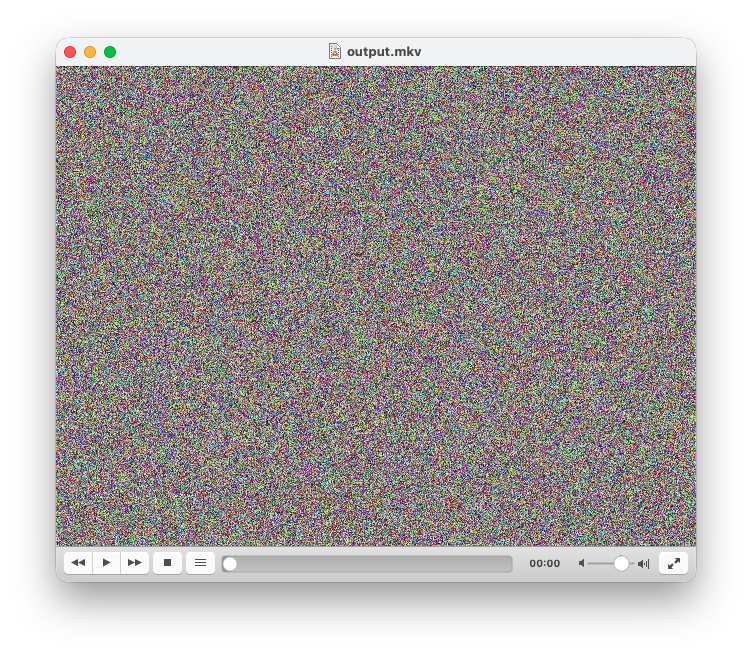
图 3 样例输出
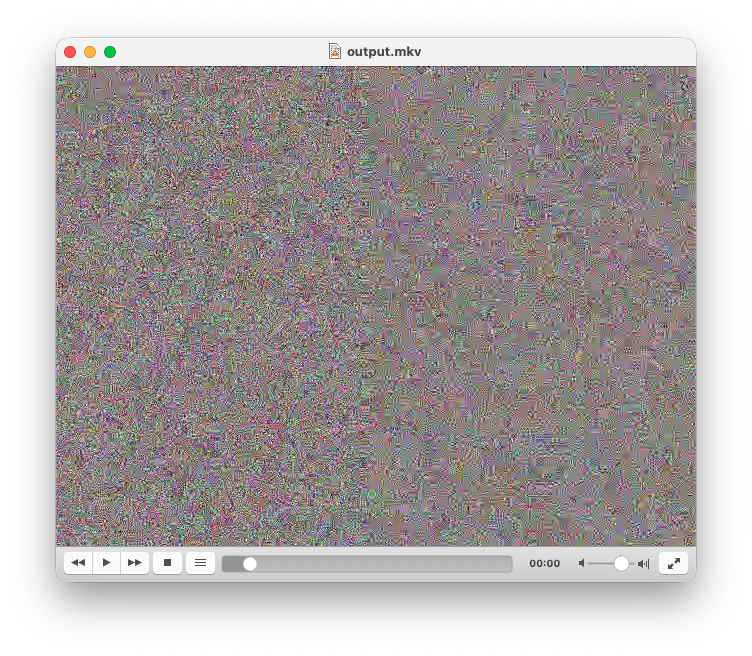
图 4 注意到编码器已经无法完整地捕捉全部图像信息,进而产生了块状模糊
那... 移动色块?
即得易见平凡,仿照上例显然。留作习题答案略,读者自证不难。
const int startX = 10, startY = 10;
const int w = 50, h = 50;
const int speedX = 4, speedY = 1;
const float dX = speedX * frameTime;
const float dY = speedY * frameTime;

const SDL_FRect rect = {
    .x = startX + dX,
    .y = startY + dY,
    .w = w,
    .h = h,
};

SDL_SetRenderTarget(sdl.renderer(), sdl.texture());
SDL_SetRenderDrawColor(255, 0, 255, 0); // 当然是继续用洋红色
SDL_RenderFillRect(sdl.renderer(), &rect);
不过,即使是移动色块也是有很多说法的。现在这种线性的移动看起来非常的怪,而且看起来好像还有些卡顿。这个问题我们在之后会专题讨论。
下一步
也许我们需要考虑一些图像的加载相关的内容了。毕竟,就算是做 PPT 也得能插入图片吧!