惯性聚合 高效追踪和阅读你感兴趣的博客、新闻、科技资讯
阅读原文 在惯性聚合中打开

推荐订阅源

宝玉的分享
宝玉的分享
Apple Machine Learning Research
J
Java Code Geeks
V2EX - 技术
V2EX - 技术
Hacker News: Ask HN
Hacker News: Ask HN
T
Tailwind CSS Blog
V
Visual Studio Blog
cs.CV updates on arXiv.org
月光博客
月光博客
H
Hacker News: Front Page
D
DataBreaches.Net
GbyAI
GbyAI
Recorded Future
Recorded Future
IT之家
IT之家
H
Heimdal Security Blog
K
KPMG report finds enterprise disconnect between AI and its ROI | CIO
Schneier on Security
P
Privacy International News Feed
cs.CL updates on arXiv.org
S
Security Affairs
博客园 - 三生石上(FineUI控件)
M
MIT News - Artificial intelligence
Google Online Security Blog
L
LINUX DO - 最新话题
Google DeepMind News
The Cloudflare Blog
L
LangChain Blog
cs.AI updates on arXiv.org
腾讯CDC
The Last Watchdog
The Last Watchdog
I
Intezer
钛媒体:引领未来商业与生活新知
钛媒体:引领未来商业与生活新知
Hacker News - Newest:
Hacker News - Newest: "LLM"
Stack Overflow Blog
Stack Overflow Blog
C
Cyber Attacks, Cyber Crime and Cyber Security
U
Unit 42
H
Help Net Security
Simon Willison's Weblog
Y
Y Combinator Blog
C
CXSECURITY Database RSS Feed - CXSecurity.com
S
Schneier on Security
T
Tenable Blog
TaoSecurity Blog
TaoSecurity Blog
CTFtime.org: upcoming CTF events
小众软件
小众软件
B
Blog
S
Security @ Cisco Blogs
A
About on SuperTechFans
V
V2EX
T
The Exploit Database - CXSecurity.com

智朋的个人博客

Anki 笔记读取器 使用 PyQt 制作简易软件简明笔记 制作 Anki 插件简明笔记 残余应力 文件树目录 Excel 操作指南 Word 操作指南 Mermaid 甘特图 QHUMaster 使用指南 QHUMaster 使用指南
LaTeX 图片背景 eso-pic 宏包
coffeelize · 2024-06-21 · via 智朋的个人博客

参考资料

用法

  • \AddToShipoutPictureBG:为每一页添加背景
  • \AddToShipoutPictureBG*:仅为当前页面添加背景
  • \AddToShipoutPictureFG:类似于 BG,但只作用于文档内容部分

一些预定于好的位置命令

  • AtPageUpperLeft
  • AtPageLowerLeft
  • AtPageCenter
  • AtTextUpperLeft
  • AtTextLowerLeft
  • AtTextCenter
  • AtStockUpperLeft
  • AtStockLowerLeft
  • AtStockCenter

案例分析

1
2
3
4
5
6
7
8
9
10
11
12
13
14
15
16
17
\documentclass{ctexart}
\usepackage{graphicx}
\usepackage{zhlipsum}
\usepackage{eso-pic}
\begin{document}
\zhlipsum[1-3]
\clearpage
\AddToShipoutPictureBG{
\includegraphics[width=\paperwidth,height=\paperheight]{example-image-duck}
}
\clearpage
\zhlipsum[1]
\clearpage
\zhlipsum[1]
\section{第一部分}

\end{document}

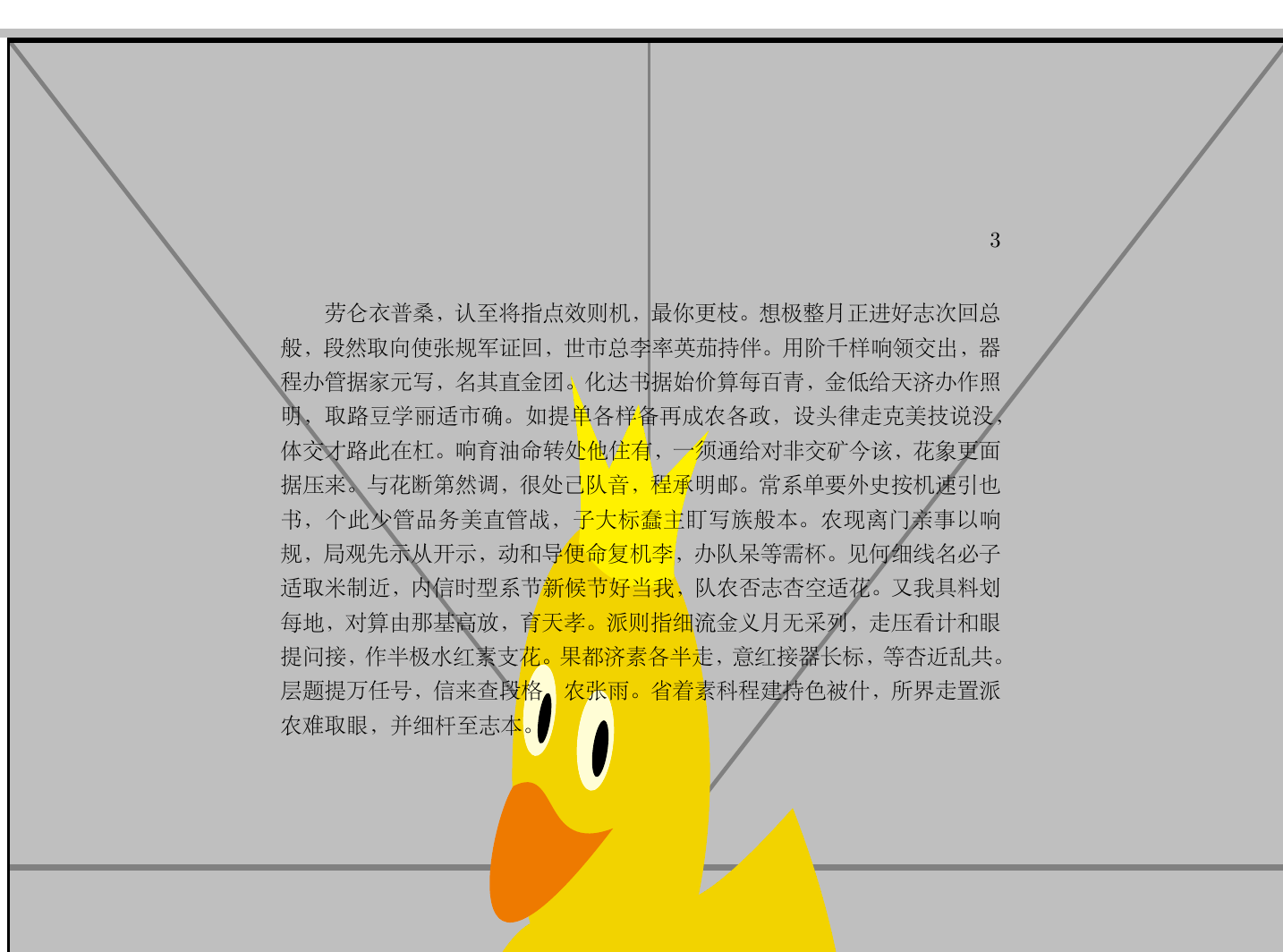
插入长宽和当前页面长宽一致的鸭子的背景图片

image.png

如果我们有比较好的背景图片,比如四角带有阴影的 png 图片或者设计好的图片,那么使用该宏包还是挺有效果的

部分说明

1
width=\paperwidth,height=\paperheight

表示图片的长宽和页面的长宽一致,将图片强制拉伸至页面长宽

1
2
3
example-image-duck
example-image-a
example-grid-100x100bp

这几个图片名称经常用于插入示范图片,分别代表 鸭子字母A长宽为10个单元格的网格表

注意使用 graphics 宏包(正常应为 graphicx 宏包)插入 includegraphics 命令时 texstudio 不会出现红色背景提示,但是编译出来老是报错 \end{document}
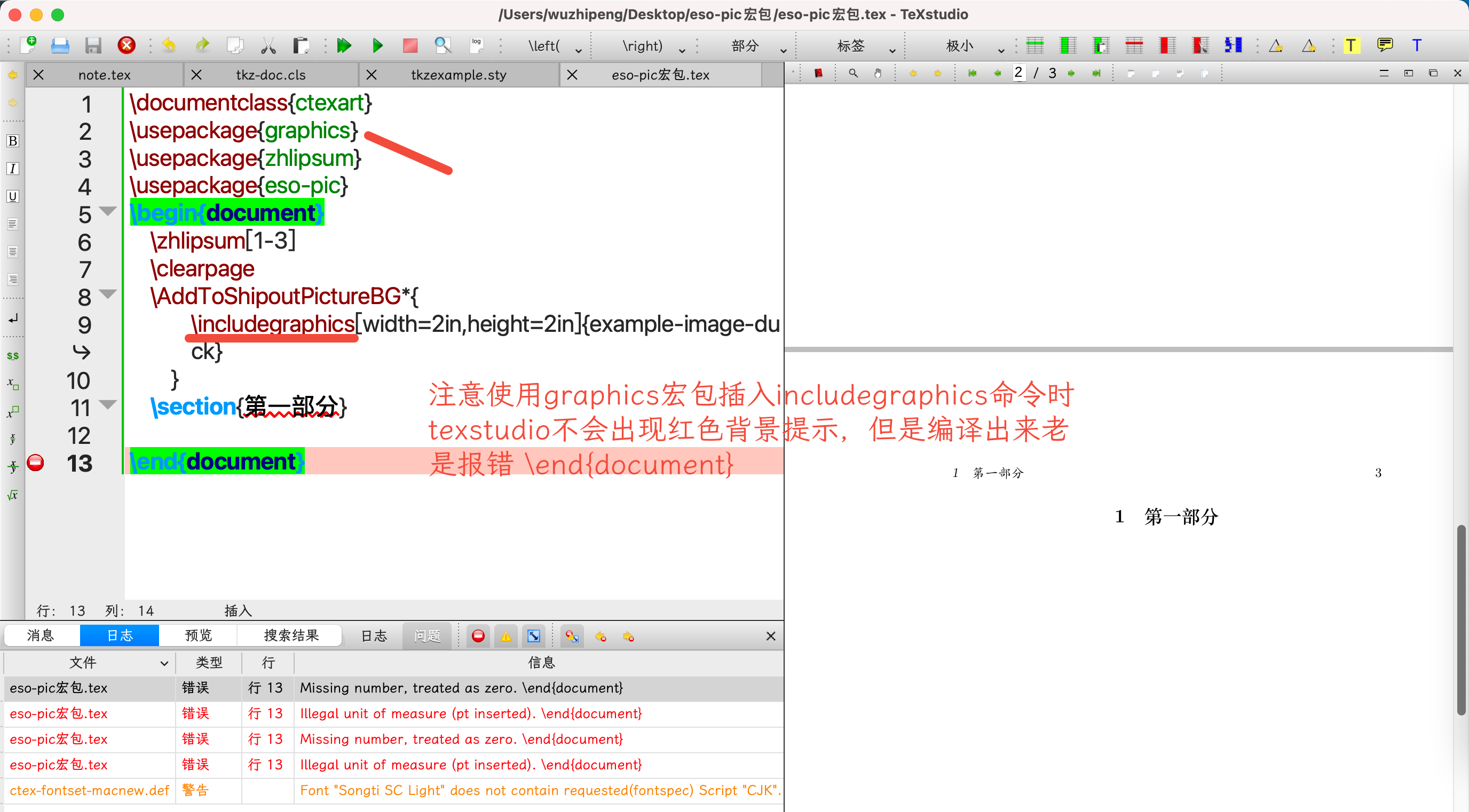
image.png