





Four years ago, I wrote a blog post explaining how I set up automatic dark mode for my terminal apps. Back then, it needed some workarounds— Fish scripts, AppleScript installation, and other tricks to make everything sync together. I can't say it was easy. The scripts were simple, but there were always certain things that broke when I upgraded the tools or macOS itself.
With the recent developments, a lot of things are easier. And I thought I'll do a recap on what has changed. You'll be surprised how much code I've deleted. Here is a how it looks, you can see how Ghostty, Tmux and NeoVim all change their themes automatically:
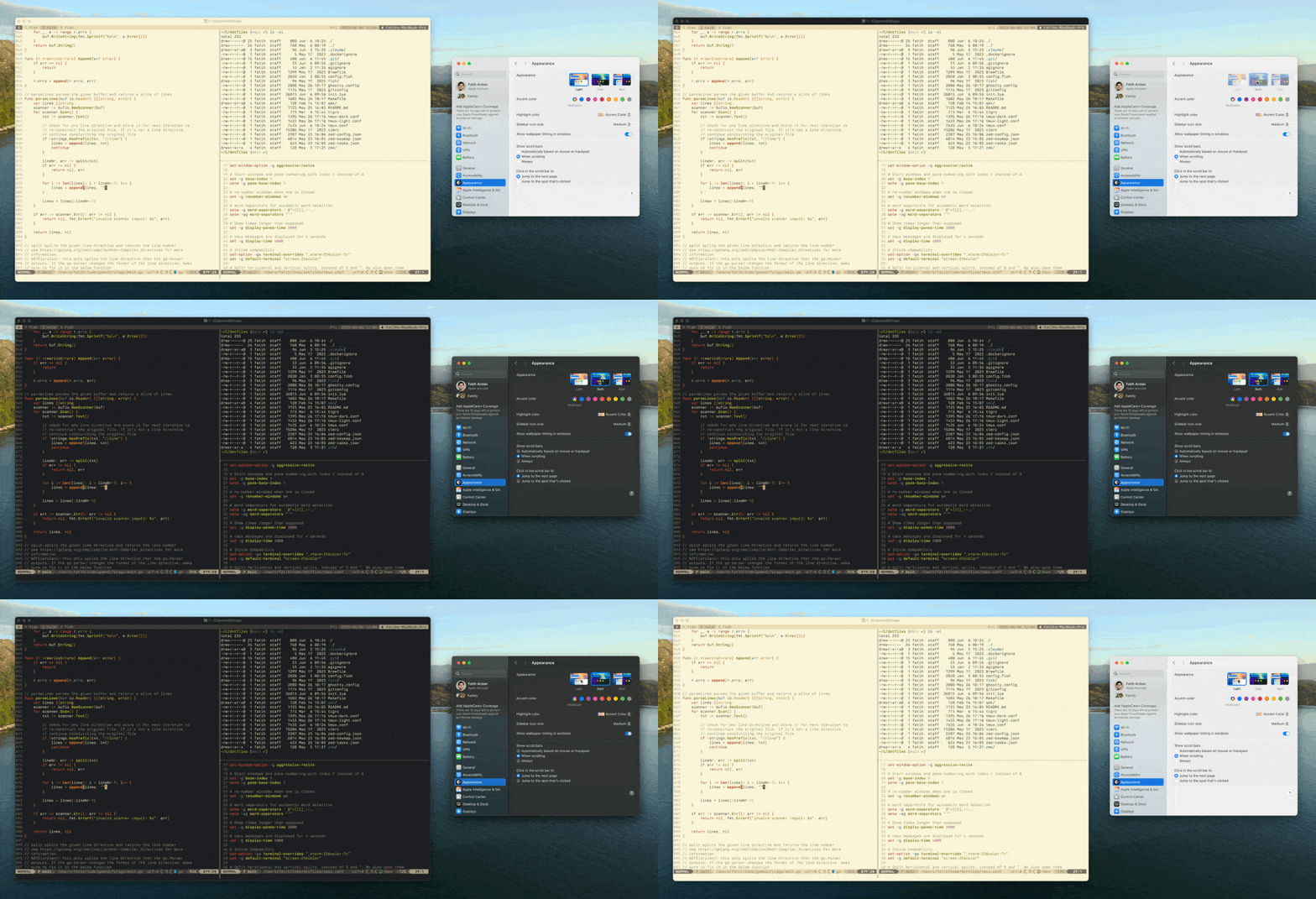
Ghostty
First of all, I switched from Alacritty to Ghostty Terminal. Ghostty is well built and has top-notch, first class support for macOS. There are a few features that I still miss (e.g: scrollback search), but for now it's working fine. But one feature I really like is its built-in support for switching themes based on system appearance.
All I had to do was add this line to my ghostty.config:
theme = light:GruvboxLightHard,dark:GruvboxDarkHardThat’s it. No need for extra scripts or tools. Ghostty automatically listens to macOS appearance settings and uses the light/dark themes accordingly.
Neovim
Next, I set up Neovim to follow system appearance. I’m using a plugin called cormacrelf/dark-notify. It runs in the background and automatically updates the theme when the system changes.
Here’s what I added to my init.lua:
-- automatic dark mode
{
  "cormacrelf/dark-notify",
  config = function ()
    require("dark_notify").run()
  end,
},
The plugin listens to the events by the dark-notify service, and then updates the theme automatically. Behind the scenes it updates the background to 'dark' and 'light'. So all you have to use is to setup a theme that supports dark and light mode.
I use gruvbox everywhere, so this is what I have in my init.lua:
-- colorscheme
{
  "ellisonleao/gruvbox.nvim",
  priority = 1000, -- make sure to load this before all the other start plugins
  config = function ()
    require("gruvbox").setup({
      contrast = "hard"
    })
    vim.cmd([[colorscheme gruvbox]])
  end,
},
Tmux
Lastly, even tmux can follow dark mode. The same plugin we use for Vim also works for tmux too.
Here’s what I added to my tmux.conf:
set -g @plugin 'erikw/tmux-dark-notify'

set -g @dark-notify-theme-path-light '$HOME/.tmux/tmux-light.conf'
set -g @dark-notify-theme-path-dark '$HOME/.tmux/tmux-dark.conf'
This sets up light mode styles and tells dark-notify to handle tmux switching too. It updates the background and foreground colors based on the system setting.
Verdict
All these changes are tracked in my dotfiles, go check them out. The old setup had too much glue code. Now, each app handles theme switching by itself or with a small plugin. Meaning I also deleted all the bespoke scripts I wrote.
We’ve gone from:
- Writing custom shell scripts
- Polling system appearance
- Manually syncing theme configs
…to just adding a few lines in a config file.
If you’ve read my 2021 post and still use that approach, I’d recommend trying this new setup. You’ll get the same results, with much less effort.