





Amazon makes it very difficult to find the correct page for canceling Amazon Prime Video subscriptions and trials. To save you some time I have bookmarked the correct page and linked to it here.
To quickly cancel your trial or subscription, simply click here: Amazon, Manage Channels and follow the prompts.
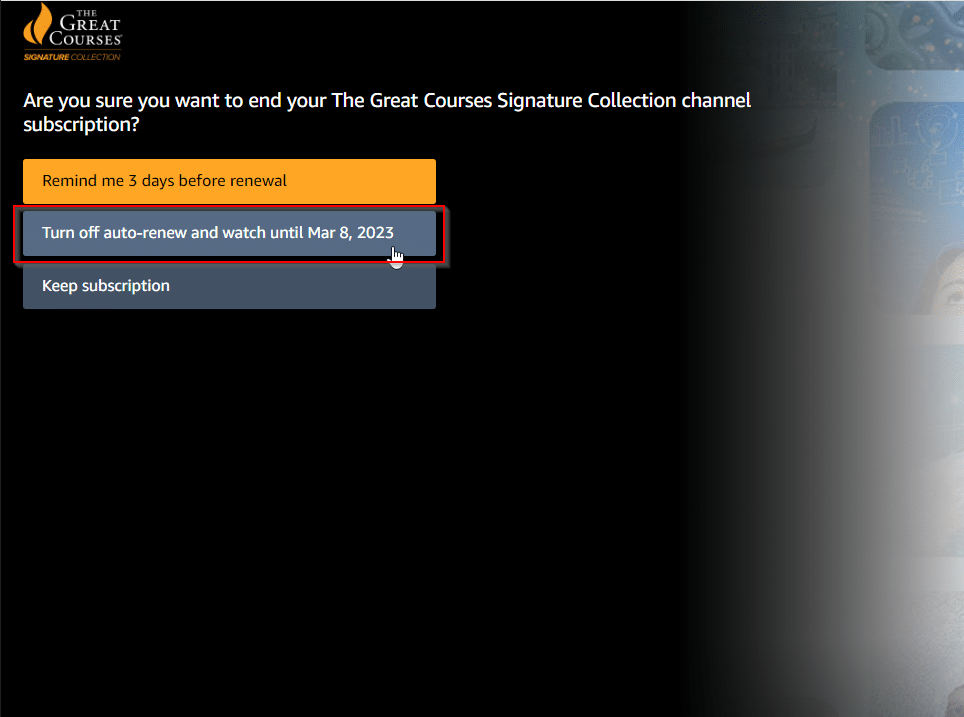
Detailed instructions: login to Amazon* and click the “Cancel Channel” button. If prompted, select “Turn off auto-renew and watch until…” Finally the trial/subscription is CANCELED! 👍👍
*please use a desktop/laptop browser, or on your mobile browser check the option to “View as desktop”.
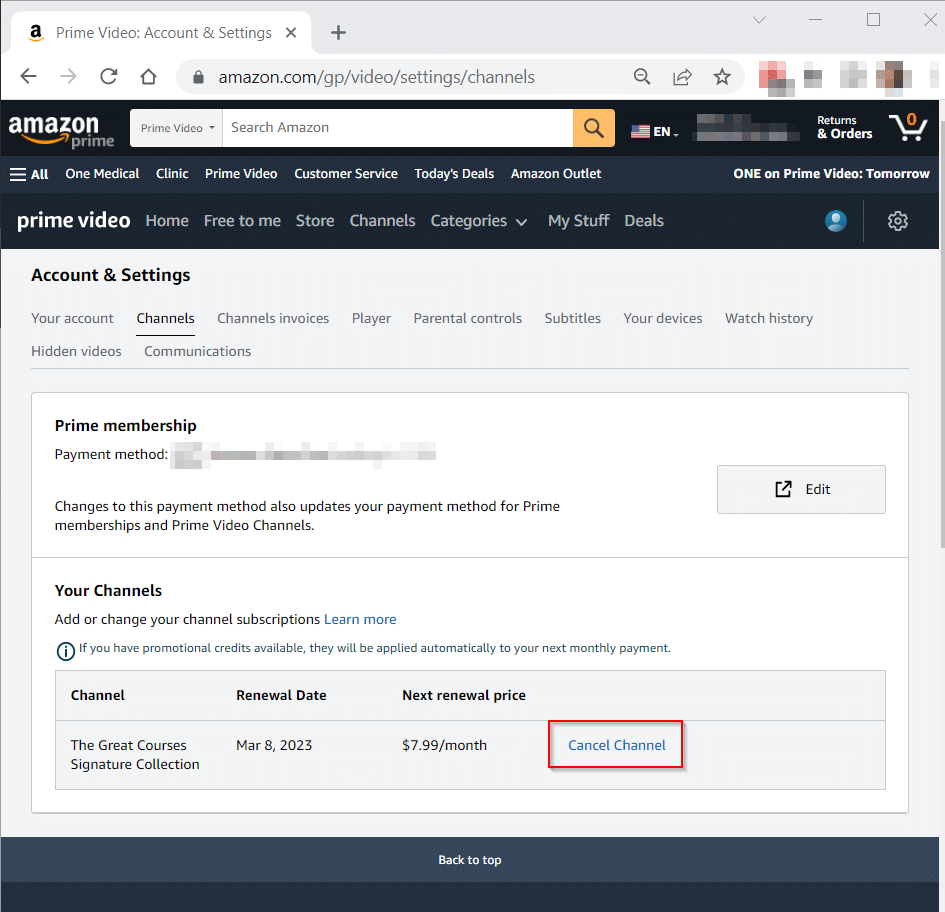
In this case, it is “The Great Courses Signature Collection” channel subscription that we are cancelling. ❌
Or if you prefer to do it in a mobile app, you can load the Amazon Prime Video app and click on your profile icon, then the gear icon for settings, then “manage your Prime Video Channels”.
Top Search Terms:
- https://www.jdhodges.com/blog/how-do-i-cancel-great-courses-trial-or-subscription-on-amazon-answer/ (40)