

惯性聚合 高效追踪和阅读你感兴趣的博客、新闻、科技资讯
阅读原文 在惯性聚合中打开

推荐订阅源

Engineering at Meta
Engineering at Meta
G
Google Developers Blog
WordPress大学
WordPress大学
M
MIT News - Artificial intelligence
D
DataBreaches.Net
云风的 BLOG
云风的 BLOG
爱范儿
爱范儿
Microsoft Security Blog
钛媒体:引领未来商业与生活新知
钛媒体:引领未来商业与生活新知
H
Hackread – Cybersecurity News, Data Breaches, AI and More
Blog — PlanetScale
Blog — PlanetScale
T
Tailwind CSS Blog
S
SegmentFault 最新的问题
阮一峰的网络日志
阮一峰的网络日志
博客园 - 三生石上(FineUI控件)
酷 壳 – CoolShell
酷 壳 – CoolShell
Recent Announcements
T
The Blog of Author Tim Ferriss
I
InfoQ
MyScale Blog
MyScale Blog
V
V2EX
B
Blog
罗磊的独立博客
freeCodeCamp Programming Tutorials: Python, JavaScript, Git & More

CloudCannon Blog

Building with AI: Git-based vs headless vs traditional CMS CloudCannon + Astro: performance meets powerful content management Introducing the Astro Component Starter Introducing Jetstream — built on the Astro Component Starter Why we switched to the system font stack Redesigning CloudCannon’s docs with Diátaxis, Lume, and Pagefind Make content editing more visual: upgraded Editable Regions How Configuration Mode makes building editing interfaces easy Your hosting just got an upgrade (and a price cut) Custom testing domains for professional branding Keep your content consistent with input validation Managing multilingual content in CloudCannon Simplify team publishing with conflict resolution and domain tools Open Beta: Publishing Conflict Resolution Getting started with CloudCannon and Astro: Bookshop, components, and live editing Welcome to the CloudCannon Community! Omnichannel delivery is just marketing spin from API-based CMS companies Getting started with CloudCannon and Astro: Snippets and Collections Managing digital assets in CloudCannon: a guide to smart asset storage Understanding CloudCannon's branching workflows and Projects: a complete guide What is a static website? CloudCannon’s 2024 wrapped Getting started with CloudCannon and Astro: WYSIWYG blogging Jamstack vs. WordPress: reasons to make the change The top five static site generators for 2025 (and when to use them!) Free Jekyll themes for 2025: ten great community options Eleventy (11ty) vs. Hugo How to set up WYSIWYG editing with MkDocs Material The rise of static-first websites: why major brands are making the switch Watching your Core Web Vitals on Jamstack
Open Beta | New ways to collaborate on editing your websites
2024-02-08 · via CloudCannon Blog

Thanks to the features debuting in our new Open Beta, editing in CloudCannon is now a collaborative experience, enabling multiple users to create content together. We've improved how our editing interfaces look and function, how you review your team's changes before saving, and we’ve also introduced avatars to various places within the app, so you can see who is editing what, in real time.

We’d like to invite everyone to test our new upgrades before the full launch. Taking part in this Beta is a great chance to let us know what’s working for you, and what could be improved for you and your team before we launch.

Here’s what our upgraded editor will bring to everyone:

New ways to collaborate on editing tasks and creating content Direct link to this section

Find where your team members are working, and edit your content together.
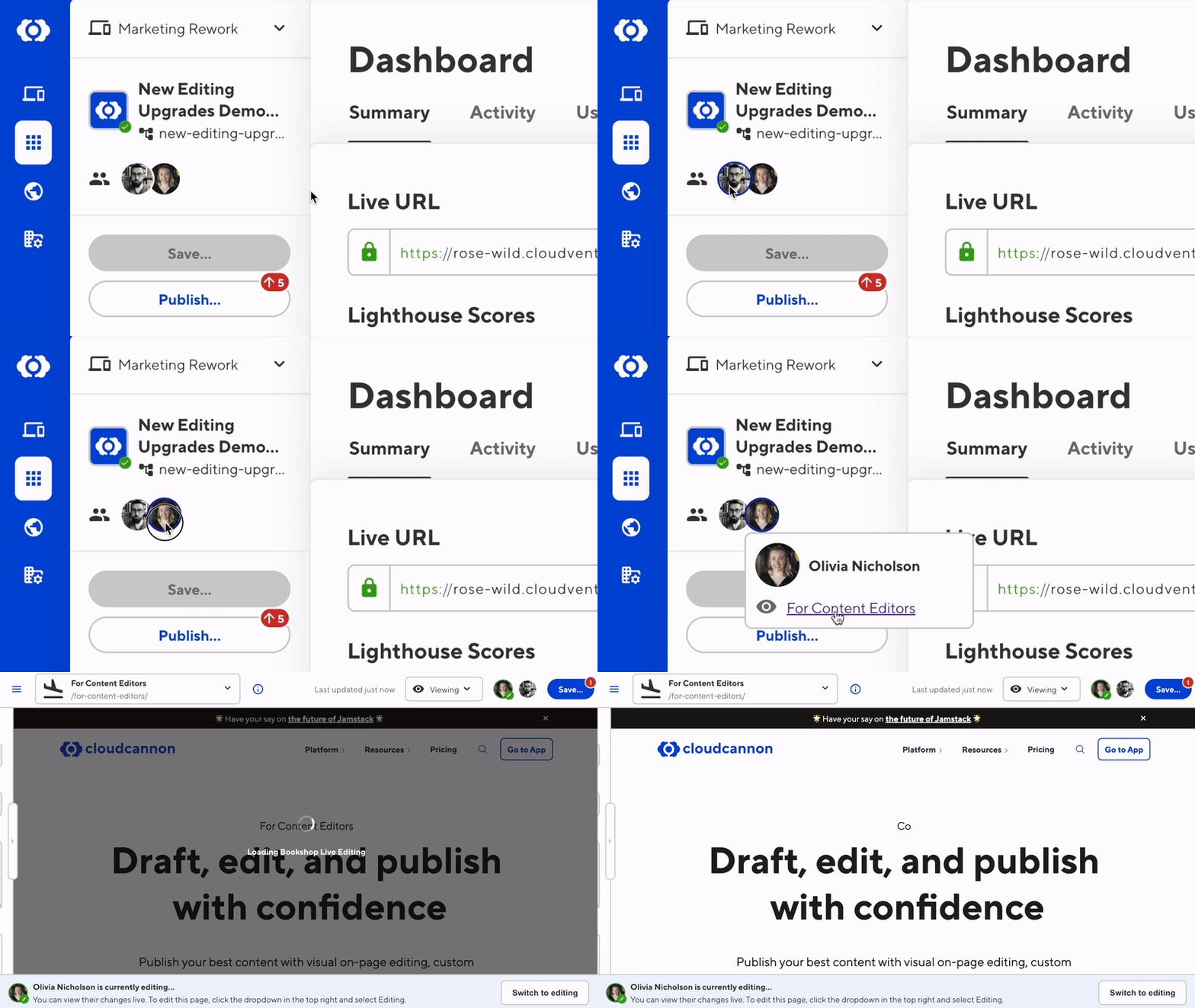
Collaborative editing on CloudCannon

Try asking someone else on your team to open the same file you’re working on — they’ll be able to watch your edits appear live on a read-only window, or take the editing reins and start writing or building pages themselves!

Edit with ease — your content changes are always saved Direct link to this section

Now you can refresh your browser, change your editing interface, and even switch who is editing your file — all without losing any content. CloudCannon will remember your changes, even if you don’t click ‘Save’ to commit them to your repo.
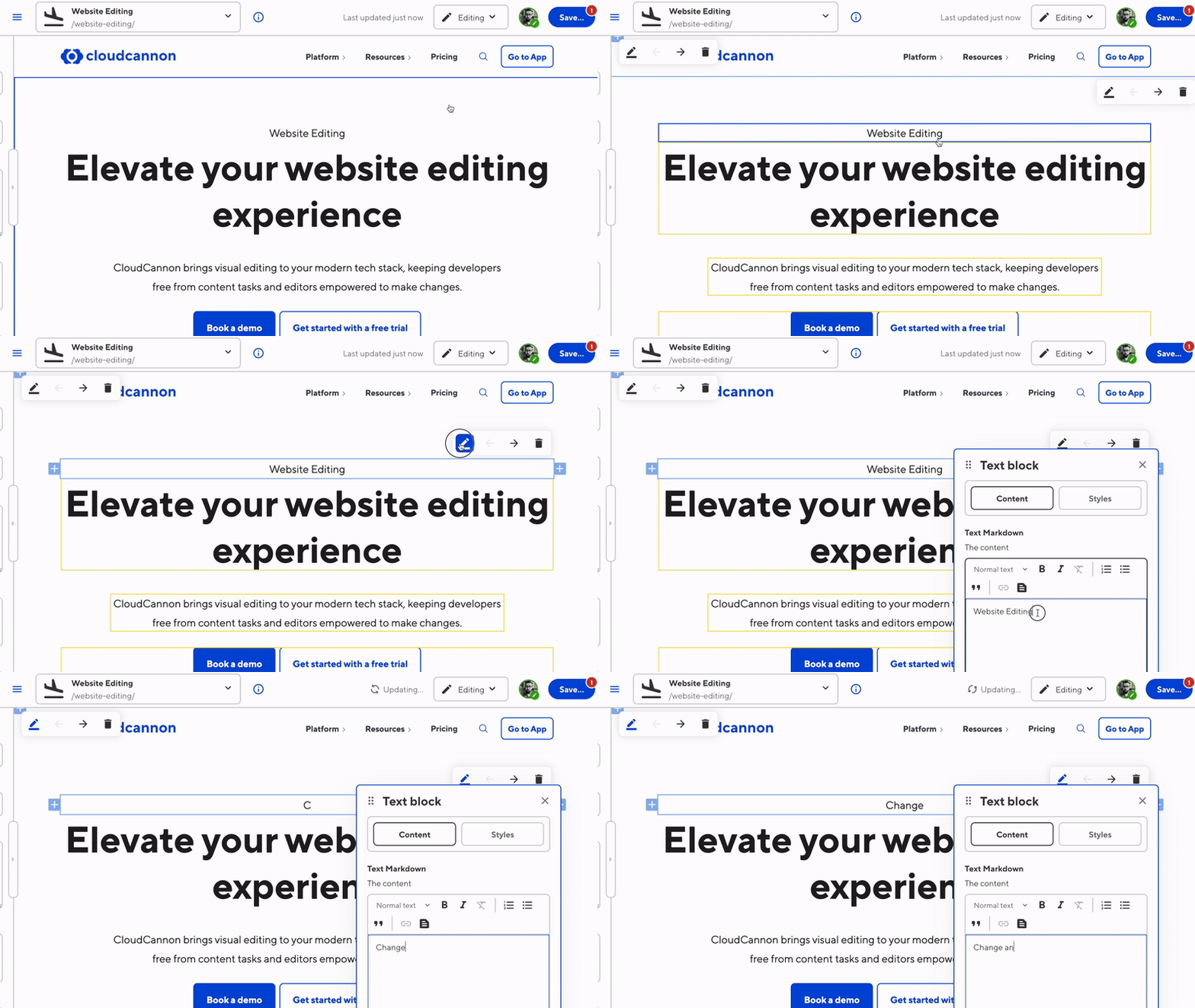
Persistent editing on CloudCannon

Workflow updates, an overhauled rich text editor, improved reliability, and more Direct link to this section

There’s a lot to dig into! All of the changes in the Beta are explained in full over at our Beta Documentation — check out the docs, try the Beta on one of your CloudCannon sites, and let us know what you think.

Interested in seeing it in action? Check it out:

How to test the upgraded editor experience Direct link to this section

We’ve set up the Beta so you can test it on a single site at a time. In the sidebar above your name, click Try the Editor Beta:
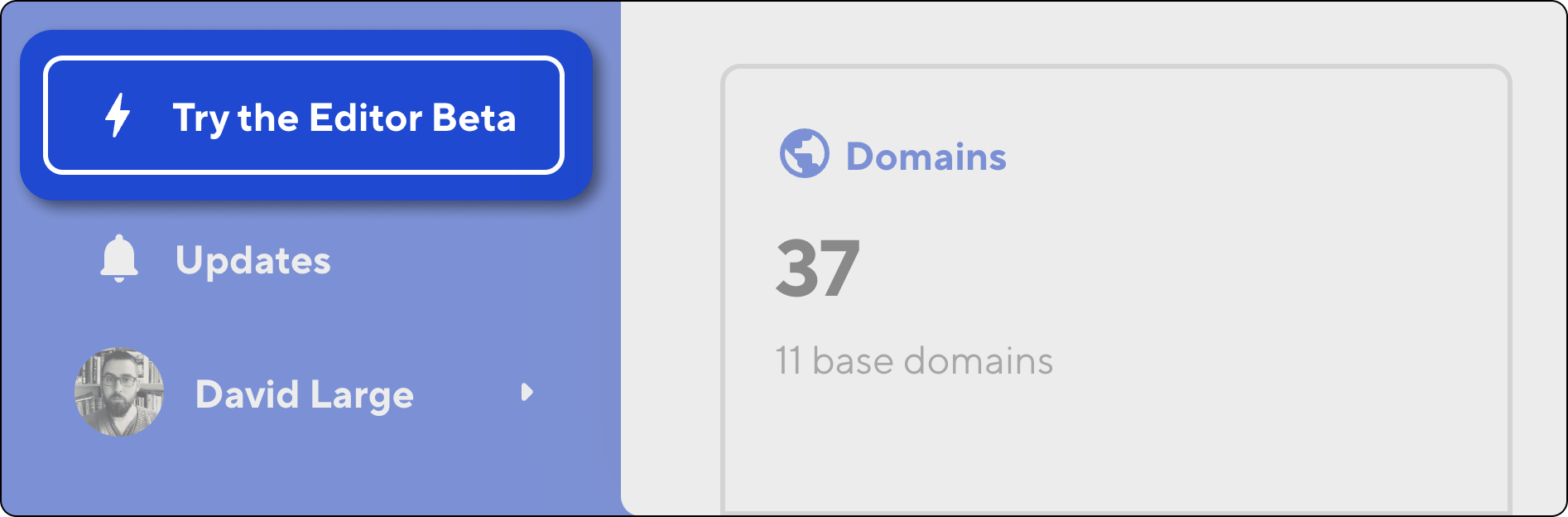
Now let's enable the Beta for your site. Navigate to the site you want to try it on, open the page or post you want to edit, and then click Enable editing sessions in the banner:

That’s it! Follow the instructions in the app to test everything out, and don't forget to let us know what you think!


CloudCannon’s upgraded editor works with all supported static site generators, because you should be able to choose the frameworks you love, and get the same great content editing experience.