





CodeQL Create OpenJdk/Jdk8 Database
sudo apt install mercurial
hg clone http://hg.openjdk.java.net/jdk8/jdk8 jdk8u
cd jdk8u
chmod 777 ./*
wget https://download.java.net/openjdk/jdk7u75/ri/jdk_ri-7u75-b13-linux-x64-18_dec_2014.tar.gz
tar xvf jdk_ri-7u75-b13-linux-x64-18_dec_2014.tar.gz
./configure –with-target-bits=64 –with-jvm-variants=server –with-debug-level=slowdebug –disable-zip-debug-info –with-boot-jdk=/your-pwd/soft/java-se-7u75-ri/ –with-memory-size=1024
参数解释:
–with-target-bits=64: 构建64的JDK
–with-jvm-variants=server :构建server模式的JDK
–with-debug-level=slowdebug: slowdebug带有更多的调试信息
–disable-zip-debug-info:禁止压缩调试信息,可以方便调试
–with-boot-jdk=/export/soft/java-se-7u75-ri/ :表示boot jdk的路径,就是刚才下载的jdk7的路径
--with-memory-size=1024 表示1GB
sudo apt-get install libx11-dev libxext-dev libxrender-dev libxtst-dev libxt-dev
./get_source.sh
等待几分钟,时间可能需要很久
在运行 ./configure ,运行的过程需要的依赖很多,依次安装就好了。


vi hotspot/make/linux/makefiles/adjust-mflags.sh
gcc的版本过高

安装gcc和g++ 4.9版本
修改apt源:
sudo vi /etc/apt/sources.list
添加以下内容到文件末尾:
#install gcc 4.9
deb http://dk.archive.ubuntu.com/ubuntu/ xenial main
deb http://dk.archive.ubuntu.com/ubuntu/ xenial universe
更新源:
sudo apt-get update
安装4.9版本:
sudo apt install gcc-4.9
sudo apt install g++-4.9
管理多版本gcc:
sudo update-alternatives –install /usr/bin/gcc gcc /usr/bin/gcc-7 50
sudo update-alternatives –install /usr/bin/g++ g++ /usr/bin/g++-7 50
sudo update-alternatives –install /usr/bin/gcc gcc /usr/bin/gcc-4.9 20
sudo update-alternatives –install /usr/bin/g++ g++ /usr/bin/g++-4.9 20
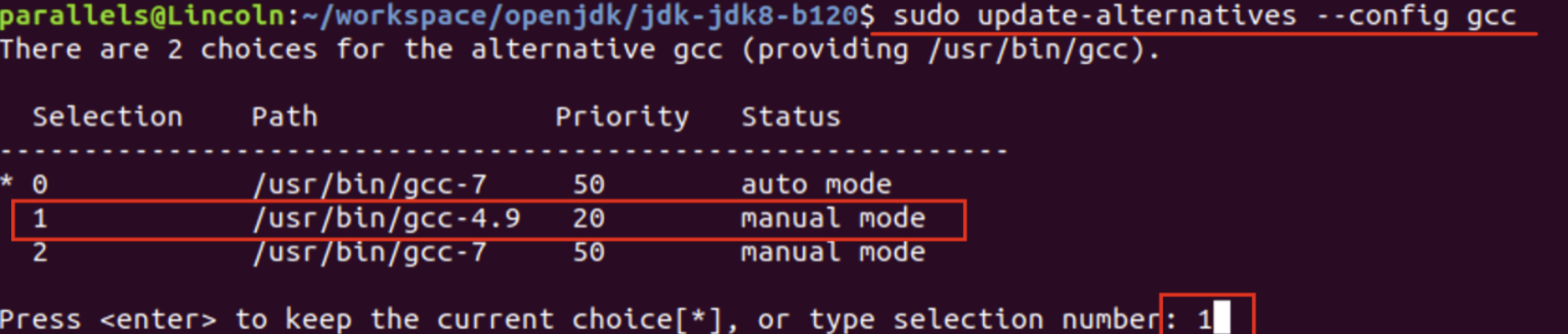
切换到4.9版本:
sudo update-alternatives –config gcc
sudo update-alternatives –config g++
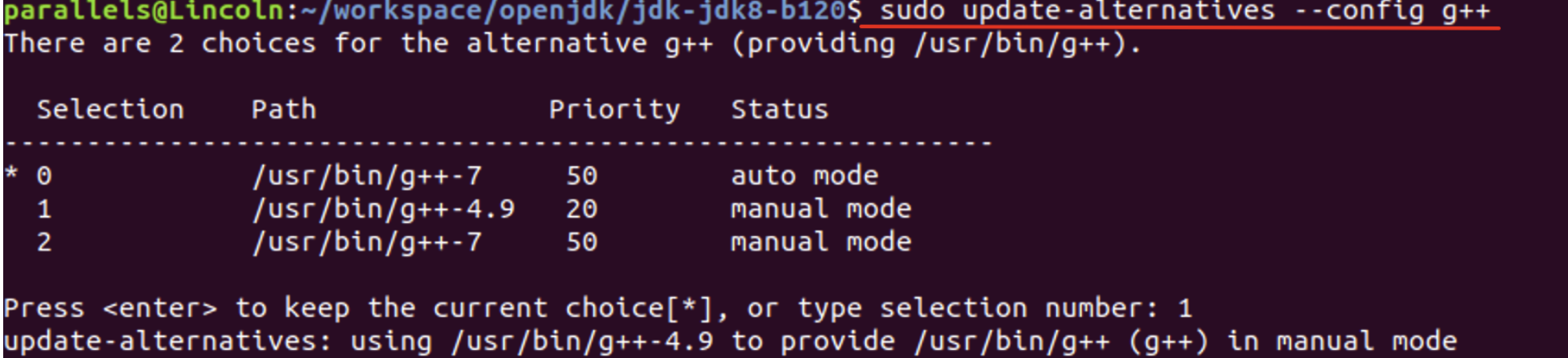
注意:切换完gcc的版本后需要重新运行之前命令
sh ./configure –with-target-bits=64 –with-jvm-variants=server –with-debug-level=slowdebug –disable-zip-debug-info –with-boot-jdk=/export/soft/java-se-7u75-ri/
再执行
vi hotspot/make/linux/makefiles/gcc.make
注释掉如下这行

./configure –with-target-bits=64 –with-jvm-variants=server –with-debug-level=slowdebug –disable-zip-debug-info –with-boot-jdk=/your-pwd/soft/java-se-7u75-ri/
最后 make images
codeql database create jdk_src --language=java --command="make images"
如果运行过程中下面错误,就是系统内存不够
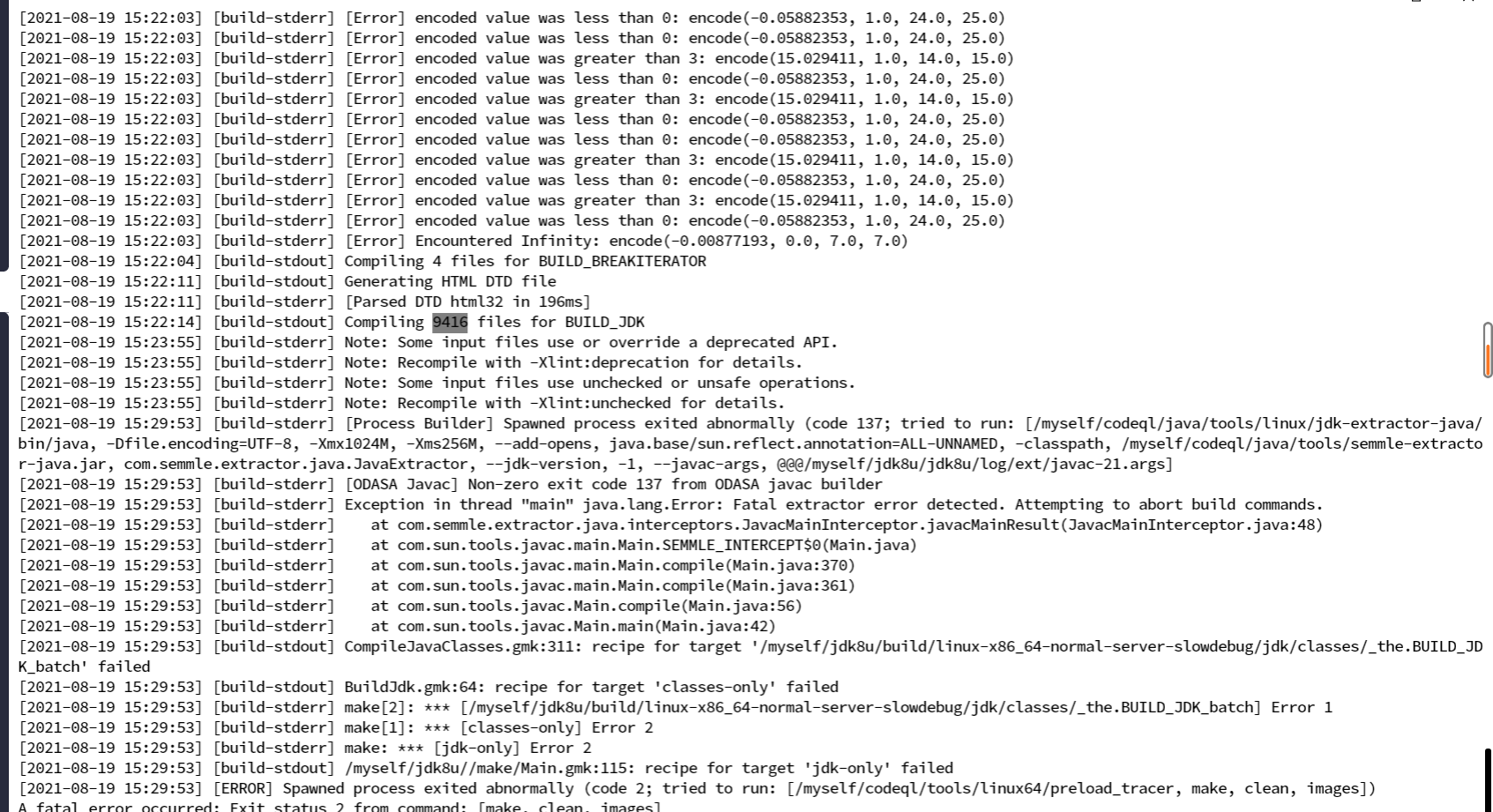
CompileJavaClasses.gmk:316: recipe for target '/data/github/jdk-jdk8-b120/build/linux-x86_64-normal-server-release/jdk/classes/_the.BUILD_JDK_batch' failed
make[2]: *** [/data/github/jdk-jdk8-b120/build/linux-x86_64-normal-server-release/jdk/classes/_the.BUILD_JDK_batch] Error 137
BuildJdk.gmk:64: recipe for target 'classes-only' failed
make[1]: *** [classes-only] Error 2
/data/github/jdk-jdk8-b120//make/Main.gmk:115: recipe for target 'jdk-only' failed
make: *** [jdk-only] Error 2
建议加上
codeql database create jdk_src --language=java --command="make images" -M 1024
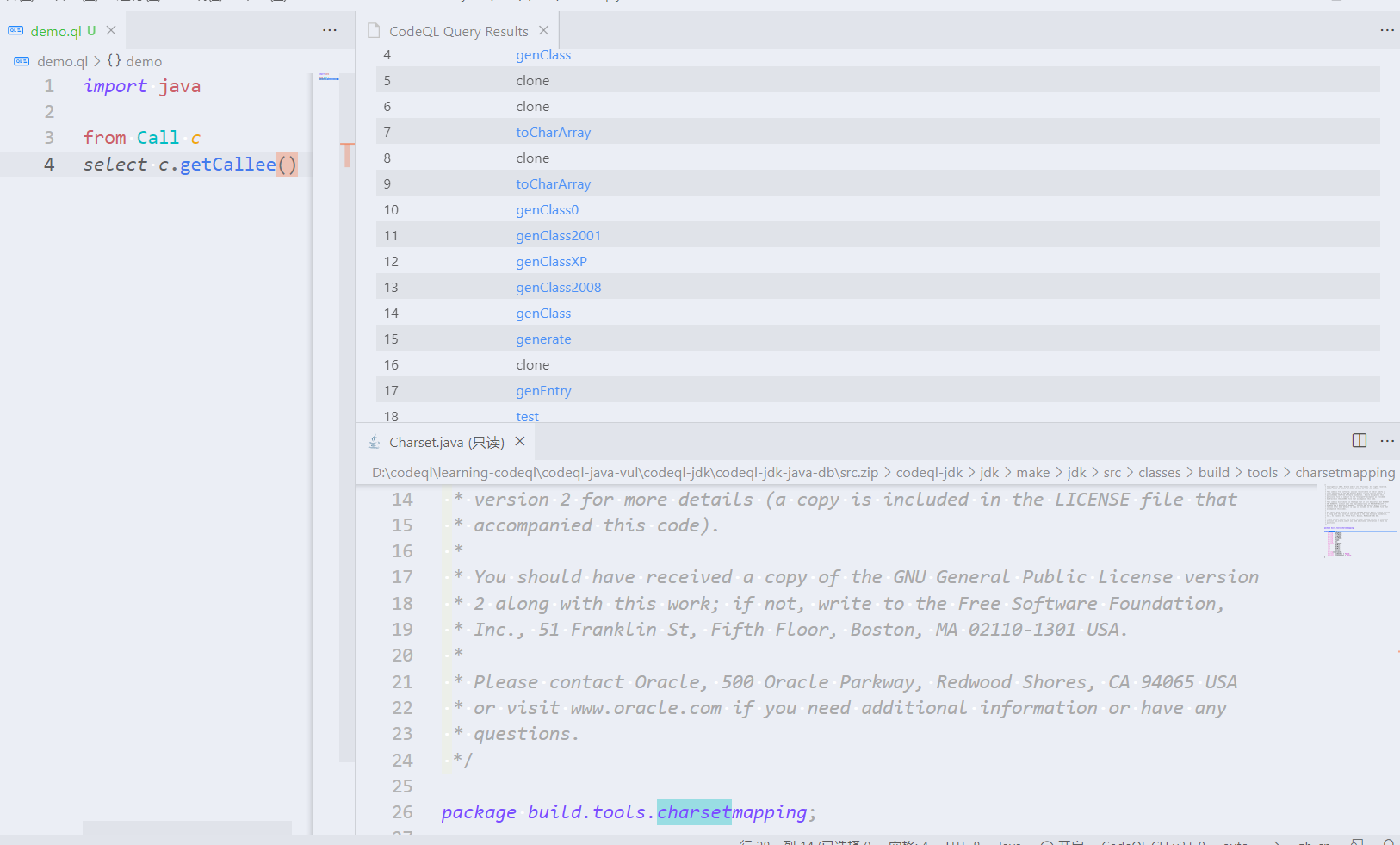
其实就是编译jdk,因为CodeQL需要参与到源码的编译过程中去才能构建数据库。效果成功如下:
参考原文:
https://blog.csdn.net/java_yanglikun/article/details/114460300
https://github.com/github/codeql/issues/4304