







Recently, while browsing Twitter, I came across multiple experiences shared by DIYgod about his latest project follow. Unfortunately, the project is still in the invitation-only testing phase, so I couldn’t participate. However, DIYgod’s other project RSSHub solved a problem that had been bothering me for a long time.
Until now, my main sources of information were Twitter and public accounts. Although I had also bookmarked some other news sites and personal blogs, I rarely clicked on them to read due to the scattered nature of the information. RSSHub helped me solve this problem. This blog post mainly shares my experience with RSSHub + Reeder 5.
This article is automatically translated by AI. Click here to challenge the original text.
RSS, introduced by Netscape in 1999, originally stood for “Rich Site Summary” and has evolved to version 2.0, also known as “Really Simple Syndication.” It is a format specification for aggregating updates from websites and outputting them in XML format for easy client-side subscription.
I first encountered RSS when setting up my blog, where there was an RSS configuration option. At that time, I simply configured it without realizing its potential for aggregating news. With the rise of self-media and short videos, very few people around me use this method to subscribe to information. However, a few days ago, when I discovered RSSHub, I decided to give it a try, and after two weeks of using it, I found it quite good.
RSSHub is a website that can fetch and convert any content into an RSS feed for subscription.
The project’s slogan is “Everything can be RSS.” It can not only subscribe to various blogs, forums, and new media, but also handle social media platforms like Twitter with ease. It’s very powerful, as detailed in the usage guide.
This project has been continuously developed for 6 years and has undergone a major overhaul this year. I have to admire the dedication of the developers.
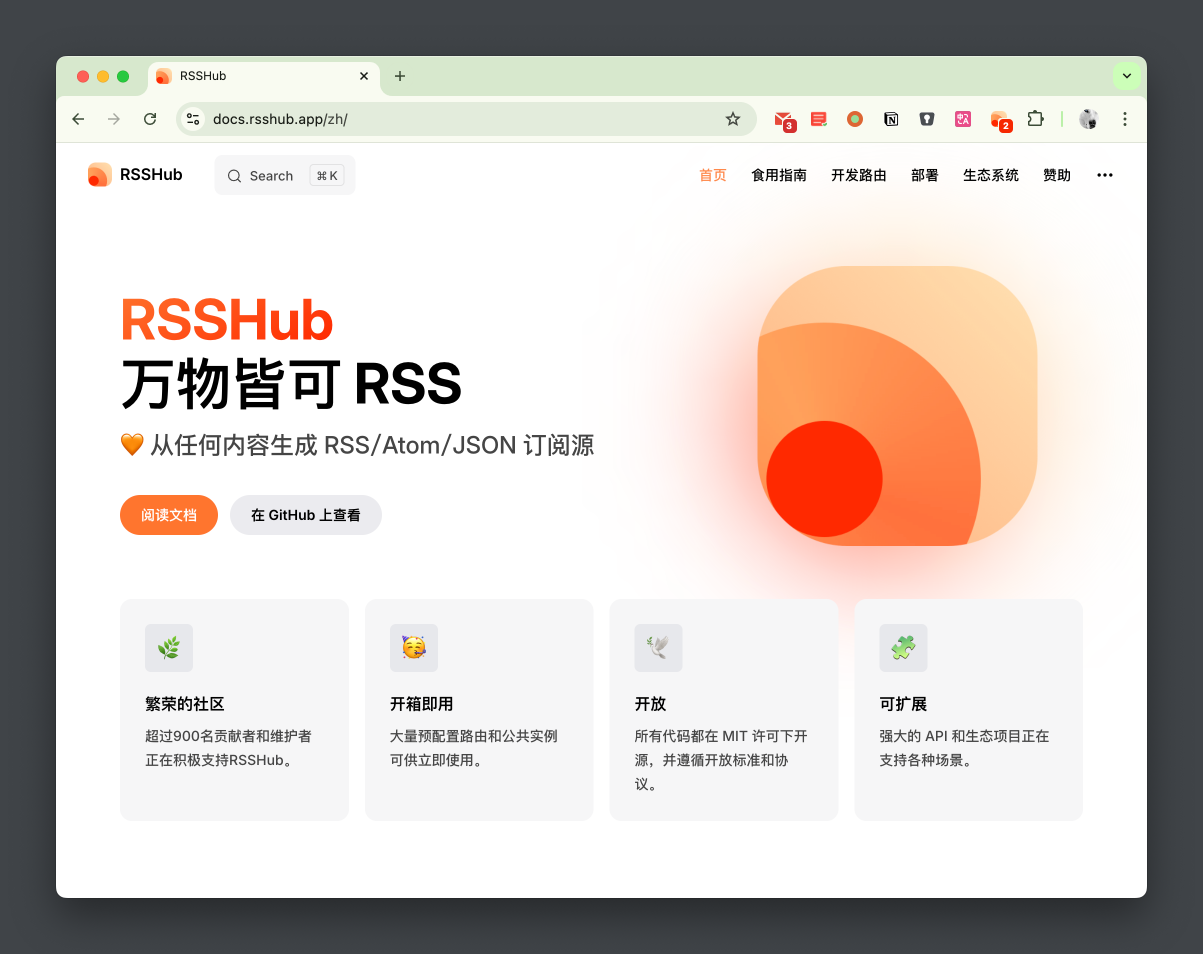
The project supports self-hosting, and I recommend setting up your own instance if you enjoy tinkering. It’s very easy to deploy using docker-compose, and the official documentation provides the necessary configuration file docker-compose.yml.
For external access, it’s best to use Nginx as a reverse proxy and automate certificate management with acme.sh. I have included my configuration at the end of this post.
In addition, the project also provides a Radar feature, which, when combined with a browser extension, allows you to check if the site you are visiting is supported by RSSHub and convert it into a subscription address with just one click. It’s very convenient and even works on mobile devices.
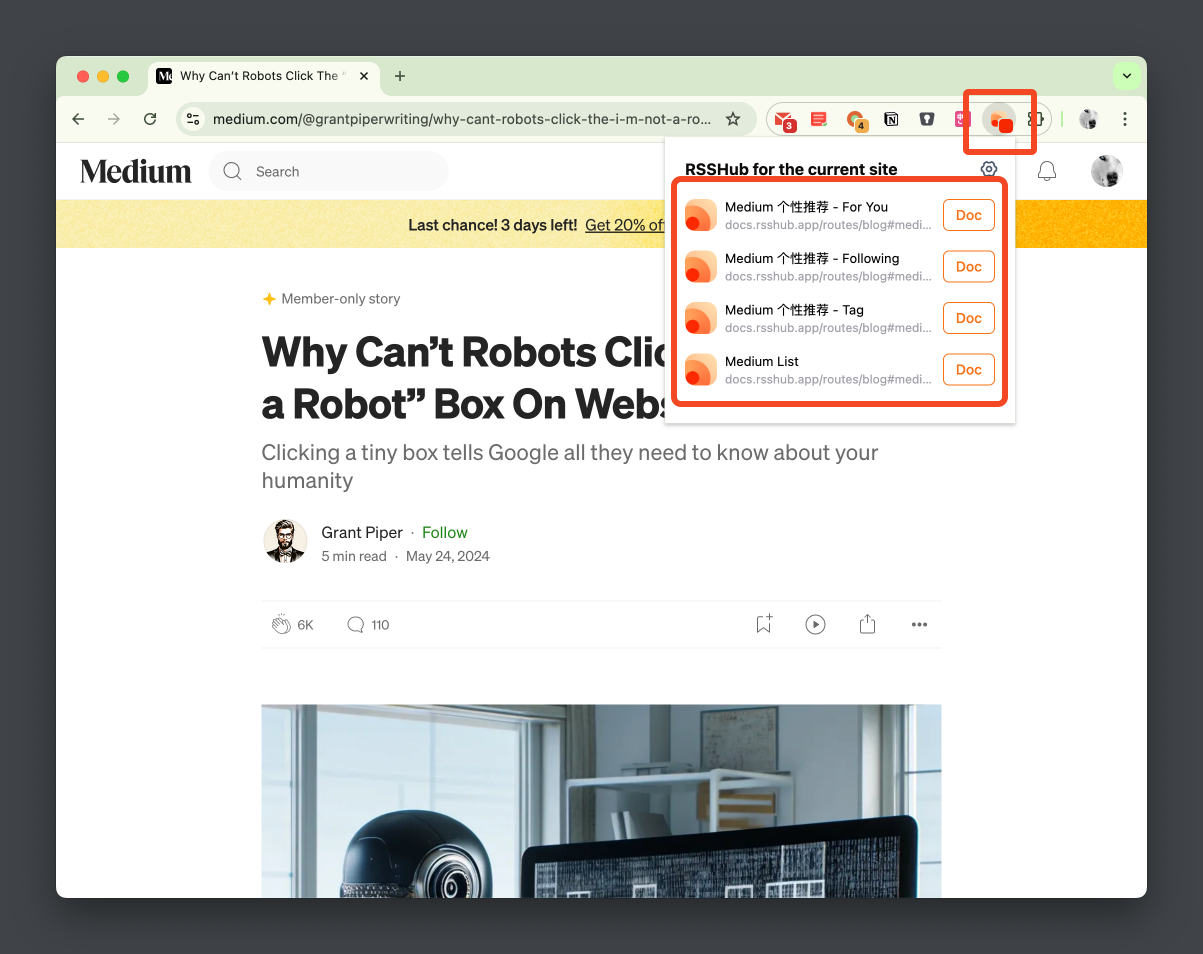
Of course, if you want to subscribe to GitHub Trending or Twitter timelines, you need to configure the corresponding tokens, as explained in the configuration guide.
Now that we have the RSS feeds, the next step is to choose a client. I chose Reeder 5, an RSS reader for macOS/iOS/iPadOS. Although it is a paid app, after using it for a few weeks, I find it really good.
Reeder 5 supports various RSS sources, including Feedly, Inoreader, and more. It also allows custom RSS feeds.
Currently, I mainly use it to subscribe to blogs, public accounts, and Twitter. It has a clean layout, good font choices, and supports iCloud sync, which is very convenient.
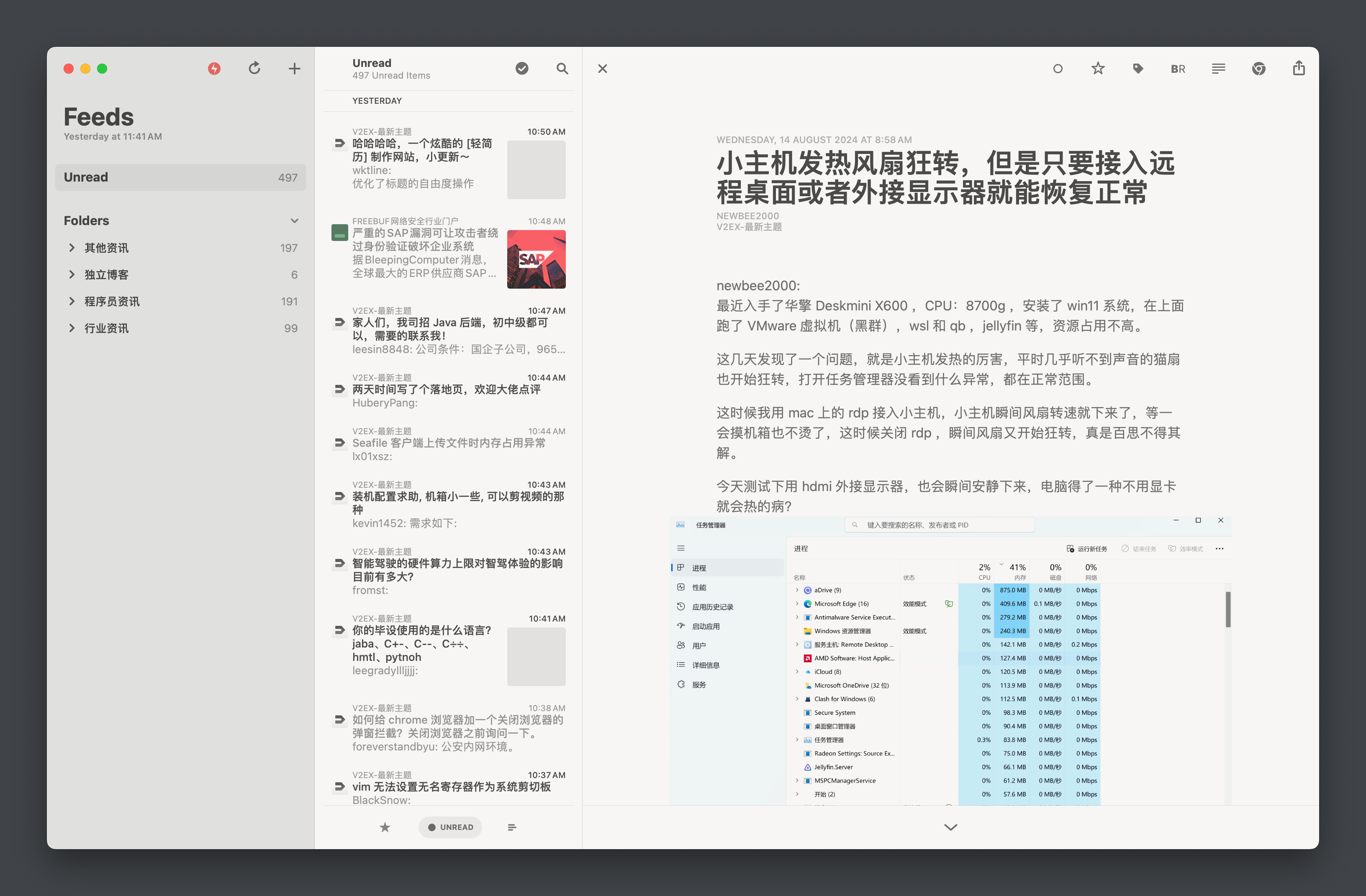
In addition, it has a “Read Later” feature that I really like. Sometimes, when I come across an article but don’t have time to read it, I can directly choose “Read Later in Reeder” in my browser and read it later in the app when I have time. It’s very convenient (previously, I used to send articles to myself on WeChat).
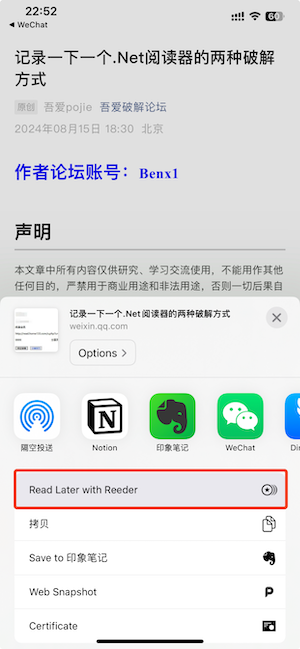
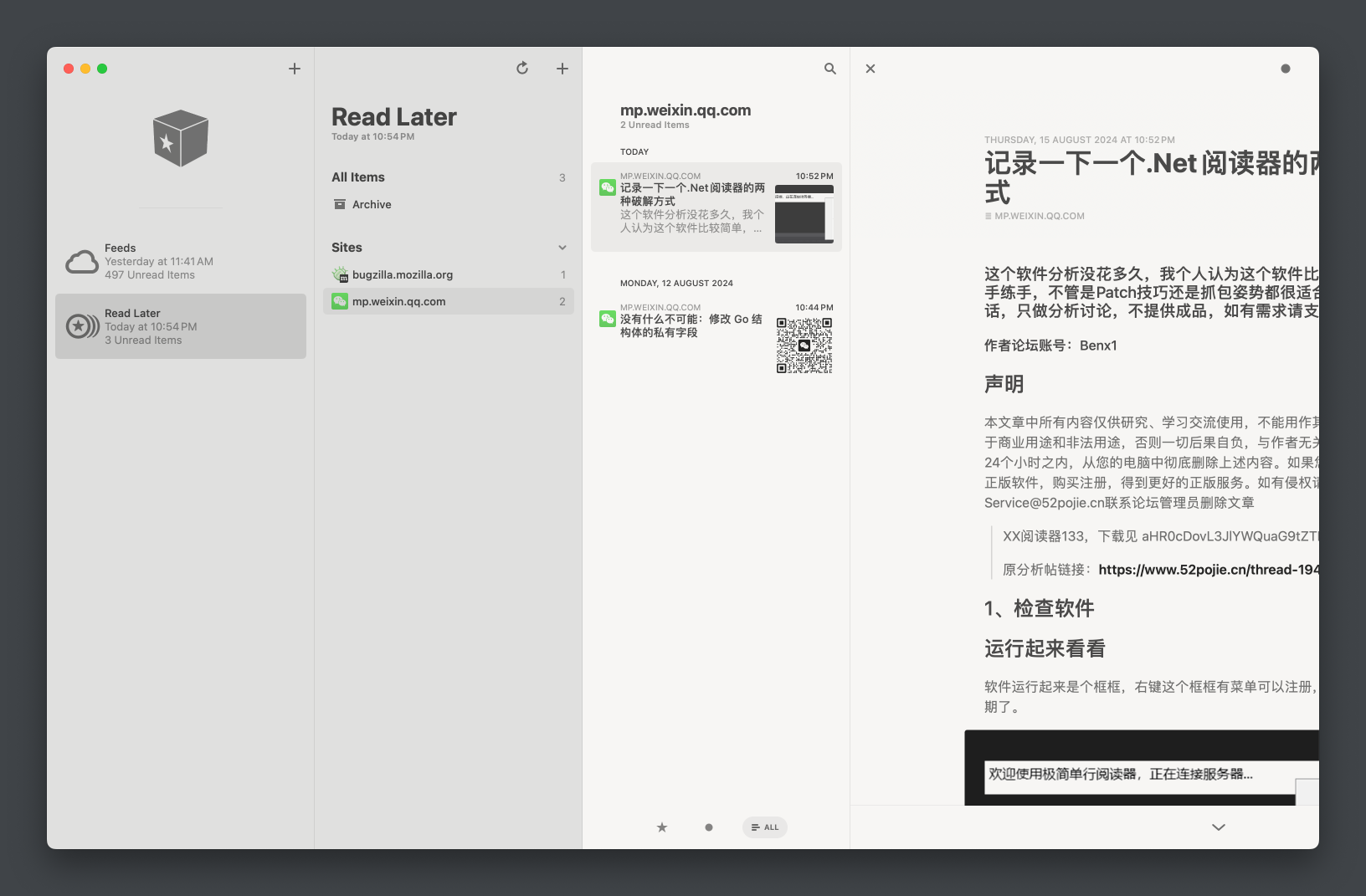
After using this combination for some time, I find it quite good. I can aggregate the information I want through RSSHub and read it at the right time without worrying about missing out.
However, at the same time, the amount of information has increased, but my capacity to consume it is limited. I need to make choices and only keep what is relevant to me; otherwise, it can lead to information overload.
One more thing, currently there is no good way to crawl articles from WeChat public accounts (although I have seen some paid solutions). Currently, the only way to read articles from WeChat public accounts is through the subscription feature.
Finally, I am looking forward to DIYgod’s follow project and hope to experience it soon.
Lastly, I would like to share my configuration for reference.
To access Twitter and GitHub smoothly, it is recommended to deploy the server overseas.
Added acme.sh to apply for certificates and Nginx to proxy RSSHub.
version: '3.5'
services:
  acme:
  image: neilpang/acme.sh
  restart: always
  container_name: acme.sh
  command: ["daemon"]
  environment:
    # I use Cloudflare DNS, refer to https://github.com/acmesh-official/acme.sh/wiki/dnsapi for other options
    - CF_Zone_ID=xxxx
    - CF_Token=xxx
  volumes:
    - ./acme.sh:/acme.sh
    - ./certs:/ssl

  nginx:
  image: nginx
  network_mode: host
  container_name: nginx
  restart: always
  volumes:
    - ./certs:/etc/nginx/ssl
    - ./web-rsshub.conf:/etc/nginx/conf.d/rsshub.conf

  rsshub:
  image: diygod/rsshub
  restart: always
  container_name: rsshub
  ports:
    - '1200:1200'
  environment:
    NODE_ENV: production
    CACHE_TYPE: redis
    REDIS_URL: 'redis://redis:6379/'
    PUPPETEER_WS_ENDPOINT: 'ws://browserless:3000'  # marked
    GITHUB_ACCESS_TOKEN: 'xxxx'
    TWITTER_USERNAME: 'xxx'
    TWITTER_PASSWORD: 'xxx'
    TWITTER_AUTHENTICATION_SECRET: 'xxxx'
  depends_on:
    - redis
    - browserless  # marked

  browserless:  # marked
  image: browserless/chrome  # marked
  container_name: rsshub-browserless
  restart: always  # marked
  ulimits:  # marked
    core:  # marked
    hard: 0  # marked
    soft: 0  # marked

  redis:
  image: redis:alpine
  container_name: rsshub-redis
  restart: always
  volumes:
    - ./redis-data:/data
Nginx reverse proxy configuration for RSSHub
server {
  listen                       443 ssl;
  server_name                  rsshub.example.com;
  server_tokens                off;
  http2 on;

  ssl_certificate              /etc/nginx/ssl/fullchain.pem;
  ssl_certificate_key          /etc/nginx/ssl/key.pem;

  ssl_prefer_server_ciphers    on;
  ssl_ciphers                  EECDH+CHACHA20:EECDH+CHACHA20-draft:EECDH+AES128:RSA+AES128:EECDH+AES256:RSA+AES256:EECDH+3DES:RSA+3DES:!MD5;

  ssl_protocols                TLSv1.1 TLSv1.2 TLSv1.3;
  ssl_session_cache            shared:SSL:50m;
  ssl_session_timeout          1d;
  ssl_session_tickets          on;

  ssl_trusted_certificate      /etc/nginx/ssl/ca.pem;
  ssl_stapling                 on;
  ssl_stapling_verify          on;

  access_log  /var/log/nginx/access_rsshub.log  main;
  error_log   /var/log/nginx/error_rsshub.log;

  resolver 8.8.8.8 ipv6=off valid=30s;

  location / {
    proxy_pass http://127.0.0.1:1200;
  }
}
Script to apply for certificates and update them
#!/bin/bash

echo "start install cert ..."

docker exec acme.sh --issue \
  -d "example.com" \
  -d "*.example.com" \
  --dns dns_cf \
  --keylength ec-256 \
  --server letsencrypt \
  --dnssleep 300 \
  --force

if [ $? -ne 0 ]; then
  echo "apply cert failed"
  exit 1
fi

docker exec acme.sh --install-cert \
  -d "example.com" \
  -d "example.com" \
  --dns dns_cf \
  --keylength ec-256 \
  --server letsencrypt \
  --key-file       /ssl/key.pem \
  --fullchain-file /ssl/fullchain.pem \
  --ca-file /ssl/ca.pem \
  --reloadcmd  "echo 'done'"

if [ $? -ne 0 ]; then
  echo "install cert failed"
  exit 1
fi

docker restart  nginx

if [ $? -ne 0 ]; then
  echo "reload nginx failed"
  exit 1
fi

echo "update cert success"
此内容由惯性聚合(RSS阅读器)自动聚合整理,仅供阅读参考。 原文来自 — 版权归原作者所有。