





知识点
规律:div+css布局 margin、padding、float、positin 都和位置有关 把盒子摆放到合适的位置
float 浮动
解释:普通流:不使用定位、浮动等特殊CSS规则的时候,各种元素的自然排列规则
作用:做盒子的左右布局
演示
div布局
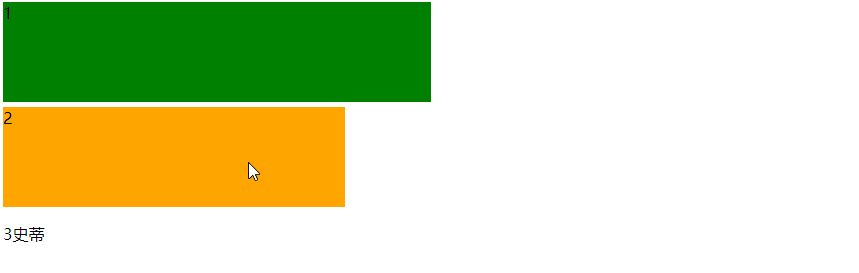
浮动布局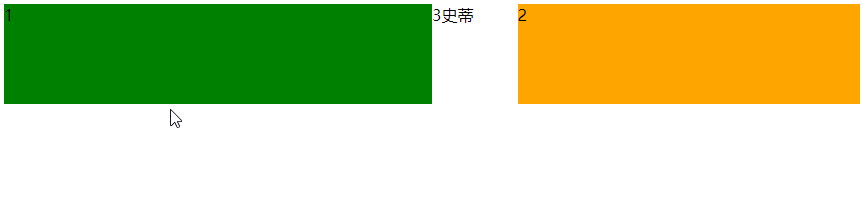
代码
<!DOCTYPE html>
<html>
    <head>
        <meta charset="utf-8">
        <title></title>

        <style type="text/css">
            .box{
                height: 100px;
                width: 50%;
                margin-bottom: 5px;
                background-color: green;
                /* 向左边浮动 */
                float: left;
            }
            .box2{
                width: 40%;
                height: 100px;
                background-color: orange;
                /* 向右边浮动 */
                float: right;
            }
        </style>
    </head>
    <body>
        <div class="box">1</div>
        <div class="box2">2</div>
        <!-- 需求:两个盒子左右布局 -->
        <!-- 浮动达到目标要求 -->
        <p>3史蒂芬孙</p>
    </body>
</html>
赞赏作者

如果觉得我的文章对你有用,请随意赞赏