










Yesterday we announced the Netlify Drawer is now available on branch deploys in addition to Deploy Previews. You may have noticed that the UI has received an update too! We’ve updated the UI of the Netlify Drawer to make it easier for teams to collaborate while checking out deploy previews.
New Conversation pane
The new Conversation pane sports a chat-like interface for discussing the proposed changes of a given deploy preview. Drawing inspiration from modern messaging apps, we found this informal conversational styling to be more approachable for some reviewers than a Git-based timeline interface.
Of course, comments written in the drawer sync to the associated pull/merge request, so developers conveniently get notified of feedback on the services they already use – but reviewers shouldn’t feel like they need to understand Git if it precludes them from writing actionable feedback. Comments appear in real-time so you know you’re always looking at the most recent discussion.
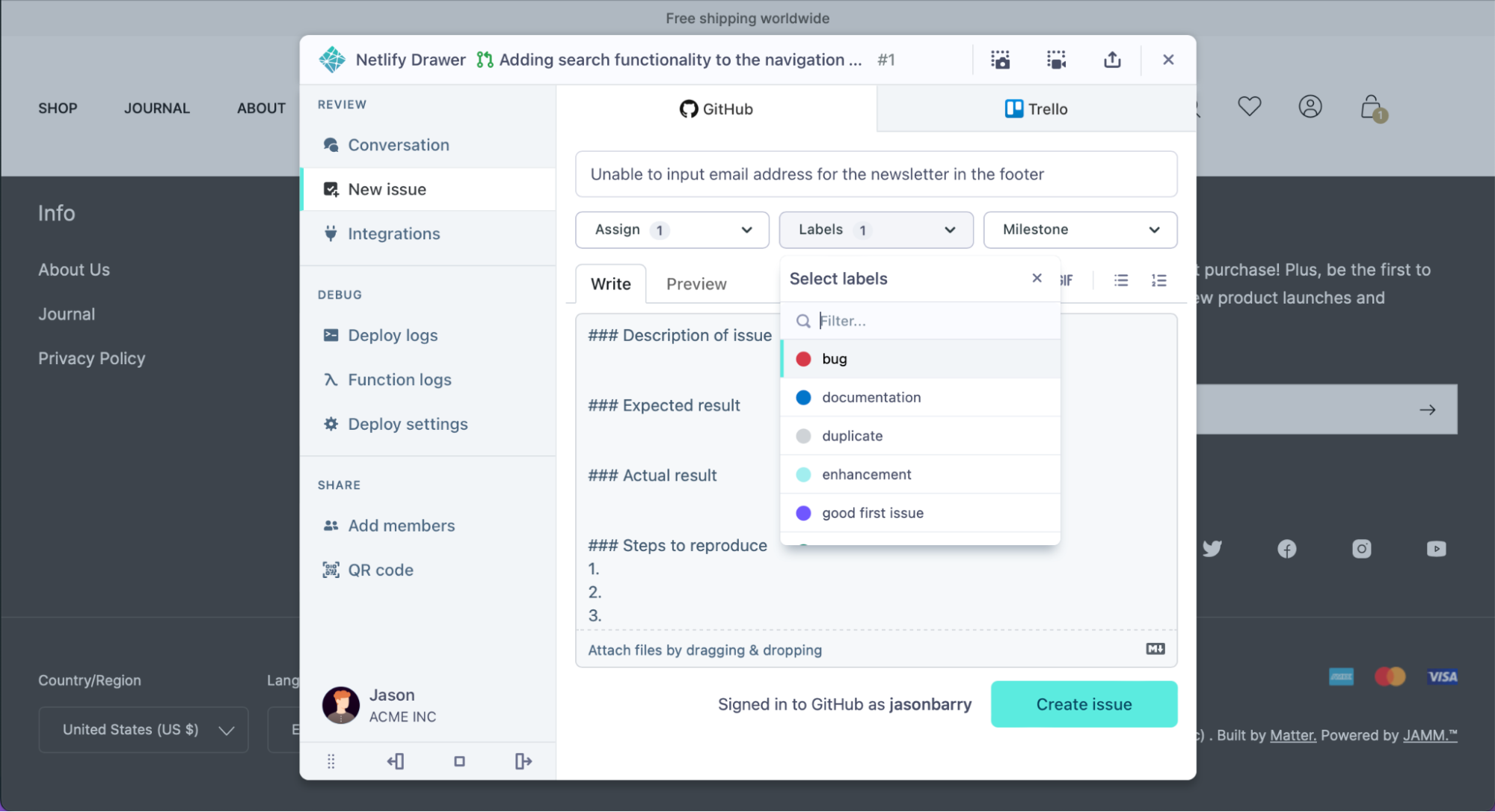
Conversations aren’t the only place where feedback is happening. You can also create tickets on popular third-party issue trackers like GitHub, GitLab, Azure DevOps, JIRA, Trello, Linear, Shortcut, and more directly from the drawer. Find our full list of integrations within the Integrations pane inside the drawer – including Loom for leaving asynchronous video feedback.
Live refresh changes
A personal favorite feature of mine is deploy notifications. Have you ever left feedback on a work-in-progress, only to find out that you weren’t reviewing the latest version? With the Netlify Drawer, this problem is a thing of the past! You’ll be notified as soon as a new deploy on the same branch is ready to view. Clicking the refresh button will reload the same page with the newest assets freshly loaded from the CDN.

Dock the drawer
The drawer is designed to be at your fingertips when you need it, and out of the way when you don’t. You can drag it around to temporarily reveal content underneath, or dock it to the side of your screen to pin it to the window’s edge. If the floating UI experience ever gets in your way, you can minimize it to the bottom of the window, or toggle it on/off by pressing command-backslash ⌘\ (or control-backslash ^\ on Windows/Linux) keyboard shortcut.
Try it with your team
Log into the Netlify Drawer today on a deploy preview or branch deploy near you! Clicking the “Log in to the Netlify Drawer” button will automatically log you in if you’re already logged into app.netlify.com – you won’t need to re-enter your credentials. Got any feedback? Let us know in our support forums!