




惯性聚合 高效追踪和阅读你感兴趣的博客、新闻、科技资讯
阅读原文 在惯性聚合中打开

推荐订阅源

Hugging Face - Blog
Hugging Face - Blog
量子位
H
Help Net Security
Microsoft Azure Blog
MongoDB | Blog
MongoDB | Blog
小众软件
小众软件
爱范儿
爱范儿
博客园 - 【当耐特】
Vercel News
Vercel News
S
SegmentFault 最新的问题
M
MIT News - Artificial intelligence
F
Fortinet All Blogs
Apple Machine Learning Research
GbyAI
GbyAI
博客园 - 叶小钗
博客园_首页
V
Visual Studio Blog
宝玉的分享
宝玉的分享
B
Blog
MyScale Blog
MyScale Blog
C
Check Point Blog
博客园 - 三生石上(FineUI控件)
L
LangChain Blog
V
V2EX

Netlify Changelog

Gemini 3.5 Flash now available in Agent Runners 4 Nuxt CVEs: what Netlify users need to know Gemini 3.5 Flash now available in AI Gateway Agent Runners workflow improvements Next.js & React security release (May 2026): what to know Gemini 3.1 Flash-Lite now available in AI Gateway OpenAI GPT-5.5 Instant now available in AI Gateway New `netlify logs` CLI command Deploy to Netlify with Stripe Projects Netlify Database is now generally available OpenAI GPT-5.5 and GPT-5.5 Pro in AI Gateway & Agent Runners Rename an agent run GPT Image 2 now available in AI Gateway New frontend-design skill for Agent Runners Claude Opus 4.7 now available in AI Gateway and Agent Runners Pricing updates for Credit-based plans New sorting and filter controls on the Members page Netlify Database GA coming soon, no new databases for now Deploy logs streaming is now faster Netlify CLI adds prompt-based creation and anonymous deploys Deploy from Codex with the Netlify Plugin Hydrogen with React Router 7 now supported on Netlify Monitor credit usage by day Invoices for Enterprise Available on the Billing Page AI app development on production infrastructure with Netlify Introducing Prompt Templates OpenAI GPT-5.4 Nano and GPT-5.4 Mini in AI Gateway Change your pricing plan Internal Builder Role & Project Access Controls See your available credits at a glance
Block project transfers out of your team
2026-05-08 · via Netlify Changelog

Team Owners can now guarantee that projects stay within the team to meet compliance or ownership requirements by blocking every project from being transferred to another team.

Once a Team Owner blocks project transfers out of the team, even the Team Owner cannot transfer projects out of the team unless they change this setting, which is tracked in the team’s audit log.

Try it out

To change the setting, go to Team settings > Access & security > Transfer site settings and select Edit settings.
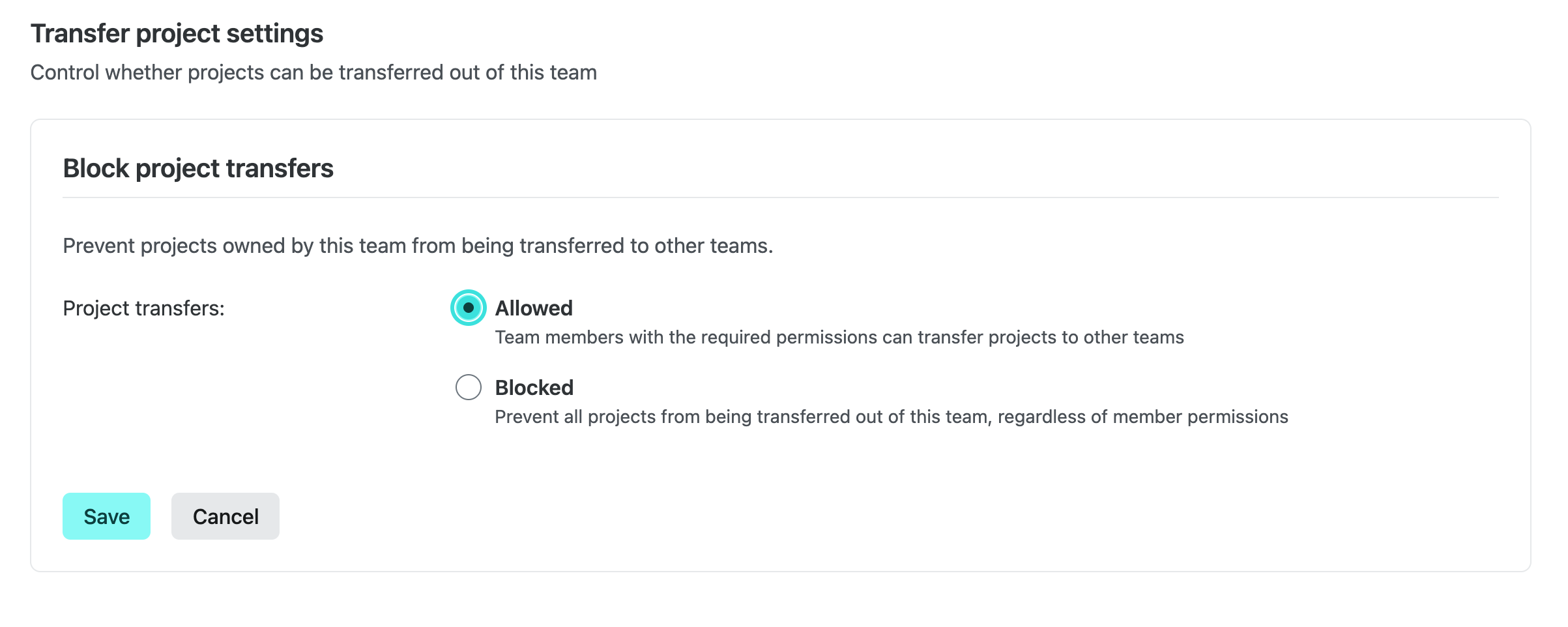
Transfer project settings panel showing Allowed and Blocked options for project transfers

When transfers are blocked, the Transfer project action is hidden for every project owned by the team and the backend rejects transfer requests for those projects.

Enterprise defaults

Enterprise teams start with project transfers set to Blocked for security reasons, but Team Owners can change this setting to Allowed at any time. Only Team Owners can change this setting and changes are recorded in the team audit log.

Learn more

Learn more in our docs on Transferring a project.