


惯性聚合 高效追踪和阅读你感兴趣的博客、新闻、科技资讯
阅读原文 在惯性聚合中打开

推荐订阅源

大猫的无限游戏
大猫的无限游戏
H
Hacker News: Front Page
T
The Blog of Author Tim Ferriss
WordPress大学
WordPress大学
Cyber Security Advisories - MS-ISAC
Blog — PlanetScale
Blog — PlanetScale
Stack Overflow Blog
Stack Overflow Blog
F
Fortinet All Blogs
H
Help Net Security
罗磊的独立博客
D
DataBreaches.Net
MyScale Blog
MyScale Blog
美团技术团队
人人都是产品经理
人人都是产品经理
L
LangChain Blog
M
MIT News - Artificial intelligence
C
Check Point Blog
GbyAI
GbyAI
B
Blog RSS Feed
Microsoft Azure Blog
Y
Y Combinator Blog
雷峰网
雷峰网
Last Week in AI
Last Week in AI
F
Full Disclosure
量子位
V
Visual Studio Blog
Google DeepMind News
CTFtime.org: upcoming CTF events
钛媒体:引领未来商业与生活新知
钛媒体:引领未来商业与生活新知
S
SegmentFault 最新的问题
云风的 BLOG
云风的 BLOG
H
Hackread – Cybersecurity News, Data Breaches, AI and More
P
Proofpoint News Feed
爱范儿
爱范儿
A
About on SuperTechFans
MongoDB | Blog
MongoDB | Blog
腾讯CDC
博客园 - 【当耐特】
U
Unit 42
Martin Fowler
Martin Fowler
NISL@THU
NISL@THU
B
Blog
T
The Exploit Database - CXSecurity.com
Apple Machine Learning Research
L
Lohrmann on Cybersecurity
P
Proofpoint News Feed
有赞技术团队
有赞技术团队
C
CERT Recently Published Vulnerability Notes
The GitHub Blog
The GitHub Blog
T
Threatpost

Linear Blog

Teaching an agent to auto-fix bugs - Linear Now Linear writes the code, too - Linear Reviewing code in the agent era - Linear Code review should be fast - Linear Code Intelligence for Linear Agent - Linear How we hire at Linear - Linear Output isn’t design - Linear How we use Linear Agent at Linear Post mortem on Linear security incident on March 24th, 2026 A calmer interface for a product in motion Design is more than code - Linear How our Customer Experience team works in Linear - Linear Continuous planning in Linear - Linear Designing remote work at Linear - Linear Self-driving SaaS: When software runs itself - Linear A Linear spin on Liquid Glass - Linear Best practices for designing Linear Dashboards - Linear Why we committed to a zero-bugs policy - Linear How Commure uses Dashboards to track performance and guide planning - Linear How we built Triage Intelligence - Linear Giving our team liquidity through Linear’s first tender offer - Linear How Cursor integrated with Linear for Agents - Linear Quality Wednesdays: How we trained our team to see what doesn’t work - Linear Our approach to building the Agent Interaction SDK - Linear Inside Mercury’s six-month journey building with AI agents - Linear Building our way: Announcing our Series C - Linear Why is quality so rare? - Linear Design for the AI age Building what customers need, not just what they ask for - Linear The profitable startup - Linear Why and how Scale migrated to Linear - Linear Simplifying support at scale: How Pleo uses Linear Asks - Linear How we built multi-region support for Linear How we redesigned the Linear UI (part Ⅱ) - Linear A design reset (part I) Rethinking the startup MVP: Building a competitive product | Linear Descript's internal guide for using Linear Post mortem on Linear incident from Jan 24th, 2024 | Linear Why and how we do work trials at Linear Using AI to detect similar issues Planning for unplanned work How we run projects at Linear - Linear Linear raises $35M Series B led by Accel - Linear How we think about customer experience at Linear - Linear Scaling the Linear Sync Engine - Linear Welcoming Cristina Cordova to Linear How we built Project Updates Settings are not a design failure Linear – 2021 Wrapped Fast growing startups are built on Linear Building at the early stage Linear raises $13M in Series A funding from Sequoia Capital Invisible details - Building contextual menus - Linear Practices for Building — Linear is now open for all Startups, Write Changelogs Linear’s Next Chapter: Announcing our $4.2M Seed Round
Introducing Loops - Linear
2026-07-20 · via Linear Blog

Today we’re launching Loops, recurring agent workflows for teams.

Loop engineering has quickly emerged as an important practice in software development. In tools like Claude Code and Codex, developers define recurring or trigger-based behavior for their agents, usually through a /loop command, and hand off the repetitive tasks that would otherwise consume their attention.

The resulting productivity gains are real, but so far they have mostly been limited to individual developer workflows. What if an entire product team could work this way?

The opportunity is everywhere. Product development is full of repetitive operational work that requires a human in the loop:

  • an engineer needs to understand every incoming bug report and investigate
  • a project manager needs to notify teams affected by scope changes as they happen
  • a marketer needs to update the launch schedule as target dates shift

These processes are usually well understood, but someone still has to monitor incoming changes, apply judgement, and take action.

That’s why today we’re launching Loops, a new way for Linear Agent to take on recurring work across your team.

Loops let you define scheduled or event-driven operations for Linear Agent to run across your workspace. Because they operate natively inside Linear, they can work from the full context of your issues, projects, documents, and connected tools, while remaining visible and controllable by your teams.

The result is a practical way to offload product operations and keep important work moving without constant oversight.

How Loops work

To set up a Loop, describe the job in plain language and then choose whether it should run on a schedule or in response to an event.

Each time a loop runs, Linear Agent reviews its instructions and determines what should happen next. It can draw on context from Linear, connected codebases, MCP servers, and previous runs.
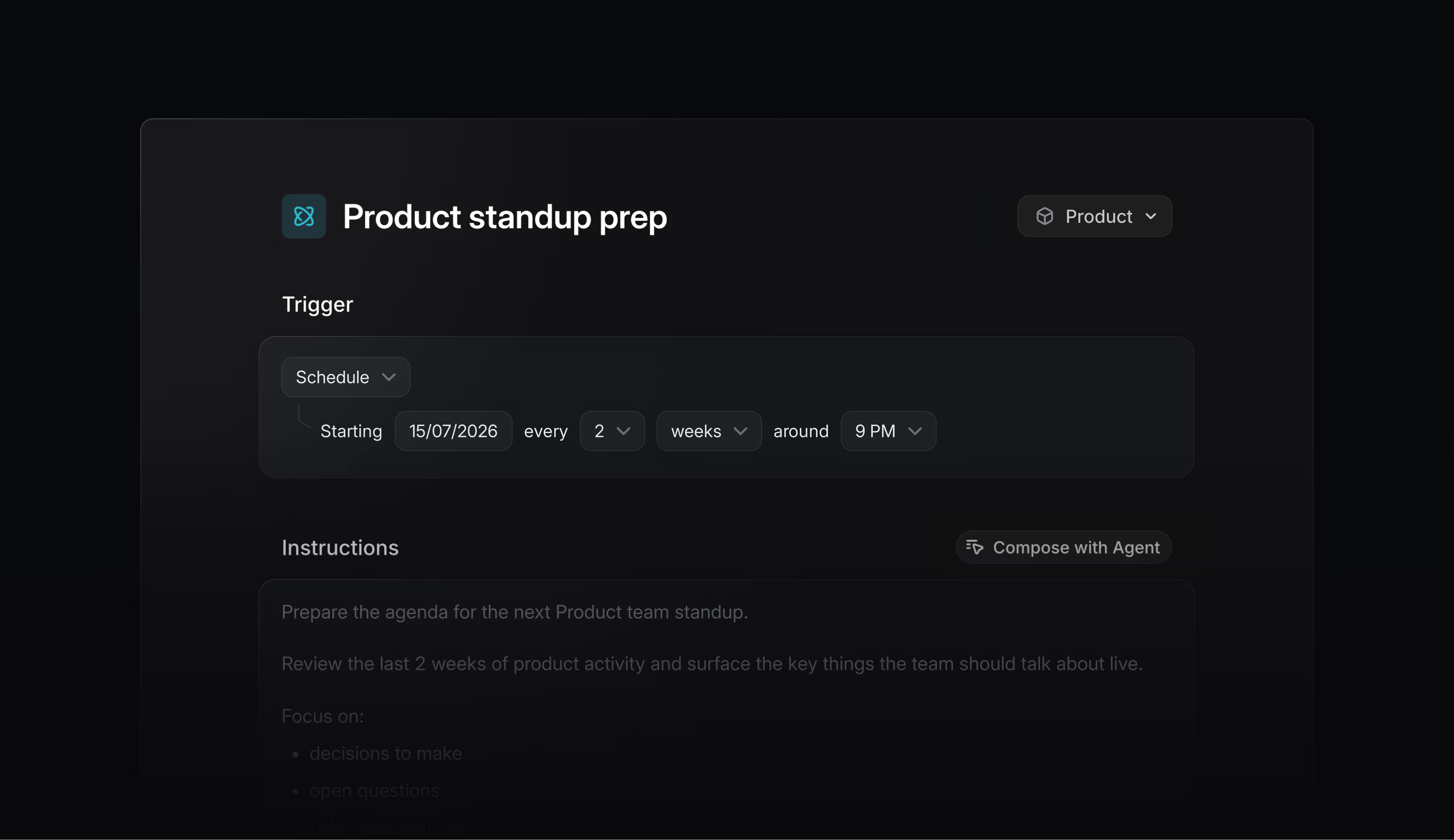
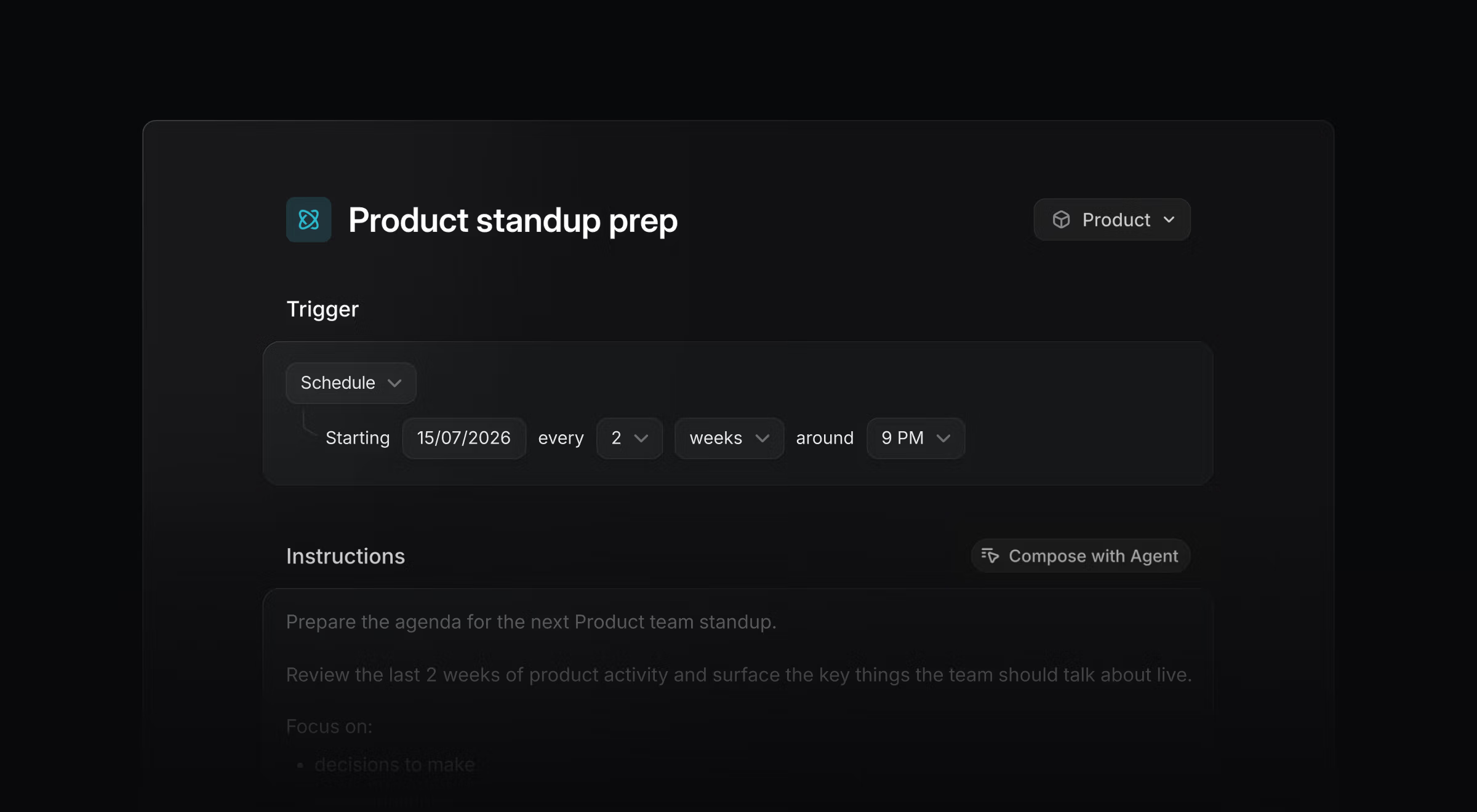
Linear UI showing the scheduling panel for a Loop.

Linear UI showing the scheduling panel for a Loop.

Because Loops are fully AI-powered, they can apply judgment as they work. They can account for exceptions, navigate ambiguity, gather missing information, and decide on the best path forward.

How teams use Loops

Loops run at the team and workspace level, with shared visibility and control. Anyone with access can review their instructions, see how they are configured, and inspect what happened during each run.

This makes Loops well suited to shared workflows that need to happen consistently over time.

Here are a few ways teams use Loops today:

Diagnose and dispatch bug reports

When an issue enters triage, a Loop can review its description, comments, and relevant parts of the codebase to recommend a next step. When the path forward is clear, it can start a coding session for an immediate fix.

Generate follow-up work

When a new feature request is created, a Loop can determine whether separate iOS, Android, and web app changes are needed. It can then create the relevant platform-specific issues and route them to the appropriate teams.

Keep plans and documents current

At the end of each day, a Loop can review active projects and initiatives against a central release plan. When it finds that timing or scope has changed, it can update the document and leave a note explaining why.

Getting started

Loops are available today on Business and Enterprise plans and use AI credits to run. Visit the documentation to learn how to create and manage Loops.

We plan to expand the triggers and context sources they can use, along with the governance controls available to workspace and team admins.

Share what you build and what you would like Loops to do next in the Community Slack, or contact Support with questions and requests.