惯性聚合 高效追踪和阅读你感兴趣的博客、新闻、科技资讯
阅读原文 在惯性聚合中打开

推荐订阅源

N
News and Events Feed by Topic
T
The Exploit Database - CXSecurity.com
P
Palo Alto Networks Blog
T
Threat Research - Cisco Blogs
Cloudbric
Cloudbric
Recent Commits to openclaw:main
I
Intezer
Attack and Defense Labs
P
Privacy International News Feed
cs.CV updates on arXiv.org
L
Lohrmann on Cybersecurity
C
Cybersecurity and Infrastructure Security Agency CISA
V2EX - 技术
V2EX - 技术
AWS News Blog
AWS News Blog
O
OpenAI News
L
LINUX DO - 最新话题
N
News | PayPal Newsroom
PCI Perspectives
PCI Perspectives
www.infosecurity-magazine.com
T
Troy Hunt's Blog
Latest news
Latest news
D
Darknet – Hacking Tools, Hacker News & Cyber Security
A
Arctic Wolf
Spread Privacy
Spread Privacy
G
GRAHAM CLULEY
T
Tor Project blog
博客园_首页
Know Your Adversary
Know Your Adversary
有赞技术团队
有赞技术团队
S
Secure Thoughts
美团技术团队
Apple Machine Learning Research
爱范儿
爱范儿
T
Tailwind CSS Blog
Application and Cybersecurity Blog
V
Visual Studio Blog
J
Java Code Geeks
Cisco Talos Blog
Cisco Talos Blog
Schneier on Security
Exploit-DB.com RSS Feed
S
Security Affairs
Jina AI
Jina AI
人人都是产品经理
人人都是产品经理
雷峰网
雷峰网
宝玉的分享
宝玉的分享
量子位
Last Week in AI
Last Week in AI
月光博客
月光博客
罗磊的独立博客
S
SegmentFault 最新的问题

阿豪运维笔记

DedeCMS后台部分功能打开空白如何排查修复 如何通过Navicat for MySQL导出Mysql数据库为SQL格式备份文件 如何通过Navicat for MySQL导入SQL备份文件 Win11系统如何通过CMD命令行窗口批量关闭相同进程 Win10系统如何通过CMD命令行窗口批量关闭相同进程 Win7系统如何通过CMD命令行窗口批量关闭相同进程 Win10系统中Windows 资源管理器是什么进程为啥重启下这个进程界面就正常了 Win7系统中explorer.exe是什么进程为啥重启下这个进程桌面显示就正常了 解决普通用户使用su命令切换root用户时提示su Authentication failure图文教程 轻松搞定Windows系统自定义安装日期图文教程 Windows2025系统如何设置指定时间定时自动重启系统图文教程 Windows2022系统如何设置指定时间定时自动重启系统图文教程 Windows2019系统如何设置指定时间定时自动重启系统图文教程 Windows2016系统如何设置指定时间定时自动重启系统图文教程 Windows2012系统如何设置指定时间定时自动重启系统图文教程 OpenSUSE 16如何安装Linux Web可视化管理工具Cockpit Fedora 41如何安装Linux Web可视化管理工具Cockpit Fedora 40如何安装Linux Web可视化管理工具Cockpit Debian13如何安装Linux Web可视化管理工具Cockpit Debian12如何安装Linux Web可视化管理工具Cockpit Ubuntu24如何安装Linux Web可视化管理工具Cockpit Ubuntu22如何安装Linux Web可视化管理工具Cockpit Alibaba Cloud Linux 4如何安装Linux Web可视化管理工具Cockpit Rocky Linux 10如何安装Linux Web可视化管理工具Cockpit
Alibaba Cloud Linux 3如何安装Linux Web可视化管理工具Cockpit
2026-04-12 · via 阿豪运维笔记

Cockpit是一款由红帽(Red Hat)开发的开源轻量级Linux Web可视化管理工具,依赖于systemd作为其核心服务管理器。它就像给Linux装了个网页版的控制面板,通过可视化界面监控系统资源使用情况、管理服务、配置网络、终端操作等功能

部署过程

1、安装 Cockpit

dnf install cockpit -y

2、安装所有插件

dnf -y install cockpit-*

3、启动并设置开机自启

systemctl enable --now cockpit.socket

4、开放防火墙端口并重新加载

firewall-cmd --permanent --add-service=cockpit
firewall-cmd --reload

5、访问Cockpit

安装完成后,打开浏览器访问https://您的服务器IP地址:9090显示如下

PS:账号和密码为SSH登录账号和密码

首次访问时,浏览器可能会提示证书不安全,这是因为Cockpit默认使用自签名证书。点击“高级”并选择“继续访问”即可
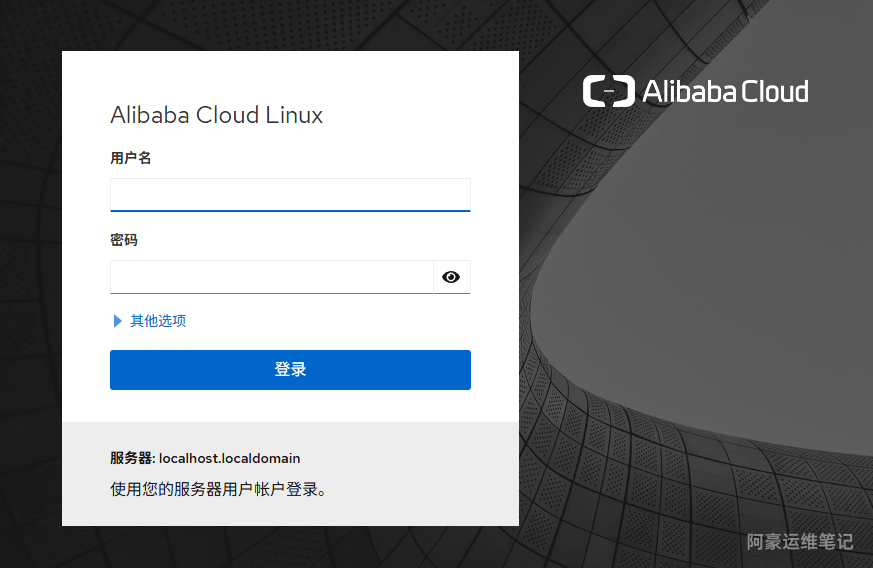
image.png

功能说明

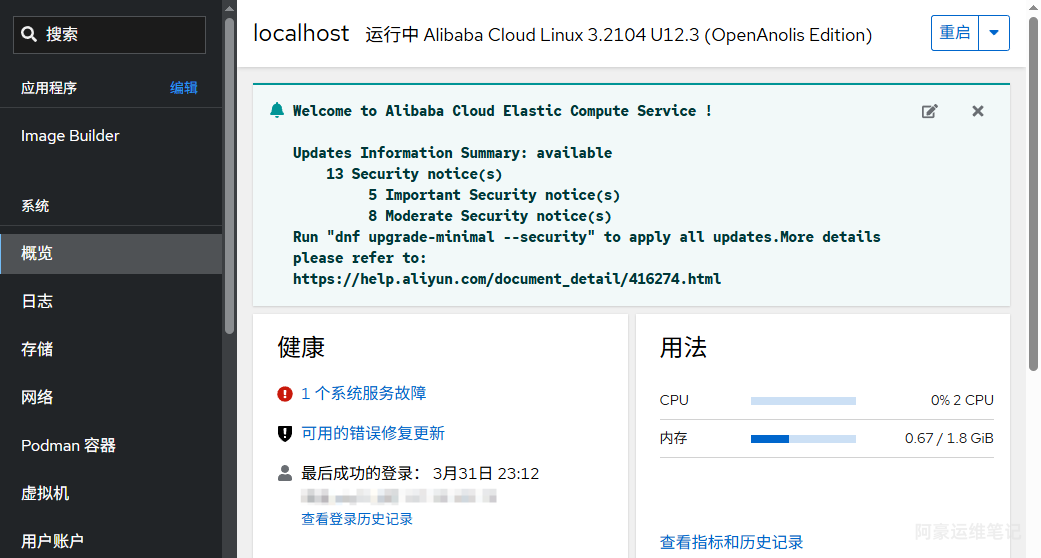
系统概要

image.png

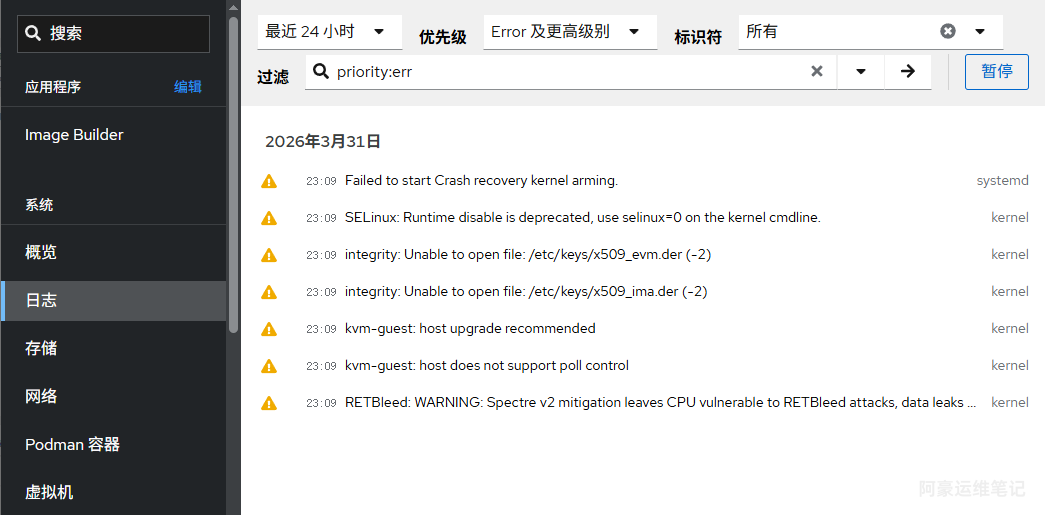
系统日志

image.png

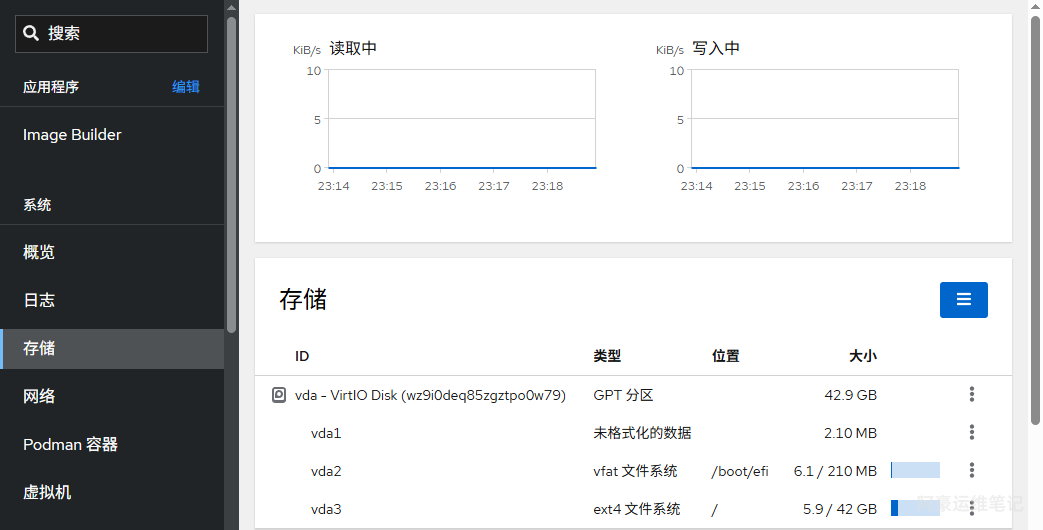
存储

image.png

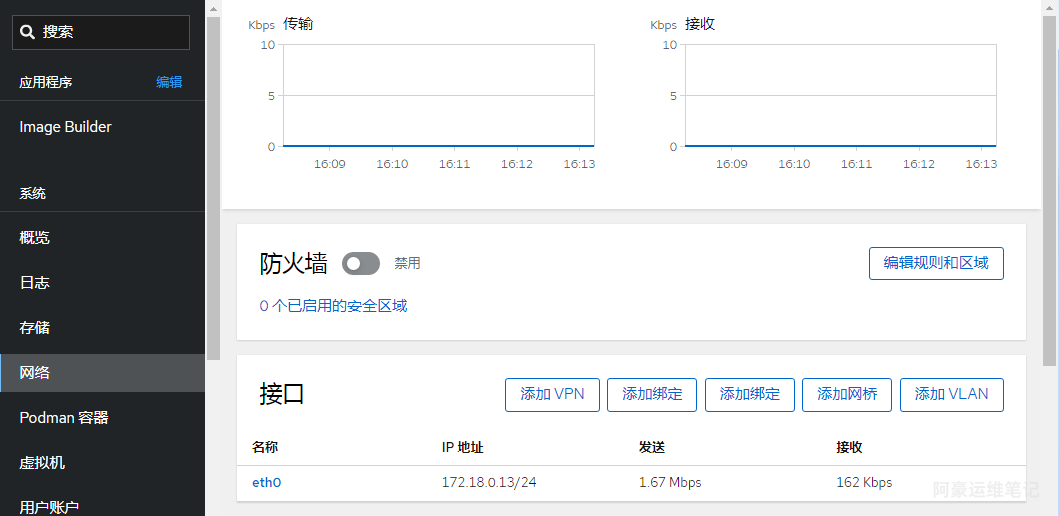
网络

image.png

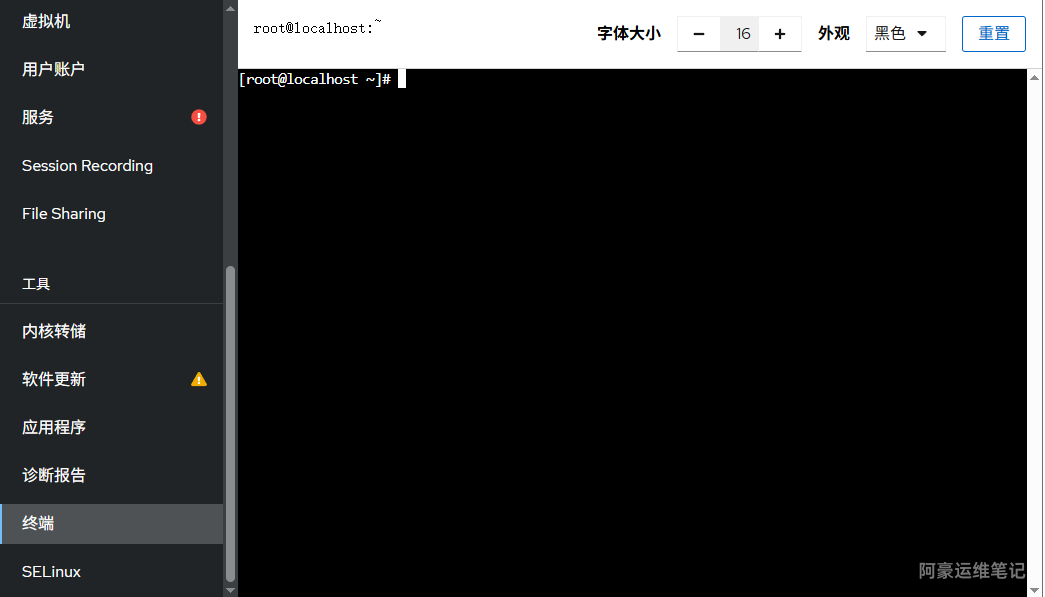
在线终端

image.png

总结

OK,教程到这已结束,喜欢的同学可以尝试部署体验。