








(精神上)坐在图书馆里,我想:能不能把这些旧书借走呢?
当然是可以的!贴心的图书管理员已经提供了API接口:http://api.repo.nypl.org/,申请账号之后,就可以做各种各样的事了~
当然,如果只是想下片的话,用digital-collections可能会更简单一些:
digital-collections -t API_TOKEN -s UUID -o OUTPUT.json
其中,API_TOKEN在申请账号以后会得到一个;在你想要下载的专辑(比如这个)下面,可以看到UUID;运行这条命令之后,图片的信息列表会保存在OUTPUT.json里。
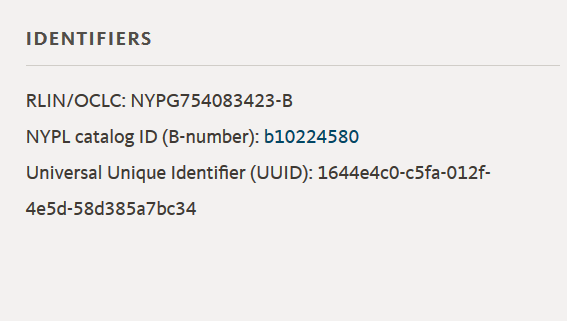
对,就是那个Universal Unique Identifier
之后,获得的json文件大概像是这样:
{
	"uuid": "510d47dd-c1f5-a3d9-e040-e00a18064a99",
	"imageLinks": {
		"imageLink": [
			"http://images.nypl.org/index.php?id=1125721&t=w&download=1&suffix=510d47dd-c1f5-a3d9-e040-e00a18064a99.001",
			"http://images.nypl.org/index.php?id=1125721&t=r&download=1&suffix=510d47dd-c1f5-a3d9-e040-e00a18064a99.001",
			"http://images.nypl.org/index.php?id=1125721&t=t&download=1&suffix=510d47dd-c1f5-a3d9-e040-e00a18064a99.001",
			"http://images.nypl.org/index.php?id=1125721&t=b&download=1&suffix=510d47dd-c1f5-a3d9-e040-e00a18064a99.001",
			"http://images.nypl.org/index.php?id=1125721&t=f&download=1&suffix=510d47dd-c1f5-a3d9-e040-e00a18064a99.001"
		]
	},
	"apiUri": "http://api.repo.nypl.org/api/v1/items/mods/510d47dd-c1f5-a3d9-e040-e00a18064a99",
	"typeOfResource": "still image",
	"imageID": "1125721",
	"sortString": "0000000001|0000000002|0000000001",
	"itemLink": "http://digitalcollections.nypl.org/items/510d47dd-c1f5-a3d9-e040-e00a18064a99",
	"highResLink": "http://link.nypl.org/7nC9VyT_TJWvGX9_H0mYBQ8",
	"title": "Dandelion.",
	"dateDigitized": "2016-08-04T04:53:12Z",
	"rightsStatement": "The New York Public Library believes that this item is in the public domain under the laws of the United States, but did not make a determination as to its copyright status under the copyright laws of other countries. This item may not be in the public domain under the laws of other countries. Though not required, if you want to credit us as the source, please use the following statement, \"From The New York Public Library,\" and provide a link back to the item on our Digital Collections site. Doing so helps us track how our collection is used and helps justify freely releasing even more content in the future.",
	"rightsStatementURI": "http://rightsstatements.org/vocab/NoC-US/1.0/"
}
之后,只要下载imageLink就好了。我用了一个简单的python脚本来做这件事。
# 注意:这玩意没有经过测试,可能会爆炸
# 啊对了,而且是python3.6
import urllib.request as ur
import json
import os

dir_name="Himalayan_plants" #可能要改这里……
os.mkdir(dir_name)
with open("OUTPUT.json","r") as source: #……还有这里
    source_dict=json.load(source)

for _i,_s in enumerate(source_dict):
    file_name=dir_name+"/"+str(_i)+".jpg"
    if os.path.exists(file_name)==False:
        try:
            ur.urlretrieve(_s["imageLinks"]["imageLink"][0],file_name)
        except Exception as e:
            print(_i)
            print(str(e))