









In TFS2008, deleting a build removes it from the database itself. If you delete a build called Build_20110423.1 or 1.0.0.1 from Build Explorer and trigger the build again then you will see that new builds starts with same number (Build_20110423.1 or 1.0.0.1) but not with an incremental number (Build_20110423.2 or 1.0.0.2). But, it doesn’t work the same way in TFS2010.
I queued a build in TFS2010 which got failed with Build Number 1.0.14.0 due to compilation errors.
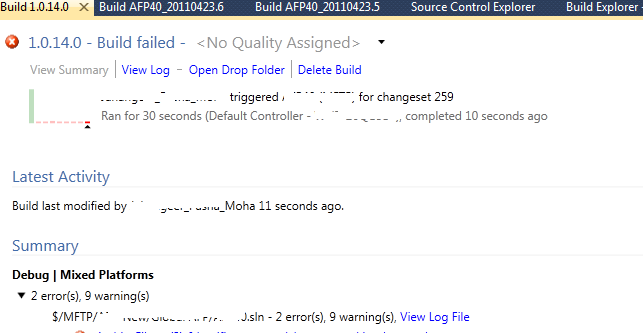
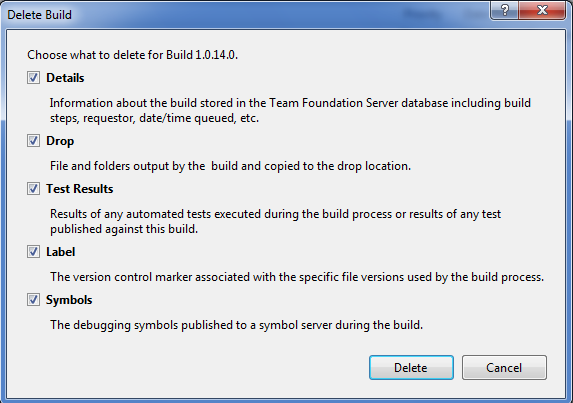
I wanted to reuse the same build number. So, I have deleted the Build from Build Explorer by checking all the available options.
Triggered the Build again but it got failed with error TF42064: The build number ‘1.0.14.0’ already exists for build definition .
.
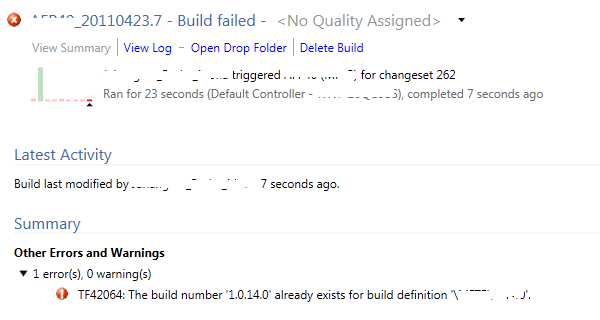
This is because in TFS2010 when you delete the builds, it only gets marked as deleted in the database so that it doesn’t show up in the UI anymore. To get rid of this build completely you actually have to Destroy it using tfsbuild destroy command which is added in TFS2010.
Open the Visual Studio Command Prompt and you can run the tfsbuild destroy command in below mentioned syntax.
C:\WINDOWS\system32>tfsbuild destroy /collection:http://TFSServer:8080/tfs/defaultcollection /builddefinition:"TeamProject\BuildDefinitionName" BuildNumber 1.0.14.0
No builds found for build specification 'BuildNumber'.
Destroy build record for 1.0.14.0 permanently? (Yes/No/All) yes
Destroying 1.0.14.0... Done
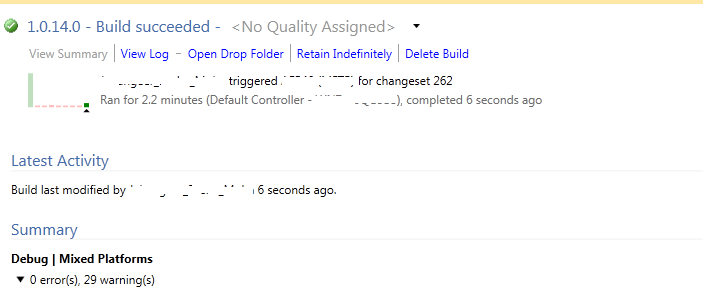
I queued the build again and now the build succeeded with 1.0.14.0 Build Number.
此内容由惯性聚合(RSS阅读器)自动聚合整理,仅供阅读参考。 原文来自 — 版权归原作者所有。