







Expand .NET Framework 3.5 and check the box in front of .NET Framework 3.5.1 (or current version may change with Windows Updates). Then click the Next button to reach the confirmation screen. Then Click the Install button to complete the process of adding a feature.
Right-click on Computer and choose Manage… Then click on Features in the left column. On the right-side of the screen, click Add Features.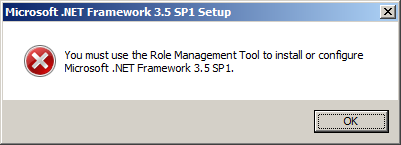
在windows 2008 中安装sql 2008 提示错误如上。
解决办法:
Right-click on Computer and choose Manage… Then click on Features in the left column. On the right-side of the screen, click Add Features.
Expand .NET Framework 3.5 and check the box in front of .NET Framework 3.5.1 (or current version may change with Windows Updates). Then click the Next button to reach the confirmation screen. Then Click the Install button to complete the process of adding a feature.
此内容由惯性聚合(RSS阅读器)自动聚合整理,仅供阅读参考。 原文来自 — 版权归原作者所有。